
A dedicated IP VPN gives you an exclusive, static IP that no one else uses, helping you solve common frustrations like constant CAPTCHAs, banking sites locking you out, or remote work connections failing because your IP address changes every time you reconnect. But most providers either charge too much, deliver slow speeds, or cut corners on security. After hands-on testing the top options, we built a list of the top VPNs with fast, reliable dedicated IPs, strong privacy protections, and pricing that won’t break the bank.
In this guide, you’ll get our five best VPNs for dedicated IP in 2026, clear explanations of static vs. dedicated IPs, real-world use cases, and the providers you should avoid despite their dedicated IP add-ons.
Keep reading to find the one that’s right for you.
Why we only recommend 5 VPNs
Are you looking for the best VPN for dedicated IP addresses? If so, you have come to the right place. In this guide, we examine the best VPNs with a dedicated IP option, highlighting its benefits such as consistent access to websites, streaming services, and improved security. We’ll introduce you to thoroughly tested options that we recommend, and point out some to avoid. Using a dedicated IP VPN comes with some great advantages, as well as a few drawbacks, as we’ll show you below.
Why do we only recommend five dedicated IP VPNs? Well, some of the VPNs with dedicated IPs have a troubling past. One example of this is PureVPN, which was found to be logging its users, despite claiming to be a “zero logs” VPN. There was also the case of Windscribe, which had a “security incident” that put its users at risk. These are just a few of the dedicated IP VPN service providers that we cannot recommend (more examples at the end of this article).
Dedicated IP terminology
One of a VPN’s key jobs is to conceal your IP address (also known as “your IP” or “your address”). To do this, the VPN server replaces your real IP address with a dynamic IP address of its own. This new IP address may be different every time you connect to the VPN server, and will likely be used by other people too. This is a good thing. It makes it difficult for anyone to track your online activity since your activity is mixed with the activities of others using the same IP address.
But for some activities, you might need a VPN server to give you the same IP address each time you use it. This is called a static IP address or fixed IP address. Having a static IP makes it look like you’re always in the same place, even if you’re not.
There are two types of static IP that a VPN service can provide. One type is a shared static IP. In this type, the VPN server always assigns you the same IP address, but that address may be used by multiple people. Surfshark is a leading VPN that offers shared static IP addresses, which they refer to simply as “Static IP.” Surfshark also has dedicated static IP addresses.
What is a dedicated IP?
A dedicated IP address is a unique IP address, specifically a static IP address assigned exclusively to a single user or device. Unlike shared IP addresses, which are used by multiple users, a dedicated IP address ensures that your online activities are not mixed with those of others. This provides a secure and stable connection to the internet, offering several benefits such as increased security, faster email delivery, and improved online transactions.
Dedicated vs shared IPs
A dedicated IP address is assigned to a single user or device, providing a unique and consistent online identity. In contrast, a shared IP address is used by multiple users, which can enhance anonymity but may also lead to issues such as blacklisting.
Shared IP addresses are often employed by VPN providers to improve user anonymity and security. However, because multiple users share the same IP address, any suspicious activity by one user can result in the IP address being blacklisted, affecting all users. This can lead to frequent CAPTCHA challenges and blocked access to certain websites and services.
On the other hand, dedicated IP addresses offer more security and privacy. They are particularly useful for business users who need to access specific networks and for individuals who require a stable and secure connection. With a dedicated IP, your online activities are not associated with the actions of others, reducing the risk of blacklisting and improving the reliability of email delivery and online transactions.
Benefits of a dedicated IP address
The benefits of a dedicated IP address include:
- Increased security: A dedicated IP address is less likely to be blacklisted by websites and services, reducing the risk of blocked access to certain services or websites.
- More reliable email delivery: Emails sent from a dedicated IP address are less likely to be flagged as spam, resulting in a higher probability that the email you send gets delivered to its destination.
- Improved online transactions: A dedicated IP address can provide a secure connection to a business network, making it ideal for remote workers and businesses that require a secure connection.
For the rest of this guide, we will use the terms, “static IP,” and “dedicated IP” to describe the two types of addresses.
Why use a dedicated IP VPN?
Here are the top reasons for using a Dedicated IP with your VPN service:
- Selecting VPN services that offer a static IP VPN is crucial for enhanced security and effectiveness.
- It will minimize CAPTCHA authentication, which is usually triggered with multiple users behind the same IP.
- Your dedicated IP is less likely to be blocked by services such as banks, streaming platforms, and various websites.
- You will always appear to be in the same physical location, regardless of your actual location.
- You can securely access home servers, NAS, FTP, and other resources by controlling which IP addresses the firewall will allow through.
Best dedicated IP VPNs
Here are the best VPN services that offer Dedicated IP addresses:
NordVPN – Best dedicated IP VPN
| Website | NordVPN.com |
| Based in | Panama |
| Logs | No logs (audited) |
| Price | $3.49/mo. |
| Support | 24/7 live chat |
| Refund | 30 days |
| Deal | 75% Off Coupon |
NordVPN is the best all-around VPN for a dedicated IP address. It is a privacy-focused service based in Panama and is a verified no-logs VPN, having passed several different independent audits.
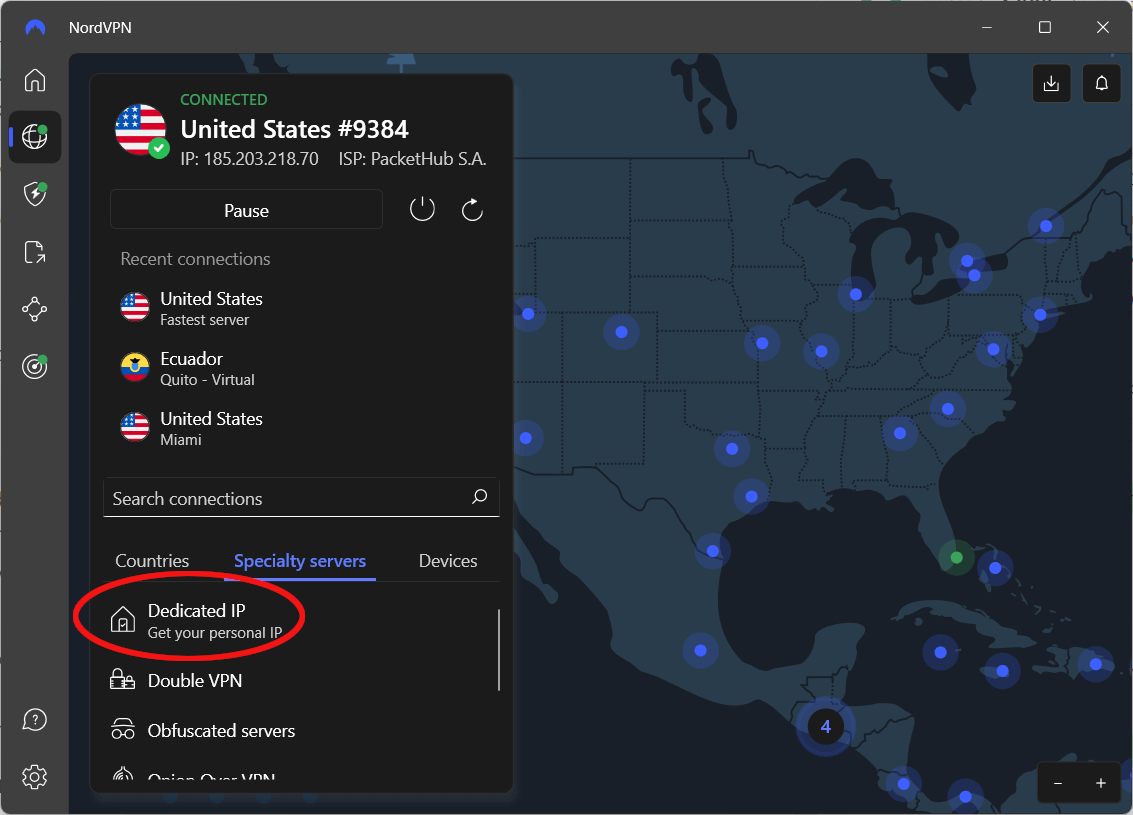
NordVPN offers an impressive lineup of servers around the world and reliable apps for all major operating systems and devices. It performed exceptionally well in our testing, and offers many impressive features and capabilities in addition to Dedicated IP. The NordVPN app we tested on Windows shows the Dedicated IP as the first option under Specialty servers in the image below.
NordVPN has an outstanding feature set
Here are a few of the standout features of NordVPN:
- Double VPN servers that encrypt traffic over two hops
- Obfuscated servers that can hide your activities from internet censors
- P2P servers that are ideal for torrenting
- Threat Protection Pro and Threat Protection features block ads, trackers, malware domains, and more (rated the best VPN with ad blocking)
- Secure apps with built-in leak protection settings (including internet kill switches)
- Consistent access to Netflix, Hulu, Amazon Prime, and many other streaming services (rated the best VPN for streaming). Using a different IP address each time can lead to issues with streaming services blocking access, but a dedicated IP can resolve these issues.
- Unlimited torrenting and bandwidth on all servers
- Excellent speeds across the network
- Highly reliable apps and servers
- Private DNS servers so even your ISP can’t track your online activities
See all NordVPN features here >
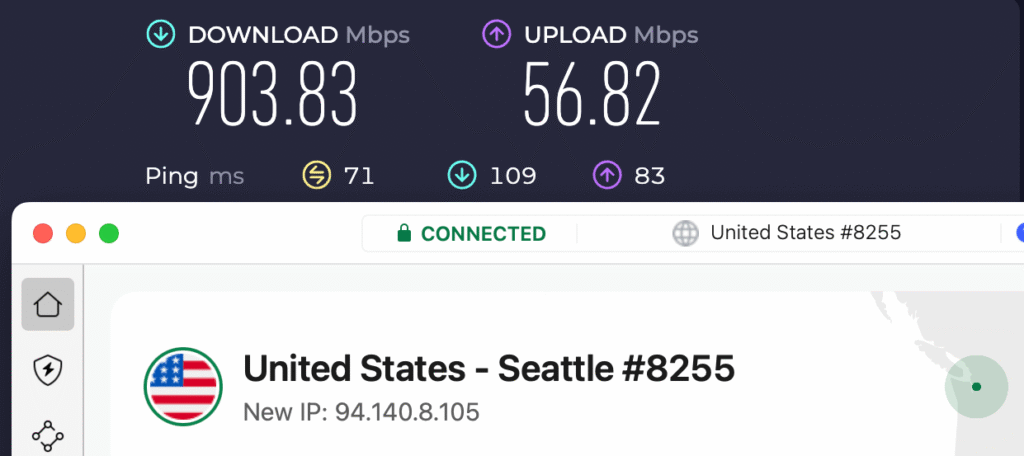
NordVPN is a high-performance VPN, consistently ranking among the fastest VPNs in our tests. Its impressive speed is largely due to NordLynx, a custom VPN protocol that incorporates the WireGuard VPN protocol. WireGuard provides faster speeds and enhanced security compared to legacy protocols. In our testing, NordVPN achieved a 903 Mbps download speed using NordLynx on a 1000 Mbps connection.
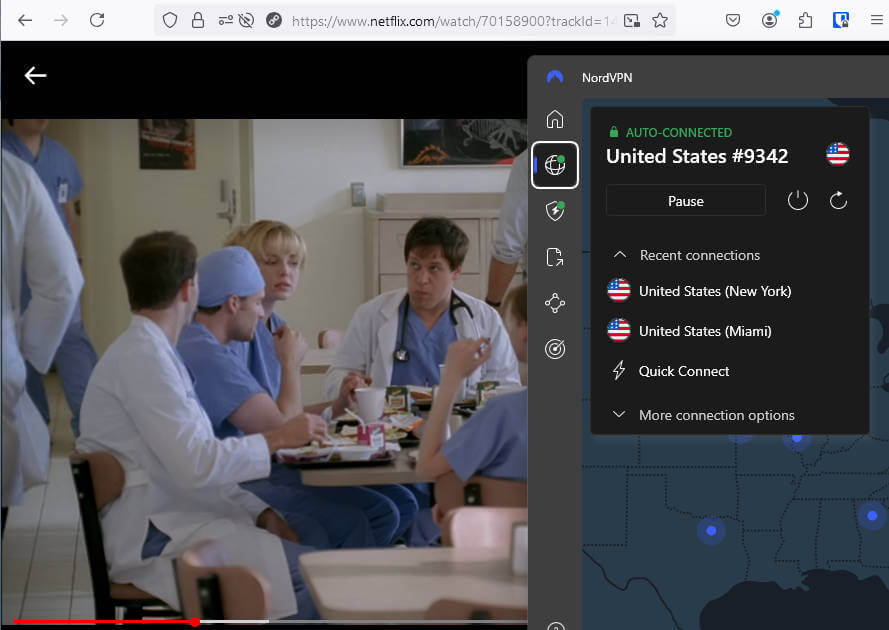
Our streaming tests showed that NordVPN is one of the best VPNs for Netflix. It also supports all major streaming services, including Hulu, BBC iPlayer, Amazon Prime, and more. In short, NordVPN is the best VPN for streaming, period. If you have problems connecting to a specific program or website, NordVPN’s 24/7 live chat support line is there to help.
NordVPN is a leader in server selection and security with over 9,400 servers in 126 countries. Their servers operate in RAM-disk mode without hard drives, making it impossible to store user data on them. Additionally, they are upgrading their entire network to colocated servers with 10 Gbps data channels for improved performance.
NordVPN with a dedicated IP address
At the time of this update, NordVPN offered dedicated IP addresses in 28 countries worldwide, including:
- United States (Los Angeles, New York, and more)
- United Kingdom (London)
- Germany (Frankfurt)
- Japan (Tokyo)
To get a NordVPN dedicated IP address, simply purchase a regular subscription, and then select the dedicated IP add-on during checkout. The price you pay for a dedicated IP will depend on the NordVPN subscription plan you choose. A dedicated IP will cost you around $3.89/mo. if you choose a 2-year subscription plan.
All NordVPN subscriptions come with a 30-day money-back guarantee, as well as 24/7 live chat support. In terms of prices, NordVPN is one of the best cheap VPNs on the market, coming in at well under $4.00 per month when you use the 75% discount coupon below.
NordVPN pros and cons
+ Pros
- User-friendly and reliable apps
- 30-day money-back guarantee
- Double VPN and Onion Over VPN servers
- 24/7 live chat support
- Verified no-logs VPN
- Works with Netflix and many other streaming services
- Threat Protection feature to block ads, trackers, and malware
- Large worldwide server network
– Cons
- Big discounts only available for long-term subscriptions
NordVPN’s Cyber Deal is live:
Get 75% Off NordVPN with the coupon below + 3 months extra:
(Coupon is applied automatically; 30-day money-back guarantee.)
You can also see the NordVPN review for more test results and analysis.
Surfshark – Dedicated IPs and unlimited connections
| Website | Surfshark.com |
| Based in | The Netherlands |
| Logs | No logs (audited) |
| Price | $2.49/mo. |
| Support | 24/7 live chat |
| Refund | 30 days |
| Deal | 87% Off Coupon |

Surfshark is one of the newer VPN services and has quickly become one of the top VPN services in the world. It is secure and private, and rivals NordVPN in pure speed. It does a great job of streaming content from around the world and provides secure torrenting. At the same time, it supports an unlimited number of simultaneous connections while charging less than far less capable competitors.
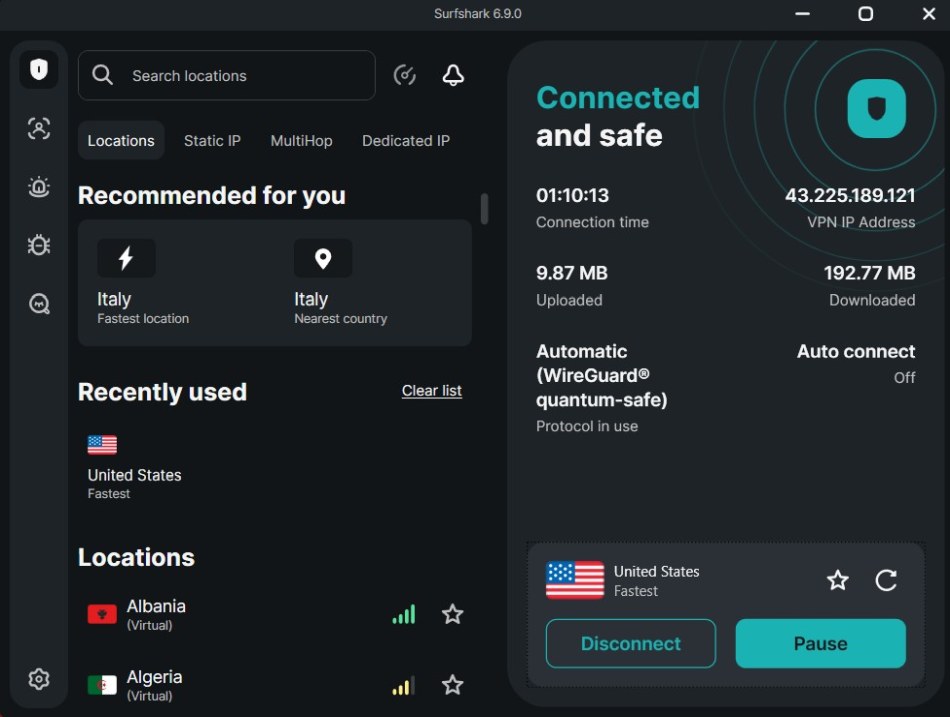
In keeping with its rapid rise, Surfshark continues to advance in multiple areas. This includes its status as one of the first VPNs to offer both dedicated static IP (dedicated IP) addresses and shared static IP (static IP) addresses. At the time of this review, Surfshark had dedicated IP locations in 14 cities across 10 countries plus Hong Kong.
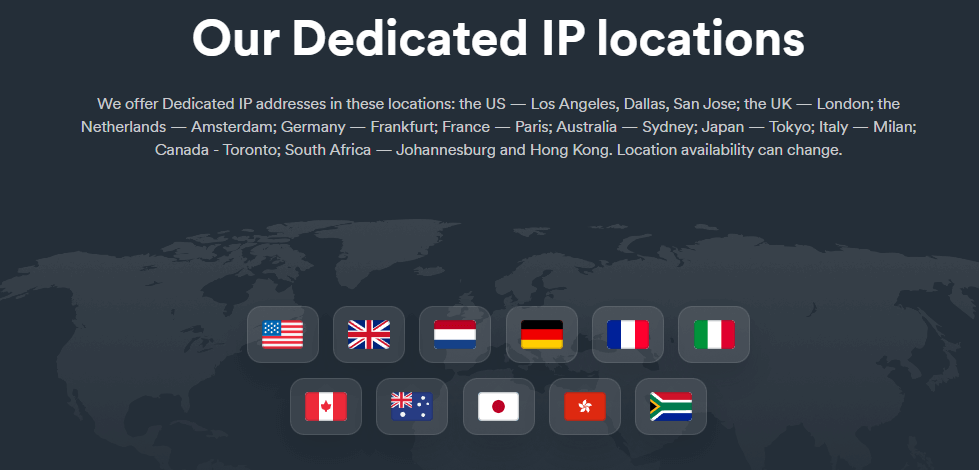
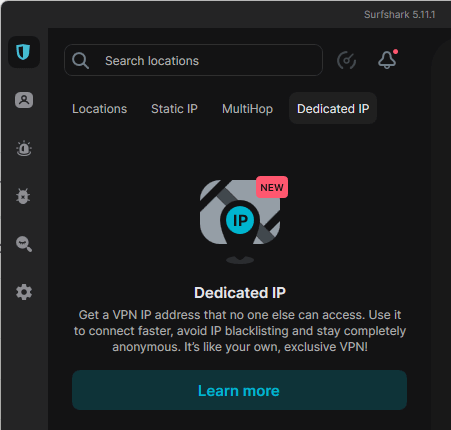
Surfshark’s dedicated IP address feature is available in all of their major apps. You can see the dedicated IP VPN option in the screenshot below of the Surfshark Windows app.
Like NordVPN, Surfshark is an excellent general-purpose VPN. It has a strict no-logs policy that has been verified by outside auditors. Surfshark offers a large list of features, including multiple server types:
- Double VPN (MultiHop) servers
- Obfuscated (Camouflage mode) servers
- P2P servers for torrenting
Other Surfshark features you might find useful include:
- CleanWeb to block ads, trackers, and more
- Split tunneling (Bypasser)
- Surfshark One, a bundle of the VPN plus other privacy tools
Support for streaming and torrenting
Surfshark is one of the best streaming and torrenting VPNs. Fast and secure, it also unblocks most geo-blocked streaming sites, making it one of the best VPNs for BBC iPlayer and other online services.
Likewise, Surfshark is excellent for torrenting and appears on our list of the best VPNs for torrenting anonymously.
Is Surfshark the best cheap VPN?
Surfshark is a feature-rich, high-performance VPN that provides both static and dedicated IP servers. It also has a very low long-term subscription price and is one of the few VPNs to give you an unlimited number of simultaneous connections. It could very well be the best cheap VPN on the market if you are willing to invest in their 2-year subscription.
Surfshark pros and cons
+ Pros
- Unlimited connections
- User-friendly apps for all devices and operating systems
- CleanWeb feature to block ads, trackers, and malware
- Works great with Netflix and many other streaming services
- 24/7 live chat support
- Strong encryption and security features (audited)
– Cons
- Limited support for VPN routers
- Above-average monthly prices
Surfshark VPN Coupon:
Get 87% off Surfshark VPN plus an additional 3 months extra with the coupon below:
(Coupon is applied automatically; 30-day money-back guarantee)
See our complete Surfshark VPN review for more details.
Proton VPN – Dedicated IPs for businesses
| Website | ProtonVPN.com |
| Based in | Switzerland |
| Logs | No logs (audited) |
| Price | $2.99/mo. |
| Support | Email + Chat |
| Refund | 30 days |
| Deal | 70% Off Coupon |
Unlike the other VPN services covered in this article, Proton VPN only offers Dedicated IP addresses to subscribers who choose one of their many Business plans. Consumer VPN plans only use Proton VPN’s shared IP addresses, which maximizes the anonymity of each user by ensuring there will be multiple users for each IP address.
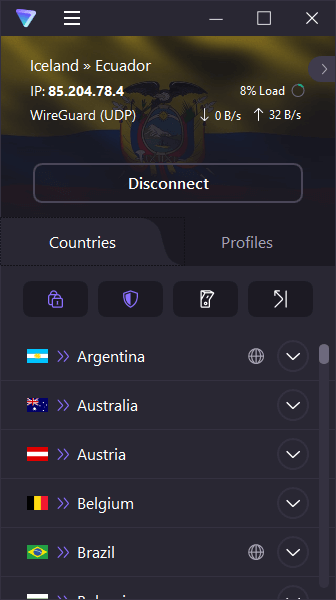
The Proton VPN approach to dedicated IP means that you should only consider Proton VPN if your dedicated IP needs are for things like secure remote access to corporate networks, presenting a consistent online identity to customers, or other corporate functions.
If Proton VPN sounds good to you so far, here is more information to consider:
- The service has a strict no-logs policy, which has been verified in an audit by Securitum.
- Secure Core (Double VPN) servers that first pass your traffic through specially secured servers in either Switzerland, Sweden, or Iceland.
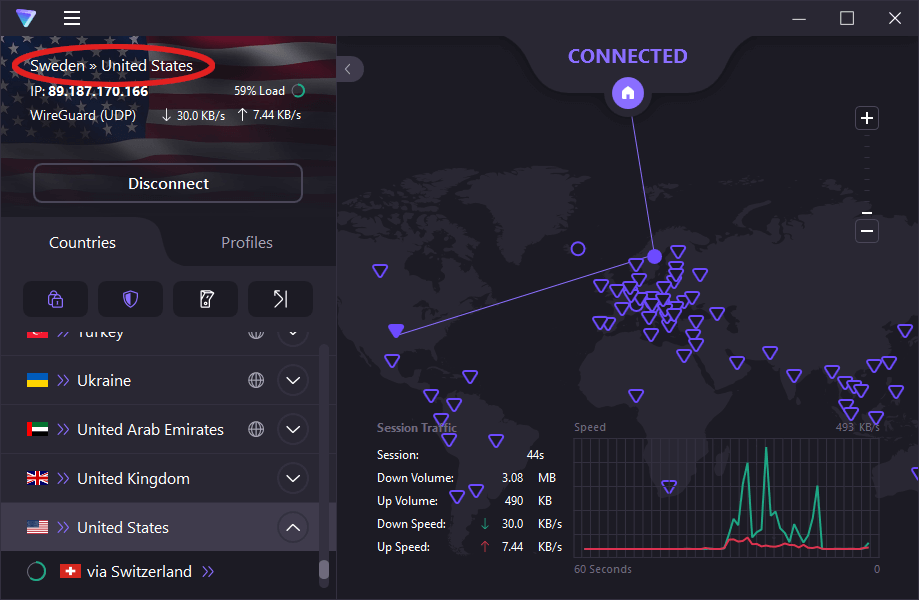
- WireGuard protocol support for stronger security and improved performance.
- Tor over VPN integration to give you the anonymity benefits of the Onion network along with the security and privacy of this reliable VPN.
- NetShield ad, tracker, and malware blocker built in.
- Proton VPN Profiles allow you to create custom configurations that you can access with a couple of clicks.
- Proton VPN apps passed all of our leak tests and functioned smoothly without any problems.
- Paid consumer subscriptions support up to 10 simultaneous users. Business plans are priced on a per user basis, allowing you to expand as required.
Proton VPN pricing varies a lot depending on the plan you choose. The best price for a 2-year subscription is under $4.00 per month when you use the link below. That is a cheap VPN price for a quality VPN service. And as a paying customer, you get live chat support and a 30-day money-back guarantee, giving you plenty of time to test the service along with any support you might need.
Proton VPN pros and cons
+ Pros
- Swiss-based privacy
- Open-source apps audited by independent security firms
- Secure Core servers route traffic through hardened nodes
- VPN Accelerator boosts long-distance US speeds
- Post-quantum encryption in the works
- Subscription plans bundle with Proton Mail, Proton Drive, Proton Sheets, and Proton Pass
- Linux CLI and refreshed GUI
- Smart TV and Apple TV apps now support NetShield
– Cons
- No 24/7 live chat
- Advanced tools have a steeper learning curve
Proton VPN Coupon:
Get 70% Off Proton VPN (drops the price to only $2.99/month) with the coupon below:
(Coupon is applied automatically; 30-day money-back guarantee)
You can find out more about Proton VPN’s general capabilities in our Proton VPN review.
Trust.Zone – A low-cost VPN for dedicated IP
| VPN | Trust.Zone |
| Based in | Seychelles |
| Logs | No logs |
| Price | $1.77/mo. |
| Support | |
| Refund | 10 days |
| Website | Trust.Zone |

TrustZone is a basic, privacy-focused VPN service based in Seychelles. In my review of Trust.Zone, I found the speeds to be fast on all servers tested. The service has a strict no-logs policy, but as of now it does not appear that the policy has been confirmed by a third-party audit. Trust.Zone offers direct support for Netflix streaming with different streaming hubs, and torrenting is allowed on all servers in the network.
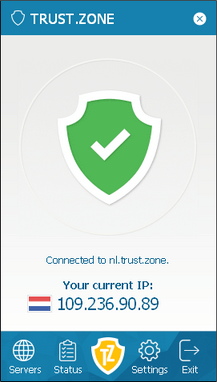
Trust.Zone has secure VPN apps for Windows, iOS, and Android. Unfortunately, they do not offer a macOS VPN app at this time (see these best macOS VPNs for alternatives). Despite this, you can still use Trust.Zone with third-party apps, such as Tunnelblick.
One of the best advantages of Trust.Zone is that you can get a dedicated IP without breaking the bank. It may be the cheapest dedicated IP VPN you will find. There is also an exclusive discount with the link below.
Pricing for TrustZone dedicated IP addresses
Trust Zone offers dedicated IP addresses for $1.99 / month, and often give you some additional months free of charge when you subscribe. Here are some extra notes on pricing to consider:
- Longer-duration plans will give you a bigger discount on dedicated IPs
- Paying with Bitcoin or other cryptos will give you 10% off your dedicated IP addresses
Trust.Zone offers dedicated IP addresses with and without port forwarding. Using a VPN with port forwarding has some pros and cons to consider.
Note: Use the link below to get a subscription plan and dedicated IP address.
TrustZone pros and cons
+ Pros
- Competitive prices
- Great speeds and reliability
- Good leak protection settings
- Free trial (One of the best Free Trial VPNs)
- P2P torrents allowed
- Dedicated IP addresses are available
- Additional 10% discount with coupon code
– Cons
- Limited on features
- No custom VPN clients for Mac OS
- Fewer Netflix regions are supported
See our Trust.Zone review for more details.
OVPN – Secure, private, and fast, with dedicated IP support
| VPN | OVPN |
| Based in | Sweden |
| Logs | No logs |
| Price | $4.22/mo. |
| Support | Email & Chat |
| Refund | 10 days |
| Website | OVPN.com |
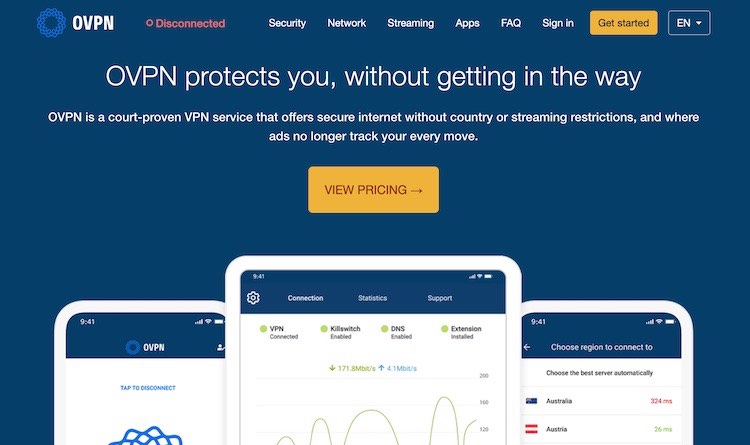
OVPN is a Swedish VPN provider founded in 2014 to provide reliable and trustworthy VPN services. They provide dedicated IP addresses, which they call Public IPv4 in a large number of locations around the world for only an additional €4/month.
OVPN uses a multi-layered approach to safeguard user data and run their entire network on colocated (self-owned) bare-metal servers running in RAM-only mode, with strong security and ample bandwidth for any online activity. This VPN performed well in our tests and offers secure apps with built-in leak protection settings, including a full GUI Linux client. OVPN now has support for WireGuard built into its apps.
OVPN pros and cons
+ Pros
- Designed for maximum user privacy and security
- Dedicated apps for Windows, macOS, Linux, Android, iOS, and support for other devices
- No IP address or DNS leaks detected
- Support for streaming and torrenting
- Lots of configuration options
- Monthly transparency reports
- Multiple payment methods including anonymous payments
– Cons
- Small server network with few locations
- Above average prices
See our complete OVPN review for more information.
Understanding static and dedicated IPs
Everything connected to the Internet has an IP (Internet Protocol) address assigned to it. Typically, when a user connects to a VPN, the user is assigned to a dynamic shared IP address. This is an IP address that changes from time to time (is dynamic) and is assigned to multiple users at the same time (is shared). This is great for privacy and anonymity. With multiple users all assigned the same IP address, it becomes incredibly hard for anyone to track the activities of a particular user.
But there are times when it would be better to have an IP address that doesn’t change. The two types of unchanging IP addresses are called Static IP, and Dedicated IP.
A Static IP Address is a fixed IP address that is assigned to you and does not change over time. Each time you connect to the VPN service, you’ll have access to the same IP address. The way most VPNs use the term, a static IP address can be used by multiple people simultaneously.
A Dedicated IP Address is also a fixed IP address that is assigned to you and does not change over time. Each time you connect to the VPN service, you’ll have access to the same IP address. However, a dedicated IP address is assigned exclusively to your VPN account.
Should you get a dedicated IP VPN?
There are many different advantages and use cases for using a dedicated IP address through your VPN service. Here are some of those cases:
High-security access – High-security sites like banks may blacklist shared IP addresses as a security measure.
Web browsing – Some general websites block shared IP addresses to protect themselves against fraud.
Endless authentication requests – User authentication requests like Google’s annoying reCAPTCHA are often triggered when numerous people are using the same IP address (the way most VPN connections work). This was also a recurring problem we noted in our Mullvad VPN review.

Streaming media access – Many streaming services, such as Netflix, Amazon, and Hulu will block shared IP addresses as part of their efforts to control access from different geographic regions. Multiple users coming from the same IP address looks like an attempt to evade a service’s geo-blocking system. A dedicated IP address does not attract that kind of negative attention.
Gaming – Gaming using a VPN’s standard shared IP addresses is often a problem. Like streaming media services, games may block access from shared IP addresses. Or they might give you access but hit you with frequent authentication requests. A dedicated VPN IP address should avoid this kind of problem. We discuss this more in our guide on the best VPNs for gaming.
Secure access to your online resources – If you need to connect to your home servers, the company network, or other private resources, a dedicated IP is the way to go. The resources you want to connect to can be configured to give access to your dedicated IP address, and block all others for greater security.
Now let’s take a quick look at some of the different dedicated IP VPN providers you may want to avoid – for various reasons.
Dedicated IP setup
Ready to activate your exclusive IP and ditch the shared-server headaches? You can get everything running smoothly in under 10 minutes with the right provider:
- Add it at checkout — Most top VPNs (like NordVPN) let you select your dedicated IP location and country when signing up, instead of making you waste time adding it later.
- Connect with one click — Open the app, choose your dedicated server from the list, and verify the IP stays the same after reconnecting.
- Run a leak test — Visit ipleak.net or similar to confirm no DNS or WebRTC leaks are slipping through.
- Test your main use case — Log into banking, stream your favorite shows, or access remote work servers without CAPTCHAs or blocks.
- Toggle for privacy — Switch back to shared servers when you don’t need the static IP to keep your regular browsing more anonymous.
NordVPN makes the entire process effortless with reliable dedicated IPs, top speeds, and built-in protection that passed every test we threw at it. Grab it now and start enjoying frustration-free access.
Dedicated IPs to avoid
There are a few other VPN providers that offer static IP addresses, but it may be best to avoid them at this time for the reasons discussed below.
1. PureVPN – PureVPN offers dedicated IP addresses, but it did very poorly in the PureVPN review. Some of the issues identified in the review were:
- DNS leaks (this exposes your browsing history to third parties)
- Slow speeds
- Buggy apps
- Connection problems with many servers
Another interesting development with PureVPN is that they were caught logging customer data and handing the information over to the FBI (US authorities). This all transpired despite PureVPN’s “zero log policy.” See the PureVPN logs article for details.
Aside from the logging incident, PureVPN also lags behind leading VPNs in performance, as you can see in the PureVPN vs NordVPN comparison.
2. Ivacy – Based on some reports we have seen, Ivacy appears to be a re-branded (white label) version of PureVPN. Given PureVPN’s history of cooperating with US authorities, it may also be best to avoid Ivacy.
3. CyberGhost – CyberGhost is a VPN service that is based in Romania. Aside from all the performance problems I found in my CyberGhost review, there were also problems with accessing streaming sites. I also ran into connection problems in tests for the CyberGhost vs NordVPN comparison.
4. VPN Unlimited – VPN Unlimited is a USA VPN service that offers dedicated IP addresses. Being based in the US jurisdiction means that VPN Unlimited could be forced to log your activities regardless of the VPN’s own policies. Making things worse, the service did not do well in the VPN Unlimited review. Some of the issues identified were:
- IP address leaks
- Faulty kill switch (traffic exposed whenever switching servers)
- Bad privacy policy
- Based in USA (Five Eyes)
- Slow speeds
5. Windscribe – Last up is Windscribe, a Canadian VPN. Overall, Windscribe isn’t too bad, but it also was not recommended in my review, for the following reasons:
- Slow speeds
- Based in Canada (Five Eyes)
- Contradictory “no logs” claims
- Slow support
Our Windscribe review has more details. Additionally, in 2021, we wrote about a Windscribe security breach that put the VPN’s users at risk of traffic surveillance. This is not a VPN we recommend using for any situation. There are just too many issues.
Now let’s examine some disadvantages of using a dedicated IP address with your VPN.
The disadvantages
We’ve covered the advantages and benefits of using a dedicated IP VPN service, but there are also some disadvantages.
Using a dedicated IP address with a VPN is indeed a double-edged sword.
When you have a dedicated IP address, your traffic is the only traffic associated with that IP address. Since your traffic is not being mixed in with other users, your online anonymity is reduced. If you are concerned about this, there is an easy way to mitigate the risk. Only use the dedicated IP address when you need it for a specific purpose.
When you don’t need the features of the dedicated address, use shared IP addresses (standard VPN connections) as much as possible. You can accomplish this using any of the VPNs we recommend in this article. You’ll have the benefits of a dedicated IP when you need them, and the benefits of shared IP addresses the rest of the time.
Who needs one?
If all you want from your VPN is to hide your real IP address, you can do that with any VPN service. With a dedicated IP, you can not only hide your real IP address but appear to be the same person in the same location at all times.
With that being said, you probably only need a dedicated IP address if you have one of the issues below:
- Sharing an IP address with “bad” users is causing you problems
- You are getting blocked by streaming services, online games, or bank websites
- You are tired of having to “prove you are a human” with endless authentication requests
- You need a fixed (static) IP address to connect to servers and other resources but you don’t want strangers causing problems with the connection
The bottom line
OK, we’ve now covered all aspects of using a VPN with a dedicated IP address. We have also recommended four different VPNs that offer dedicated IP addresses. But one question remains:
Which of these dedicated IP VPNs is the best value?
Considering everything, the best value from all of these VPNs is NordVPN. It simply offers more features, faster speeds, and upgraded security over the competition. It continues to improve with new updates and features, including full support for the WireGuard VPN protocol.
You can also upgrade a NordVPN subscription to include other security and privacy products like a cross-platform password manager (NordPass), a data breach manager, and encrypted cloud storage (NordLocker).
If you want to test drive NordVPN, be sure to use the exclusive discount below to drop the price even more:
NordVPN’s Cyber Deal is live:
Get 75% Off NordVPN with the coupon below + 3 months extra:
(Coupon is applied automatically; 30-day money-back guarantee.)
Dedicated IP FAQs
What is the difference between a static IP and a dedicated IP?
A static IP is a fixed address that stays the same, while a dedicated IP is a static address reserved just for your account. A VPN’s static IP may still be shared with other users, meaning several people can use the same address. With a dedicated IP, the address is assigned only to you, giving you a separate IP reputation and reducing the risk of being affected by other users’ activity.
Does a dedicated IP VPN stop CAPTCHAs?
Yes, a dedicated IP VPN can reduce the number of reCAPTCHA prompts you see. These checks often appear when many users share the same VPN IP address and a website flags the traffic as unusual. Since a dedicated IP is used only by you, it can look more like a regular home connection and may result in fewer verification checks.
Does a dedicated IP lower your internet speed?
No, a dedicated IP does not necessarily make your VPN connection slower than a standard VPN server. Your speeds mainly depend on the VPN provider, server location, network capacity, and protocol you use. With a good VPN, a dedicated IP can deliver similar performance to a regular VPN connection, although speeds may vary depending on the server.

More than a VPN subscription or top cream of the Nord brand.
NordProtect Platinum
Save 68% $10.44/ month $250.57 for the first 24 months – VAT may apply.
30-day money-back guarantee
Dark web monitoring
Credit monitoring
VantageScore 3.0® credit score by TransUnion®
Credit freeze assistance
Identity theft recovery (up to $1m)
Cyber extortion protection (up to $50k)
Online fraud coverage (up to $10k)
Cyber attack coverage (up to $10k)
Malware breach alerts
Criminal records monitoring
NordVPN – Secure, ultra-fast VPNSecure
Threat Protection Pro™
Incogni – Personal data removal service
ADDON a – Dedicated IP
The current Black Friday sale is active, with the 2-year plan offering the best value at $3.69 per month, which equates to approximately $88.56 for the full term.
(To secure a dedicated IP with NordVPN.) Whether you’re a new customer or an existing one, adding a dedicated IP to your subscription is a breeze. You can add a dedicated IP address to a NordVPN subscription through the payment pages for an extra fee or simply add the dedicated IP as an addon to the NordProtect Platinum subscription.
Lets review,
NordProtect Platinum $250.57 / 24 mo’s
Dedicated IP $88.56 / 24 mo’s
$250.57 + $88.56 = $339.13 ÷ 24 mo’s
Is the best BF pricing Nord offers for around $14.13 a month on a two year term.
Wish this fact was present on the website here, and at Nord, being found easily and not having to dig for it.
That Guy