

The digital landscape in 2026 is a minefield. Between AI-driven trackers, government surveillance, and ISPs selling your browsing history to the highest bidder, your private data is under constant siege. Whether it’s Big Tech mapping your behavior or authorities monitoring your movements, the goal is the same: total visibility into your life.
But I’ve found that for every new tracking tactic, there’s a powerful way to fight back. This guide is my blueprint for restoring your privacy, security, and freedom. Here is exactly what I use to stay off the radar:
- Secure browsers: Stop trackers at the source.
- Virtual private networks (VPNs): Mask your IP and encrypt your traffic.
- Ad blockers: Kill malicious scripts before they load.
- Password managers: Secure your credentials without the memory games.
- Encrypted messaging: Keep your conversations for your eyes only.
- Private search engines: Search without being shadowed.
- Encrypted email services: Shield your real inbox from spam and corporate data-mining.
- Privacy-first operating systems: Harden your hardware and cut the “Big Tech” cord.
- Antivirus software: Protect your system without the “spyware” telemetry found in free suites.
- Data removal tools: Scrub your existing footprint from the web.
Before we dive in, consider your threat model. Are you a casual user tired of creepy ads, or a journalist protecting sensitive sources? There is no one-size-fits-all here, but the tools below are the gold standard for anyone ready to take back control.
So, here is the gear you need to go “ghost mode” in 2026:
1. Secure and privacy-friendly browser
In 2026, your browser is the front line of your digital defense. If you haven’t hardened it, you’re essentially leaving your front door wide open. I prioritize a secure browser for three non-negotiable reasons:
- Massive attack surface: Modern browsers are incredibly complex and are the #1 target for zero-day exploits.
- Data hoarding: By default, they store your history, passwords, and even autofill data like your home address and credit card info.
- The digital fingerprint: Even without cookies, browsers leak identifying info (your screen resolution, battery level, and system fonts), allowing sites to track you with eerie accuracy.
My 2026 go-tos:
- Brave: This is my top out-of-the-box recommendation. It’s Chromium-based (so all your Chrome extensions work), but it aggressively blocks ads, trackers, and advanced AI fingerprinting by default. It’s fast, light, and requires zero setup.
- Firefox (hardened): I still love Firefox for its customization. It remains the only major browser not built on Google’s engine. For maximum privacy, you’ll need to tweak the
about:configsettings or follow a hardening guide to kill telemetry. - Mullvad Browser: Developed by the team behind Mullvad VPN and the Tor Project, this is my favorite for “anti-fingerprinting.” It’s designed to make your browser look identical to thousands of others, making it impossible for trackers to pick you out of a crowd.
- LibreWolf: If you want a “pre-hardened” Firefox without the manual labor, this is it. It’s a fork that strips out all telemetry and Google snippets from the jump.
- Tor Browser: When I need absolute anonymity, I use Tor. It’s a hardened Firefox that bounces your traffic through three layers of encryption. It’s slower, but it’s the gold standard for “ghost mode.”
- Ungoogled Chromium: For the purists who want the Chrome experience without the Google “phone home” features, this is the cleanest open-source option available.
Chrome, Safari, and Edge are built by companies that profit from your data. Using them for private browsing is like asking a shark to guard your surf shop.
2. Virtual private network (VPN)
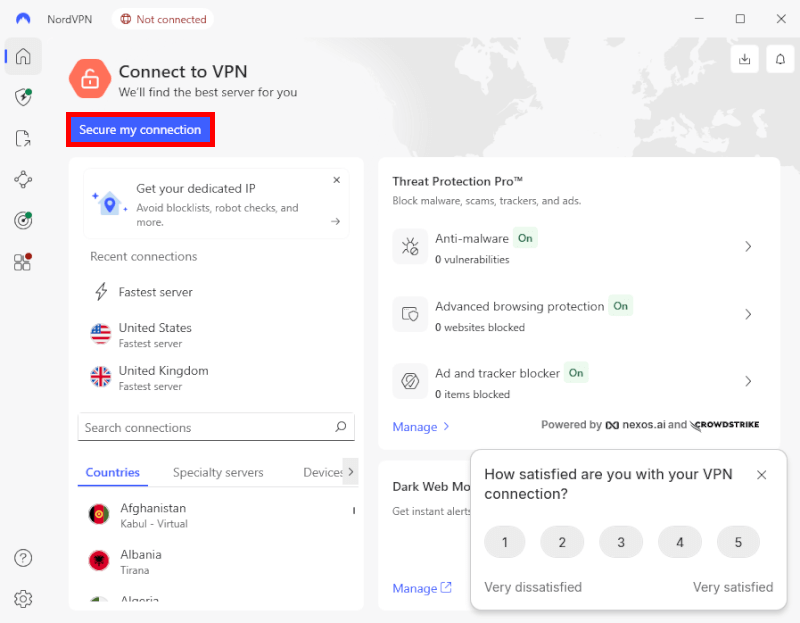
Using a high-quality VPN is the most effective way to protect my privacy. In 2026, with ISPs using AI to categorize every packet of data you send, a VPN is no longer optional — it’s survival gear. It creates an encrypted tunnel that makes your traffic complete gibberish to anyone trying to snoop.
The problems I solve with a VPN:
- ISP spying: My ISP can’t see which sites I visit or what I’m downloading. They only see an encrypted connection to a VPN server.
- Cracking geo-blocks: Whether it’s a restricted news site or a different Netflix library, I just hop onto a server in another country and browse like a local.
- Stopping the “tail”: Advertisers and websites use your IP address to shadow you across the web. A VPN swaps my real IP for a generic one shared by thousands of other users.
- Safe torrenting: If I’m downloading media, a VPN masks my identity so I don’t end up with a copyright strike or a target on my back from data trolls.
I’ve personally tested the heavy hitters, and these are the ones I trust to stay fast and invisible:
- NordVPN: My #1 all-around pick. It’s incredibly fast (hitting 900+ Mbps on NordLynx), handles 4K streaming effortlessly, and packs in “Threat Protection Pro” to kill ads at the source. (Grab a 75% off coupon here >)
- Surfshark: This is my household choice. It allows unlimited simultaneous connections, so I can protect every phone, tablet, and smart TV in the house on one cheap account.
- Proton VPN: For the privacy purists. Based in Switzerland, it offers Secure Core servers that bounce your traffic through high-security underground bunkers before it hits the web.
- ExpressVPN: My emergency backup. It’s famously reliable for punching through tough firewalls in places like China where other VPNs often get stuck.
If you’re just getting started, don’t worry. It’s as simple as hitting a “Connect” button.
3. Ad, tracker, and malware blockers
Every free ad you see is actually a tracking script recording your clicks, your scroll depth, and your device info to build a digital profile of you.
Even worse, malvertising is a major threat. Sophisticated malware can now infect your device the moment a page loads. If you aren’t blocking the script, you’re letting the intruder in.
Here is how I kill ads and trackers across my devices:
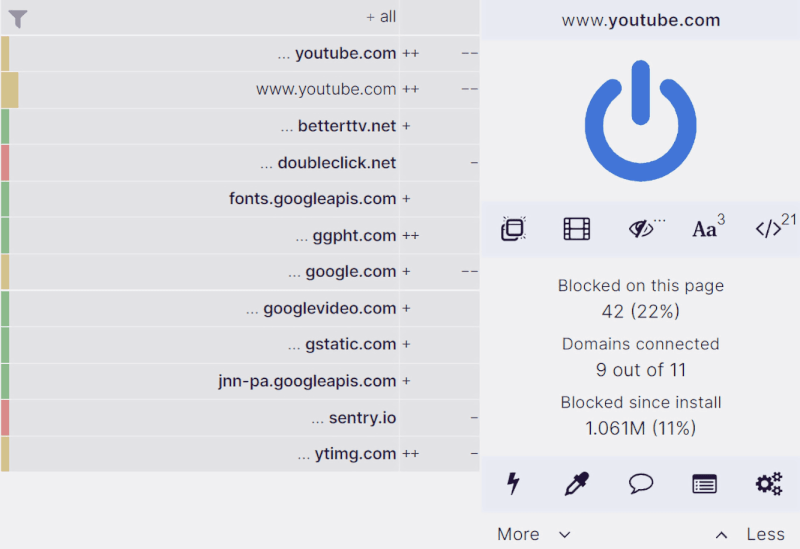
- The standard extension: uBlock Origin. This is the only browser extension I truly trust. It’s open-source, lightning-fast, and doesn’t sell “acceptable ads” to big corporations. It strips out the tracking bloat before it ever reaches your screen.
- The all-in-one: VPN ad blockers. I personally use NordVPN’s Threat Protection Pro because it works at the DNS level. It stops ads, trackers, and even malicious domains before they hit my system, protecting every app on my device, not just the browser.
- Dedicated apps: If I need system-wide blocking on mobile or desktop without a VPN, AdGuard is my go-to. It’s highly customizable and catches the “stealth” trackers that basic extensions miss.
- Network-wide protection: Pi-hole. For the ultimate home setup, I use a Pi-hole. It’s a small device (usually a Raspberry Pi) that sits on my router and acts as a “black hole” for ads. Every device in my house (from my smart fridge to my guest’s phone) is automatically protected without installing a single app.
4. Password managers
Today, relying on your memory or a master sticky note is a recipe for disaster. I see the topic of passwords as a three-headed beast: Strength, management, and storage. Most people take the easy route and save everything directly in their web browser, but I never do that. Browsers are notoriously vulnerable to info-stealer malware that can siphon your entire vault in seconds.
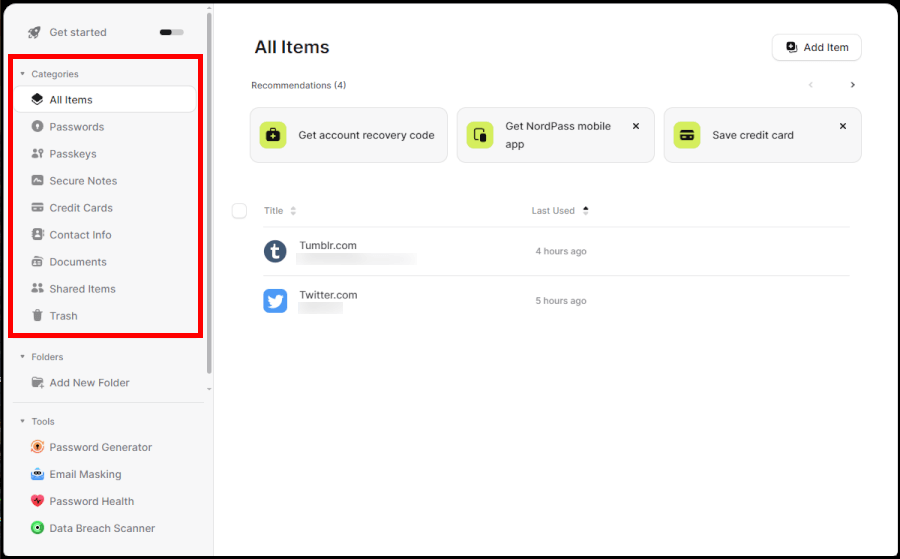
A dedicated password manager is my non-negotiable vault. It generates complex, uncrackable keys for every site I visit and syncs them securely across my devices.
My battle-tested password manager recommendations:
- NordPass: From the same team behind NordVPN, this is my favorite for ease of use. It uses the XChaCha20 encryption algorithm (the same stuff Google uses) and has passed rigorous third-party audits. It’s sleek, fast, and handles biometric logins perfectly.
- RoboForm: A veteran in the space that excels at complex form-filling. It’s incredibly reliable for managing not just passwords, but also secure notes and identity information across all your devices.
- Proton Pass: I’ve recently added this to my toolkit because it’s fully integrated with the Proton privacy ecosystem. It features built-in email aliases (Identity Protection) so you can create a unique “burner” email every time you save a new password.
- Bitwarden: If you’re a fan of open-source tech like I am, Bitwarden is the gold standard. It’s transparent, highly secure, and the free version is incredibly generous. You can even “self-host” your vault if you want total control over your data.
- 1Password: This remains a powerhouse for families and teams. I love their “Travel Mode,” which temporarily removes sensitive vaults from your device when you’re crossing borders, just in case of a forced search.
5. Secure and encrypted messaging
If you’re still relying on standard SMS or WhatsApp in 2026, your conversations are far from private. Standard texts are essentially digital postcards — your carrier can read them, and they’re easily intercepted by “Stingray” surveillance devices. Even WhatsApp, despite its encryption, harvests your metadata (who you talk to and when) and feeds it directly to Meta’s advertising machine.
When I want a conversation to stay between the recipient and me, I move it to a platform built for zero-knowledge privacy. These apps use end-to-end encryption (E2EE), meaning not even the app developers can peek at your messages.
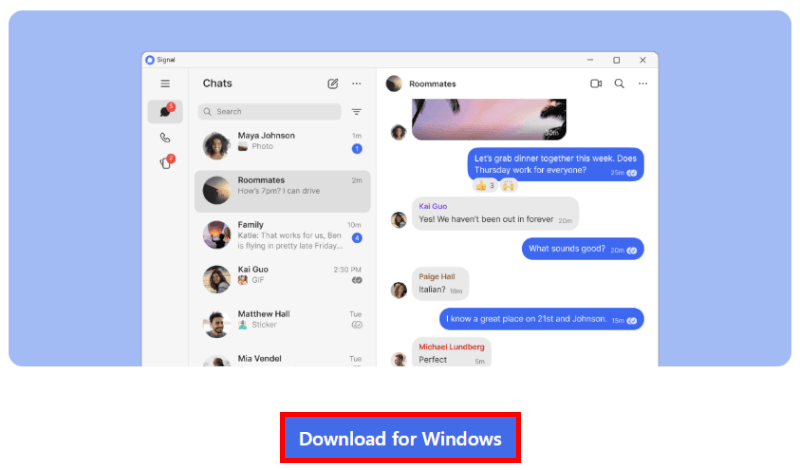
The secure messaging apps I trust with my own data:
- Signal: This is my daily driver and the gold standard for most people. It’s free, open-source, and recommended by top security experts. While it famously required a phone number in the past, now you can finally use Signal Usernames to keep your digits private.
- Threema: For those who want to be a true ghost, Threema is brilliant. Based in Switzerland, it doesn’t require a phone number or an email. You get a random Threema ID, and that’s it. It’s a one-time small fee for a lifetime of anonymity, which I find well worth the price.
- Proton Mail / Proton Drive: While not a traditional “chat app,” I use the Proton ecosystem for secure, long-form communication. It’s all encrypted and based in Switzerland, making it my go-to for sending sensitive documents.
- Session: If you’re worried about metadata, Session is a powerhouse. It doesn’t use central servers; instead, it routes your messages through an onion-routing network (similar to Tor). No phone number, no footprint, no trail.
- Telegram: I treat Telegram more like a social media platform than a private messenger. It’s great for large groups and “channels,” but remember: It is not encrypted by default. You have to manually start a “Secret Chat” if you want actual privacy.
6. Private search engines
The “free” giants like Google or Bing record every query, every click, and every midnight health scare to build a terrifyingly accurate profile for their advertising partners. If you search for it, they own it.
When I want to find something without being shadowed, I use search engines that treat my queries as anonymous data points, not a product to be sold.
My private search engines shortlist:
- Brave Search: This is my daily driver. Unlike many “private” engines that repackage Google results, Brave uses its own independent search index. It’s fast, incredibly clean, and completely severs the link between your identity and your searches.
- Mojeek: If you want to escape the “Big Tech” bubble entirely, Mojeek is the way to go. Based in the UK, it’s one of the few true search engines in the world with its own crawler and index. It doesn’t track you, and it doesn’t give you the same biased results as the giants.
- Swisscows: For the privacy-conscious, this is a powerhouse. Based in Switzerland and hosted on its own secure servers, it uses “semantic data recognition” to give you great results without ever recording your IP or browser fingerprints.
- MetaGer: An open-source favorite out of Germany. It’s a metasearch engine, meaning it pulls results from various sources but strips out the trackers before they reach you.
- DuckDuckGo: Still the most famous privacy engine. While it’s based in the US (a 5-Eyes jurisdiction), it remains a solid, user-friendly gateway for people moving away from Google.
- Startpage (with caution): I used to love Startpage for its “Google results without the tracking,” but since it was acquired by an ad-tech company, I’ve moved it further down my list.
7. Encrypted email
In the age of data tracking, your “free” email account is the ultimate goldmine for data brokers. If you’re still using Gmail, Yahoo, or iCloud, you aren’t just the customer; you’re the target. These giants have been caught scanning receipts to track your every purchase and reading your “private” messages to segment you for advertisers.
I find the idea of an algorithm (or a third-party app) reading my personal correspondence offensive. If you want to stop being a data point, it’s time to move to a provider that uses zero-access encryption, meaning even the provider can’t read your mail.
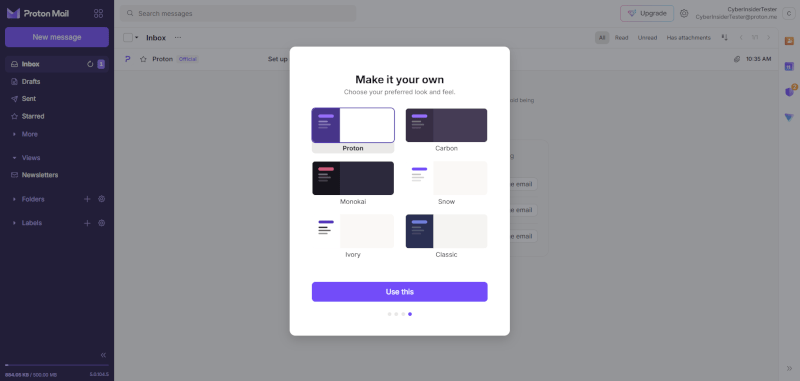
Proven private and secure email services in 2026:
- Proton Mail: This is my daily driver and the king of the privacy world. Based in Switzerland, it offers end-to-end encryption and a zero-knowledge architecture. It’s incredibly easy to use, looks just as slick as Gmail, and even has a built-in calendar and drive.
- StartMail: Based in the Netherlands, this is a fantastic choice if you want to keep your existing address but forward everything through a privacy shield. It’s famous for its disposable aliases, allowing you to create random addresses on the fly to keep your real identity hidden.
- Tuta Mail: Formerly Tutanota, this German provider is obsessed with security. They encrypt everything — not just the body of the email, but the subject lines and your entire contact list. It’s open-source and very affordable.
- Mailfence: Based in Belgium, Mailfence is a great all-in-one suite. It handles encrypted email, digital signatures, and secure document storage. It’s perfect if you need a professional, privacy-first office setup.
- Posteo and Mailbox.org: Both based in Germany, these are the green options. They run on 100% renewable energy and support fully anonymous sign-ups (you can even pay by mail with cash).
8. Operating systems
Today, your operating system (OS) is the ultimate gatekeeper. If you’re using Windows 11 (or the latest AI-integrated versions), your PC is essentially a surveillance terminal. Microsoft’s “Recall” and “Copilot” features are designed to take snapshots of your screen and analyze your activity locally and in the cloud. It’s total telemetry — every click, every document, and every search is logged.
macOS markets itself on privacy, but don’t be fooled. While Apple is better at blocking third-party trackers, they still collect massive amounts of “diagnostic” data, location history, and app usage through iCloud and Siri.
If you want to own your hardware truly, you need to move to Linux. It’s free, open-source, and unlike Windows, it doesn’t have a backdoor for advertisers.
The 2026 gold standard:
- For the switchers: Linux Mint or Zorin OS. If you’re coming from Windows or Mac, these are the easiest transitions. Linux Mint is rock-solid and familiar, while Zorin OS looks and feels like a premium modern desktop. You can install your favorite browsers and apps without the “Big Tech” bloat.
- The privacy powerhouse: Fedora or Pop!_OS. These are my daily drivers for productivity. They are cutting-edge, highly secure, and perfect for anyone who wants a “just works” experience with top-tier encryption and privacy features baked in.
- The “ghost” option: Tails. This is a “live” OS that you run from a USB stick. It leaves zero trace on the computer you use. Every time you shut it down, it wipes the RAM. It routes all your traffic through the Tor network by default, which is perfect for when you’re traveling or using public Wi-Fi.
- For advanced security: Qubes OS. This is the “reasonably secure” OS used by whistleblowers and journalists. It uses “compartmentalization,” meaning your web browser, your work files, and your vault all live in separate virtual “cubes.” If one gets hacked, the rest stay safe.
- The modern mobile alternative: GrapheneOS. If you’re looking to de-Google your life, I highly recommend a Pixel phone running GrapheneOS. It’s the most secure mobile OS on the planet, stripped of all Google tracking while still running your favorite Android apps.
9. Antivirus software
While an antivirus (AV) is a core part of your defense-in-depth strategy, many of the big names are privacy nightmares. They often harvest your browsing history, metadata, and “suspicious” files to sell to third-party data brokers. So, the “protector” is actually violating your privacy.
Here is how I secure my systems without sacrificing my data:
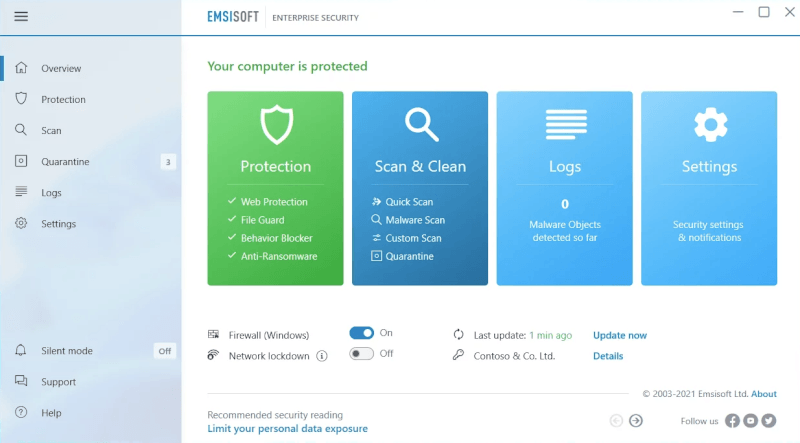
- The privacy-first choice: Emsisoft. This is one of the few paid solutions I actually trust. They have a strict no-tracking policy and focus purely on malware and ransomware prevention. It’s lightweight, doesn’t nag you with “upsells,” and respects your boundaries.
- The open-source veteran: ClamAV. If you are a Linux user or a privacy purist, ClamAV is the way to go. It’s completely FOSS (free and open source software). While it doesn’t have the flashy “one-click” interface of commercial products, it’s transparent and doesn’t phone home with your personal info.
- The modern defender: Windows Security. If you are stuck on Windows 11, the built-in Microsoft Defender has actually become quite robust. However, you must dive into the settings to disable “Cloud-delivered protection” and “Automatic sample submission” if you want to limit the data Microsoft siphons back to their servers.
- A new contender: NordVPN Threat Protection Pro. As mentioned in our ad-blocking section, this tool has evolved into a “lite” antivirus. It scans files as you download them and blocks malicious domains at the source. For many users, this (combined with safe browsing habits) is enough to replace a bulky, invasive traditional AV.
10. Data removal services
The data broker industry is a multi-billion-dollar machine. Companies you’ve never heard of (like Acxiom, Epsilon, and thousands of people search sites) are quietly harvesting your home address, phone number, court records, and even your relatives’ names to sell to the highest bidder.
Manually submitting opt-out requests works until you realize it never really ends. The moment you remove your info, they find a way to scrape it again. That’s why I use automated data removal tools to handle the legal legwork for me.
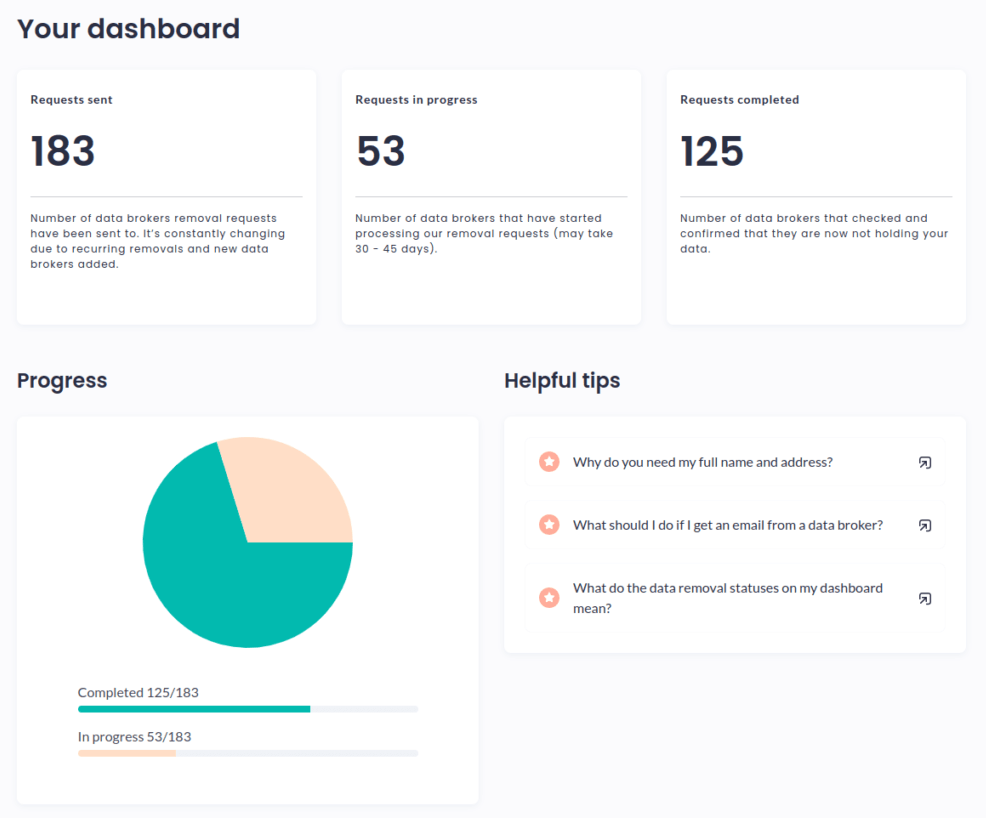
- Incogni: Created by the security experts at Surfshark, this is my favorite for sheer efficiency. It automates the “Right to be Forgotten” and CCPA/GDPR requests across hundreds of data brokers. It’s a “set-it-and-forget-it” service that sends you regular reports on which brokers have deleted your files.
- DeleteMe: This is the veteran in the space and arguably the most thorough. Unlike some automated scripts, DeleteMe uses human privacy experts to verify that your data is actually gone. They focus heavily on those annoying “people search” sites (like Whitepages) that show up in Google search results.
- Aura: This is an all-in-one security suite that combines data removal with identity theft protection. It’s a great choice if you want a tool that not only scrubs your info from brokers but also monitors your credit and financial accounts in real-time.
- Optery: If you want to see exactly what’s out there before you pay, Optery is brilliant. Their free tier provides a “Privacy Report” with actual screenshots of your data on broker sites. Their paid tiers then go to work scrubbing that data with surgical precision.
- NordVPN Incogni integration: In 2026, many top-tier VPNs are bundling data removal directly into their security suites. If you’re already in the Nord/Surfshark ecosystem, check your dashboard; you might already have access to these “cleaner” tools.
Final thoughts: Your privacy, your rules
Taking back your digital life doesn’t have to happen overnight. Whether you start by switching to Proton Mail, firing up NordVPN, or finally ditching Chrome for Brave, every small change builds a wall between your personal life and the data brokers trying to profit from it. In 2026, privacy is the only real shield you have left against total surveillance.
This guide is a living resource, and I’ll keep updating it as new tools and threats emerge. The goal isn’t just to hide, but to navigate the web with total confidence and zero trackers on your tail. By layering these defenses, you’re making it significantly harder for anyone to monitor your activity or exploit your personal data.
Privacy tools FAQs
Yes, because a VPN hides your activity from your internet service provider (ISP), not just public hackers. Even on your private home Wi-Fi, your ISP sees every website you visit and often sells that data to advertisers. Using a VPN like NordVPN or Surfshark ensures that your browsing history is encrypted and invisible to anyone sitting between you and the website you’re visiting.
No, Incognito Mode only hides your history from other people using the same computer. It does absolutely nothing to stop websites, your employer, or your ISP from tracking your IP address and online behavior. To get actual privacy, you need to layer tools like a private search engine and a hardened browser like Brave or Firefox.
Only if they are reputable, open-source projects like uBlock Origin. Many “free” ad blockers found in app stores actually collect your data and sell it to the very advertisers you’re trying to avoid. Always stick to well-vetted, non-commercial tools that don’t have “Acceptable Ads” programs or hidden tracking scripts.
Yes, switching to a privacy-focused browser is one of the fastest ways to stop being tracked. Chrome is designed by an advertising company to collect data on your habits. Moving to Brave or LibreWolf instantly cuts off thousands of tracking attempts per day and gives you a much faster, cleaner browsing experience.
Start with a “Quick Win” like switching to a private email provider or a password manager. You don’t have to change everything at once. Moving your most sensitive accounts to Proton Mail or letting Bitwarden handle your passwords will immediately make you a much harder target for hackers and data brokers.

This was a very useful and informative post. Thanks Sead
Well done, Sead. This looks great.
In a future iteration, would you consider adding a table with features, pros and cons, on the Linux suggestions: Linux Mint vs Zorin OS, Fedora vs Pop!_OS, vs.Tails vs Qubes OS.
Hi Huur Yeeupers,
Possibly a handy tip is that Brave AI will produce a table for you and you can ask it what ever you want.
The link is: https://search.brave.com/ask
And the input to query could be: Linux Mint vs Zorin OS show comparison table.
Good luck.