
Mullvad Browser 16.0 introduces a privacy setting that keeps other apps from reading webpage titles through the browser’s window name.
The release also switches encrypted DNS to Quad9, reorganizes the settings menu, and adds native support for 64-bit ARM Linux systems.
Mullvad detailed the changes on November 6, following the October 29 release of version 16.0. It is the browser’s first release based on Firefox Extended Support Release (ESR) 153. The move brings in a year’s worth of upstream changes and includes an audit for changes that could affect users’ privacy or security.
Mullvad develops the browser with the Tor Project to reduce tracking and browser fingerprinting. It shares privacy protections with Tor Browser but uses the user’s regular internet connection or VPN. Several changes in version 16.0, including generic window titles and Linux ARM64 support, also arrived in Tor Browser 16.0.
Hiding page titles from other apps
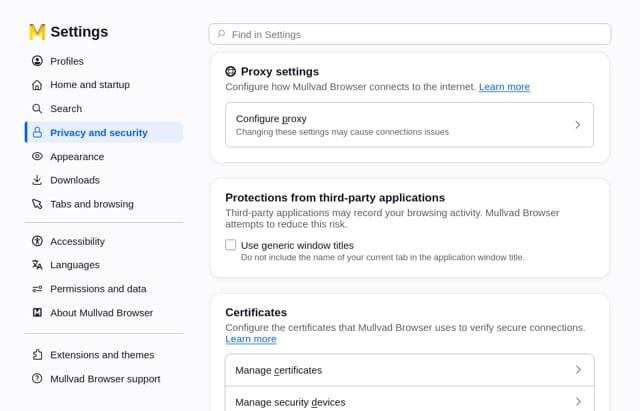
The operating system and other apps can read window titles without special permissions. Since those titles usually include the name of the active webpage, they can reveal what someone is reading. With the new option enabled, every browser window displays “Mullvad Browser” in place of the page title.
The option is under Settings → Privacy and security → Connection and software security → Advanced settings → Protections from third-party applications. It is off by default while Mullvad evaluates potential usability issues for people who use screen readers, custom desktop environments, or window switchers.
Mullvad
The settings redesign follows a layout Firefox introduced in June, with reorganized navigation and clearer labels. The old broom icon for clearing the current browsing session has also been replaced by Firefox’s flame-shaped Clear Private Session button, which performs the same action.
Quad9 migration and Linux ARM support
The browser automatically migrates users on its built-in Mullvad encrypted DNS options to Quad9. Mullvad announced in September that it would retire its public encrypted DNS servers and sponsor the nonprofit resolver. The new settings let users choose between always using DNS-over-HTTPS, which encrypts browser DNS lookups in transit, and relying on the operating system’s DNS. Mullvad recommends the operating system option when using a VPN.
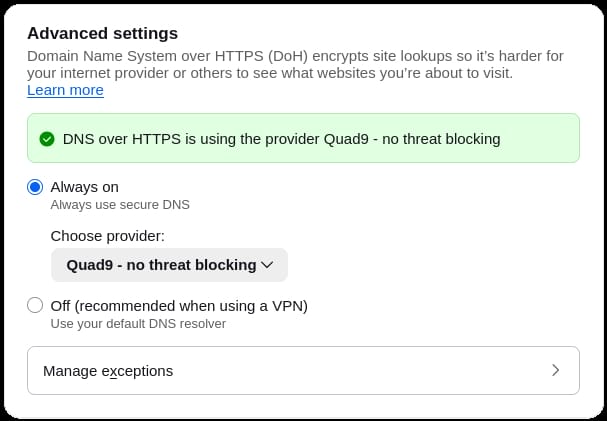
The update preserves custom DNS settings. Anyone who manually entered a retired Mullvad endpoint, such as its Base, Extended, or Family variant, should reset the browser’s encrypted DNS setting to its default.
Native ARM64 Linux builds are now available on the stable channel after a year of testing. Users who relied on the alpha for devices such as 64-bit Raspberry Pis or Apple Silicon Macs running Linux can switch to the stable release using a manual download or Mullvad’s DEB and RPM repositories.



Leave a Reply