

Remus Stealer’s advertised Gmail “zero-day” is a malicious Chrome extension disguised as Google Sheets.
The extension can resume stealing emails after a password reset if the victim signs back in using the infected browser.
GenDigital researchers traced the feature to a module that some versions of Remus download after the malware starts running. The researchers initially found no mailbox interception code in the main stealer binary and later recovered the separate module.
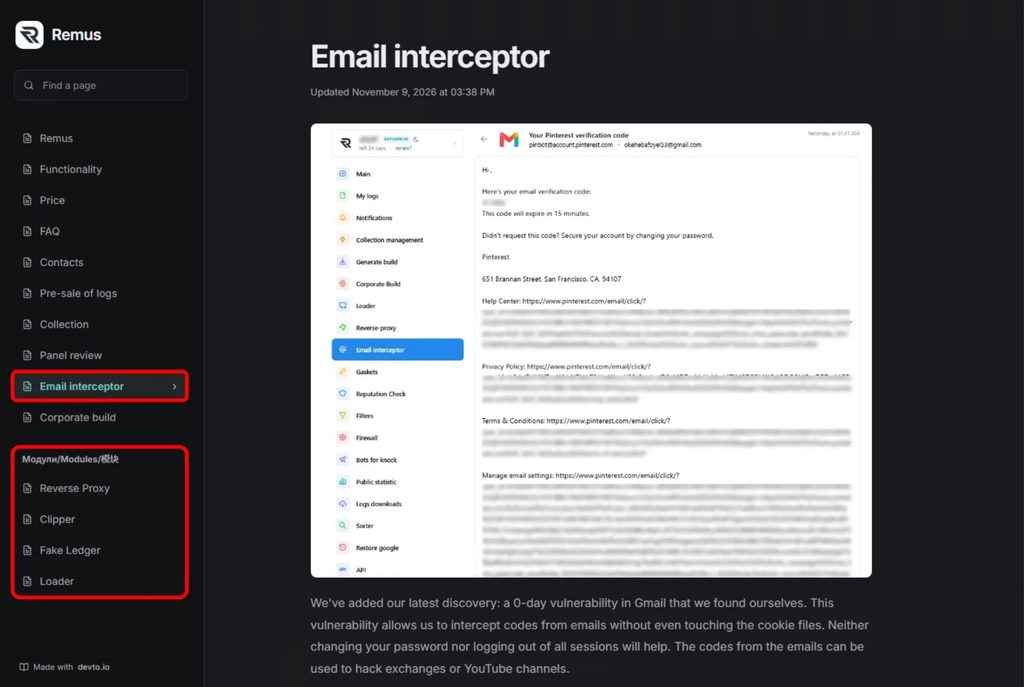
As we previously reported, Remus operators began promoting the feature on November 8, claiming that access would survive password changes and session revocation. Hudson Rock spoke with the developer and a customer who endorsed the feature, but could not independently confirm how it worked. Remus is sold as a service that collects passwords and other sensitive data from infected computers. Its operators advertised Gmail interception as part of a $1,000-a-month Enterprise tier.
A fake Google Sheets extension
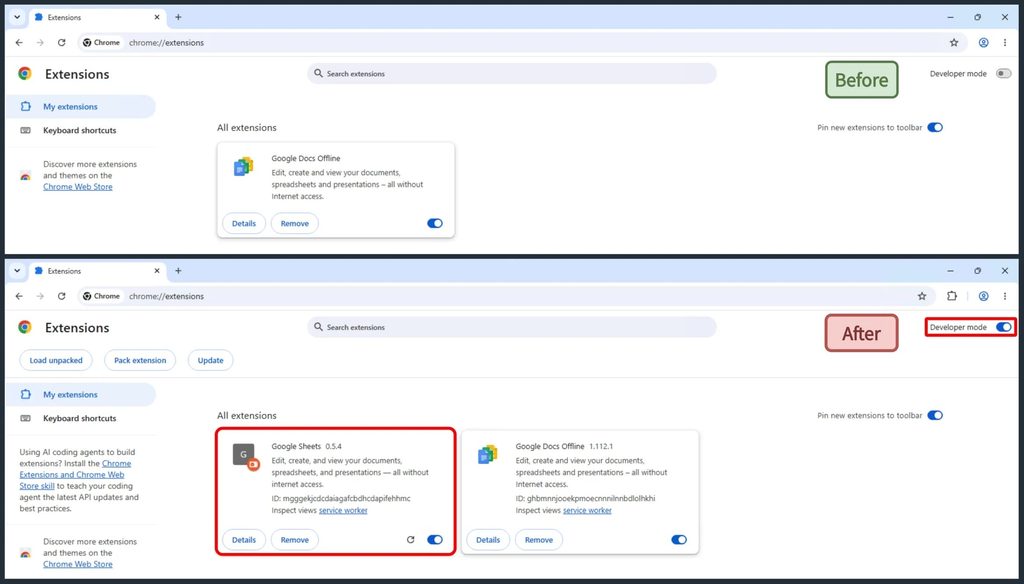
On an infected Windows computer, the module alters Chrome’s profile settings to install the extension and switch on Developer Mode. It labels the extension “Google Sheets” and copies the description of Google’s legitimate Docs Offline extension. GenDigital found that the module targets Chrome and that the fake Sheets entry carries an icon identifying it as an unpacked extension.
Once installed, the extension checks for unread Gmail messages every minute across up to 10 accounts signed in to the same browser profile. It uses those active sessions to retrieve message bodies and sends the text, subject, sender, and recipient account address to an attacker-controlled server. GenDigital found that the extension records attachment names while processing messages but sends neither the names nor the files.
That lets attackers capture verification codes and password-reset links as they arrive, along with private correspondence and work emails. Anyone who uses the same Chrome profile for personal and work Gmail could expose both accounts.
Signing back in restores access
Signing out or revoking the Gmail session cuts off the extension’s access. The extension stays installed on the computer, however, and can start reading new messages as soon as the victim signs back in. That distinction explains how email theft could resume after an account reset.
If you suspect a Remus infection, change your Google password and revoke affected sessions from a clean device. Before signing back in on the affected computer, scan it for malware and check each Chrome profile separately at chrome://extensions for an unfamiliar Google Sheets entry or other unexpected extensions. Google also recommends reviewing connected devices and checking for unfamiliar Gmail forwarding rules and filters as part of its account recovery guidance.



Leave a Reply