
Final Fantasy XIV demands precise execution in every raid and trial. A single lag spike disrupts your rotation and dooms the entire party to failure. You deal with DDoS attacks that force sudden disconnects, ISP throttling that hits during high player counts, and geo-restrictions that limit your data center options.
This direct comparison shows the best VPNs for Final Fantasy XIV. You will discover clear differences in latency management, global server reach, encryption power, and additional safeguards that protect your sessions. Check the details to decide which one best supports your time in Eorzea.
Benefits of setting up an FFXIV VPN
Once you connect to a VPN server, your internet traffic will get a new IP address. This will trick geo-blocking algorithms into believing that you are physically located where the server is. This gives you access to game servers that might not otherwise be unavailable to you.
A VPN also creates an encrypted tunnel protecting the connection between your device and the internet. This prevents third parties from seeing what you are doing online. In addition, each of the VPNs profiled here provides some level of protection against premium DDoS attacks, which have become prevalent in the gaming community.
Setting up an FFXIV VPN on your PC is super easy:
- Subscribe to one of the premium VPNs for FFXIV profiled in this article.
- Download and install your VPN app on your computer.
- Register and log in to your VPN.
- Connect to a VPN server that you wish to use.
- Play FFXIV from anywhere, securely and privately.
It is also possible to install the VPN on your console. This setup is a bit more complex, and we will cover it a bit later in the article.
Why do I need a VPN for FFXIV?
Aside from improving your overall gaming experience, here are other crucial advantages you’ll get from a VPN:
- Protection from DDoS attacks — Hackers initiate DDoS attacks, which can disrupt or completely ruin your gaming session. Between the encryption of all your data, and other protective features built into the service, a premium VPN can block most DDoS attacks.
- Stop ISP throttling — Playing an MMO like FFXIV uses up a lot of bandwidth. Some Internet Service Providers (ISPs) will reduce your connection speed if they think you are using “too much” bandwidth. By encrypting your data, a VPN will prevent your ISP from knowing you are gaming.
- Bypass geo-restrictions — You can use a VPN to bypass geo-blocks and access servers that would otherwise be restricted. Being able to connect to servers in different geographic locations may also give you access to unique regional events.
Criteria for the FFXIV VPN
To find the best premium VPN for Final Fantasy XIV, it is important to know what features to look for. Here is a list of crucial criteria for a smooth gaming experience.
- Excellent speeds — We searched for the best no-lag VPNs that provide fast, solid connections with minimal latency and ping. To achieve this, each of our recommendations uses advanced VPN protocols like NordLynx, WireGuard, and Lightway.
- Global network of servers — Every VPN on this list offers thousands of servers spread across over 100 locations across the planet.
- Enhanced privacy — We focused on audited no-logs VPNs that use RAM-only servers. This guarantees that your sensitive information won’t be saved long-term.
- Strong security features — A reliable FFXIV VPN uses industry-standard encryption like AES-256 (for OpenVPN/IKEv2) and ChaCha20 (for WireGuard) to secure your internet traffic in transit and protect against interception. Essential safeguards like a kill switch (to block leaks on disconnects), DNS/IPv6/WebRTC leak protection, and split tunneling, help keep your actual IP and location hidden.
- Many simultaneous connections — This will allow you to conveniently set up your VPN on multiple devices. In an ideal scenario, you can protect your whole home network.
- Intuitive design — We only included VPNs that have user-friendly interfaces so that everyone can use it, no matter their skill level.
- Affordable yet premium — All top VPNs provide a reasonably priced annual subscription. Better yet, they don’t skimp on advanced features that will elevate your experience.
The best Final Fantasy XIV VPNs
Based on the criteria above, here are the four best Final Fantasy XIV VPNs:
- NordVPN — Ultimate VPN for FFXIV that provides airtight security, huge worldwide server network, and blazing-fast connections (use our coupon for 75% off).
- Surfshark — An affordable VPN with unlimited simultaneous connections and impressive speeds. Visit site >
- ExpressVPN — A highly secure and reliable premium no-logs VPN app. Visit site >
- IPVanish — A US-based FFXIV VPN with very fast speeds and excellent support. Visit site >
Now, the time has come to provide a thorough overview of each VPN.
NordVPN — Top VPN for FFXIV in 2026
| Website | NordVPN.com |
| Based in | Panama |
| Logs | No logs (audited) |
| Price | $3.49/mo. |
| Support | 24/7 live chat |
| Refund | 30 days |
| Deal | 75% Off Coupon |
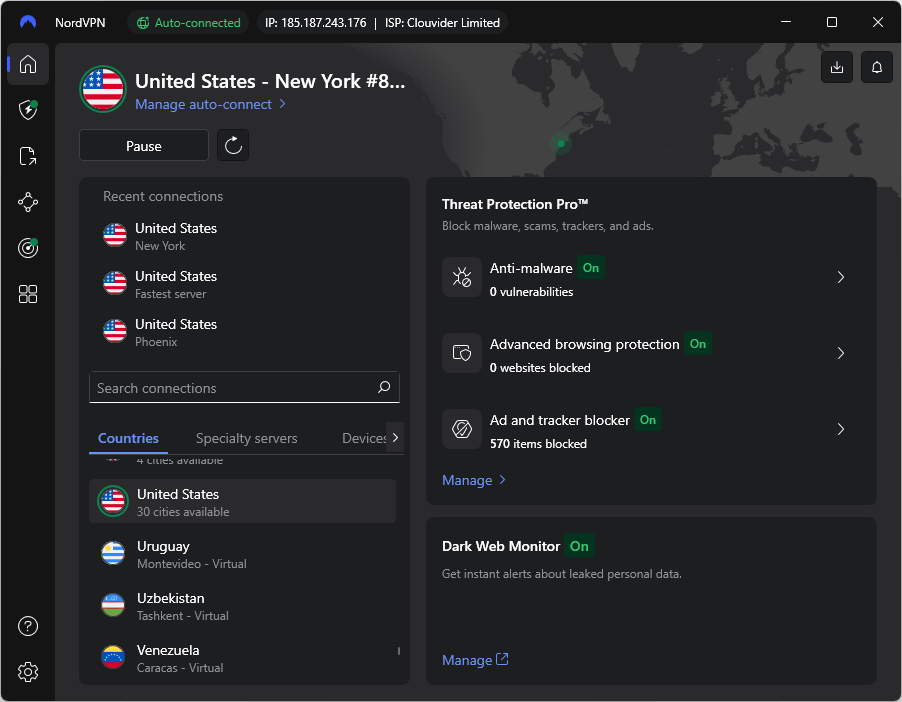
NordVPN is the best FFXIV VPN that we have found on the market. It has one of the biggest networks, with 8,900+ servers in 126 countries worldwide, allowing you to play Final Fantasy from anywhere. You can access them by using one of these advanced VPN protocols: OpenVPN, IKEv2/IPsec, and NordLynx.
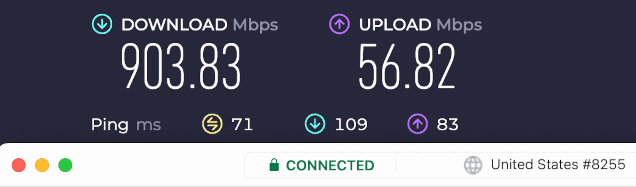
NordLynx is by far the best VPN protocol for gaming, and it is ideal for FFXIV. It combines the high speed, low latency, and security of the WireGuard VPN protocol with enhanced privacy protection, making it our favorite VPN protocol, period. We have thoroughly tested NordVPN running NordLynx in our NordVPN vs ExpressVPN showdown and recorded a speed of 903 Mbps, the best ever seen in our test facility. With speeds like this, NordVPN is easily the best VPN for gaming currently available.
We believe that privacy and security are equally important. Luckily, NordVPN also stands out in this area. It uses advanced AES-256 and ChaCha20 encryption to prevent third-party access to your internet traffic. This premium audited no-logs VPN uses RAM-only servers, further protecting your privacy. Additional security features include leak protection (DNS, IPv6, and WebRTC), a solid kill switch, and split tunneling.
Various cybersecurity companies have independently audited NordVPN. Cure53 did a thorough pen test, proving that this VPN has airtight security. Deloitte thoroughly analyzed its no-logs policy with excellent results.
NordVPN security features
- Obfuscated servers — With obfuscation enabled, nobody will know you are using NordVPN. This is a must-have if you are from a country that strictly monitors online activity. That’s why many people use this service as a default VPN for China. However, you should know that obfuscation will also slow your speed, so we wouldn’t use it for playing FFXIV.
- Onion over VPN servers — Uses Tor network on top of NordVPN to provide you with the safest online experience currently available. While secure, this will heavily limit your connection speed. Still, it is crucial if you need an excellent VPN for the Dark Web.
- Double VPN servers — Pass your internet traffic through two servers to significantly improve your encryption, which will impact your speed. Surfshark and Proton VPN also have this feature.
- Dedicated IP servers — Guarantees you an exclusive IP address. This will further boost your security and prevent your server from being blacklisted. NordVPN’s dedicated IP will cost you a bit extra.
- Split tunneling — This feature, similar to a firewall, lets you manage which apps can use NordVPN. You can use a split-tunneling VPN to further strengthen your security by creating an exclusive VPN tunnel for FFXIV.
- VPN proxy: A lightweight yet powerful browser extension that you can install on Chrome, Firefox, and Edge.
- Smart play (Smart DNS): Lets you access restricted servers on consoles and other platforms that don’t have VPN support. This makes NordVPN one of the best VPNs for PS5.
- VPN kill switch: Your last line of defense that will stop your identity from ending up online. A kill switch will disable your Wi-Fi if it notices that something isn’t right.
- Threat Protection: A high-end scanner that actively looks for and removes trackers and malware. It is also able to block ads and will prevent you from accessing phishing sites.
See all NordVPN features here >>
NordVPN is available on all devices that support FFXIV, including gaming consoles. Although you cannot install a VPN directly on them, you can set it up on your router to protect multiple devices in your home network. This is also a great VPN for GeForce Now, as it can easily unlock this popular cloud gaming platform from anywhere.
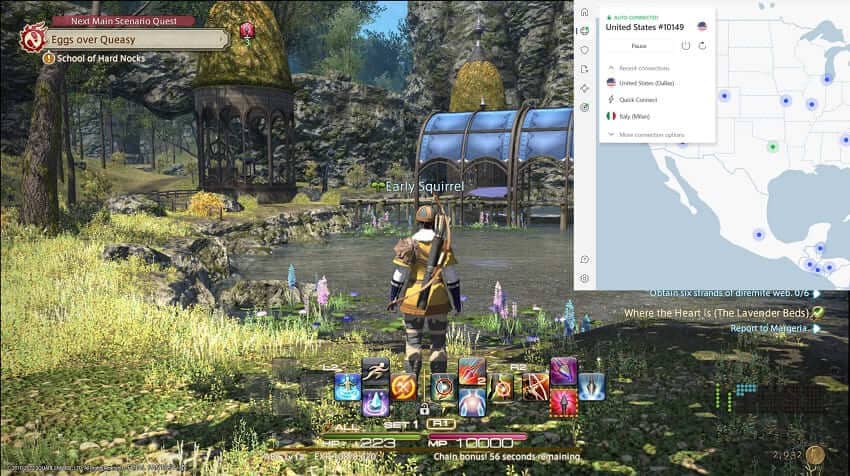
NordVPN allows up to 10 simultaneous connections and can easily bypass any restrictions to unlock new servers for gaming. This VPN also has a minimalistic interface that everyone can master in minutes.
If you need help with troubleshooting, you can easily contact NordVPN’s 24/7 live chat customer service. This VPN also comes with a 30-day money-back guarantee, allowing you to thoroughly test it and avoid unnecessary risks.
+ Pros
- User-friendly and reliable apps
- Double VPN and Onion Over VPN servers
- Passed numerous 3rd-party audits
- Strong encryption standards with full support for WireGuard
- Works with Netflix and many streaming sites
- Threat Protection feature to block ads, trackers, and malware
- Professional 24/7 live chat support
- Consistently fast speeds
- Dedicated RAM-only servers with 10 Gbps bandwidth channels
- Post-quantum encryption
– Cons
- Best discounts only available with 2-year plans
| NordVPN plans | Basic | Complete | Prime |
|---|---|---|---|
| 1-month | $14.99/month | $19.99/month | $29.99/month |
| 1-year | $5.49/month | $6.49/month | $9.49/month |
| 2-year | $3.49/month | $4.49/month | $7.49/month |
Deal: Get 75% OFF NordVPN + 3 Months Extra >
NordVPN’s Cyber Deal is live:
Get 75% Off NordVPN with the coupon below + 3 months extra:
(Coupon is applied automatically; 30-day money-back guarantee.)
You also might want to take a look at our full NordVPN overview. To learn how to install it on various devices, check our NordVPN for Gaming guide.
Surfshark — Affordable FFXIV VPN with unlimited connections
| Website | Surfshark.com |
| Based in | The Netherlands |
| Logs | No logs (audited) |
| Price | $2.49/mo. |
| Support | 24/7 live chat |
| Refund | 30 days |
| Deal | 87% Off Coupon |

Surfshark is an ideal budget VPN for FFXIV. Over the years, it has built a solid network of 4,500+ servers in 100 countries placed in strategic locations. Surfshark offers numerous protocols, but we will focus on WireGuard since it is the best for gaming. With it, we reached impressive speeds, which you can see in our Surfshark vs CyberGhost comparison article.
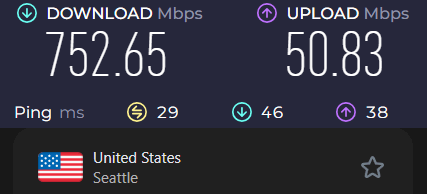
Although affordable, our NordVPN vs Surfshark test guide showed that it can compete with the best providers. While NordVPN is somewhat faster, and offers more advanced features, Surfshark doesn’t lag far behind and is head and shoulders above most VPNs on the market. Overall, this is the best cheap VPN service you will currently find.
Surfshark also provides excellent security to its users. To keep you protected, it uses a combination of AES-256 or ChaCha20 encryption, split tunneling, leak protection, and a kill switch. This is also an audited no-logs VPN that relies exclusively on RAM-only servers.
But we shouldn’t just take their word for it. Luckily, Surfshark was the subject of many independent audits, and it achieved excellent results. Cure53 did a thorough pentest of its browser extension, and the results were very positive. Surfshark is also the only VPN on this list that posted a warrant canary on its website. This is an official statement that counts received requests for data disclosure. Surfshark still hasn’t received any.
Surfshark premium features
- Clean Web — A high-end VPN ad-blocker that is also very good at eliminating trackers and malware.
- Nexus Technology — Frequently changes your IP address without disconnecting you from a VPN server to strengthen your security.
- Dynamic Multi-Hop — A variation of double VPN servers that provides more customizability.
- No Borders — Allows you to connect to Surfshark even if you are currently on a restricted network. This feature makes it one of the top VPNs for UAE and Dubai.
- Obfuscation — All OpenVPN traffic on Surfshark is automatically obfuscated.
- VPN Proxy
- Smart DNS
- Split Tunneling
- Kill Switch
See all Surfshark features here >
Surfshark has solid cross-platform support, making it an ideal FFXIV VPN. You can also install Surfshark on many types of routers to protect everything in your house at the same time. Like NordVPN, Surfshark as a user-friendly interface (see below).
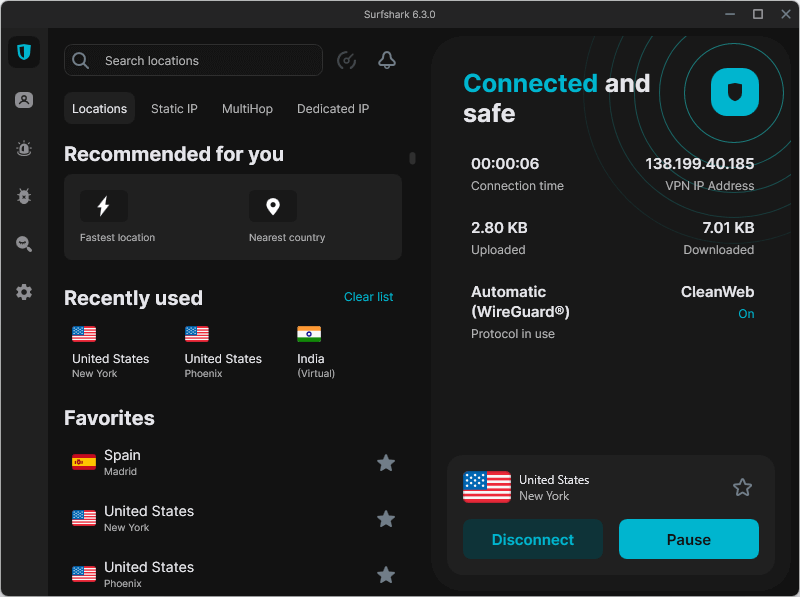
If you gaming interests go beyond Final Fantasy XIV, you should know that Surfshark is also an ideal VPN for Modern Warfare 3. And an ideal VPN for Steam too, since it allows you to unlock geo-restricted games and purchase new titles at a discounted price by connecting from a different country.
Best of all, Surfshark provides all of these features for an extremely low price while still supporting unlimited simultaneous connections! You don’t have to worry if you are experiencing technical difficulties while using Surfshark. Simply get in touch with its 24/7 live chat customer support via live chat to get proper guidance. A 30-day money-back policy is available with each subscription tier, so you can try it without commitment.
+ Pros
- Unlimited connections
- User-friendly apps for all devices and operating systems
- CleanWeb feature to block ads, trackers, and malware
- Works great with Netflix and many other streaming services
- 24/7 live chat support
- Strong encryption and security features (audited)
– Cons
- Limited support for VPN routers
- Above-average monthly prices
| Surfshark plans | Starter | One | One+ |
|---|---|---|---|
| 1-month | $16.45/month | $18.95/month | $21.85/month |
| 1-year | $3.39/month | $3.59/month | $7.49/month |
| 2-year | $2.49/month | $2.49/month | $4.49/month |
Deal: Get 87% OFF Surfshark here >
Surfshark VPN Coupon:
Get 87% off Surfshark VPN plus an additional 3 months extra with the coupon below:
(Coupon is applied automatically; 30-day money-back guarantee)
To get a better picture, head on to our in-depth Surfshark review. We also have a Surfshark for Gaming article that will show you how to install it on various platforms.
ExpressVPN — Consistent VPN with high-end security
| Website | ExpressVPN.com |
| Based in | British Virgin Islands |
| Logs | No logs (audited) |
| Price | $2.99/mo. |
| Support | 24/7 live chat |
| Refund | 30 days |
| Deal | 80% Off Coupon |

ExpressVPN is a solid choice if you want a consistent VPN for FFXIV that will make it very easy for you to experience Eorzea. With a vast network of over 3,000 servers in 105 countries, you’ll be able to quickly find an ideal connection. ExpressVPN uses four advanced protocols: Lightway, IKEv2, L2TP/IPSec, and OpenVPN.
ExpressVPN stands out in its privacy and security features. It uses TrustedServer Technology to ensure that all of its servers can work in RAM mode. ExpressVPN also has advanced AES 256 encryption and follows a no-logs policy.
Lightway is their custom VPN protocol and a direct competitor to WireGuard. Unfortunately, as we can see from our ExpressVPN and Surfshark comparison, it still lacks speed. At best, we reached 330 Mbps, which is around half the speed of previous VPNs. You can still play FFXIV without problems, but stuttering is possible. We would rather use ExpressVPN for games that are not as demanding. For example, it is a solid VPN for Roblox.
Over the last 15 years, ExpressVPN has passed dozens of independent audits. KPMG has proven that this VPN strictly follows its own privacy guidelines. Cure53 also challenged Lightway’s security via a pentest.
ExpressVPN premium features
- Device Groups — Lets you connect all of your devices to different servers simultaneously.
- VPN Proxy — This browser extension makes ExpressVPN a top VPNs for Chrome.
- Smart Location — Automatically connects you to a nearby server with an optimized performance.
- Media Streamer (Smart DNS)
- IPv6 Leak Protection
- Network Lock (Kill Switch)
- Threat Manager
- Split Tunneling
- Obfuscation
See all ExpressVPN features here >>
Due to its intuitive UI, you’ll easily be able to learn the ropes and use this VPN to its full potential. The app is available on most modern devices, including PCs and tablets, and is one of the best VPNs for Android devices. ExpressVPN also sells Aircove routers with pre-built VPN protection suitable for consoles.
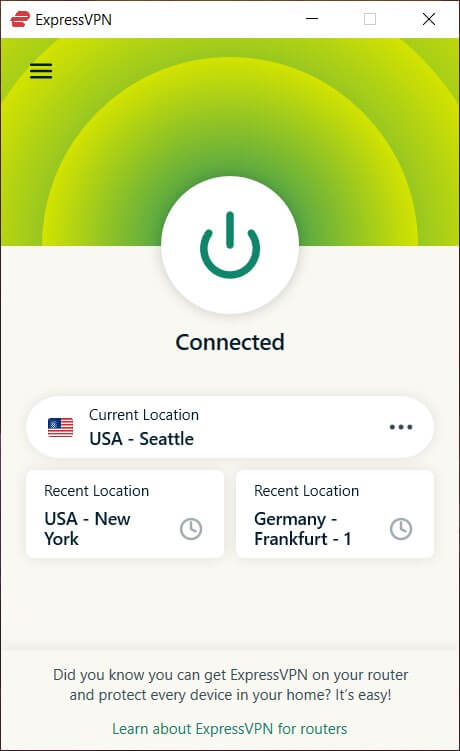
This VPN allows for up to 14 simultaneous connections (depending on which subscription you get), so you can protect many, if not all, devices on your network. A 24/7 live chat support is always available if you’re experiencing any problems. If ExpressVPN lacks what you need, you can simply get a refund within 30 days.
+ Pros
- User-friendly and secure apps for virtually any operating system or device
- Proprietary Lightway VPN protocol for advanced performance
- Post-quantum version of the WireGuard protocol for enhanced privacy and security
- Split tunneling feature (for macOS, Windows, and routers)
- Works with Netflix and most streaming services
- 24/7 live chat support
- Passed independent third-party audits for security and no-logs
- Extensive network of diskless servers
– Cons
- Fewer features than other leading VPNs
| ExpressVPN plans | Basic | Advanced | Express Pro |
|---|---|---|---|
| 1-month | $14.99/month | $16.99/month | $22.99/month |
| 1-year | $4.99/month | $5.99/month | $8.99/month |
| 2-year | $3.49/month | $4.49/month | $7.49/month |
Deal: Get 73% OFF ExpressVPN 2-year plans >
To learn even more, head on to our ExpressVPN review.
IPVanish — Very fast VPN for FFXIV with cross-platform support
| Website | IPVanish.com |
| Based in | USA |
| Logs | No logs (audited) |
| Price | $2.19/mo. |
| Support | Email and Chat |
| Refund | 30 days |
| Deal | 83% Off Coupon |

While IPVanish came last, it is still worth considering. The only downside is that it is based in the US, a problematic privacy jurisdiction. If that is not a problem, you will find that this VPN has a lot to offer.
This VPN has a vast network comprising 3,200+ servers in 150+ locations. It relies on three advanced protocols: IKEv2, OpenVPN, and WireGuard. We’ve done multiple speed tests on WireGuard and received some excellent results. In the best conditions, we managed to reach almost 830 Mbps. This is more than enough to allow you to play Final Fantasy XIV smoothly.
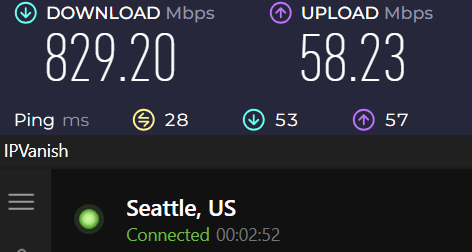
During our IPVanish and NordVPN comparison, we found that both services, overall, had similar speeds. Still, NordVPN has an edge regarding performance on remote servers, which is far more reliable.
IPVanish follows a strict, audited no-logs policy to give its users some sense of privacy. However, since the United States is a member of the 5-Eyes alliance, the government can still request your private information. They might receive it, as IPVanish uses a mix of disk-based servers and RAM-only servers. Nonetheless, this VPN provides strong encryption to protect you from other third parties and DDoS attacks.
IPVanish premium features
- SOCKS5 Proxy — Sacrifice encryption to get the fastest speed available. This is why many users use IPVanish as a solid VPN for torrenting.
- Split tunneling
- Obfuscation (Scramble feature)
- DNS leak protection
- IPv6 leak protection
- Kill switch
See all IPVanish features here >
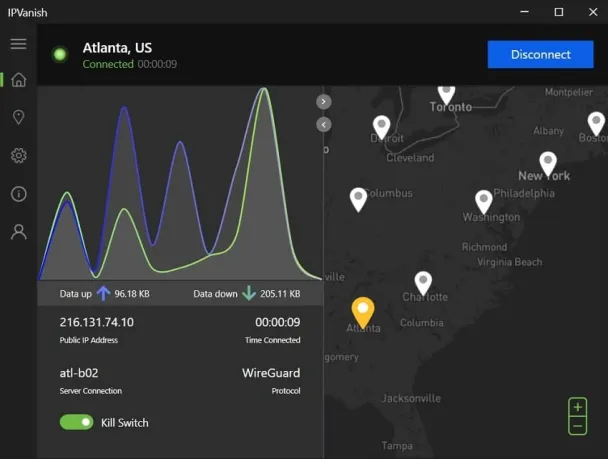
The IPVanish app is available on every platform that you can use to play FFXIV. It also supports router installation, so you can use it as a top VPN for Xbox. This is one of the better budget VPNs. By subscribing, you can make unlimited simultaneous connections, making it ideal VPN for multiple devices.
If you get an annual or two-year subscription plan, you will be eligible for a 30-day refund guarantee. IPVanish also has excellent 24/7 customer service that you can contact via live chat in case you get stuck.
+ Pros
- Strong security features, multiple VPN protocols, and a kill switch
Extremely fast and reliable connection speeds
Wide range of reliable apps
Unlimited simultaneous connections
- Audited, no-logs policy
Ability to unblock popular streaming services like Netflix, Disney+, and BBC iPlayer
– Cons
- No cryptocurrency payment options
- Based in the United States
| IPVanish plans | IPVanish Essential | IPVanish Advanced |
|---|---|---|
| 1-month | $12.99/month | $14.99/month |
| 1-year | $3.33/month | $4.49/month |
| 2-year | $2.19/month | $3.29/month |
Deal: Get 83% OFF IPVanish 2-year plans >
Our IPVanish overview provides a more complete look into the service.
Tips to improve your FFXIV VPN
Playing Final Fantasy XIV with a VPN can elevate your experience, but this requires strategic planning. By using these tricks, you can further optimize your connection and gain a competitive edge:
- Avoid obfuscation — Obfuscated servers are great for keeping you anonymous, but they will slow down your speed.
- Strengthen your security — You should always enable your kill switch and every leak protection tool available. If you want to go a step further, you can turn on split tunneling and make a tunnel exclusively for playing Final Fantasy.
- Rely on advanced protocols — This will vary depending on your VPN, but you should focus on using NordLynx, WireGuard, or Lightway. With them, you can gain an instant server connection and the fastest speeds available. Using them is crucial if you need a VPN for CS:GO and similar highly competitive shooters.
- Find optimal connection — In most cases, you will want to use a VPN server that is closest to you or next to a gaming server. Once connected, don’t forget to do a speed test to see if your speed, latency, and ping are within an acceptable range. For smooth gaming, your ping should be between 20-50 ms.
- Disable background apps — They can use your bandwidth without you knowing, which may affect your in-game performance.
- Keep your VPN updated — These updates may fix important security problems and further optimize your connection speed.
Is it wise to play FFXIV with a free VPN?
You might be tempted to grab a free VPN for playing Final Fantasy XIV, but you’ll quickly run into serious limitations that can ruin your gaming experience. Free VPNs simply aren’t built for demanding online games like FFXIV. Here’s why you should avoid them:
- Small, overloaded server networks — Free providers can’t afford large server fleets, so you’ll have fewer locations to choose from. Their few servers will often get crowded, leading to high ping, lag spikes, and sudden disconnects right in the middle of raids or duties.
- Strict data caps — Most free VPNs impose monthly bandwidth limits—typically 1–10GB—to manage costs. FFXIV sessions eat data fast with updates, voice chat, and constant online play. You’ll burn through your allowance in just a few hours and face throttling or cutoffs until the next reset.
- Outdated, Slow Protocols — Free services stick to older protocols like OpenVPN or PPTP for cheap maintenance. These can’t match the speed and efficiency of modern ones like WireGuard or NordLynx, resulting in higher latency and poorer performance compared to premium options.
- Major security and privacy risks — Free VPNs often prioritize profit over protection. Recent studies show alarming issues: many lack proper encryption, contain malware (up to 38–39% in some analyses), suffer from DNS/IP leaks, and track your activity to sell data. You’ll expose your account, personal info, and device to unnecessary dangers.
If you’re serious about smooth FFXIV game play with low ping, reliable connections, and real security, opt for one of our recommended, trusted premium VPNs instead. Many offer money-back guarantees so you can test them risk-free and decide if the upgrade is worth it for your setup.
Overcoming common VPN issues with FFXIV VPN
Even while using a premium VPN, you may occasionally experience technical difficulties. In the following section, we’ll list the most common problems and ways to fix them.
1. Your new IP address isn’t working
Many issues can cause this problem. For starters, go to Settings > Leak Protection and ensure all of these features are enabled. Some background apps, like BitTorrent, can leak your location even if you use a premium VPN. To fix this, just exit every application that you don’t need.
If you’re also using your VPN for browsing, you may have tracking cookies that reveal your location. To solve this, you must clear your cookies and cache. Here’s how to do it on Chrome, Edge, and Firefox.
2. Trouble connecting to a VPN server
In this instance, you should check your firewall. Simply disabling it will prove if it is problematic. If that is the case, you will have to make an exception for your VPN.
Windows users can follow these steps:
- Go to the Control Panel and then visit System and Security > Windows Defender Firewall.
- Choose Allow an app or feature through Windows Defender Firewall.
- Click on Change Settings and find your VPN in the list.
- Click on the box saying Public. If you can’t find your VPN, go to Allow another app and click Add when you locate it.
- Hit OK to save all of the changes.
Mac users can do the same by using this Apple Firewall guide.
Protecting your Glamour and Housing investments
Final Fantasy XIV rewards years of play with vast glamour collections, rare mounts, and hard-won housing plots that carry real personal and community value. A quality VPN hides your real IP address, making it much harder for frustrated players to locate or interfere with your Square Enix account after tough duties or competitive lotteries.
All the services in this guide deliver this targeted privacy layer. You keep your investments secure and stay fully focused on raids, roleplay, and life in Eorzea.
Conclusion on FFXIV VPNs
By getting a high-end VPN for FFXIV, you will gain numerous benefits. For one, you will regain privacy and strengthen your security, blocking all doxxing and DDoS attacks. A VPN will also give you access to geo-restricted servers.
By the end of our testing, we concluded that NordVPN is the ultimate VPN for Final Fantasy XIV. It has a massive server network, numerous high-end security tools, and follows a strict, audited no-logs policy. This VPN will also give you an excellent connection from anywhere, while also allowing you to bypass geo-restrictions.

Leave a Reply