
Mozilla has released Firefox 154 with expanded protections against websites connecting to devices on local networks, new AI-assisted tab organization, and support for NVIDIA GeForce NOW on Windows.
The latest update also addresses 58 CVE entries, including multiple high-severity memory safety, sandbox escape, and privilege-escalation vulnerabilities.
Local network protections expand to WebSockets
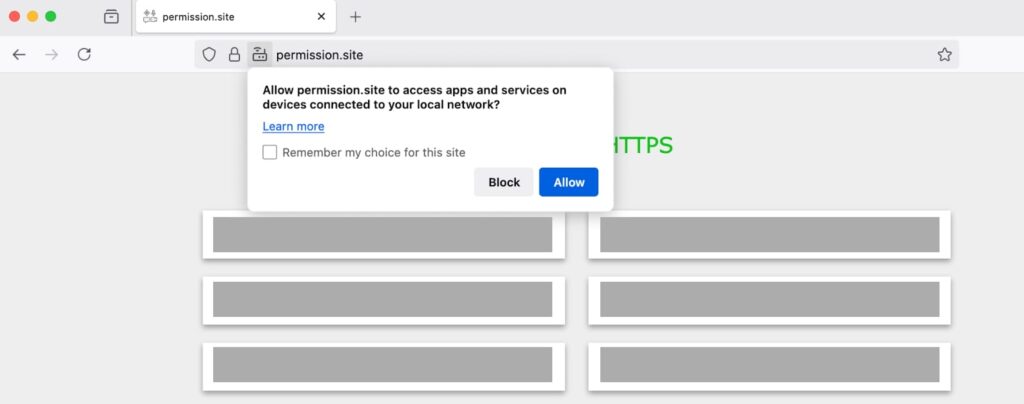
One of the most notable privacy changes extends Firefox’s Local Network Access protections to WebSocket connections. When a public website attempts to establish a WebSocket connection with an application or device on the user’s local network, Firefox will now request permission before allowing it.
Mozilla introduced Local Network Access protections by default for desktop users in Firefox 153. The controls cover connections to software running on the user’s computer as well as network-connected routers, printers, file servers, smart TVs, media streamers, and IoT devices. Mozilla says malicious websites have previously abused such access to scan networks, identify vulnerable devices, or track users.
The new permission system lets users temporarily allow or block local access, or remember their decision for future visits, with permissions managed in Firefox settings.
Advanced users can also configure the feature through about:config, including network.lna.enabled, which turns the protection on or off entirely, and the experimental network.lna.block_trackers, which can stop third-party trackers from connecting to localhost and local-network resources.
Smart Window with AI tab grouping
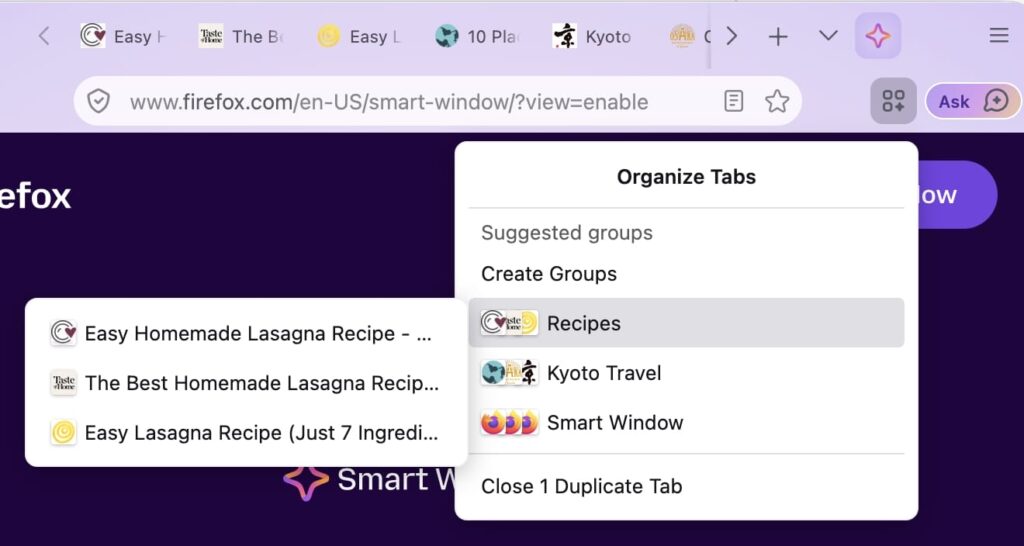
Firefox 154 also expands Mozilla’s Smart Window beta, which can now suggest groups of related open tabs and generate names for those groups. Smart Window is an optional AI-powered Firefox window that can summarize pages, compare information, work with selected tabs, search browsing history, and generate recommendations.
Mozilla says Smart Window chats and memories are stored locally, although requests sent to the assistant pass through Mozilla’s servers before reaching the selected AI provider. Optional memories can be generated from browsing activity and conversations, while Private Window activity, passwords, payment information, files, and unread emails are excluded. The tab-grouping capability is being introduced through a progressive rollout.
GeForce NOW comes to Firefox
Another significant addition is official NVIDIA GeForce NOW support in Firefox on Windows. Mozilla and NVIDIA say they worked together for months to make the cloud-gaming service compatible with Firefox, allowing users to stream more than 2,000 supported PC games without installing them locally. GeForce NOW Ultimate subscribers can stream at up to 1440p and 120 frames per second through the browser.
Firefox 154 also brings local Firefox profile backups to macOS, adding support alongside Windows and Linux, with backups transferable between all three platforms. Full-page translations can now translate content inside iframe elements and perform language identification on every page load. Users can separately exempt sites from automatic cookie and site-data deletion without weakening other tracking protections.
Windows users also gain alternative Firefox application icons, except for MSIX installations, and the address bar has a new Manage AI shortcut that leads to Firefox’s AI settings. A Shift-click hard reload now refreshes cached favicons as well.
The release carries a substantial security update. Mozilla’s advisory lists 58 CVE entries, including 20 rated as high impact. Researchers reported sandbox escapes, site-isolation failures, privilege-escalation bugs, information leaks, and multiple use-after-free vulnerabilities affecting components including WebAssembly, JavaScript garbage collection, WebGL, ImageLib, networking, and the DOM.
Mozilla also recently began progressively testing an optional EasyList-based ad blocker in Firefox for iOS. The feature blocks many third-party advertising networks, trackers, pop-ups, and overlays at the network level, but leaves search-engine advertising and Firefox-sponsored New Tab content untouched.
Firefox users can install the latest version on desktop through Menu > Help > About Firefox, which automatically downloads the latest available release.



Leave a Reply