
Learning how to delete yourself from the internet starts with understanding just how much of your personal information is already exposed. A quick search for your name can reveal your phone number, home address, relatives, and even old financial details on sites you may never have heard of. Data brokers sell this information to marketers, scammers, and other buyers, turning your private life into a source of profit without your permission.
Completely erasing yourself from the internet is virtually impossible, as archived records and hidden databases can remain beyond your reach. However, you can significantly reduce your visible digital footprint without spending hours submitting manual opt-out requests. Automated data removal services contact hundreds of brokers on your behalf, and we’ll examine which providers deliver the strongest results.
Although becoming a digital ghost isn’t realistic, there’s still plenty you can do to protect your personal information and improve your online privacy. Read on to discover the risks of leaving your data exposed and the practical steps you can take to remove as much of it as possible.
Data brokers and identity theft
Data brokers are information collectors that make their bread by constantly accumulating and selling personal data acquired from a variety of sources. Along with sourcing it from publicly available places like social media and other platforms, they may also purchase information from data aggregators who sell it.
Although this doesn’t seem like a big deal on the surface, your private details are valuable. In addition to being used for targeted advertising, it can also be a major security risk. Put simply, hackers and scammers may use it to steal your identity or trick you into giving them money.
So the risks aren’t just hypothetical – they’re very real and require immediate action to take hold of your data.
The pros of scrubbing up your digital footprint
Cleaning up your online presence comes with a whole host of perks. For starters, you’ll enhance your privacy and drastically reduce the risk of identity fraud and data breaches. This is logical, as less personal information you have out there translates into fewer opportunities for shady individuals to compromise your data.
Moreover, you’ll get a firm grip on your online reputation, which is certainly valuable in the modern world.
The last one is improved mental wellbeing, which is something you can’t really quantify. By minimizing your online information, you’ll have a healthier online journey and get peace of mind knowing you’re no longer an easy target for a cyberattack.
What information should you remove?
Becoming a digital ghost is easy if you follow the next few steps:
Delete social media profiles
The journey to disconnecting yourself from the internet begins with a crucial step – eliminating your social media profiles. Even though going through life without social media can be isolating, deactivating your profiles on these platforms is a step in the right direction when it comes to digital privacy.
In doing so, you can significantly cut back the data that companies can collect about you. This, in turn, prevents your social profiles from popping up in Google searches and decreases the risk of data breaches.
But, how to do it?
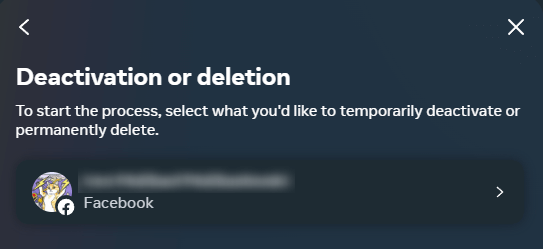
Facebook: Go to Facebook settings, choose ‘Settings & Privacy’, and then make your way to the Accounts Center. There, open the ‘Personal details’ tab, and click/tap on ‘Account ownership and control’. You’ll have both deactivation and deletion options. The latter is permanent, which is why we recommend it.
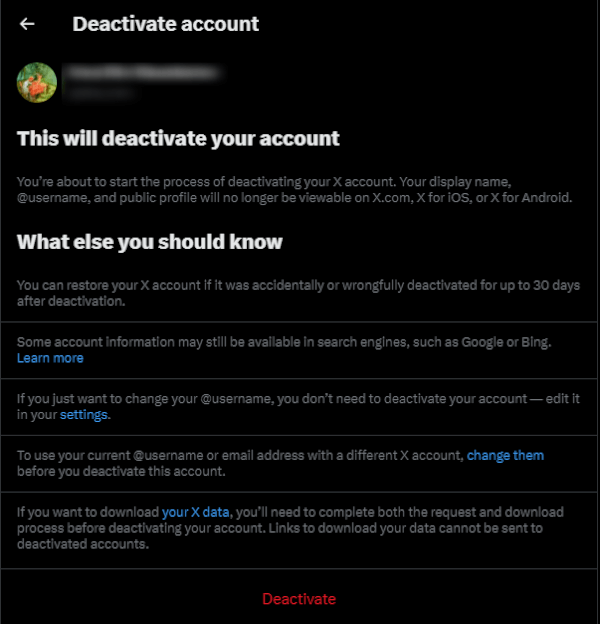
X: Navigate to the ‘Settings and Privacy’ section in the app by tapping your profile picture. Find ‘Settings and support’, and go to the ‘Settings and privacy’ section. There, you’ll find deletion options once you click on ‘Your account’.
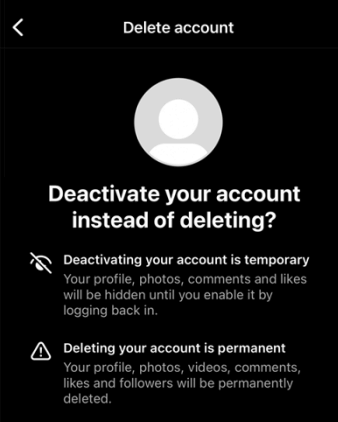
Instagram: The process is identical to Facebook. Go to your profile, tap the three horizontal lines in the top right corner, and hit ‘Settings’. From there, you can access Meta’s ‘Accounts Center’ where you can delete your Instagram account.
If you absolutely can’t fathom not being on these platforms, we recommend adjusting your privacy settings. On Facebook, limit location data collection by turning off the Location tab.
Same goes for X. Disable the option to include location data in tweets and restrict searches of email and phone numbers that connect to your profile.
For Instagram, make your account private by navigating to your profile, selecting Settings, accessing Account Privacy, and enabling the Private account option.
Removing online shopping and dating profiles
Deleting online shopping and dating profiles can further shrink your digital presence and the chances of your particulars being mishandled.
For example, to delete accounts like eBay, follow these steps:
- Log in to your eBay account.
- Access the Account Settings or Account Information section.
- Locate the option to close or delete your account.
- Follow the prompts provided.
- Confirm your decision to delete the account. Once your account is closed, eBay will send you an email notification.
Remember, it’s crucial to ensure the removal of personal data when deleting an online shopping profile. It can be done by following the easy-peasy steps we’ve laid out earlier in this guide.
What about profiles like Tinder and all the other knock-offs?
Even if you delete the app, your information will still be hidden on Tinder’s servers. So, here’s what you should do:
- Open the Tinder application on your phone.
- Tap the profile icon.
- Tap Settings.
- Scroll down to the bottom of the menu where you’ll find the option to delete the account.
- Tap Delete Account and provide the reason for leaving.
Voila! Tinder is no more.
Opt out of data broker sites
Though not particularly easy, you can opt out of data broker sites yourself. Here’s what you can expect:
- Reaching out to data brokers directly via email or pre-made forms to opt out of their data collection practices.
- Maintaining oversight of the process.
- Investing time and effort into ongoing maintenance to make certain your information remains off these sites.
Do note that even after opting out, ensuring that your data is completely purged from their systems and hasn’t been transferred elsewhere can be challenging.
Use a third-party data removal service
You can seek help from third-party services for data removal, which can save you time and effort. These services offer expertise, convenience, and efficiency, but their costs, privacy concerns, and limitations should be taken into consideration when deciding whether to use them.
Let’s take a closer look at how data removal services operate, using Incogni as an example. With an annual subscription available at a discounted rate of $7.99 per month, it’s a fantastic choice for those eager to safeguard their personal stuff.
Incogni identifies data brokers that might have your private information, like your Social Security number or email address, that can be used for marketing, recruitment, financial decisions, and, unfortunately, scams.
Then, the provider sends out removal requests to these data brokers to delete your data. But it doesn’t stop there. Incogni continues to send removal requests on a regular basis to see to it that your private details stay off these data broker sites.
Clean up your digital history
This process involves requesting the removal of personal information from search results and tweaking privacy settings on various platforms. You see, even the big players like Google can sometimes be a bit too nosy, storing your search histories and data, which can potentially compromise your privacy.
So, by undertaking this step, you’re adopting a strategic stance against threats in the digital world and safeguarding your online presence and details.
Requesting removal from Google
Google might consider removing personal information that could lead to serious problems like identity theft, financial fraud, or other specific harms. For instance, they may remove non-consensual explicit or intimate images, involuntary fake pornography, and images of minors.
If you’re a resident of the EU, you can submit a form to request removal. You’ll need to provide the relevant URLs, search queries that lead to them, and a clear explanation of why Google should accept your request.
Keep in mind that Google can say ‘no’ for a variety of reasons, such as technical issues, duplicate URLs, or if the information is considered to be “strongly in the public interest”.
Managing privacy settings on other search engines
Along with Google, there are a bunch of other search engines where you can tweak your privacy settings to make your online presence a bit more low-key. Here are a few you might want to check out:
- Bing – Microsoft‘s own search engine that offers loads of search services like web, video, image, and map searches.
- DuckDuckGo – A cool choice because it really respects your privacy. It doesn’t profile its users and shows everyone the same search results for a given search term.
- Startpage – This search engine is all about protecting users’ privacy. It doesn’t collect, share, or use personal data and offers anonymous Google search results.
- Searx – An open-source, privacy-respecting search engine that pulls results from more than 70 search services.
- Qwant – A French search engine that respects your privacy and also has a social approach to discovering and sharing.
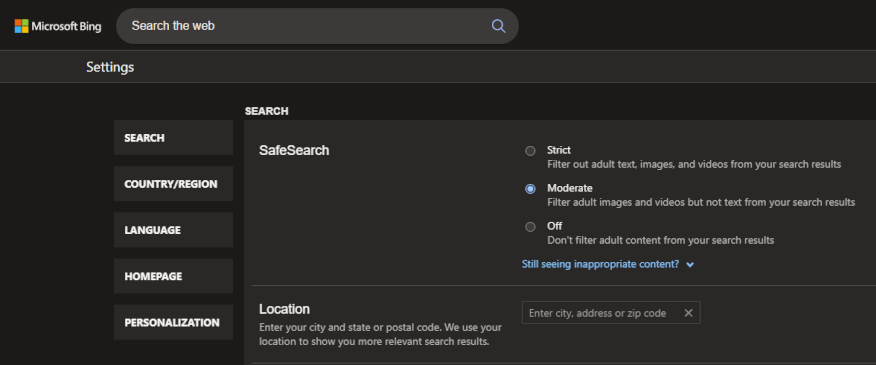
For example, if you want to manage your privacy settings on Bing, just follow these steps:
Click on the icon in the top right of the Bing.com window.
Select Settings and More.
Pick your SafeSearch preference: Strict, Moderate, or Off.
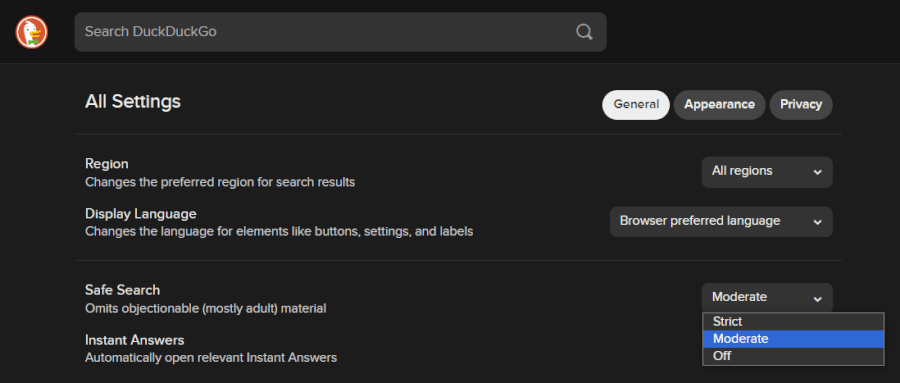
For DuckDuckGo, it’s just as easy:
- Switch on the Safe Search option to filter out explicit content by browsing through safe.duckduckgo.com.
- Turn on the Global Privacy Control (GPC) option to signal your preference for privacy on sites you visit.
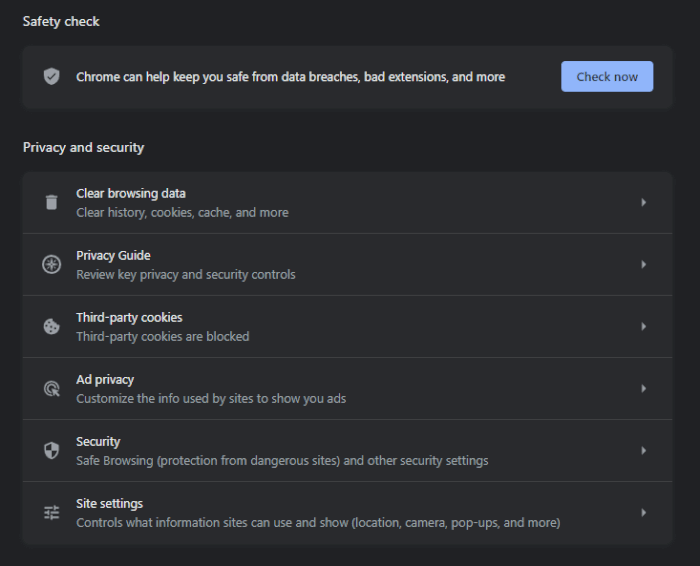
And for Google, here’s what you need to do:
- Go to Google Account settings and adjust the privacy settings in the ‘Privacy & Personalization’ section.
- Check how your Google search results change.
By following these simple steps, you can make your appearance considerably smaller in search engines.
What can data removal achieve?
As we’ve seen, you won’t erase every trace of yourself online, but you can achieve a dramatic reduction through automation and persistence. Manual opt-outs work but demand endless repeat efforts as data reappears. Top automated tools like Incogni handle ongoing monitoring and resubmissions for you, keeping results strong over time with minimal input.
But you can also take steps to keep your data from reappearing online by doing a better job or protecting your privacy in the future. As a Cyber Insider reader, you are probably aware that we cover various tools you can use to make this easier. The next sections will lay out which types of tools can help and include links to more information about the best options available.
Privacy-focused tools and strategies
Adopting privacy-focused tools and strategies like using a VPN and practicing digital minimalism can bolster your privacy and reinforce your digital hygiene.
Utilize a VPN for enhanced online privacy
Have you ever felt like you’re being watched while browsing the internet? That’s where a virtual private network (VPN) comes into play. It acts as your bodyguard in the digital world, ensuring your online activities remain your business and your business alone.
A VPN works like this:
- First, it scrambles your web traffic into a code that’s hard to crack, keeping prying eyes at bay.
- Then, it plays hide and seek with your IP address, making it difficult for websites to track your online movements.
- It says “No!” to personalization and targeted advertising based on your browsing habits.
Select a privacy-focused web browser
Now that you’ve got your VPN set up, let’s talk about another tool you can add to your toolkit – privacy-focused web browsers.
Unlike regular browsers, these take extra measures to make sure your online activities remain confidential by:
Blocking third-party trackers, so websites can’t keep tabs on what you’re up to.
Offering additional privacy features like cookie management, which controls how websites remember you.
Providing ad-blocking features, so you’re not bombarded with annoying ads that also track your online behavior.
So, if you’re looking to enhance your online security and keep your browsing habits private, the top privacy-focused secure browsers should be your go-to.
Add an ad blocker to your privacy arsenal
Ad blockers are software that helps protect your online privacy by blocking scripts, pop-ups, and third-party ad trackers that can invade your privacy when you’re browsing the internet. This not only improves your privacy but also your browsing speed and performance.
There are many great ad blockers available, such as Adblock Plus, uBlock Origin, and Ghostery. Some are more aggressive in their blocking techniques, while others offer more customizable options.
Pairing them with other top-tier privacy tools, like VPNs, can provide a more comprehensive shield against digital intrusions.
Pick out a reliable password manager
As you traverse the digital world, your online accounts require robust passwords – the keys to your digital identity. However, managing a myriad of complex passwords can be a hassle, which is why a password manager is a must.
Password managers act as a secure vault, storing all your passwords in an encrypted format. They generate and remember complex passwords for all your accounts, so you only need to remember one master password to unlock your password vault.
Here’s how a password manager operates:
- It generates strong, unique passwords for each of your online accounts.
- It securely stores all your passwords in an encrypted vault.
- When you sign in to websites, it auto-fills your passwords so you don’t have to remember them.
By using a password manager, you’re not only simplifying your digital life but also bolstering your online security.
Embrace digital minimalism
Digital minimalism is a philosophy that encourages the mindful use of technology, limiting distractions and enhancing focus and mental health. By deliberately reducing your online presence and limiting the amount of personal information available online, you can shield your privacy and restrict the data that is gathered and stored about you.
The practice of digital minimalism offers numerous benefits, some of which are:
- Lower stress levels: Less digital clutter means less digital stress.
- Increased productivity: With fewer distractions, you can focus better on your tasks.
- Enhanced online privacy: By limiting your digital footprint, you reduce the amount of sensitive information that’s available to data brokers, advertisers, hackers, and other online entities.
- Improved security: With fewer accounts and less online activity, there’s less chance of your data being compromised in a data breach.
- Control over private information: Digital minimalism gives you more sway over what information is shared online, allowing you to decide who has access to it.
Remove yourself from the internet right now
By disconnecting from the internet, you can significantly reduce your digital footprint, lower the risk of identity theft, and regain control of your personal data. For this, you’ll want to delete social media and online accounts, opt out of data broker sites, manage your presence in online searches, and adopt privacy-focused tools and strategies.
While it may seem like a daunting task and likely won’t completely remove you from the internet, the benefits of a more private and secure online experience are well worth the effort.
Other data removal guides:
- Incogni Review
- Optery Review
- DeleteMe Review
- Privacy Bee Review
- Privacy Bee vs Incogni
- Incogni vs Optery
- Optery vs DeleteMe
- Incogni vs DeleteMe
- How to Delete Your Digital Footprint
- How to Massively Reduce Junk Email and Spam
- How to Not Get Doxxed
- How to Opt Out of Whitepages
How to remove yourself from the internet FAQ
Can I completely remove myself from the internet?
Though it’s challenging to completely erase your digital footprint, you can significantly reduce your online presence. This involves deleting your social media accounts, opting out of data broker sites, and removing your information from public databases. However, some information, like news articles, public records, or old posts on other people’s social media accounts, might be out of your hands. So, while total internet anonymity is tough to achieve, taking steps to manage your online information can greatly increase your privacy.
Can data brokers collect my data without my permission?
Unfortunately, yes. Data brokers often gather information from public records and online activities without explicit consent. They collect data from various sources like social media, websites, and other platforms where you’ve shared your information. They can also acquire information from companies that have legal permission to share personal details. This is why it’s important to be mindful of the information you share online and to regularly review and update your privacy settings.
Can I delete my information from data broker sites without paying for a service?
Absolutely! You can manually opt out of many data broker sites by directly contacting them and requesting data removal. This process can be time-consuming and sometimes complex, as procedures differ from one site to another. Alternatively, you can use third-party services that specialize in data removal. These can save you time and effort, but they usually come with a fee. Always consider your personal needs and resources when deciding between a DIY approach and hiring a professional service.

Leave a Reply