

Google released a Chrome security update that addresses nine vulnerabilities, including a high-severity XML flaw exploited in the wild.
The security update brings the Stable channel to version 157.0.8103.50/.51 for Windows and macOS and 157.0.8103.50 for Linux, with the rollout to users taking place over the coming days and weeks.
Tracked as CVE-2026-125350, the exploited vulnerability is a use-after-free issue in Chrome’s XML component. Google credits an anonymous researcher with reporting it on November 6.
Chrome uses XML processing capabilities to handle structured documents and related web content. A public Chromium patch linked to the vulnerability’s bug ID points to libxslt, a library used to transform XML documents using XSLT stylesheets.
“Google is aware that an exploit for CVE-2026-125350 exists in the wild,” the company said in its release announcement.
Google has not identified the attackers, their targets, or the payloads deployed through exploitation. It also has not disclosed how the attacks were delivered or how widely the vulnerability has been leveraged.
The Chromium patch describes the flaw as an error in libxslt’s pattern-matching cache, where a nested XML evaluation could free and replace a cached object while an earlier operation still held its old memory address. The earlier operation could then attempt to free that memory again.
Use-after-free vulnerabilities occur when software continues accessing memory after releasing it. Depending on how that memory is reused, exploitation can cause crashes, expose information, or potentially redirect execution to attacker-controlled code.
A plausible delivery route for this flaw would be specially crafted web content that triggers the affected XML transformation code. Successful exploitation could potentially allow malicious code to run in the affected browser process.
Eight additional security fixes
The release addresses seven high-severity and two medium-severity vulnerabilities in total. Beyond the exploited zero-day, the high-severity fixes cover another XML use-after-free, V8 type confusion, a GPU out-of-bounds write, a Compositing buffer overflow, incorrect authorization in FileSystem, and an uninitialized resource in WebGL. Both medium-severity issues concern uninitialized GPU resources.
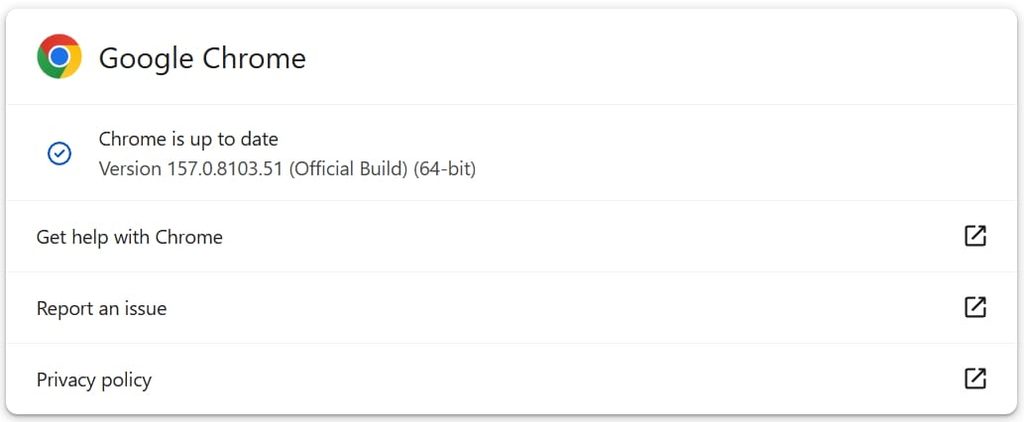
Users should open Chrome’s menu → Help → About Google Chrome, allow the browser to check for and download available updates, and select Relaunch to complete installation. A downloaded update does not protect an already-running browser until it restarts.



Leave a Reply