
If you’ve been considering CyberGhost VPN, the good news is that you can test it without much risk. The provider offers several trial options, making it easy to explore its features before spending money. While CyberGhost isn’t my top-rated VPN, the trial is a good way to see if it meets your needs before comparing it with stronger alternatives like NordVPN or Surfshark.
Still, one thing to keep in mind is that CyberGhost offers different trial lengths depending on how you sign up. The desktop trial lasts 24 hours and doesn’t require payment details, while mobile users get longer free trials through their app stores. For even more testing time, the provider backs its longer plans with a 45-day refund policy.
| Desktop free trial | Mobile free trial | |
| Upfront cost | $0.00 (free) | $0.00 (free setup required) |
| Device support | Windows8 and macOS only | iOS and Android devices only |
| Simultaneous connections | 1 desktop device | 1 mobile device |
| How to cancel | Automatically expires | Via Apple App Store or Google Play |
How long is the CyberGhost trial?
CyberGhost’s free trial isn’t the same across every device. Choose your platform before starting, as desktop and mobile get different testing windows:
- Windows and macOS (24-hour trial): The desktop app offers a friction-free evaluation path. You can download the client straight from the CyberGhost free trial page and create a trial profile using only an email address. No credit card details or payment inputs are required, but you must complete your testing within a 24-hour countdown.
- Android OS (3-day mobile trial): If you download the application from the Google Play Store, your testing window bumps up to three full days. However, the catch is that Google requires an active payment method linked to your account to start the trial.
- iOS & iPadOS (7-day premium trial): Apple users get the most generous zero-cost window, with a full week of unrestricted service. Like with Android, you must sign up via the official App Store and authorize a billing profile to unlock the trial.
How to start a CyberGhost free trial
If you want to test CyberGhost risk-free, it’s important to understand how each trial works. The signup process and trial length depend on your device.
1. The 24-hour Windows & macOS trial
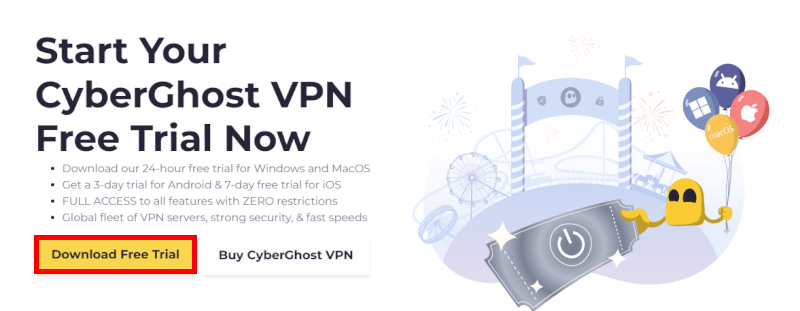
This is the ultimate friction-free route because CyberGhost is one of the few premium providers that let you test their desktop software without sharing any financial details.
- Visit the landing page: Head directly to the official CyberGhost trial page using your desktop browser.
- Download the installer: Click the “Download Free Trial” button to automatically download the app installation file onto your Mac or PC.
- Register via email only: Launch the app installer, accept the privacy terms, and create a brand-new profile using a valid email address, as no credit card input is requested.
- Confirm account: Click the verification link sent to your inbox to instantly activate your 24 hours of unrestricted premium access.
2. The 3-day Android mobile trial
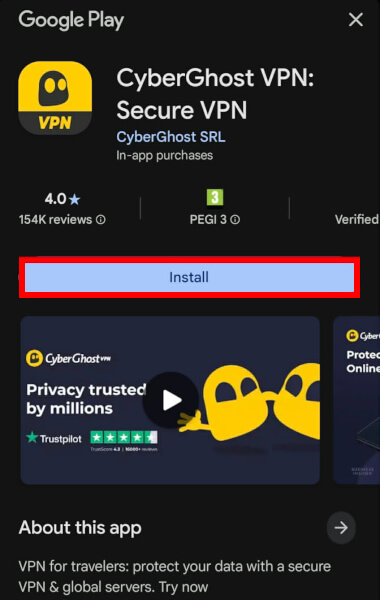
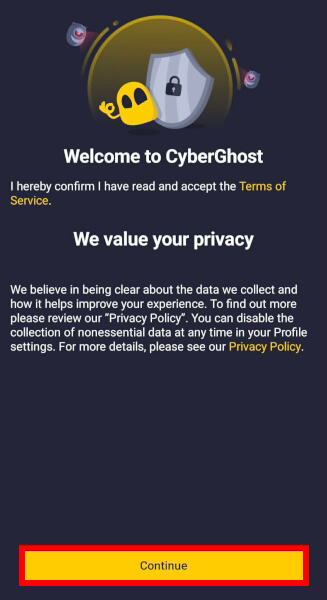
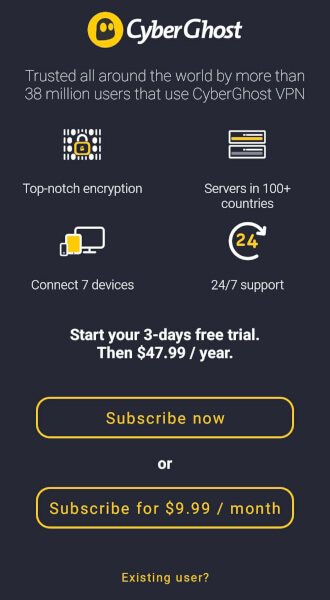
To evaluate the network on an Android smartphone or tablet, your setup goes directly through Google’s payment ecosystem:
- Locate the official app: Open the Google Play Store on your device, search for CyberGhost VPN, and tap “Install”.
- Initialize account setup: Launch the app and select the option to set up a new user account profile.
- Authorize Google billing: Select the annual subscription plan to trigger the 3-day trial option popup. You must provide a credit card, PayPal, or Google Pay profile to continue.
- Block auto-charging: Enjoy your 3 days of testing, but remember to navigate to your Google Play Subscriptions menu and tap “Cancel Subscription” before the third day expires to avoid being billed.
3. The 7-day iOS & iPadOS mobile trial
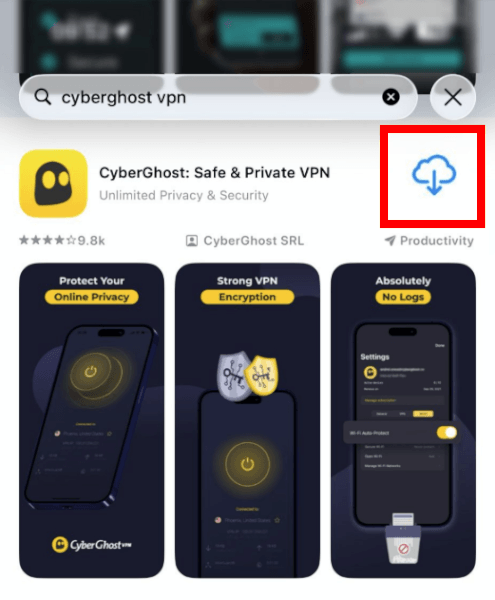
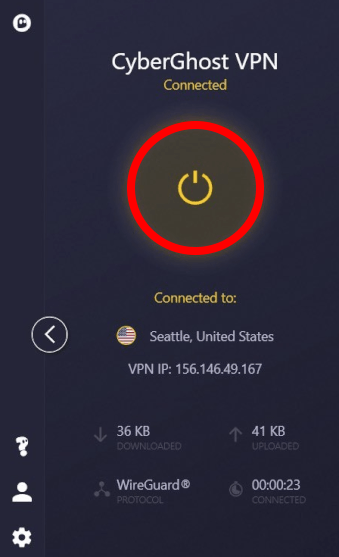
Apple users get the most generous zero-cost testing window, giving you a full week to check performance on iPhones or iPads:
- Download via App Store: Open the native Apple App Store, find the official CyberGhost utility, and download it to your device.
- Launch the sign-up screen: Open the CyberGhost app, accept the data permissions, and tap the sign-up button.
- Authenticate via Apple ID: Opt into the 7-day trial period, which automatically links to your Apple ID billing credentials (credit card or Apple Wallet).
- Set a cancellation reminder: Go into your iOS System Settings, tap your name/Apple ID at the top, select “Subscriptions,” and cancel the trial at least 24 hours before the 7th day ends to prevent an automatic renewal charge.
What’s included in the CyberGhost trial?
CyberGhost doesn’t limit features during its free trial. No matter which platform you use, you’ll get unrestricted access to the full VPN service and global server network.
Specialty server infrastructure
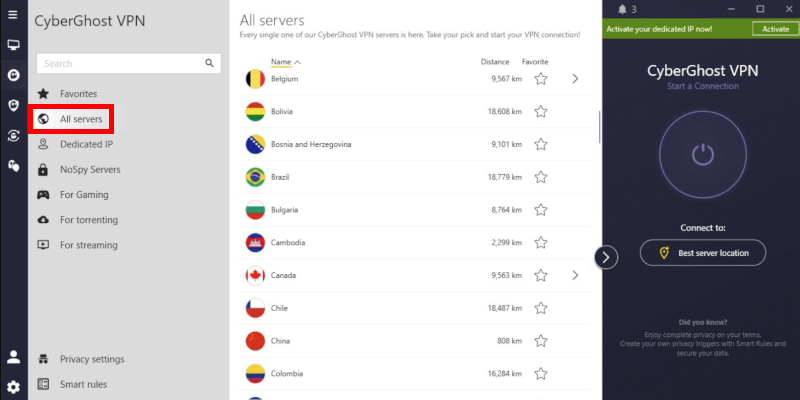
- Streaming-optimized connections: CyberGhost maintains custom, preconfigured servers dedicated to bypassing strict blocks on platforms like Netflix, Hulu, and BBC iPlayer.
- Anonymous P2P torrenting: Skip standard server lists and jump straight to their dedicated torrenting tab, which is built to handle heavy upload and download traffic smoothly.
- NoSpy privacy nodes: Located directly inside their privacy-friendly Romanian headquarters, these high-security hardware setups keep your data out of reach from local ISPs.
- Massive server network: Test connection stability across more than 100 global countries to check regional ping times for lag-free gaming.
Core security and protocol choices
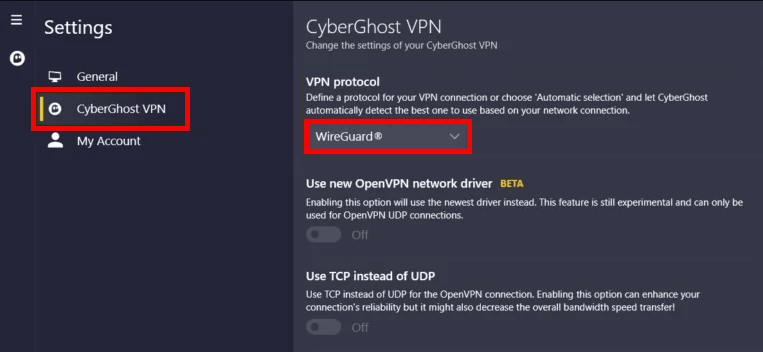
- WireGuard performance: Toggle the lightning-fast WireGuard protocol in your connection settings to pull the best possible browsing speeds out of their infrastructure.
- AES-256 encryption: Your secure tunnel stays completely hidden from third-party snoopers using military-grade encryption algorithms.
- Automatic kill switch: If a spotty Wi-Fi network drops your VPN server connection, the native system safeguard cuts your internet traffic instantly to stop raw data leaks.
- Advanced split tunneling: Configure the app rules so sensitive software like online banking bypasses the encryption tunnel while the rest of your device stays protected.
Testing your CyberGhost trial
Your CyberGhost trial is short, so make every minute count. I recommend testing its dedicated streaming, gaming, and P2P servers rather than relying on standard locations.
1. Unblock streaming hubs
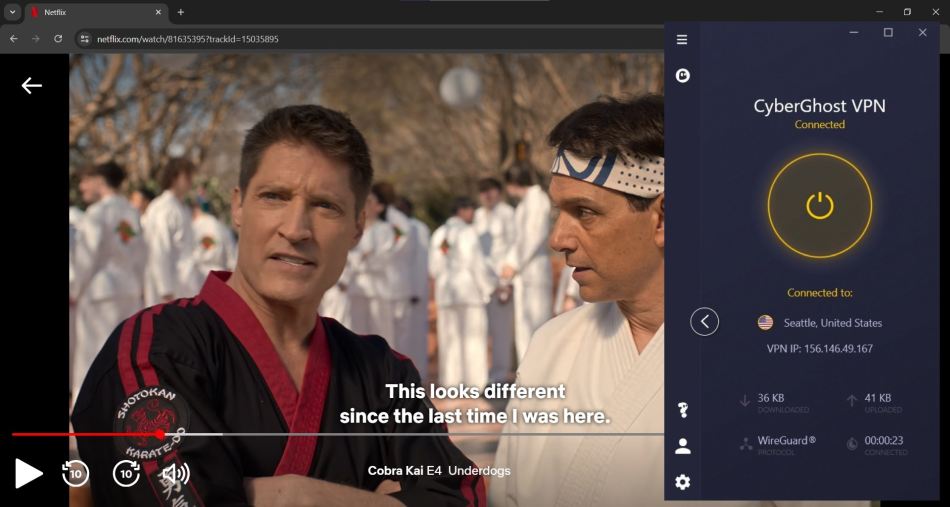
If your primary goal is bypassing tough geographic restrictions, open the desktop client or mobile app and click on the dedicated For Streaming tab.
Here, you will find highly optimized servers preconfigured for platforms such as Netflix, Disney+, Max, and BBC iPlayer. Use your testing window to jump between international libraries to see how quickly regional blocks disappear. Thanks to their upgraded 10-Gbps server backbones, your media streams should trigger instantly in crisp Ultra HD without any annoying buffering loops.
2. Force fast P2P torrent downloads
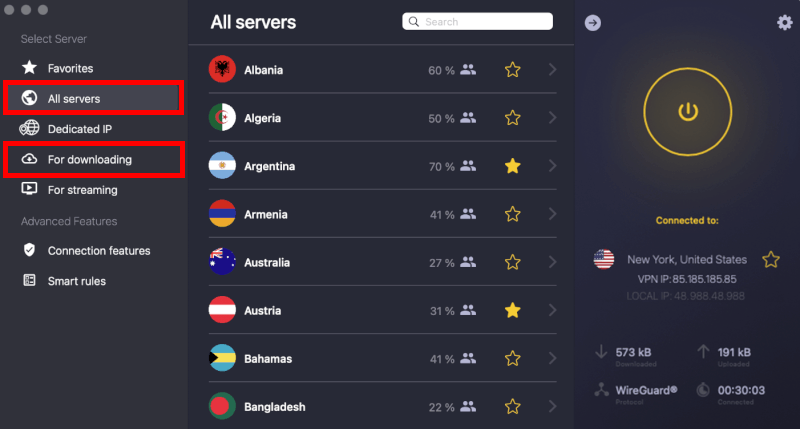
If P2P file sharing is a top priority, you should immediately put CyberGhost’s privacy infrastructure to the test by switching over to their specialized For Torrenting tab on the left sidebar. These nodes are custom-built to handle heavy, continuous uploads and downloads smoothly while completely masking your digital footprint from fellow peers on the network.
To run a proper stress test, launch your preferred client (like qBittorrent or uTorrent) and download a large, well-seeded public file, such as a Linux distribution. Testing this VPN for torrenting allows you to monitor your download speeds, ensuring your internet service provider isn’t bottlenecking your bandwidth or dropping your connection.
While CyberGhost performed well, rivals like NordVPN and Surfshark consistently rank among the fastest VPNs and deliver better download speeds.
3. Check live ping on dedicated gaming nodes
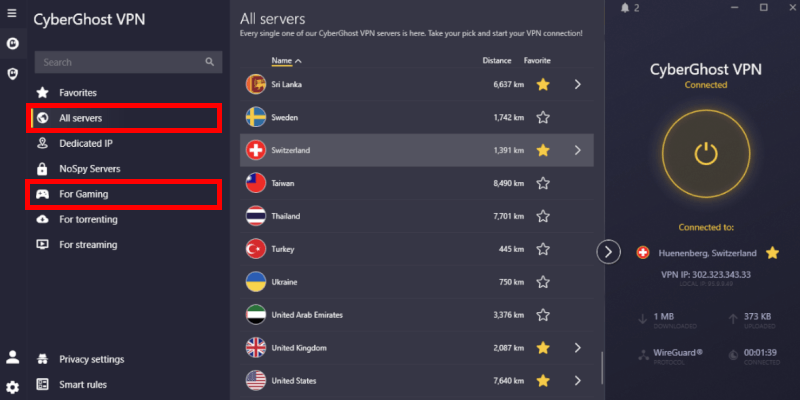
For competitive gamers, testing connection latency during your short trial window is absolutely critical. To see if the network can keep up with fast-paced matches, open the app, head directly to the For Gaming tab on the left sidebar, and select a node closest to your game’s regional matchmaking lobby.
CyberGhost makes server selection incredibly simple by displaying real-time ping data and user load percentages right next to each city. While you play, run a match with the network active, then immediately disconnect and run a second match on your normal home connection to check for packet loss or severe spikes.
CyberGhost’s 10-Gbps servers successfully stop ISP throttling. However, rivals like NordVPN and ExpressVPN remain superior VPNs for gaming, offering much lower, more consistent ping for competitive matches.
Reasons CyberGhost fails to impress
The free trial makes CyberGhost easy to test, but it doesn’t tell the whole story. During my testing, I noticed a few weaknesses, so it’s worth weighing the pros and cons before subscribing.
Low speeds
Testing CyberGhost on a baseline 1,000 Mbps fiber line using WireGuard protocol revealed highly volatile results. While fast enough for basic 4K streaming, it lags far behind top-tier VPNs such as NordVPN and Surfshark, which routinely cross the 700 Mbps threshold on nearby servers.
The biggest issue I found was how much performance varied between servers. Nearby locations like Seattle and Los Angeles delivered decent speeds, but long-distance connections slowed down significantly. The East Coast results below show just how noticeable the drop can be:
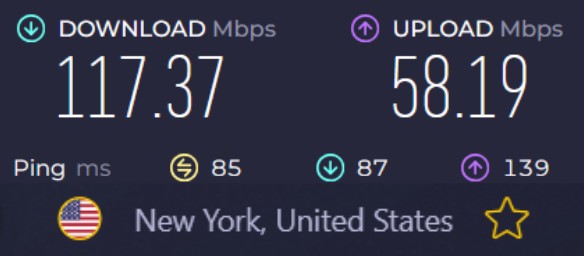
As shown in our benchmark breakdown below, your downloads will vary wildly depending on the city you choose:
- Seattle: 422 Mbps download (53% drop) | 54 Mbps upload.
- Los Angeles: 408 Mbps download (55% drop) | 59 Mbps upload.
- London (UK): 284 Mbps download (68% drop) | 57 Mbps upload.
- New York: 117 Mbps download (87% drop) | 58 Mbps upload.
I also ran into occasional connection failures that required reconnecting to a different server. If speed and reliability are your top priorities, CyberGhost may leave you wanting more.
Data leak risks
Beyond the volatile speeds, real-world stress testing exposed deep structural vulnerabilities that can actively compromise your digital privacy.
The VPN client suffers from a dangerous security loophole when you switch server locations. The app briefly drops your encryption tunnel for a few seconds between switches, leaking your raw IP address to your internet service provider unless you manually enable the system kill switch beforehand.
Clunky apps
Navigating the desktop software is frequently frustrating due to layout bugs, especially on macOS. Expanding a country list to see individual cities requires hunting down a microscopic arrow icon because clicking the country name itself fails to respond.
Other CyberGhost cons to consider
CyberGhost is heavily reliant on virtual server locations. When routing data through South America or Africa, your traffic is often handled by physical servers sitting thousands of miles away in the US or Europe, destroying your connection latency.
How to cancel CyberGhost and avoid charges
To avoid being charged, remember to cancel your CyberGhost trial before it ends. Otherwise, your app store will automatically renew your subscription.
How to cancel on iPhone or iPad
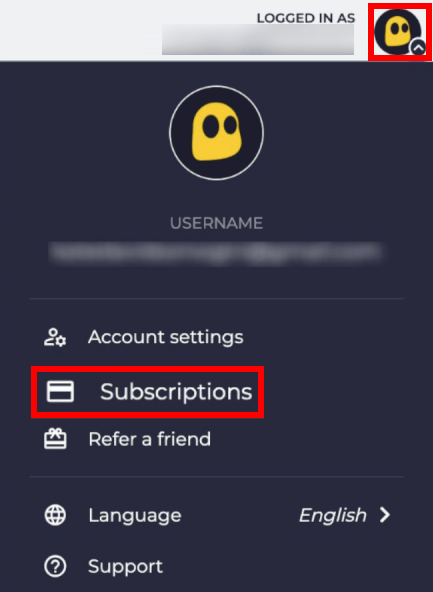
- Open your iPhone or iPad Settings app.
- Tap your Apple ID Profile Name at the top.
- Select the Subscriptions option.
- Tap on the CyberGhost VPN icon.
- Click Cancel Free Trial and confirm.
How to cancel on Android
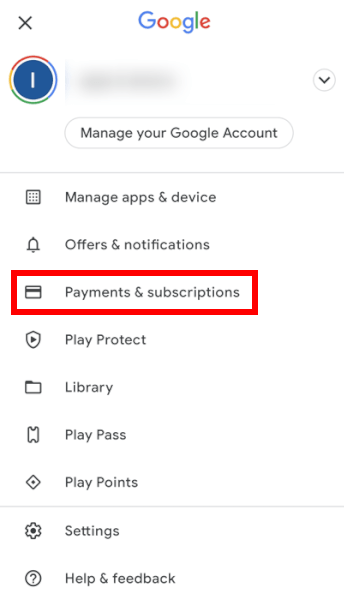
Android users have a tight 3-day window. You need to terminate the trial manually via the app store ecosystem to block recurring billing:
- Open the Google Play Store app.
- Tap your Profile Icon in the top right corner.
- Select Payments & Subscriptions and click Subscriptions.
- Find and tap on CyberGhost VPN.
- Click Cancel Subscription at the bottom and confirm.
No cancellation needed on desktop
If you opted to test CyberGhost via the 24-hour Windows or macOS desktop pathway, you can skip the hassle of canceling. Because CyberGhost’s desktop signup form only requires a valid email address, you never have to input a credit card, PayPal account, or billing profile to get started.
Once your 24-hour trial ends, CyberGhost simply logs you out and disables access to its premium servers. There’s no risk of an automatic charge, so you can keep or uninstall the app whenever you like.
What happens when the trial expires?
After the trial ends, CyberGhost locks premium access until you upgrade. Desktop accounts end safely on their own, but mobile users should cancel manually to prevent automatic billing via Apple or Google.
To maintain protection, you’ll need to select one of CyberGhost’s subscription plans. At checkout, CyberGhost supports credit cards, PayPal, Google Pay, Apple Pay, iDEAL, and crypto via BitPay. For the biggest savings, go for longer-term plans. They often include free months. Longer plans also come with a 45-day money-back guarantee, giving you plenty of time to request a refund if needed.
CyberGhost alternatives with free trials
If you’re considering CyberGhost, I’d also compare it with NordVPN and Surfshark. Both performed better in my testing.
| CyberGhost | NordVPN | Surfshark | |
| Mobile free trial | ✅ 3 to 7 days (App Store only) | ✅ 7 days (Android/iOS only) | ✅ 7 days (Android/iOS/macOS) |
| Money-back guarantee | ✅ 45 days (long-term plans) | ✅ 30 days | ✅ 30 days |
| Maximum risk-free period | 45 days | 30 days | Up to 37 days (stacked trial) |
| No-card desktop trial | ✅ Yes (24 hours only) | ❌ No (requires upfront payment) | ❌ No (requires upfront payment) |
| Simultaneous connections | 7 devices | 10 devices | Unmetered (unlimited devices) |
NordVPN free trial
If speed and security are your top priorities, NordVPN is an easy upgrade over CyberGhost. In my testing, its NordLynx protocol delivered faster long-distance speeds, along with extras like Double VPN and Threat Protection for blocking ads, trackers, and malware.
Check out the NordVPN free trial here >
Surfshark free trial
For larger households, Surfshark stands out with unlimited device connections. It also offers up to 37 days of risk-free testing by combining its mobile trial with a 30-day money-back guarantee.
Check out the Surfshark free trial here >
Should you skip CyberGhost?
Even though it offers a completely credit-card-free 24-hour desktop window, the CyberGhost free trial just can’t hide the app’s frustrating technical flaws. While a mobile test drive lets you click around their specialized streaming and torrenting servers, the service struggles to match modern industry standards.
Our real-world speed tests exposed sluggish slowdowns on long-distance servers. We also ran into clunky app bugs and sketchy data-leak risks when switching between locations. Honestly, CyberGhost just isn’t a top-tier service anymore.
Instead of risking an unexpected mobile renewal bill, you are much better off skipping this trial entirely. I highly recommend picking up superior alternatives like NordVPN for blazing-fast, stable connections, or Surfshark to protect every single device in your house.
CyberGhost free trial FAQs
Do I need a credit card to test CyberGhost?
It depends on your device. If you sign up using a Windows PC or Mac desktop browser, you get a completely card-free 24-hour window. You only need an email address to activate it. However, if you choose to test the network on an Android or iOS device, Apple and Google require active billing details linked to your phone’s app marketplace to authorize the trial setup.
How long does the CyberGhost free trial last?
Desktop users on Windows or Mac get a brief 24-hour evaluation window. Android smartphone and tablet users get a 3-day trial, while iPhone and iPad users get the most generous mobile option with a full 7-day trial period.
How do I stop CyberGhost from charging my account?
You must manually cancel through your mobile device settings. For the 24-hour desktop trial, you can relax because it simply expires on its own. For mobile devices, you must navigate to your phone’s native marketplace settings (Google Play for Android or the App Store for iOS) and hit cancel before your 3-day or 7-day countdown concludes to block an automatic annual renewal fee.
Does the CyberGhost free trial limit my bandwidth or features?
No, CyberGhost gives trial accounts 100% unrestricted premium access. Unlike basic free utilities that cap your monthly data usage or throttle your connection throughput, your temporary account can access their entire infrastructure. This includes their massive server pool, advanced WireGuard configurations, and dedicated tabs pre-optimized specifically for streaming, gaming, and P2P torrenting payloads.
Can I use the CyberGhost trial to watch international Netflix?
Yes, but the performance might be highly inconsistent. CyberGhost provides a dedicated “For Streaming” server tab specifically engineered to bypass tough regional blocks on Netflix, Max, and Disney+. However, keep a close eye on your connection stability during your brief testing window. Our benchmarks exposed notable speed drops on long-distance nodes, meaning you might encounter frustrating buffering lag that you can easily avoid by switching to alternatives like NordVPN.

Leave a Reply