
This Surfshark review takes a closer look at what makes the VPN appealing, starting with one of its biggest advantages: you can cover every device in your home without counting connections. It has also grown into a sizeable network of 4,500+ RAM-only servers across 100 countries, with many locations using 10 Gbps connections.
Surfshark backs that coverage with fast WireGuard performance. In our latest tests, it reached 752 Mbps on a nearby server, delivering plenty of speed for gaming, 4K streaming, and large downloads. It also unblocked 15+ Netflix libraries, along with Max, Disney+, Hulu, and BBC iPlayer.
The service is based in the Netherlands and has an independently audited no-logs policy. Beyond the basics, you get useful extras such as CleanWeb 2.0, Dynamic MultiHop, and Alternative ID. Read on for our hands-on Surfshark VPN review to see whether its unlimited connections and feature-packed apps make it one of the best-value VPNs available.
Company background
| Website | Surfshark.com |
| Based in | The Netherlands |
| Logs | No logs |
| Price | $2.49/mo. |
| Support | 24/7 live chat |
| Refund | 30 days |
| Deal | 87% Off Coupon |
Since launching in 2018, Surfshark VPN has grown quickly by combining strong privacy features, user-friendly apps, and one standout perk: unlimited simultaneous connections.
Surfshark later joined Nord Security, the company behind NordVPN. The two VPNs remain separate brands with their own apps, infrastructure, and features, but sharing the same parent company gives Surfshark access to greater resources and a more established corporate structure.
Ecosystem updates
Surfshark has also expanded beyond its core VPN service with a broader range of privacy and security tools:
- Surfshark antivirus – Offers 24/7 real-time malware protection, threat scanning, ransomware defense, and webcam protection.
- Alternative ID – Creates alternative personas and burner email aliases to help keep your real details private.
- Scam text protection – Scans incoming messages for phishing URLs and known smishing scams.
- Incogni – Automatically sends data-removal requests to 420+ global data brokers to help remove personal details such as phone numbers, emails, and addresses.
Surfshark is based in the Netherlands and operates under Dutch and EU privacy laws. Its no-logs policy has also been reviewed through independent audits.
Surfshark pros and cons
Here is an overview of our Surfshark review findings:
+ Pros
- Unlimited connections
- User-friendly apps for all devices and operating systems
- CleanWeb feature to block ads, trackers, and malware
- Works great with Netflix and many other streaming services
- 24/7 live chat support
- Strong encryption and security features (audited)
– Cons
- Limited support for VPN routers
- Above-average monthly prices
Now let’s get into the details….
App availability
As Surfshark allows unlimited simultaneous connections, you can use the same subscription across your laptops, phones, TVs, and other devices without worrying about hitting a connection limit.
Surfshark apps
Surfshark offers dedicated apps for Windows, macOS, iOS, Android, and Linux, plus support for Apple TV, Fire TV, Xbox, and PlayStation. Browser extensions are also available for Chrome, Edge, and Firefox.
The apps include a solid selection of privacy and security features:
- Kill Switch – Blocks internet traffic if the VPN connection drops.
- CleanWeb 2.0 – Blocks ads, trackers, malware, and intrusive cookie pop-ups.
- Bypasser – Surfshark’s split tunneling feature for routing selected apps or websites outside the VPN.
- IP Rotator – Periodically changes your IP address without disconnecting the VPN.
- NoBorders – Detects network restrictions and helps connect when VPN traffic is blocked.
- Dynamic MultiHop – Lets you choose both the entry and exit servers for a customized double-VPN connection.
- Dedicated IP – Provides a fixed IP address for services that require a consistent network identity.
See all Surfshark features here >
Desktop apps
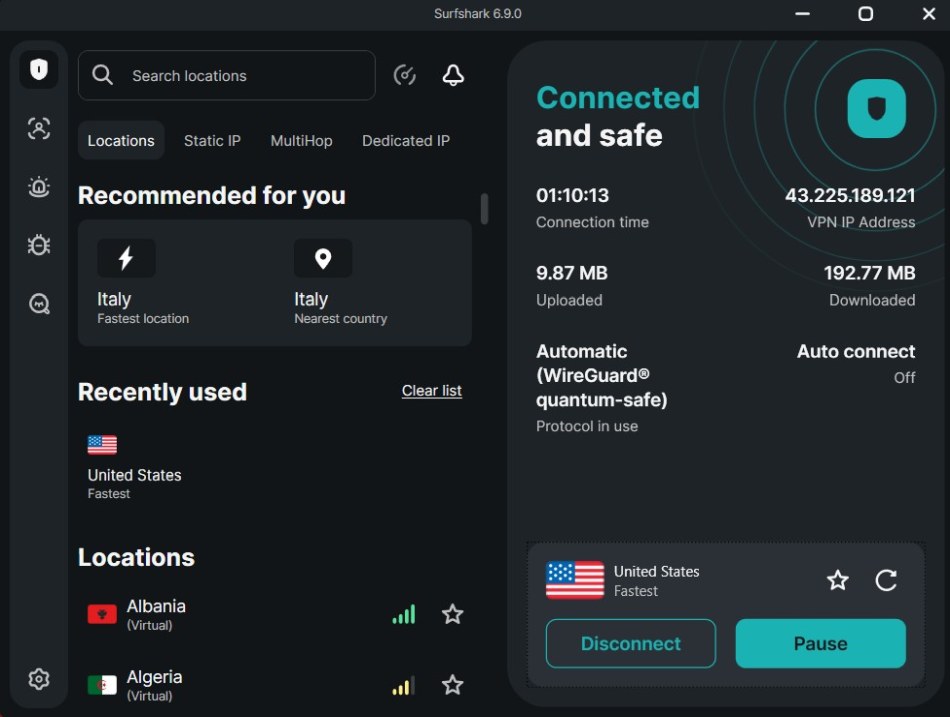
Surfshark’s Windows app is clean and easy to navigate, with useful features such as the kill switch, CleanWeb 2.0, Bypasser, and Dynamic MultiHop all within easy reach. The interface keeps things simple without hiding the more advanced options.
Performance is equally important, and our testing found the Windows client capable of delivering fast, stable connections for everyday browsing, streaming, and video calls.
Mobile apps
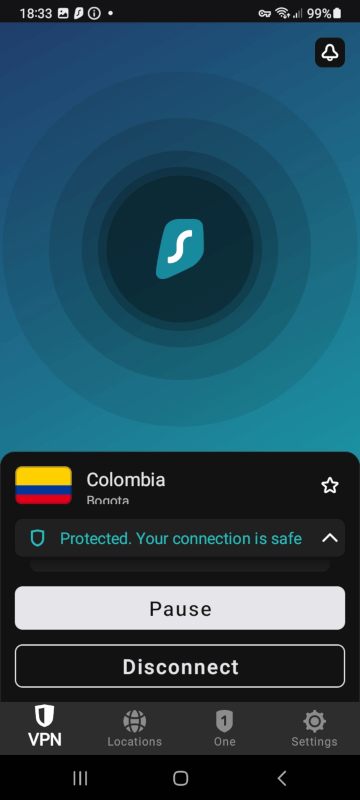
Surfshark’s Android app adds a few features you won’t find on every VPN. GPS spoofing can make your device report the location of your chosen VPN server, while split tunneling lets you decide which apps use the VPN connection.
The app is easy to navigate and includes the core privacy features you’d expect, making it a solid choice for browsing on mobile networks or public Wi-Fi.
Linux client
Surfshark offers a full graphical Linux app, which is a welcome change from the command-line-only approach still common among VPN providers. It includes useful features such as a kill switch, CleanWeb, MultiHop, and WireGuard support, giving Linux users plenty of control without relying entirely on the terminal.
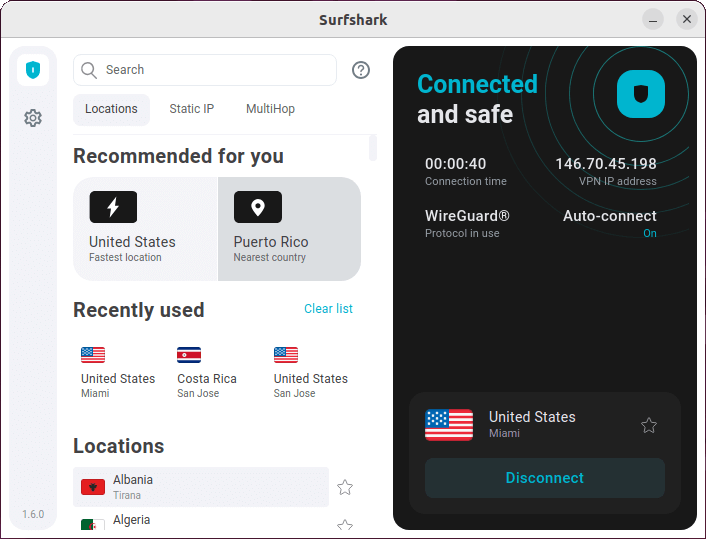
Performance is also strong, with fast connections suitable for browsing, streaming, downloading, and gaming.
Browser extensions
Surfshark’s browser extensions provide a lightweight way to protect browser traffic without running the full VPN app. They include useful features such as CleanWeb, Bypasser, and cookie pop-up blocking, although they don’t offer the full feature set of the desktop clients.
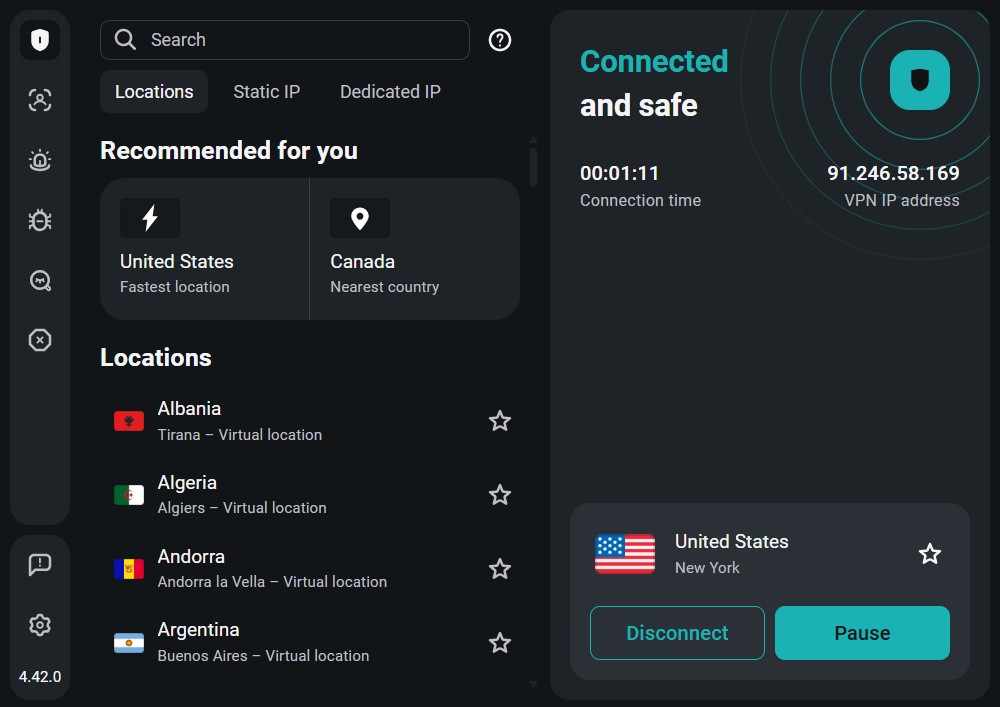
The main limitation is that the extension only protects traffic inside the browser. Other apps and background connections on your device stay outside the VPN, and features like Dynamic MultiHop aren’t available through the extension alone.
Router support
Unlike some competitors such as ExpressVPN, Surfshark doesn’t offer a dedicated router app. This means there’s no native graphical interface for managing the VPN directly from your router.
However, you can still set up Surfshark on compatible routers in several ways:
- Preconfigured hardware – Buy a VPN-ready router from third-party providers such as FlashRouters, Sabai Technology, or Vilfo.
- OpenVPN and WireGuard – Manually configure Surfshark on routers that support these VPN protocols, including compatible ASUSWRT models.
- Firmware flashing – Advanced users can install compatible firmware such as DD-WRT or Tomato, although this requires more technical knowledge and carries a risk of damaging the router if done incorrectly.
Once Surfshark is configured on your VPN router, all connected devices can use the VPN through a single connection. This is particularly useful for Smart TVs, gaming consoles, and IoT devices that don’t support VPN apps.
Unlimited simultaneous connections
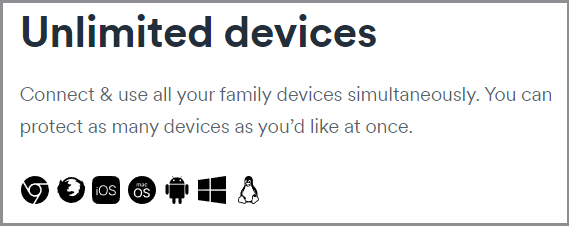
Surfshark lets you connect unlimited devices under one subscription, which is particularly useful for larger households. Laptops, phones, smart TVs, consoles, and other devices can all share the same account without worrying about connection limits.
That makes Surfshark one of the best VPNs for multiple devices, especially for larger households or anyone using several devices at once. Many competing VPNs still cap connections at around five to ten devices, giving Surfshark a clear edge here.
Privacy jurisdiction
Surfshark is headquartered in the Netherlands, giving it a European legal base with strong data protection rules. The Netherlands is part of the wider 9/14 Eyes intelligence-sharing network, but it does not currently impose a general mandatory data-retention requirement on consumer VPN providers.
That makes Surfshark’s no-logs policy particularly important. The company says it does not store browsing activity, connection logs, or IP addresses, and its policy has been independently audited.
Audited no-logs policy
Surfshark follows a strict no-logs policy and has undergone several independent audits to verify its privacy practices and infrastructure. This makes it a strong option if you’re looking for a no-logs VPN with verification behind its claims.
- Deloitte audit – Reviewed Surfshark’s server infrastructure and found no evidence of storing user activity or IP addresses.
- SecuRing audit – Tested Surfshark’s internal infrastructure for security weaknesses and potential unauthorized access.
- Cure53 audit – Examined parts of Surfshark’s applications and underlying code for security vulnerabilities.
Surfshark also maintains a warrant canary, providing updates on certain government requests and legal orders. Together, these measures give users more transparency around the company’s privacy practices.
RAM-only infrastructure
To reduce the risks associated with physical server seizures, Surfshark operates a 100% diskless, RAM-only server network across its global fleet. Traditional server arrays store software and operational data on persistent hard drives, which can potentially leave data behind if hardware is physically confiscated.
RAM, on the other hand, requires a continuous electrical charge to retain data. When a Surfshark server node experiences a power cycle or system reboot, information stored in volatile memory is erased, limiting what could remain on the server.
Furthermore, Surfshark’s privacy policy describes a 15-minute connection data minimization period. To maintain basic operational stability, limited server metadata, such as temporary connection information, may be processed in volatile memory. This data is designed to be automatically removed after the specified period.
Encryption standards
For core data protection, Surfshark uses the industry-standard AES-256-GCM (Galois/Counter Mode) cipher alongside RSA-2048 key exchange. It also supports post-quantum cryptography (PQC) to help protect VPN connections against future advances in computational decryption.
VPN protocols
Surfshark lets users switch between several VPN protocols directly from the connection settings:
| Protocol | Availability | Primary performance attribute |
| WireGuard | Windows, macOS, Linux, Android, iOS | High speeds and efficient performance |
| OpenVPN | Windows, macOS, Android, iOS | Strong compatibility and network flexibility |
| IKEv2 | Mobile platforms | Reliable connections when switching networks |
| Dausos | Cross-platform (2026 release) | Dedicated encrypted tunnels for each user |
Leak test audits
Automated network stress tests conducted across the Windows, macOS, and mobile application clients confirmed zero security vulnerabilities. The platform successfully prevents data exposure by running full system-level mitigation against IPv4, IPv6, and WebRTC leaks.
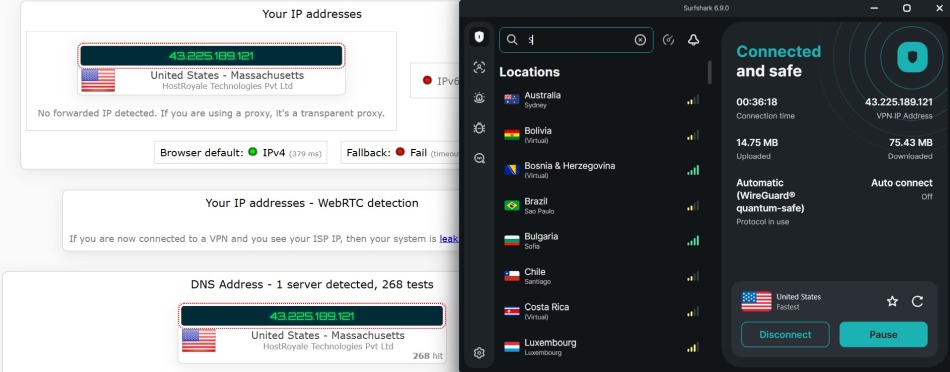
We did not find any leaks or security issues when testing the Surfshark VPN apps
Every web request is securely forced through Surfshark’s private, zero-log DNS infrastructure, preventing local internet service providers (ISPs) or network administrators from eavesdropping on active domain requests or tracking browsing histories.
See all Surfshark security features here >
Speed tests
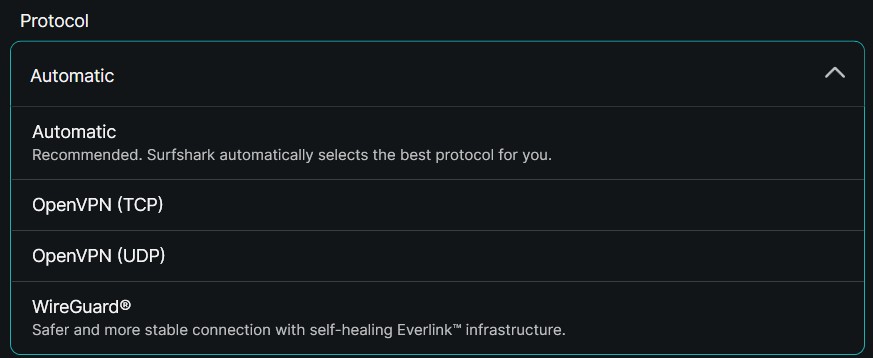
Surfshark’s implementation of the native WireGuard VPN protocol delivers fast speeds and reliable connections. Activating WireGuard in the desktop or mobile app provides several performance benefits:
- Fast handshakes – Reduces connection times to around two seconds.
- Network roaming – Keeps the encrypted tunnel active when switching between Wi-Fi and mobile networks.
- Resource efficiency – Uses a lightweight codebase that can help reduce battery use on mobile devices compared with older protocols.
Our standardized tests over a 1 Gbps fiber connection showed strong speeds across multiple server locations.
| Server location | Download speed |
| Seattle, USA | 752 Mbps |
| Los Angeles, USA | 653 Mbps |
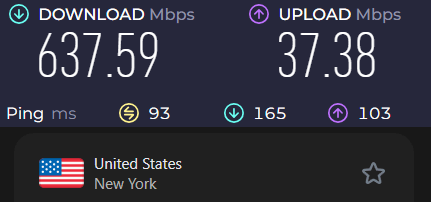
| New York, USA | 637 Mbps |
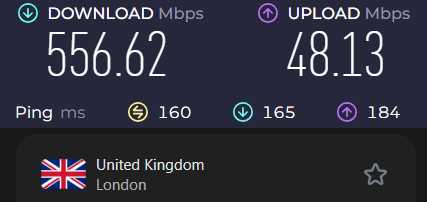
| London, UK | 556 Mbps |
Speed test results with WireGuard
We ran all tests on a 1,000 Mbps connection using the latest Surfshark VPN apps with WireGuard. Testing was carried out in our US lab across Surfshark servers in the US, Canada, and Europe.
First, I tested a Surfshark VPN server in Los Angeles (USA) and was able to get 653 Mbps.
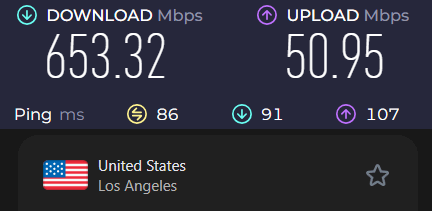
At well over 600 Mbps, this is an excellent speed test result.
Next, I tested a Surfshark VPN server in Seattle. Once again, the results were excellent at 752 Mbps.
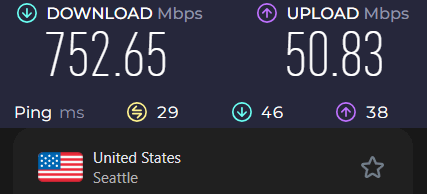
This is once again an extraordinary speed test result from Surfshark VPN. It’s on par with the fastest VPNs we’ve tested.
The last Surfshark server I tested in the United States was in New York. This location was also impressive at around 637 Mbps.
Lastly, I tested Surfshark servers in the UK. Once again, the performance was excellent. Surfshark’s UK VPN server hit speeds around 556 Mbps:
We also tested Surfshark servers in Canada and found speeds comparable to those in the US, making it one of the best VPNs for Canada for consistent performance.
WireGuard also offers:
- Near-instant connections
- Better mobile performance
- Improved battery efficiency
- Fewer dropped connections
Server network
A VPN’s server network can have a big impact on coverage, speed, and connection reliability. Surfshark has built a global network of 4,500+ RAM-only servers across 100 countries.
Much of the network runs on high-bandwidth 10 Gbps physical data ports. Surfshark also uses Surfshark Nexus, a software-defined networking system that connects its servers into a single network layer. Rather than treating each server as a standalone connection point, Nexus can help optimize routing, improve reliability, and manage traffic across the network.
Virtual servers
A virtual server location gives you an IP address from one country while the physical server is actually located somewhere else. VPN providers use this setup to offer connections in regions where maintaining physical infrastructure may be difficult or less secure.
Surfshark uses virtual locations for some remote or restricted regions and clearly marks them in the app, so you can see when a server isn’t physically located in the country listed.
Virtual locations are fairly common among major VPN providers and can help expand server coverage without requiring physical hardware in every country.
Advanced tools
Surfshark has a surprisingly deep feature set, from everyday privacy tools to more advanced options. I tested many of them for this review while keeping an eye on the new features Surfshark continues to introduce.
Kill switch
The Surfshark VPN kill switch blocks all internet traffic if your VPN connection drops. This helps keep your physical location and real IP address protected against accidental exposure if the VPN connection fails.
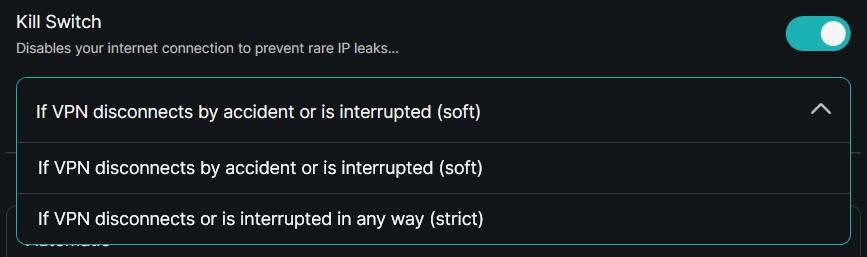
The app offers two distinct operation modes:
- Soft kill mode – Blocks internet traffic solely if your connection to a specific VPN server drops unexpectedly. It does not disrupt your web access if you manually disconnect the VPN session.
- Strict kill mode – Completely blocks system internet traffic if the VPN connection is lost for any reason, including a manual disconnection.
The VPN kill switch is available across Surfshark’s main apps, including Windows, macOS, Linux, Android, and iOS. In our network stress tests, it immediately cut off traffic after sudden connection drops, preventing unencrypted traffic from getting through.
CleanWeb and CleanWeb 2.0
Surfshark deploys its content-filtering technology across two distinct operational tiers: the native CleanWeb in-app network filter and the upgraded CleanWeb 2.0 browser extension.
CleanWeb
CleanWeb works at the network level using DNS filtering. Instead of relying on a browser extension, it checks web requests against a regularly updated blocklist of ads, trackers, and known malware domains. This can reduce unwanted traffic and help pages load more quickly across your connected devices.
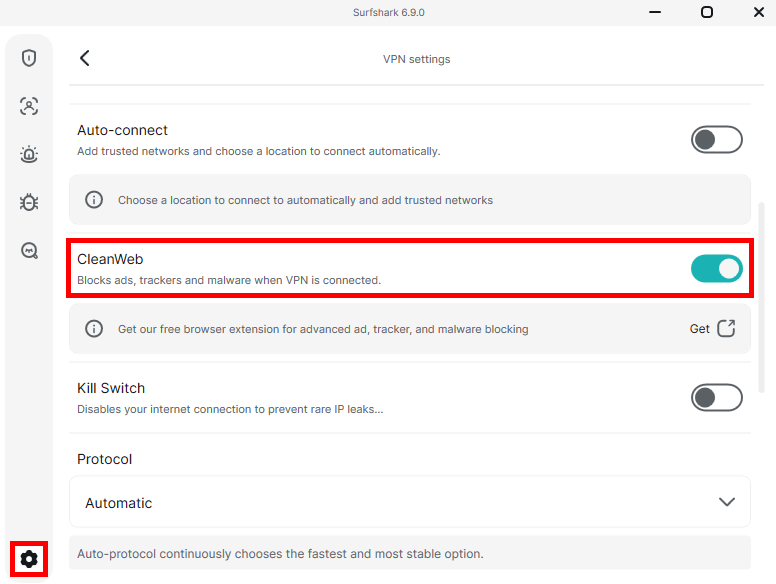
CleanWeb is built into Surfshark’s main apps for Windows, macOS, Linux, Android, and iOS. In our tests on ad-heavy websites, it successfully blocked many display ads, trackers, and malicious redirects before they loaded.
CleanWeb 2.0
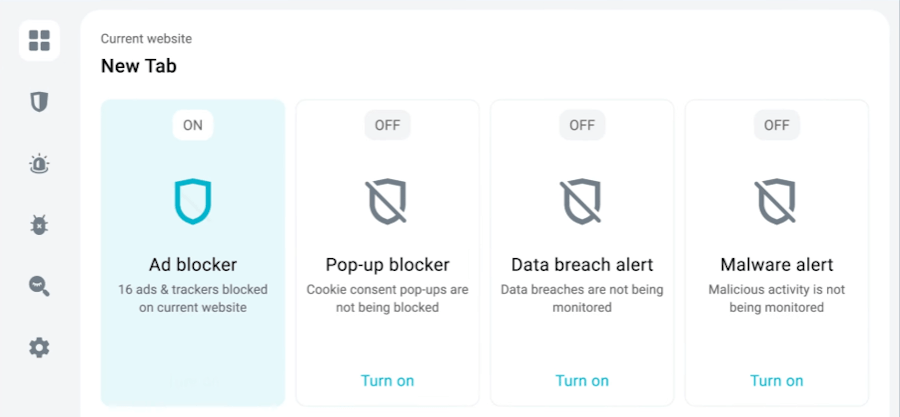
CleanWeb 2.0 is an upgraded version of Surfshark’s ad and privacy-blocking tools, available through its browser extensions for Chrome, Firefox, and Edge. Because the extensions can interact directly with web pages, CleanWeb 2.0 adds several features beyond standard DNS filtering:
- Cookie pop-up blocker – Automatically handles intrusive cookie consent banners, helping reduce unnecessary tracking.
- Video ad blocking – Blocks many pre-roll and mid-roll video ads on supported websites, including YouTube.
- Malware and data breach alerts – Warns you when a website is known for malicious activity or has been linked to a data breach.
Bypasser
Bypasser is Surfshark’s built-in split tunneling feature. It lets you choose which traffic goes through the encrypted VPN tunnel and which connects directly through your regular internet connection.
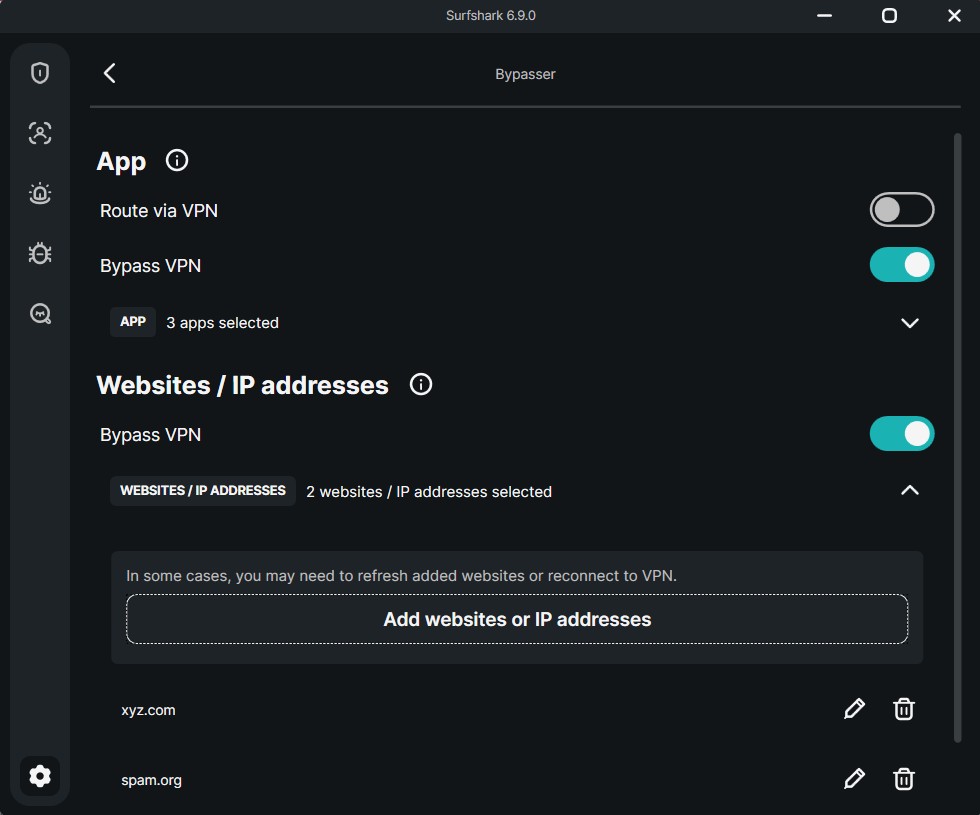
Bypasser is useful for apps and websites that don’t work well with VPN connections, including some online banking services. Instead of disconnecting the VPN completely, you can exclude a specific app or website while keeping the rest of your traffic protected.
The feature is available directly in the Surfshark app settings and offers three routing options:
- Bypass VPN – Lets selected apps or websites connect directly through your ISP while the rest of your traffic uses the VPN.
- Route via VPN – Sends only selected programs through the VPN, leaving other traffic on your regular connection.
- IP-level routing – Allows more advanced users to specify individual IP addresses for routing.
IP Rotator
The IP Rotator is an automated privacy feature available directly in Surfshark’s app settings. When enabled, it periodically changes your visible IP address while keeping you connected to your chosen server location.
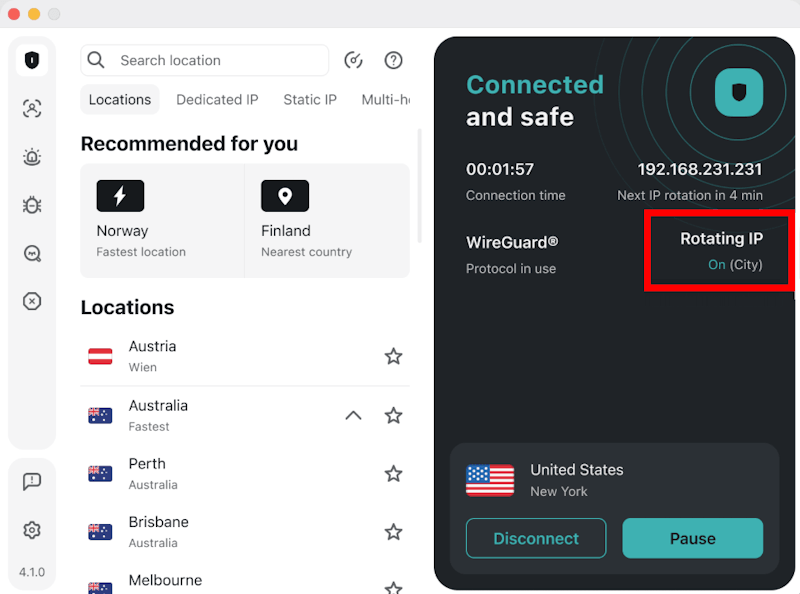
Unlike a standard VPN connection, which typically keeps the same IP address throughout a session, IP Rotator regularly changes your visible IP. This can make it harder for tracking systems and advertising networks to associate activity with the same IP over time.
The rotation happens in the background without disconnecting the VPN tunnel, so your encrypted connection remains active while the IP changes. This makes the feature particularly useful when you want an additional layer of privacy without repeatedly reconnecting to the VPN.
NoBorders mode
NoBorders Mode is designed to help Surfshark users connect when networks impose strict restrictions or censorship. When the app detects network limitations or deep packet inspection (DPI), it can adjust the connection settings and recommend servers better suited to restricted networks.
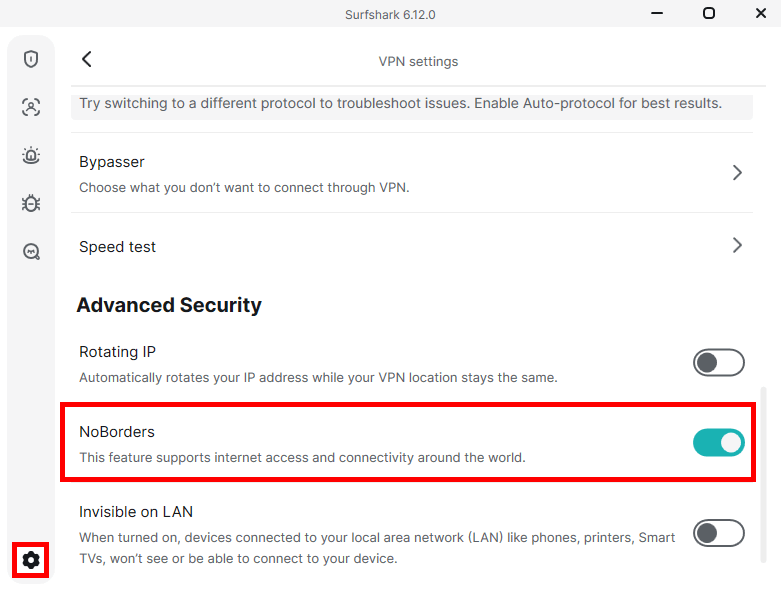
The feature provides a list of servers configured for use under these conditions, helping VPN traffic blend in more closely with regular internet traffic and making it harder for network filters to identify.
NoBorders Mode can activate automatically when Surfshark detects restrictions, or you can enable it manually in the advanced settings before connecting to a heavily censored network.
MultiHop routing
Traditional MultiHop works like a double VPN by routing your traffic through two separate servers in different countries. Your connection passes through an entry server before reaching a second exit server, adding another layer of separation between you and the destination website.
Surfshark offers two approaches to multi-hop routing:
- Standard MultiHop – Provides a selection of pre-defined server combinations maintained by Surfshark.
- Dynamic MultiHop – Gives you more control by letting you choose your own entry and exit locations. Select Create connection at the bottom of the server panel to build a custom route.
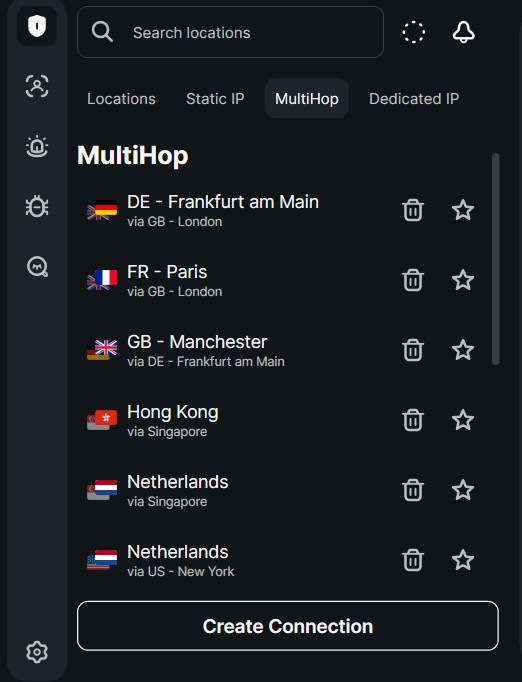
Because MultiHop sends your traffic through two VPN servers, it can increase latency and reduce speeds compared with a standard VPN connection. It’s therefore better suited to situations where additional privacy matters more than maximum performance.
Fixed IP servers
Some online activities benefit from using a VPN while keeping the same, consistent IP address. Surfshark offers two types of fixed IP options within its server selection: Shared Static IPs and Dedicated IPs.
Shared static IPs
Static IP servers assign the same IP address to users connecting to that server. These locations are included in Surfshark’s server network at no additional cost. However, because the address is shared by many users, some websites may be more likely to trigger CAPTCHAs or security checks.
Premium dedicated IPs
A dedicated IP is assigned exclusively to your account, giving you a consistent address that isn’t shared with other VPN users. It’s available as a paid add-on starting at $3.75/month and works across Windows, macOS, Linux, Android, iOS, and supported browser extensions.
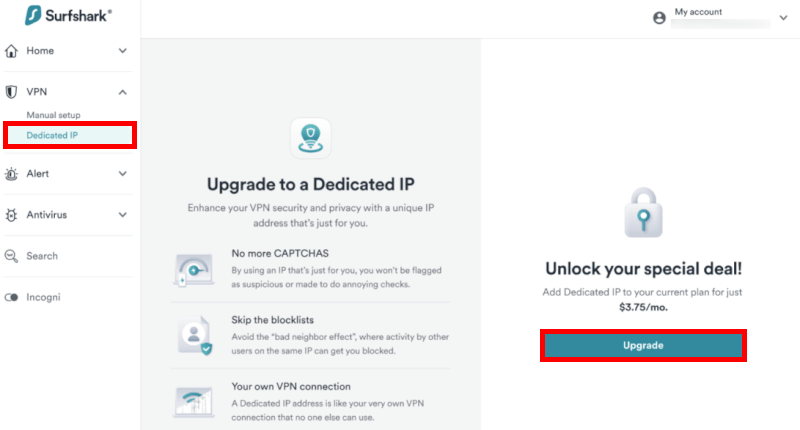
A dedicated address can be useful for:
- Access control whitelisting – Lets you connect to office networks or private systems that only allow approved IP addresses.
- Financial platform access – A consistent IP can reduce security checks triggered by frequent changes between shared VPN addresses.
- Streaming and gaming – A dedicated address may be less likely to be flagged than heavily shared VPN IPs, although it doesn’t guarantee access to every service.
Surfshark offers dedicated IP locations across 20 major cities, including locations in the United States, United Kingdom, Canada, Germany, Japan, and Singapore. The feature also works with Surfshark’s unlimited simultaneous connections, allowing multiple devices on your subscription to use the same dedicated address.
Streaming
Surfshark is effective at bypassing geo-restrictions on many popular streaming services. Its network offers fast connections and specialized servers designed to work with platforms that actively block VPN traffic.
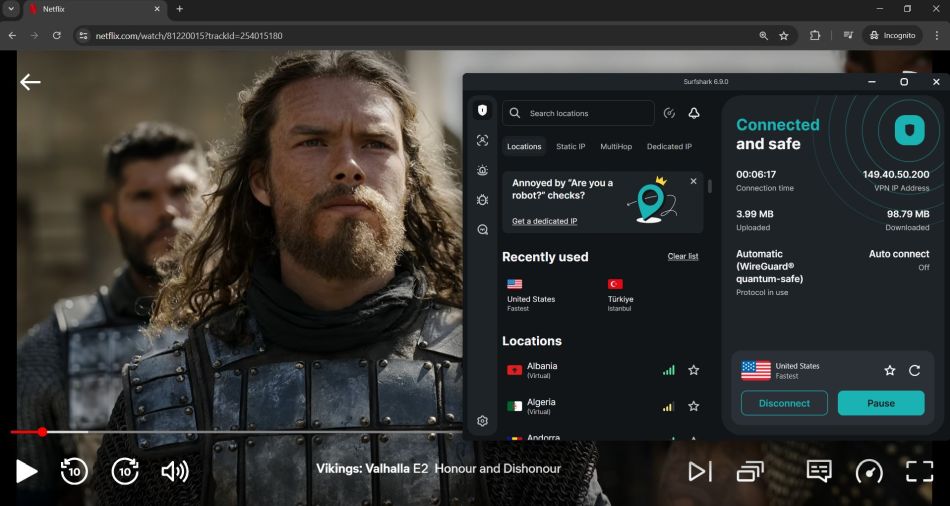
The service supports access to several major streaming platforms:
- Netflix – Unblocks 15+ regional libraries, including the United States, United Kingdom, Canada, Germany, France, Japan, and South Korea.
- Max and Disney+ – Provides access to international catalogs without common proxy errors or regional playback issues.
- Hulu and BBC iPlayer – Reliably bypass regional restrictions and provide stable access to local content.
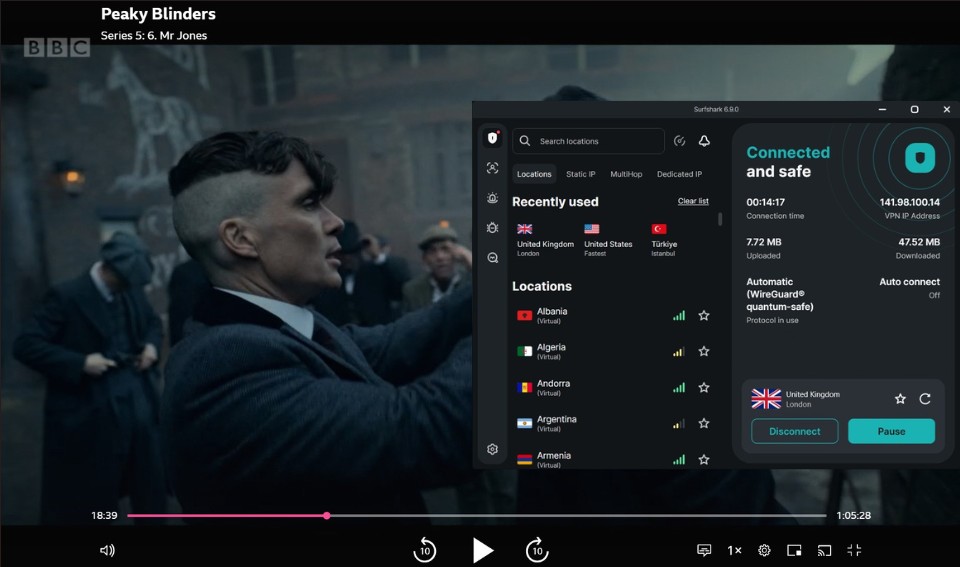
For TV streaming, Surfshark offers dedicated apps for Amazon Fire TV, Android TV, and Apple TV. This makes it easy to use the VPN directly on compatible TVs and streaming devices.
Premium bundles
Surfshark offers three subscription tiers that combine its VPN with additional security and privacy tools. Beyond the standalone VPN, users can upgrade to broader cybersecurity packages managed through the same dashboard.
Surfshark One
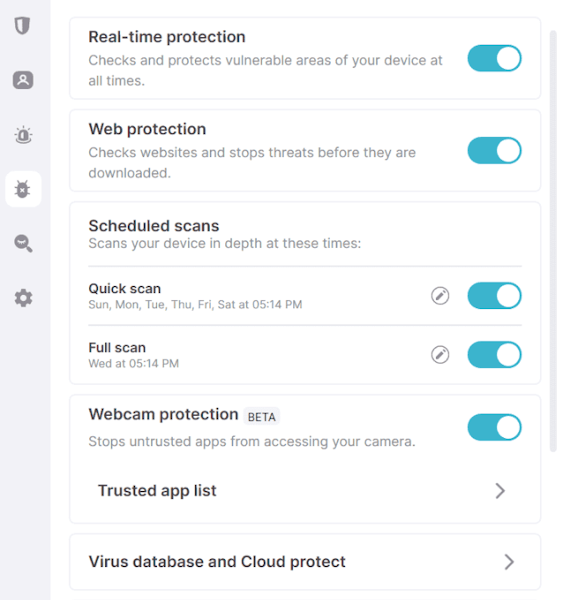
The mid-tier Surfshark One plan adds several security tools alongside the VPN:
- 24/7 real-time antivirus – Provides background malware protection, threat scanning, and file monitoring, with its threat database updated regularly.
- Webcam protection – Helps prevent unauthorized apps from accessing your device’s camera.
- Identity leak monitoring – Monitors for exposed personal information and sends alerts when your data appears in known breaches.
- Alternative ID – Creates an alternative identity and email alias to help keep your real details private when signing up for online services.
Surfshark One+
The top-tier Surfshark One+ plan includes everything in Surfshark One, along with Incogni for automated personal data removal:
- Incogni data removal service – Sends data removal requests to participating data brokers and people-search sites on your behalf, helping reduce the amount of personal information available online.
For users who want more than a VPN, the bundled plans provide a convenient way to combine antivirus, identity monitoring, and privacy tools under one subscription.
Plans and pricing
Surfshark remains one of the more affordable premium VPNs, with three subscription tiers offering different levels of security and privacy features:
| Surfshark plans | Starter | One | One+ |
|---|---|---|---|
| 1-month | $16.45/month | $18.95/month | $21.85/month |
| 1-year | $3.39/month | $3.59/month | $7.49/month |
| 2-year | $2.49/month | $2.49/month | $4.49/month |
Deal: Get 87% OFF Surfshark here >
The 24-month plans offer the lowest monthly rates, while month-to-month pricing is considerably higher across all three tiers.
Long-term renewal
It’s worth checking the renewal terms before signing up, as introductory pricing doesn’t last forever. After the initial billing period, Surfshark subscriptions renew annually at the standard rates:
- Starter – Renews at $79 / year.
- One – Renews at $99 / year.
- One+ – Renews at $119 / year.
Payments and refunds
All premium plans include a 30-day money-back guarantee, giving you time to try Surfshark and request a full refund if needed.
Payment options include:
- Cards – Visa, Mastercard, Discover, and Amex
- Digital wallets – PayPal, Google Pay, and Amazon Pay
- Sofort – Online bank transfers
- Crypto – Bitcoin, Ethereum, and Litecoin.
Customer support
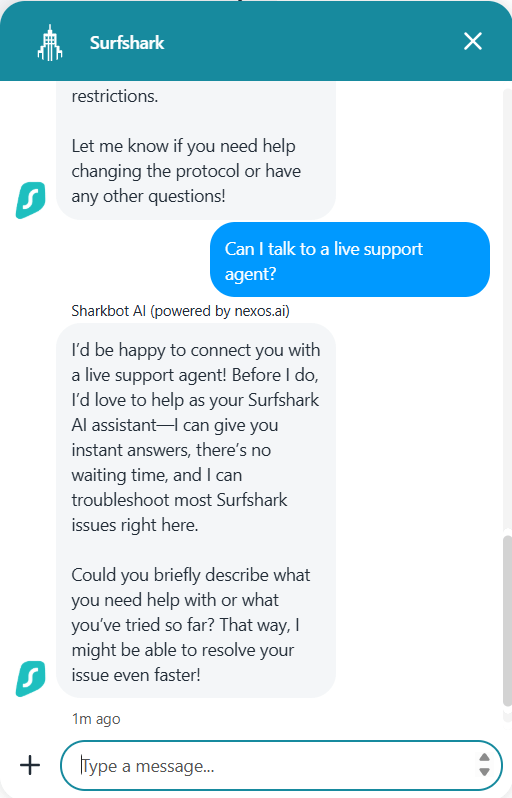
Surfshark offers 24/7 live chat support through its website and Help Center, so help is available around the clock.
Support is built around three main options:
- Sharkbot AI – Handles common questions and basic troubleshooting before connecting you with a support agent when needed.
- Live support – You can speak with a live representative for more complex issues, Dedicated IP setup, or billing questions.
- Help center – Includes setup guides, troubleshooting articles, video tutorials, and router configuration instructions.
The bottom line
Surfshark stands out for its combination of unlimited simultaneous connections, a large network of 4,500+ RAM-only servers, and a strong selection of privacy features. Our testing recorded WireGuard speeds of up to 752 Mbps, while features such as CleanWeb 2.0 and Alternative ID add useful extras beyond the core VPN.
With audited no-logs claims and solid streaming performance, Surfshark offers a well-rounded package, particularly for households with multiple devices.
Special discount offer
Surfshark’s long-term plans offer some of its lowest monthly rates. The current deal includes the 24-month Surfshark Starter plan with an additional discount and three extra months:
Surfshark VPN Coupon:
Get 87% off Surfshark VPN plus an additional 3 months extra with the coupon below:
(Coupon is applied automatically; 30-day money-back guarantee)
Surfshark FAQs
Yes. Surfshark supports P2P file sharing and torrenting across its network, so you don’t need to look for dedicated torrent servers. Your downloads and uploads are also covered by Surfshark’s no-logs policy, private DNS leak protection, and automatic kill switch, which helps prevent your real IP address from being exposed.
Yes. Surfshark reliably accesses 16+ Netflix regional libraries, including the US, UK, Canada, Japan, and South Korea. With fast WireGuard connections, it also provides enough bandwidth for smooth HD and 4K streaming without common proxy errors.
Not in terms of your specific online activity. Once Surfshark’s VPN tunnel is active, your ISP can’t see the websites you visit, files you download, or apps you use. It can still see that you’re connected to a VPN server, along with basic connection details such as the connection time and amount of data transferred.
Yes. Surfshark has a dedicated app available through the Amazon Appstore, making it easy to install on Fire TV Stick, Fire TV Cube, and compatible Fire TV devices. You can use it to connect to VPN servers and access streaming services such as Max, Disney+, Hulu, and Amazon Prime Video.
Yes. Surfshark offers a Dedicated IP add-on starting at $3.75/month. It gives your account a consistent IP address that isn’t shared with other VPN users, which can help reduce CAPTCHAs and repeated security checks. Dedicated IP locations are available across 20 major cities, and you can use the same address across multiple devices under Surfshark’s unlimited simultaneous connections policy.
For VPN users, the Netherlands is generally a privacy-friendly jurisdiction. It does not currently impose mandatory data retention requirements on consumer VPN providers, and Surfshark operates under a no-logs policy that has been independently audited by Deloitte. That said, the company remains subject to Dutch law, so jurisdiction is still worth considering alongside its logging practices and audit history.
Surfshark operates a 100% RAM-only, diskless server network, so its servers don’t store data on traditional hard drives. Because RAM is volatile, information held in memory is lost when a server is powered down or rebooted. This limits the amount of user data that could remain on a physical server if it were seized.
Have you tried Surfshark VPN? We’d love to hear how it worked for you. Leave a comment below and share your experience, good or bad, to help other readers.

I don’t trust this company at all. On a Graphene OS device Surfshark’s app is constantly trying to access device sensors. When I asked their tech support why they claimed that it was necessary in order to establish a tunnel. This is literally the only VPN app that I’ve used that does this.
Along with the connectivity issues, wonky auto connect feature on Windows, and all their apps constantly talking to either Google or home base (Even if not connected to their tunnel) is enough for me to assume that they are in fact collecting some sort of data, even when the analytic options are switched off.
Surfshark is great on my phone. It keeps disconnecting on my laptop and claims it is my internet connection. I know this is bogus because my TV never has this issue. They need to work on this connectivity issue. I have T-Mobil 5G internet. If this is what you have, I would recommend not getting Surfshark.
Surfshark not working in Crimea Ukraine/Russia and when contacting them about work arounds their more pressing concern was outside of 30 day refund period so can’t help. Strange how some other providers can operate in Crimea? AVOID!
It’s funny. If anyone posts NordVPN doesn’t work in China (Nord email support verifies it won’t work there) in the NordVPN review section, the post doesn’t get approved to be shown.
Surfshark blocked my account without a clear explanation or any proof of wrong doing, and refused to refund my money. Support claimed an automatic system triggered the ban but couldn’t explain why, citing their “no logs” policy. Despite my limited, normal use (mainly watching BBC in the Netherlands), they insisted the decision was final. When I questioned whether it could be a mistake, they again offered no transparency or proof. After I left a negative review, they claimed they would check it for “false positives” – how is this an option now if there are “no logs” ?!? – but in the end they came with the same vague explanation. I’d previously been satisfied with the service, but this experience made me feel scammed and completely eroded my trust in the company.
> **A VPN alone can’t block cookies, trackers, or other web technologies that follow your behavior across sites.**
This quote is from the surfshark site.
https://surfshark.com/blog/what-does-a-vpn-hide
A VPN cannot block trackers (me: and ads).
In addition, some countries such as Turkey blocked VPN providers a few years ago. Surfshark was in this list.
Now I checked on their site, they offer Turkey as a destination and also a dedicated IP from Turkey.
What are we talking about – or is it all one big marketing and everything is known.
In my opinion, the only people who have access to real vpn are the billionaires and the governments/militaries of the big countries.
Pitiful performance with Surfshark. NordVPN is much better, but it’s too expensive. I switched to Windscribe which seems good so far and the perfect balance.
Thank you for this wonderful review. I’m convinced!!!