

Opera has introduced a new browser security feature called Paste Protect, designed to stop clipboard-based attacks such as ClickFix before users can execute malicious commands.
The feature is enabled by default in Opera’s desktop browser, and the company says it is the first major browser to offer native protection against these attacks.
ClickFix has rapidly become one of the most common social engineering techniques for delivering malware. Instead of exploiting a software vulnerability, attackers trick victims into copying malicious commands from fake CAPTCHA pages, video player errors, or browser warnings and pasting them into a system terminal themselves. Because the user performs the final action, the technique can bypass many traditional security controls designed to detect malicious downloads or email attachments.
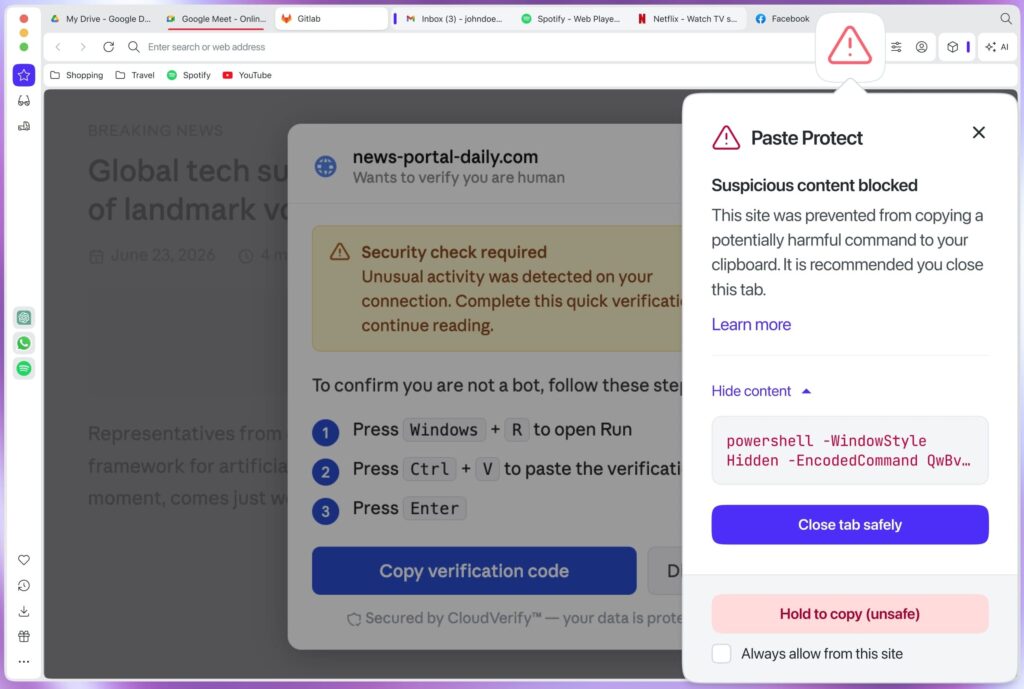
Opera, the Oslo-based browser developer best known for its desktop and mobile browsers, says Paste Protect expands on its existing clipboard hijack protection introduced in 2021. The new Injection protection component monitors clipboard activity for patterns associated with malicious scripts on Windows, macOS, and Linux, allowing the browser to stop suspicious content before it can be pasted into a terminal. If a threat is detected, the browser blocks the copy operation, displays a warning, and marks the tab with a red security indicator.
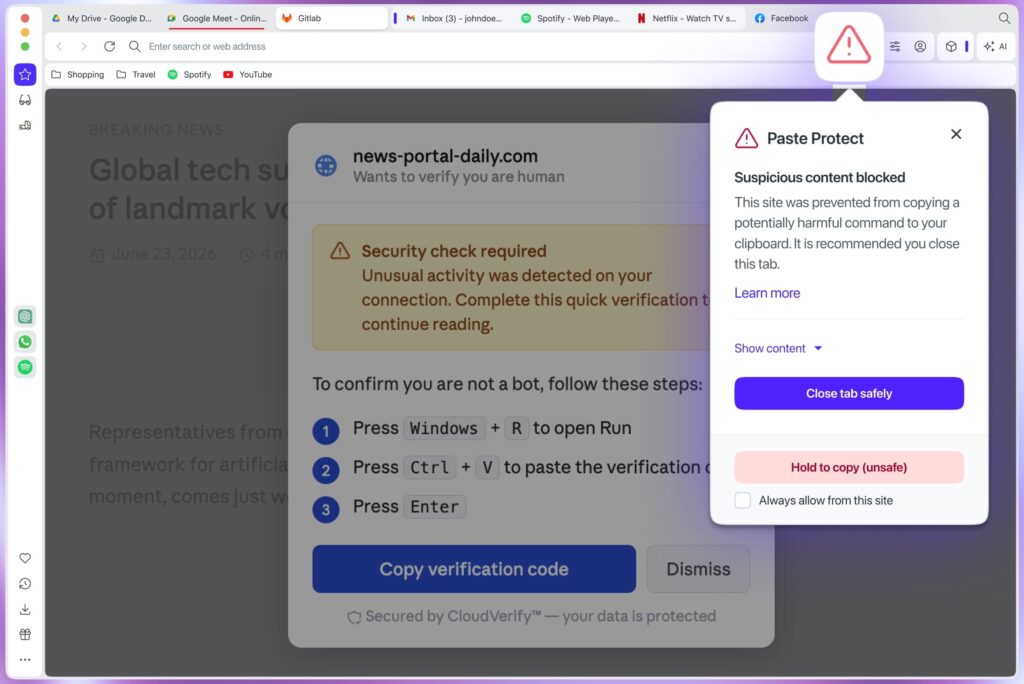
Users can inspect the beginning of blocked content before deciding whether to override the protection. Developers or advanced users who regularly copy scripts from trusted sources can also whitelist specific websites or manually bypass the block by holding the copy action for several seconds.
The feature also incorporates Opera’s existing Hijack protection, which detects attempts by external applications to silently replace copied content, such as cryptocurrency wallet addresses or bank account numbers, with attacker-controlled alternatives. Together, the two protections are intended to defend against both clipboard hijacking by local malware and browser-based clipboard injection attacks.
While Paste Protect adds another layer of security, users should remain cautious when websites instruct them to copy and execute commands in a terminal. Unless the source is trusted and the command is fully understood, such prompts should be treated with suspicion, as they are increasingly used to install malware, steal credentials, or grant attackers remote access to compromised systems.



Leave a Reply