

Brave has released version 1.92 of its privacy-focused browser, introducing built-in Containers that let users isolate browser tabs into separate identities for improved workflow and account management.
While similar functionality has been available through extensions, Brave’s native system builds on its privacy protections by prioritizing convenience over cross-site tracking prevention.
Containers are now integrated directly into Brave 1.92 for Windows, macOS, and Linux, eliminating the need for third-party extensions. The company noted that the rollout is being phased over several days, meaning some users may receive the feature later than others.
Containers allow users to separate browser tabs into isolated environments where cookies, local storage, and site data remain confined to that specific container. As a result, users can sign into multiple accounts on the same website simultaneously without sessions interfering with one another.
The feature is designed to simplify common workflows for both personal and professional use. Brave highlighted several practical examples, including social media managers who need to manage multiple accounts simultaneously, software developers testing applications under different user roles, and employees who want to keep personal browsing activity separate from their work accounts.
Unlike Firefox, where its profile-based data isolation serves as both a privacy and productivity feature by limiting cross-site tracking, Brave says the privacy landscape has changed significantly. Modern versions of Brave already implement storage partitioning, which isolates website data and third-party requests on a per-site basis. This prevents advertisers and trackers from using shared storage mechanisms, such as third-party cookies, to follow users across different websites.
Because these privacy protections are already enabled by default, Brave describes Containers primarily as a workflow and identity-management tool rather than a new privacy defense. The feature allows users to intentionally maintain separate browsing identities for the same website while preserving Brave’s existing storage isolation mechanisms.
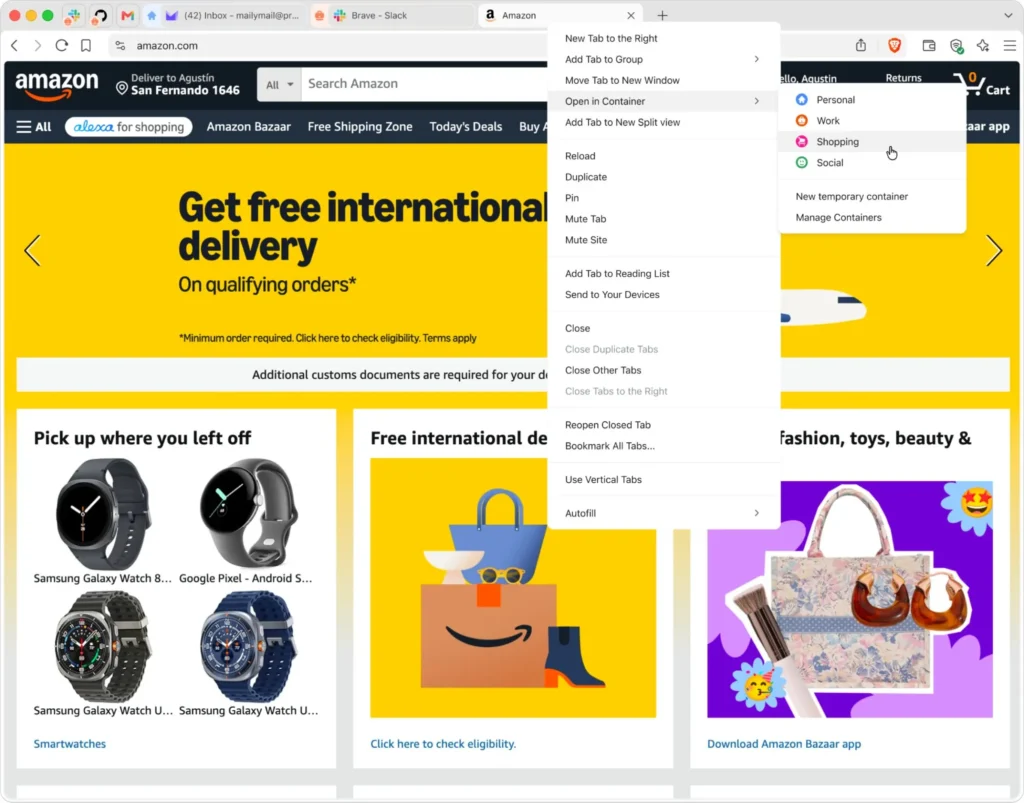
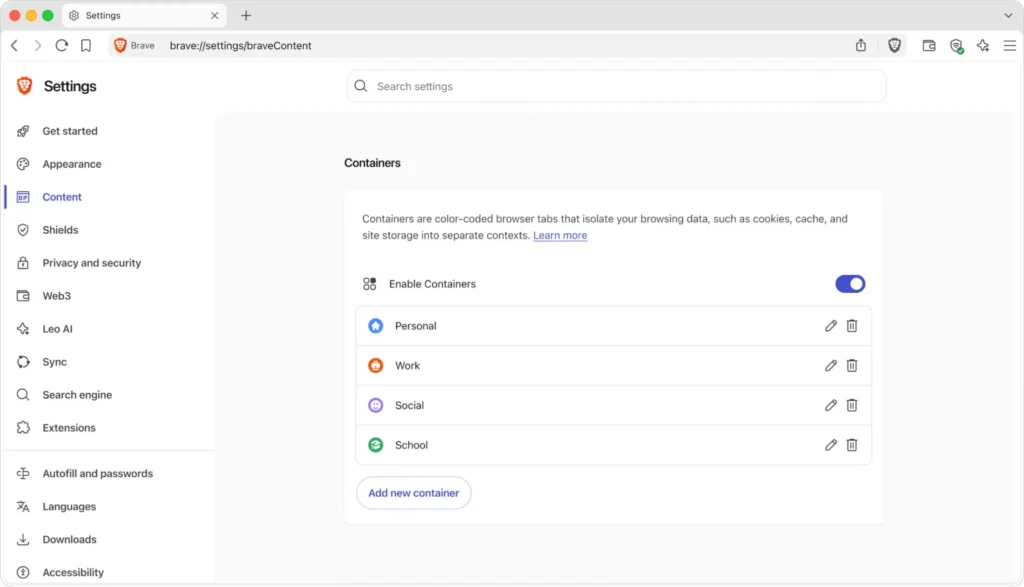
Users can enable Containers by navigating to Settings > Brave Content (brave://settings/braveContent) and turning on the Enable Containers option. After activation, users can right-click any browser tab, select Open in container, and choose one of several predefined categories, including Personal, Work, Social, School, and Shopping. Separate containers maintain independent login sessions and browsing data, allowing accounts to remain isolated without relying on multiple browser profiles or private browsing windows.
Users who do not immediately see the feature after updating to Brave 1.92 should check again in the coming days, as the company says the rollout is occurring gradually across supported desktop platforms.



I know for now, this workaround works for Chromium “command-line parameters: –enable-features=AllowLegacyMV2Extensions –disable-features=ExtensionManifestV2Unsupported,ExtensionManifestV2Disabled”
And Brave has it’s own fork of uBlock, but eventually the above workaround will be void in Chrome 151. With Chrome 150 launched a few days ago, Google went to more extremes to prevent MV2 extensions because it contains unlimited scripts to ensure your privacy and you’re not tracked.
Given Brave’s ad tactics and more, I’d rather use Edge or a Firefox fork than Chrome now.
i cant enable Containers in windows 11 as there is no option on the PC side of things, even if I following those instructions listed in the article and my browser is the latest Brave release – So, are containers only available in Brave for macOS?