
Google has introduced new Chrome defenses against ClickFix attacks, warning users when they copy potentially malicious commands from scam websites.
The updates also bring suspicious-site warnings and expand Gemini-powered scam detection for users with Enhanced Protection enabled.
Chrome’s Jasika Bawa detailed the changes in an announcement outlining protections introduced throughout 2026. All three features form part of Safe Browsing’s Enhanced Protection mode.
Catching ClickFix commands before execution
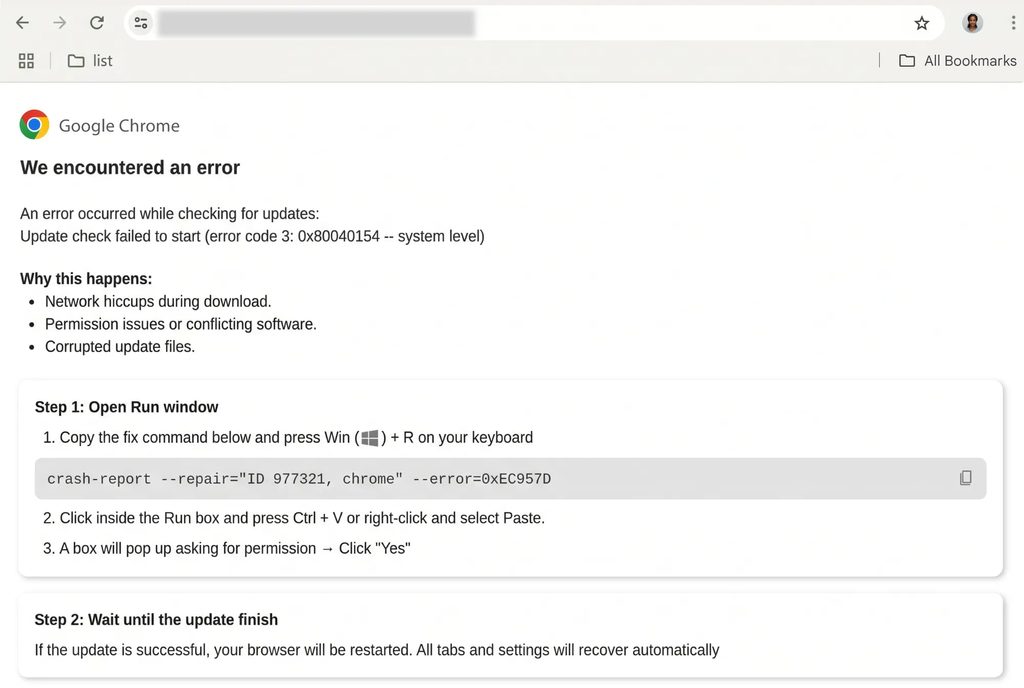
ClickFix attacks persuade visitors to copy and execute commands on their computers, typically under the pretext of resolving a technical problem. The command placed on the clipboard can differ from the text displayed on the page.
These attacks frequently abuse legitimate Windows utilities, including PowerShell and cmd.exe, to download and launch malware. Moving that activity into a terminal bypasses Chrome’s browser-based download protections.
Chrome now detects the copying of suspicious commands by Enhanced Protection users. When it identifies a potential ClickFix script, it removes personally identifiable information from the clipboard payload and submits it to Safe Browsing for analysis.
If that analysis returns a dangerous verdict, Chrome displays a warning. Google says the system prioritizes precise detection to limit interruptions to legitimate activity, such as developers copying commands.
The Opera browser as well as the uBlock Origin extension have previously implemented similar defenses.
Gemini analysis moves to Google’s servers
Google is also replacing the on-device Gemini scam detection introduced in 2025 with a more powerful server-side model.
The earlier implementation focused on tech support scams and required supported hardware. Google says the change extends this protection to all Enhanced Protection users and broadens detection to threats such as fake antivirus alerts and fraudulent browser updates.
Gemini analyzes page content for indicators including the brand being impersonated, the page’s purpose, and the likelihood of a scam. Safe Browsing combines those findings with domain reputation and other security signals before reaching a verdict.
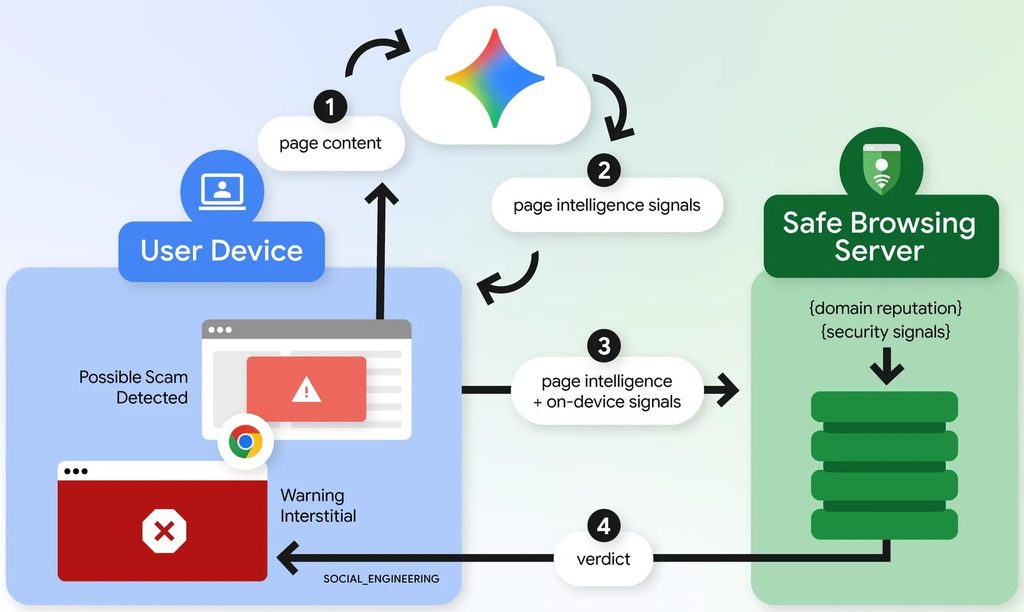
The change means selected page text leaves the device for analysis. Google says this happens only after a site exhibits strong scam indicators, and that the submitted page content is processed temporarily without being logged, retained, or used for model training.
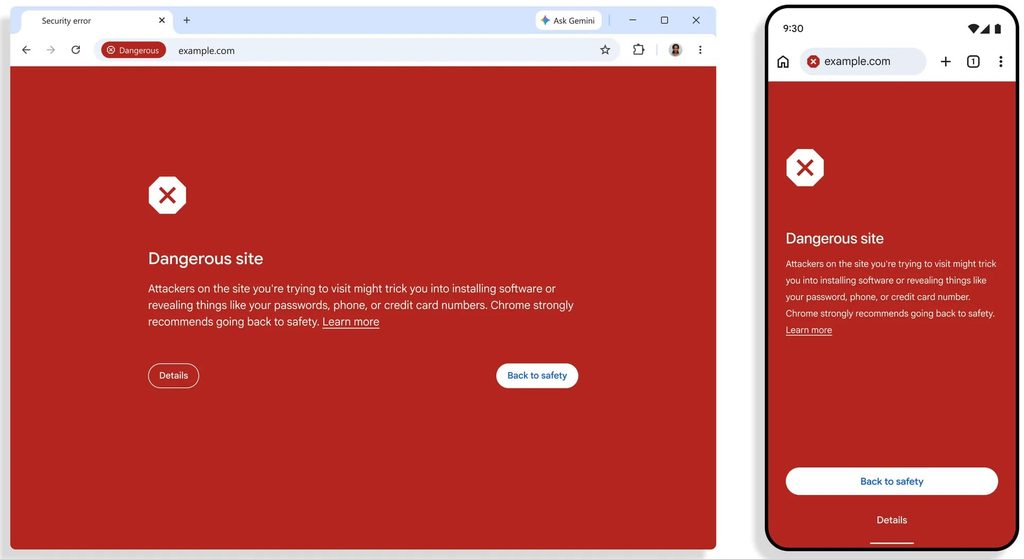
Chrome is also introducing a separate warning for suspicious sites where deceptive patterns suggest a threat, but confidence is lower. Its appearance differs from the familiar full-page red warning, which remains reserved for sites classified as dangerous.
Google claims Enhanced Protection users are now “ten times safer” than Standard Protection users. However, its footnote says the comparison measures the average number of safety warnings shown, not successful scams or infections prevented.
Users can enable Enhanced Protection through Chrome’s Safe Browsing settings under Privacy and security. Regardless of the selected protection level, requests to paste commands into PowerShell, Command Prompt, or another terminal to repair a browser should be treated as suspicious.



Leave a Reply