
Mozilla has released Firefox 157 with Nova, the browser’s biggest interface refresh since 2021, introducing updated colors, icons, themes, and a returning Compact Mode.
The new release began rolling out on September 29, bringing a shared design language to Firefox on desktop and mobile following months of testing and feedback from Nightly users.
Nova updates the browser’s toolbars, tabs, sidebar, menus, New Tab page, and Private Browsing interface. Mozilla says the visual changes come without a performance penalty.
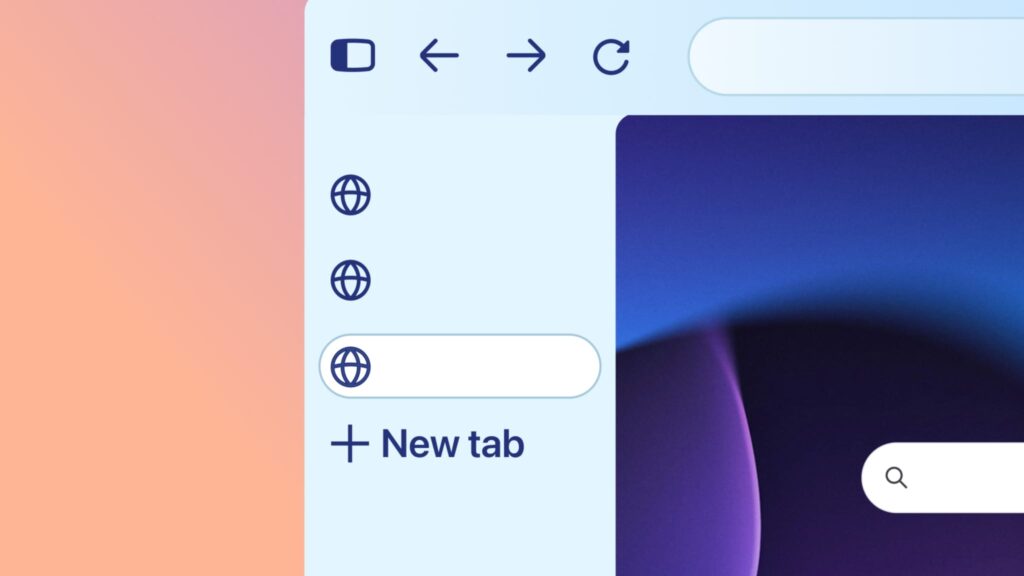
The redesign replaces Proton, the interface introduced in 2021, and gives the sidebar a more prominent role, with vertical tabs treated as a primary layout option.
A more customizable interface
One of the most practical additions is the return of Compact Mode, which reduces tab and toolbar spacing to leave more room for websites. Mozilla also offers an automatic compact option for smaller screens, making the layout useful on laptops and when working with windows side by side.
Mozilla
A new theme picker helps users explore the browser’s appearance options, including built-in themes with light and dark versions and new wallpapers. The New Tab page also gains a dedicated area for pinning and organizing frequently visited sites.
Existing themes continue to load, but some may look different under Nova. Theme backgrounds now extend behind the sidebar, while vertical tabs apply the tab bar’s color to the toolbar as well.
Mozilla has also removed the shadow beneath the selected tab, meaning themes that relied on it may need adjustments to keep the active tab distinguishable.
Image-based themes are particularly likely to need attention, as artwork designed for a wide toolbar can now appear behind a tall sidebar. Theme developers can limit those backgrounds to the top toolbars using the backgrounds_area property introduced in Firefox 156.
For users who prefer the previous appearance, Mozilla is featuring a Firefox Proton theme in the Add-ons Manager. This offers an alternative look rather than restoring the entire former interface.
The updated sidebar is now enabled for everyone. However, users can restore its previous version by setting sidebar.revamp to false in about:config. This also disables vertical tabs, and Mozilla says the preference will remain available until the end of 2027.
Privacy warnings and other changes
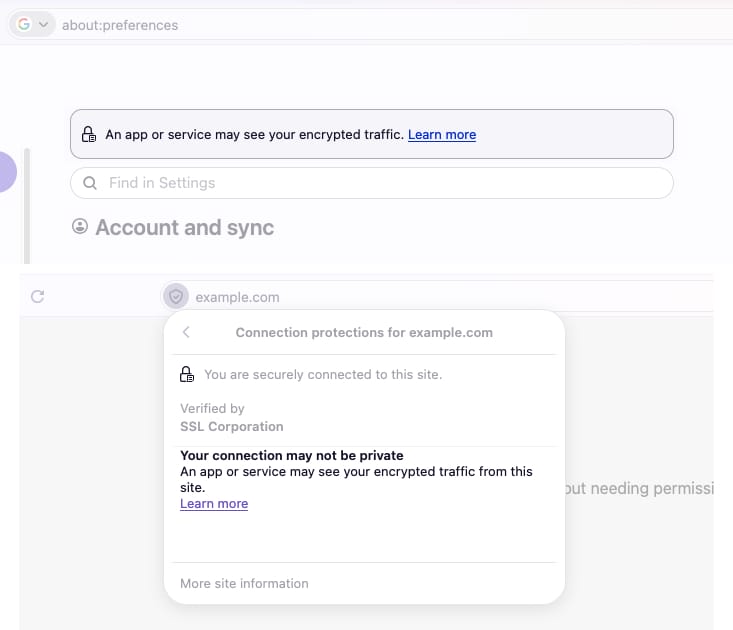
Firefox 157 adds warnings when the browser is configured to record its encryption keys, a setting that could allow other software on the computer to read encrypted web traffic. The warnings appear in Settings and the site information panel accessed through the address bar’s shield icon.
WebRTC video calls can now use hardware AV1 decoding on supported devices. Mozilla also fixed incorrectly rotated video in calls, playback synchronization problems, and several fullscreen issues.
Other changes include removing Amazon as a built-in search engine and making webpage dialogs and form controls follow the page’s light or dark color scheme.
As usual with every major release, Firefox 157 also includes multiple security fixes.
Mozilla says Firefox 158, scheduled for October 13, will fix an issue that can prevent theme backgrounds from appearing when the sidebar expands on hover.



Leave a Reply