
Signal is restricting screenshots on iOS 27 and supported Android devices to prevent AI assistants from reading private conversations.
The move extends a similar protection Signal introduced last year to stop Microsoft Recall from capturing chats on Windows 11.
Signal President Meredith Whittaker announced the changes today, citing Apple’s Siri Onscreen Awareness and Google’s Gemini Intelligence. She said Signal’s developers spent months investigating how AI assistants access app data on iOS and Android because the platform documentation offered too little detail.
Signal is an open-source messaging app run by the nonprofit Signal Technology Foundation and used by millions of people. Its end-to-end encryption keeps messages private as they travel between participants. Once a message appears on a phone’s screen, an operating system assistant with screen access can potentially read it and process or store a copy outside Signal’s control.
How screenshot blocking works
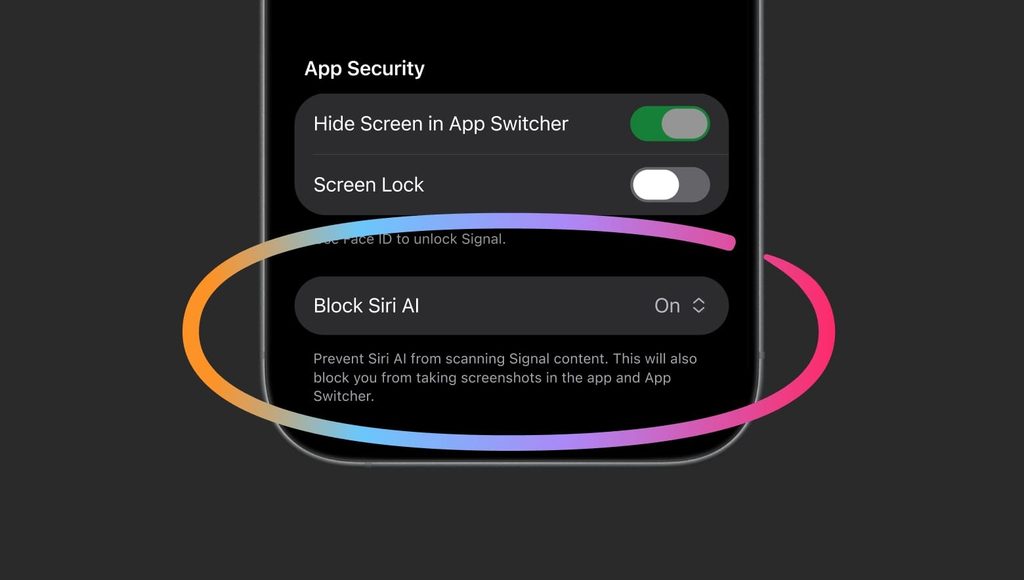
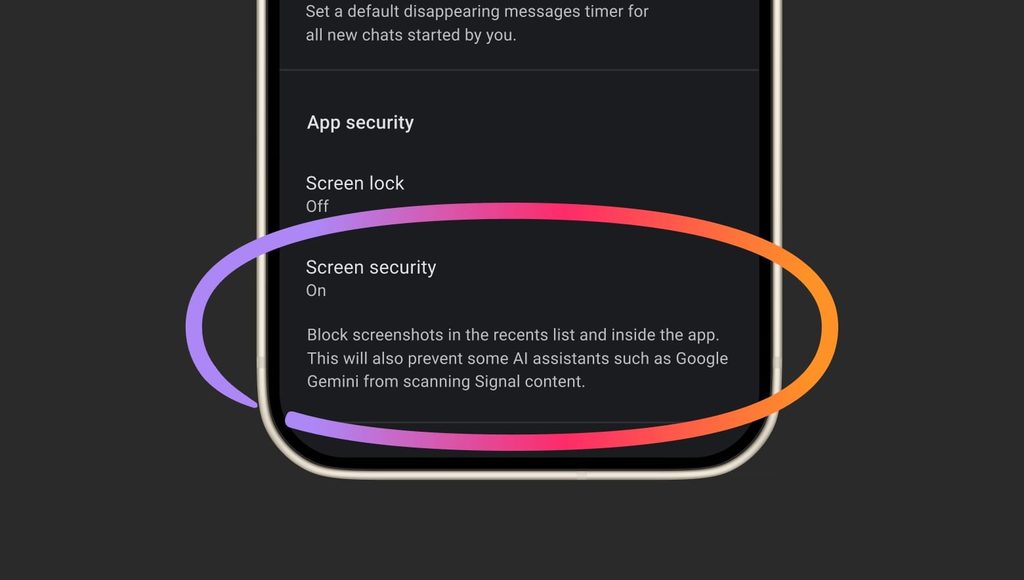
On iOS 27, Signal blocks screenshots inside the app by default using a setting called Block Siri AI. On Android, Signal automatically turns on Screen security when it detects an AI assistant attempting to access the screen. Signal says it can detect those attempts only on some Android versions.
Signal also uses Windows content-protection controls to exclude its chat window from Microsoft Recall. Recall periodically captures snapshots and indexes their contents in a searchable database on the PC. Without screenshot protection, that could preserve a copy of a disappearing message after it vanishes from Signal.
Signal calls for app-level AI opt-outs
Screenshot blocking addresses one route into private chats. Signal says AI agents could still obtain content already stored on a device through filesystem access. It also raised concerns about third-party agents such as Meta’s Muse, which can use broad permissions granted during setup, including accessibility permissions, to interact with other apps.
Signal is asking Apple, Google, and Microsoft for a documented way for developers to opt their apps out of AI data access and processing across screen capture, files, notifications, and system APIs. It also wants clearer documentation on what agents can access and how they handle that data. Whittaker said Apple and Google are discussing those issues with Signal.
Users who need to take screenshots can turn off the protection in Signal’s settings, though doing so can expose their own messages and those of their contacts to AI assistants. Signal says it lacks a reliable way to block screenshots on macOS. On macOS 27, it recommends adding Signal to Excluded Apps under System Settings → Siri to limit Siri’s proactive access to message content.



Leave a Reply