
Proton is bringing its Easy Switch migration tool to Proton Drive, starting with direct imports of files and folders from Google Drive.
The feature is rolling out gradually through Proton Drive’s web app on all plans, including the free tier.
Proton already offers Easy Switch in Proton Mail, where it can import email, contacts, and calendars from providers including Gmail and Outlook. Google Drive is the first cloud storage service supported by the new file importer.
In a November 19 announcement, Proton’s Anant Vijay Singh said the import runs in the background and transfers files between the two providers’ servers. Users can keep working in Proton Drive during the transfer, even if their computer lacks enough free space to hold a local copy of the files.
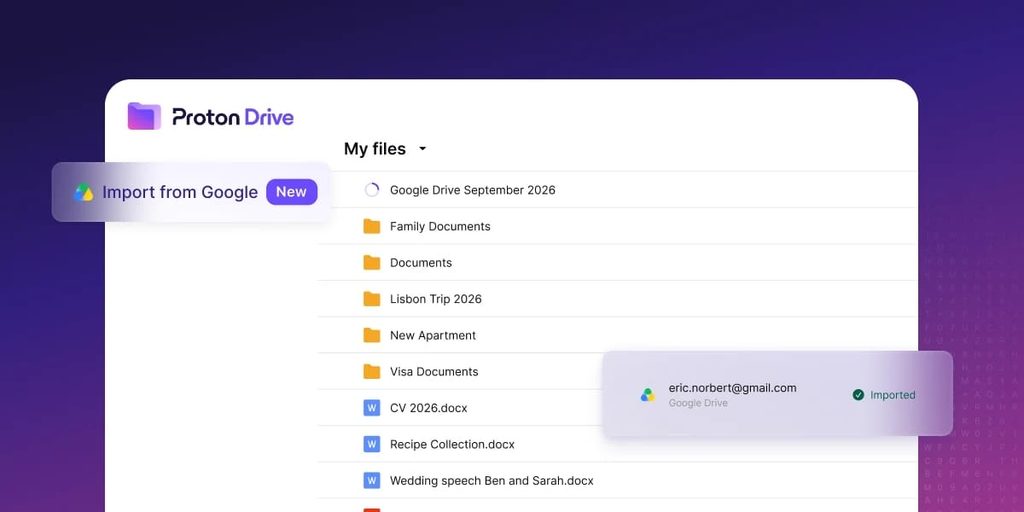
To start a transfer, sign in to Proton Drive on the web, select Easy Switch in the sidebar or Import via Easy Switch in Settings, and choose the Google account to import from. Proton shows the import’s progress on the Drive homepage and in Settings and sends an email when it finishes.
Proton
Proton puts the imported files in a new folder and preserves the original folder structure. Google Docs are converted to Microsoft Word files (.docx), and Google Sheets are converted to Microsoft Excel files (.xlsx). Proton’s announcement does not specify whether sharing permissions, comments, or version history carry over.
Encryption and storage
Once imported, files are covered by Proton Drive’s end-to-end encryption. Proton says it cannot decrypt stored file contents. By comparison, Google Drive encrypts files in transit and at rest using Google-managed keys by default.
Before starting an import, check the available space in the destination account. Proton’s free plan offers up to 5 GB of Drive storage. After the confirmation email arrives, open a few key documents and spreadsheets to check formatting and formulas, and verify that collaborators can access any files they still need before removing the originals from Google Drive.



Leave a Reply