
Microsoft has released its November 2026 Patch Tuesday updates for Windows 11, fixing USB audio, printer installation, and Remote Desktop problems while strengthening NTLM authentication and PowerShell script verification.
The broader Microsoft security release addresses 1,094 CVEs across its products, including 726 under Windows, and patches an actively exploited Outlook vulnerability that can expose users’ authentication information.
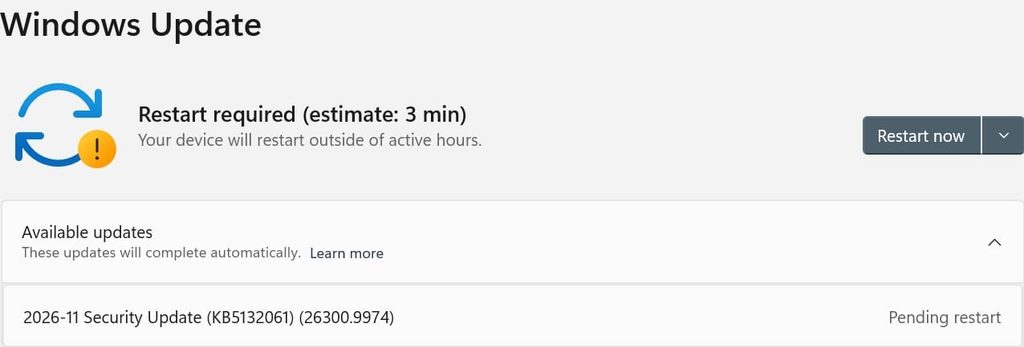
KB5132061 updates Windows 11 versions 26H2, 25H2, and supported 24H2 editions to builds 26300.9974, 26200.9974, and 26100.9974, respectively. KB5132059 brings version 26H1 to build 28000.3501. Both packages incorporate fixes from October’s security, emergency, and optional preview updates.
Exploited Outlook flaw exposes authentication data
The most urgent disclosed vulnerability in the broader release is CVE-2026-124194, a Microsoft Outlook spoofing flaw. Microsoft reports active exploitation but says the issue was not publicly disclosed before the patch.
An unauthenticated attacker can send a specially crafted message file and persuade a recipient to open it in an affected Outlook version. Outlook may then connect to an attacker-controlled network location without displaying its usual external-content warning.
That connection can disclose the user’s NTLMv2 hash, authentication information that an attacker could use to impersonate the victim. Exploitation requires the user to open the malicious file; Microsoft explicitly rules out the Preview Pane as an attack vector.
The advisory credits a researcher identified as nono and Anthropic’s Benoît Sevens, using Claude. It does not share any details about the observed campaign.
This fix is delivered through the applicable Office security updates, so installing the Windows cumulative update alone does not address the Outlook vulnerability.
Windows reliability and security fixes
Both Windows packages resolve a problem that prevented some USB Audio 1.0 devices from starting after a recent security update, producing Code 10 errors in Device Manager.
They also fix an October regression that blocked users from adding Active Directory-published printers through Windows Settings, returning error 87. Existing printers and routine printing were generally unaffected.
Remote Desktop connections that failed because of a certificate mismatch after October’s optional preview update should also work again.
On the security side, Windows clients now offer NTLM message signing by default for non-anonymous connections, reducing exposure to relay attacks. New auditing helps administrators identify connections that do not use signing.
PowerShell also applies stricter encoding checks when signing scripts and verifying signatures. Previously accepted scripts containing invalid UTF-8 may fail validation; Microsoft advises saving affected files as valid UTF-8 with a byte order mark and signing them again.
Microsoft lists no known issues for either Windows 11 package at release. Users can check for the applicable update through Settings > Windows Update and restart when prompted.
Microsoft will skip December’s optional non-security preview because of reduced holiday operations. Normal security and preview servicing resumes in January 2027.



Leave a Reply