
The Kali Linux team has released version 2025.4, delivering a round of refinements to the GNOME, KDE, and Xfce desktops, transitioning fully to Wayland as the default windowing system.
The latest update builds on the previous 2025.3 release from September, with enhanced desktop experiences, improved VM guest support under Wayland, and a handful of new offensive security tools.
Kali Linux is a Debian-based Linux distribution designed for cybersecurity professionals, penetration testers, and digital forensics experts. It comes preloaded with hundreds of tools for tasks such as vulnerability assessment, reverse engineering, wireless attacks, and exploit development. Unlike general-purpose Linux distributions, Kali is tailored for offensive security operations and intended for ethical hacking.
Desktop environment upgrades
All three supported desktop environments, GNOME, KDE Plasma, and Xfce, have received significant attention.
GNOME 49 introduces a more cohesive and responsive interface. Notable changes include a newly introduced tool categorization in the app grid, aligning it with the traditional Kali menu structure. The Totem video player has been replaced with the lightweight Showtime app, and long-requested keyboard shortcuts for launching terminals (Ctrl+Alt+T / Win+T) are now active across GNOME desktops.
Importantly, GNOME has dropped support for X11 entirely, pushing Kali to adopt Wayland as the sole window server. Kali developers describe the switch as seamless, thanks to extensive testing and additional configuration for virtual machine environments.
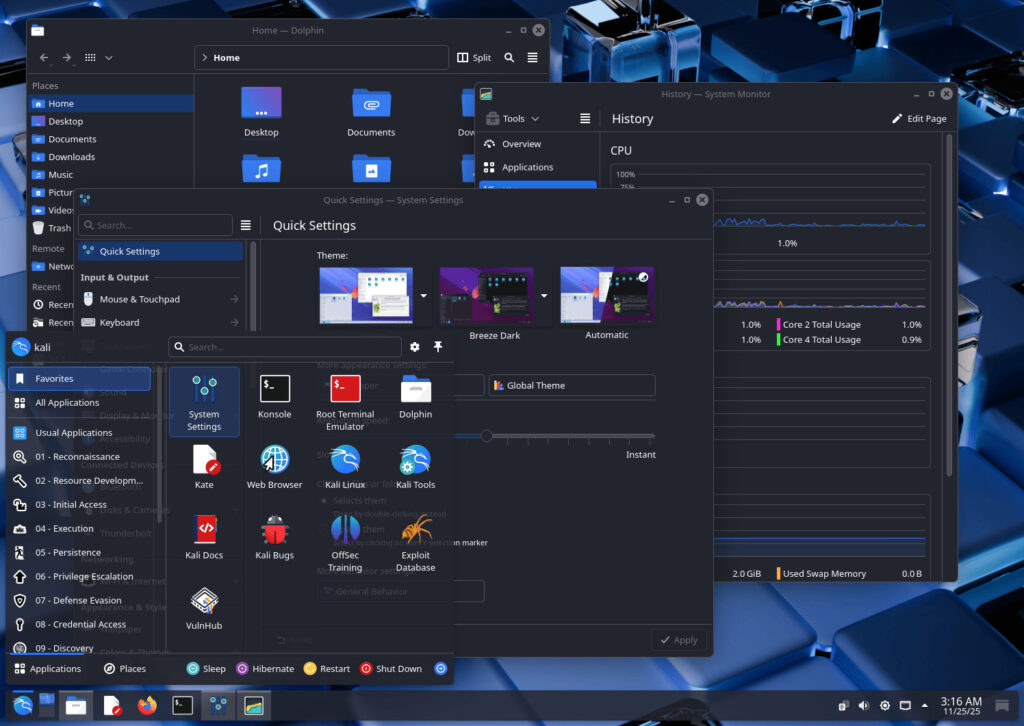
KDE Plasma users will now be greeted with version 6.5, which introduces better window tiling, a revamped screenshot tool with editing features, clipboard item pinning, and fuzzy matching in KRunner, KDE's launcher and search tool. These enhancements improve usability for both day-to-day use and complex multi-window workflows.
Kali
In Xfce, which remains Kali's default desktop, a new color theming system has been added, finally bringing parity with GNOME and KDE's visual customization. Users can now change icon themes, GTK/Qt colors, and window decorations through Xfce's Appearance tool and the qt5ct / qt6ct utilities.
New tools
Three new tools have been introduced into Kali's repositories:
- bpf-linker – A simple static linker for BPF (Berkeley Packet Filter) programs.
- evil-winrm-py – A Python rewrite of Evil-WinRM, allowing command execution on remote Windows machines via WinRM.
- hexstrike-ai – An MCP server facilitating autonomous execution of tools by AI agents.
In addition to toolchain updates, Kali Linux has updated its kernel to version 6.16, ensuring compatibility with new hardware and features.
Wayland and VM guest support fully functional
Kali 2025.4 marks a milestone in the transition to Wayland, which has replaced X11 across the distribution. While GNOME now officially mandates Wayland-only sessions, Kali had already been shipping Wayland by default for KDE since version 2023.1.
One major barrier to wider Wayland adoption has been incomplete support for VM guest utilities, particularly clipboard sharing and dynamic window scaling. Kali developers report that they have addressed these concerns in this release. Virtualized Kali installations under VirtualBox, VMware, and QEMU now offer full support for VM guest additions under Wayland, matching the X11 experience.
Kali NetHunter updates
The NetHunter platform for Android has received several updates, including early Android 16 support for Samsung Galaxy S10 variants, the OnePlus Nord, and Xiaomi Mi 9 devices. The NetHunter Terminal is now functional again, with support for Magisk interactive mode, ensuring better session stability.
The Wifipumpkin3 phishing tool has been updated with new templates for common platforms like Instagram, iCloud, and Snapchat, and a new in-app terminal (alpha version) is being trialed.

Kali
Those interested in trying out Kali Linux 2025.4 may download it from here. Due to Cloudflare CDN limitations on file size (~5GB), and a steady increase in package weight and complexity, the Live ISO image is now only available via BitTorrent.
The Live ISO includes both a pre-installed Kali environment and the Kali installer with a minimal package pool, making it larger than the Installer and Pre-built VM images. Developers considered trimming toolsets to reduce size, but ultimately chose to preserve functionality by switching to BitTorrent distribution. This follows the precedent already set for the 13–15GB “Everything” image.
Kali users can upgrade their current installations using: ‘sudo apt update && sudo apt full-upgrade'.



Leave a Reply