
Signal has announced a new set of in-app protections designed to help users identify phishing attempts and social engineering scams on the encrypted messaging platform.
The changes introduce additional warning prompts, profile verification notices, and expanded safety guidance to reduce the effectiveness of impersonation attacks.
The new measures focus on fraudulent accounts impersonating Signal or Signal Support staff. The company also confirmed that “more changes are on the way,” suggesting additional anti-abuse features are currently in development, as first announced last month.
The nonprofit messaging platform, which is widely used by journalists, activists, government officials, and privacy-conscious users, has increasingly become a target for scammers attempting account takeover attacks. Threat actors commonly impersonate customer support personnel and trick users into revealing registration codes, PINs, or recovery credentials that can be used to hijack accounts.
One of the most visible changes is a new “Name not verified” warning label displayed on profiles when Signal cannot confirm the identity associated with a display name. The company emphasized that Signal users can freely set their own profile names, meaning scammers can impersonate trusted individuals or official accounts by choosing deceptive names and profile photos.
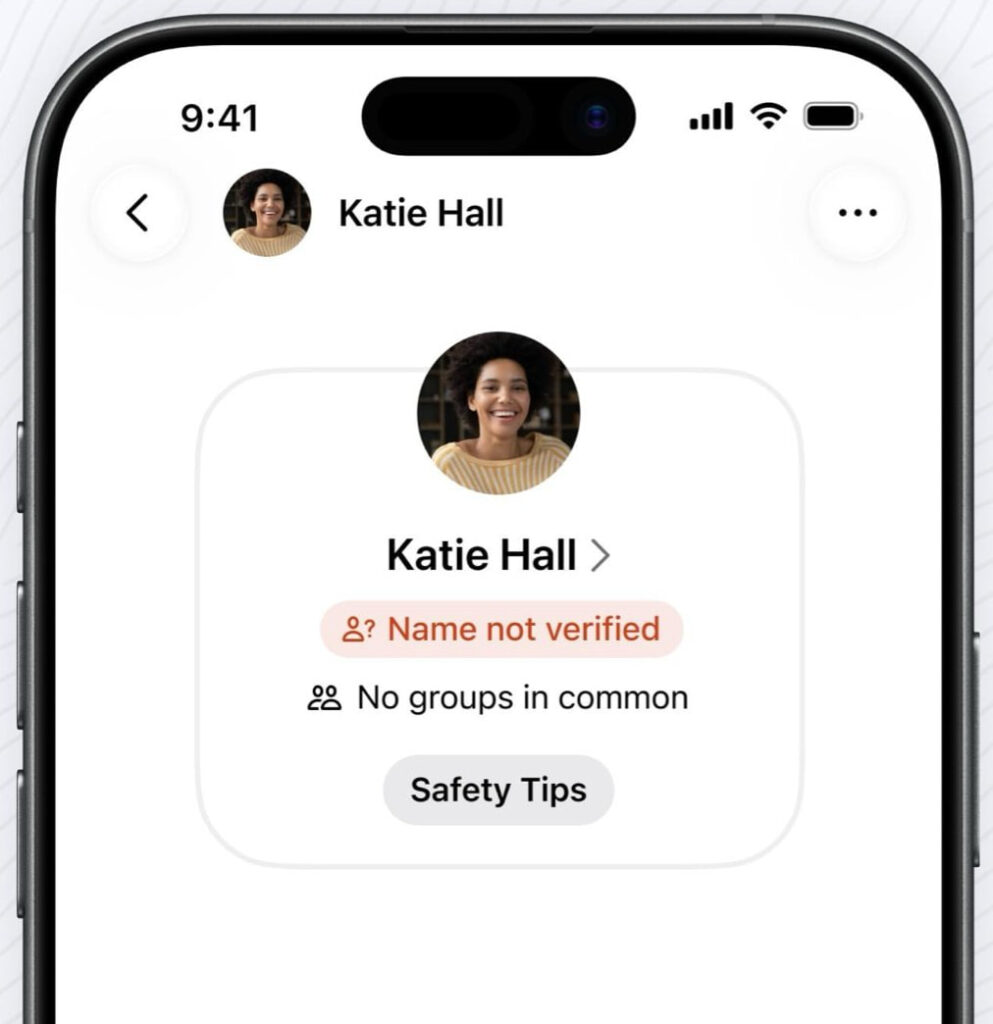
The new interface also highlights when users have “No groups in common” with the sender, adding another contextual signal that may help people spot suspicious message requests before engaging with them.
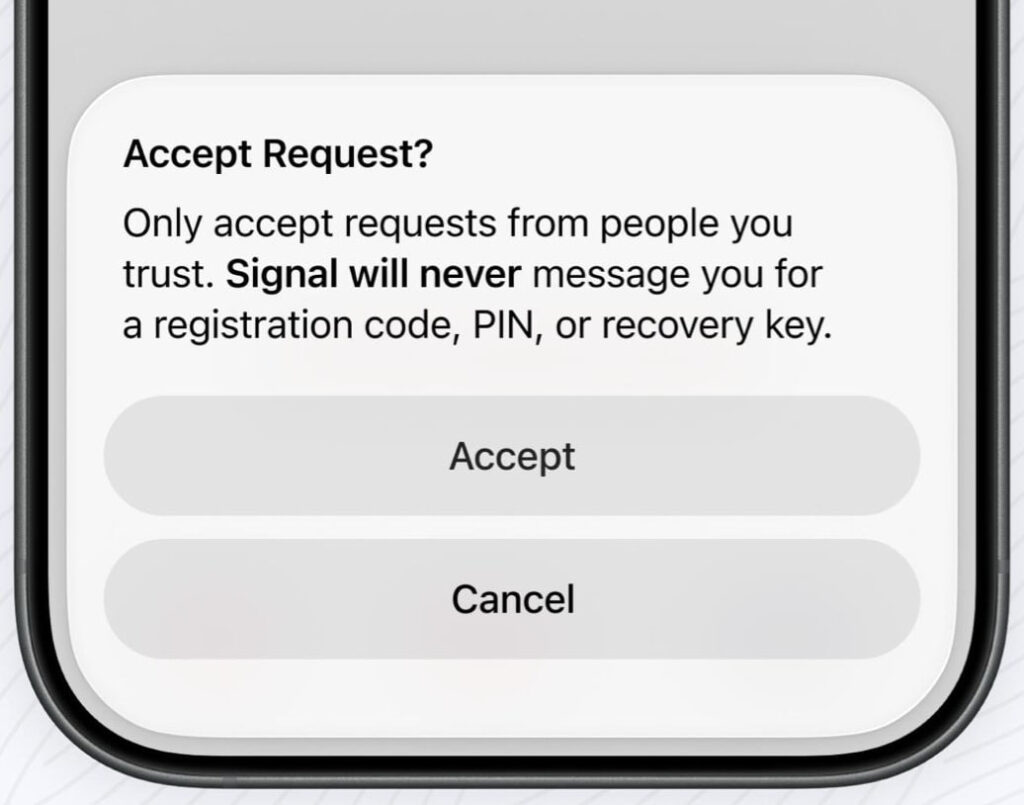
Signal has also added an extra confirmation step when users attempt to accept incoming message requests from unknown contacts. The prompt explicitly warns users that Signal will never contact them to ask for registration codes, PINs, or recovery keys, a tactic commonly used in account takeover scams.
The warning appears directly within the request acceptance flow and encourages users to interact only with people they trust. By placing the notice at the moment of interaction, Signal disrupts impulsive responses to social engineering attempts.
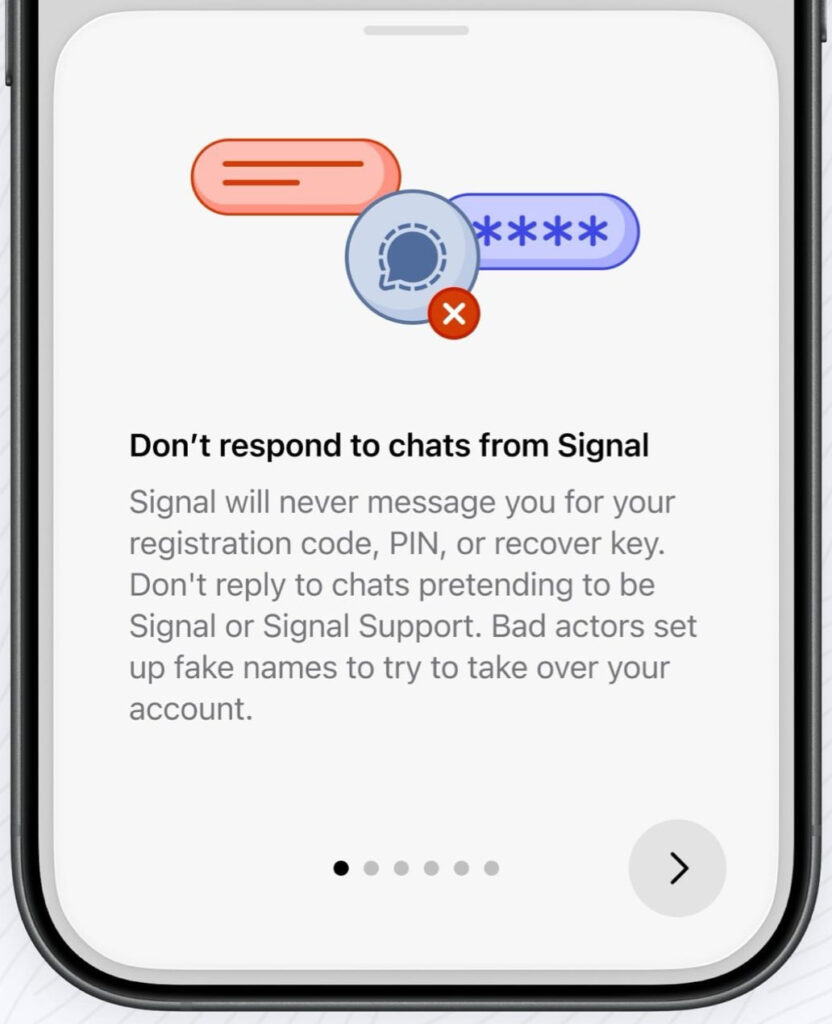
In addition, the app now includes expanded “Safety Tips” sections that educate users about common scam indicators. The guidance warns users not to respond to chats claiming to be from Signal, explains the meaning of the “Name not verified” label, and advises caution around vague requests, suspicious links, and financial scams.
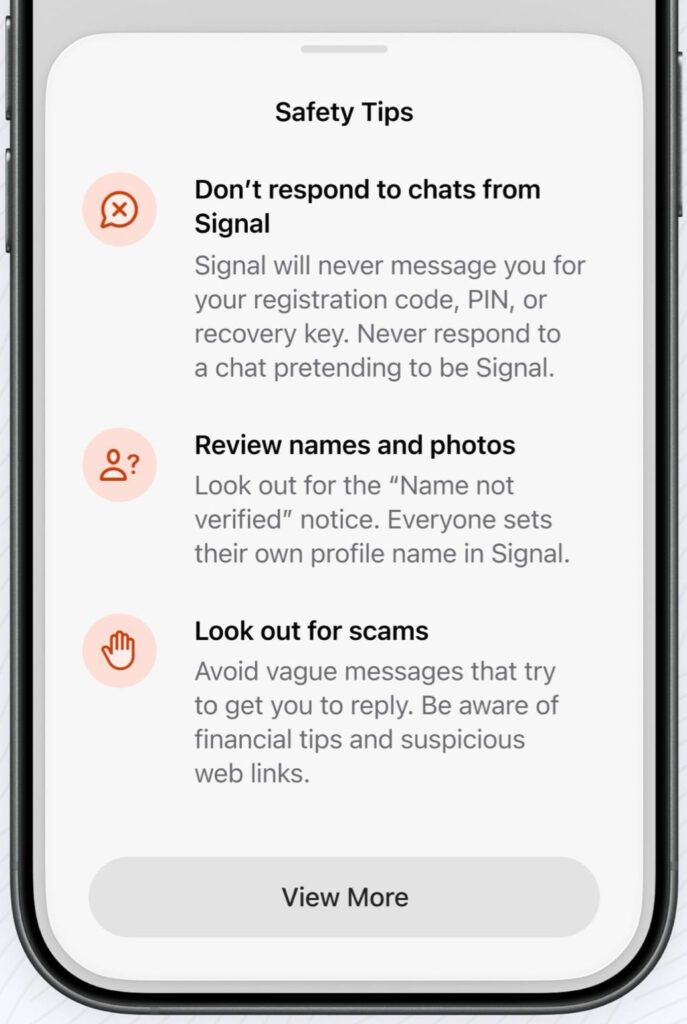
The educational screens further clarify that Signal itself will never initiate chats requesting sensitive credentials or recovery information. These warnings are integrated directly into the app experience rather than being buried in support documentation.
Signal users can further protect themselves by keeping the app updated and enabling Registration Lock.



Leave a Reply