
Staying with Gmail in 2026 is like keeping an ex’s hoodie because it’s comfortable, even if they’re still tracking your every move. I get the Google ghosting anxiety — leaving 15 years of memories and a familiar interface is daunting. But you don’t have to choose between your data and a clunky, outdated inbox; modern alternatives have finally made the breakup painless.
Why trust me? I’ve spent the last six months playing digital nomad with my data. I’ve imported thousands of messy threads, tested “undo send” buttons until my fingers cramped, and dug through the fine print of Swiss and German privacy laws so you don’t have to.
In this guide, I’m breaking down the best Gmail alternatives for 2026. Whether you’re:
- The privacy purist who wants zero-knowledge encryption.
- The professional moving a business away from the “Big Tech” teat.
- The organized minimalist who just wants a clean, ad-free space to think.
I’ve vetted these based on jurisdiction (where your data sleeps at night), migration ease (because life is too short for manual data entry), and 2026-ready features like post-quantum security.
The most private Gmail alternatives
- Proton Mail – Best all-rounder. Comes with a full private suite and “future-proof” post-quantum security.
- Tuta – The privacy purist. They encrypt everything, including your subject lines and calendar.
- StartMail – The spam killer. Offers unlimited “disposable” aliases to keep your real address hidden.
- Posteo – The ghost mode. A minimalist service where you can literally pay with cash in an envelope.
- Mailbox.org – The eco-suite. A feature-rich, German-engineered office suite that runs on 100% green energy and respects your wallet.
- Runbox – The Nordic vault. Reliable, green-powered hosting under Norway’s strict privacy laws.
- Zoho Mail– The business budget pick. Perfect for small teams needing a free tier for custom domains.
- Kolab Now – The Swiss specialist. Fully open-source and strictly compliant with GDPR and HIPAA—perfect for those who handle super-sensitive data.
- Mailfence – The pro choice. Features integrated PGP and professional digital signatures.
- Soverin – The clean slate. A minimalist, ad-free Dutch service for people who just want a beautiful, private inbox without any “ecosystem” bloat.
What to look for before switching
Before you commit, here are the deal-breakers you should consider:
- Jurisdiction: Where does your mail sleep? A provider in Switzerland or Germany has a much thicker legal shield than one in a Five Eyes country. Location is everything.
- The easy exit: Life is too short for manual data entry. Look for a one-click import tool that sucks your Gmail archives and contacts into your new home while you grab a latte.
- Encryption style: Does it use PGP (the old-school classic) or zero-knowledge magic? You want a service that literally cannot read your mail, even if a bored employee tried.
- The app gap: Make sure they have a dedicated iOS or Android app. You don’t want to be stuck using a clunky mobile browser that feels like it’s from 2012.
- External chatting: Can you send a secure message to your Aunt who is still on AOL? Check how they handle encrypted external mail (usually via a cool password-protected link).
- The “plus one” features: Are you just getting an inbox, or do you get a private calendar and cloud storage too? If you’re ditching Google Suite, you’ll want the all-in-one toolbox.
- Your threat model: So, are you a whistleblower or just tired of seeing ads for lawnmowers? Match the security level to your actual life so you don’t pay for “Fort Knox” when you just need a “Deadbolt.”
Why 2026 is the year to finally leave Gmail
Gmail revolutionized our inboxes back in 2004, but twenty-two years later, the free price tag is starting to feel expensive. Here’s why your favorite 2000s app is killing the vibe in 2026:
- The data buffet: Google doesn’t just host your mail; it throws a party with your metadata. Even if they aren’t reading your breakup texts, they know who you talk to, when you’re awake, and what you’re buying.
- The “golden handcuffs”: Gmail isn’t just an inbox; it’s the master key to your Drive, Photos, and YouTube. This ecosystem lock-in is by design. They make it a breeze to join but a nightmare to leave.
- Inbox clutter and “ad-min”: Open your app. Between the “Promotions” tab, sponsored snippets, and AI “nudges,” your actual mail is drowning. It’s Google’s priorities at the top, not yours.
- The key-holder problem: Google holds the master keys to your stored mail. Whether it’s a legal request or a massive breach, if they have the keys, your data at rest isn’t truly yours.
In 2026, switching to a private email provider doesn’t mean using a clunky interface from the 90s. With polished apps and one-click migration tools, you can have your privacy and your “undo send” button, too.
Top-tier private Gmail alternatives in 2026
Ready to find your new digital home? I’ve rounded up the 10 best private email services that can actually kick Gmail to the curb. Whether you’re a privacy ninja or just a person who wants fewer “special offer” notifications, there’s a match here for you.
1. Proton Mail – Best all-around secure email service
| Based in | Switzerland |
| Storage | 15 GB – 500 GB |
| Price range | $3.00– $9.99/month |
| Free tier | ✅ You start with 500 MB and “unlock” the full 1 GB by completing a few setup tasks (like downloading the app) |
| Website | Proton.me |
If you’re looking for the gold standard of Gmail alternatives, you just found it. Based in Switzerland (home to the world’s tightest privacy laws), Proton Mail makes high-level encryption feel as easy as sending a text. It uses PGP encryption standards to keep your data under lock and key on Swiss servers, but you don’t need a computer science degree to use it.
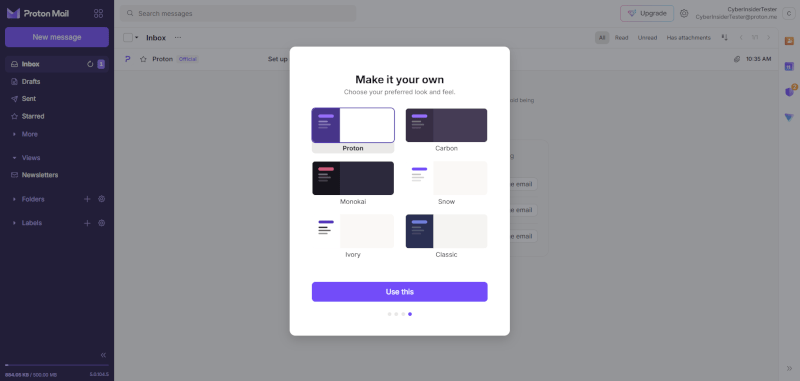
Whether you’re sending “self-destructing” messages that vanish after they’re read or using address verification to stay safe from hackers, Proton is the ultimate “set it and forget it” privacy upgrade. Plus, the interface is sleek, modern, and almost fun to use.
What’s new for 2026?
- Post-quantum protection: Proton has officially rolled out post-quantum cryptography (PQC) to protect your mail from the supercomputers of the future.
- Proton Pass integration: You can now generate “Hide My Email” aliases on the fly whenever you sign up for a new website.
- Native desktop apps: No more browser tabs! Proton now has dedicated apps for Windows and macOS that feel fast and polished.
Proton Mail’s standout features:
- Supported platforms: Native apps for Windows, macOS, Linux, Android, and iOS. (Plus Bridge for Outlook/Thunderbird fans).
- Zero-knowledge encryption: Even Proton can’t read your messages. Just a heads-up: subject lines aren’t end-to-end encrypted due to PGP standards, but your message body and attachments are iron-clad.
- Custom domains: Look professional by using your own
name@yourdomain.comright inside the app. - Tracking protection: Say goodbye to “spy pixels.” Proton automatically blocks trackers that tell senders when and where you opened an email.
- Secure “outside” messaging: Need to email a Gmail user securely? Send them a password-protected, encrypted link they can open in their browser.
- The full security suite: Your login includes Proton Drive (cloud storage), Proton Calendar, Proton VPN, and even a secure Bitcoin Wallet.
If you’re moving a family or a small team, check out the Proton Family plan as it’s the best way to get everyone under one secure roof.
Proton Mail pros and cons
+ Pros
- Seamlessly switch between VPN, Drive, and Mail
- Send encrypted mail to any PGP user
- Most polished interface in the privacy market
- Strong Swiss laws outside EU/US reach
- One-click import from Gmail and Outlook
- Integrated “Hide-my-email” aliases via Proton Pass
- Includes email scheduling and “Undo Send” features
- Biometric locks for secure mobile app access
- Monitors the dark web for leaked data
- Blocks invisible tracking pixels in every email
- roton Sentinel protects against high-level targeted hacks
– Cons
- Subject lines remain unencrypted by default
- Paid “Bridge” required for Outlook and Apple Mail
- Free storage shared across all Proton apps
- Sieve filters have a steep learning curve
2. Tuta Mail – The zero-knowledge purist

| Based in | Germany |
| Storage | 1 GB – 1 TB |
| Price range | €3.00 – €8.00/month |
| Free tier | ✅ 1 GB, with one fully encrypted calendar and search (limited to the last 4 weeks of mail) |
| Website | Tuta.com |
If Proton is the flashy all-rounder, Tuta Mail (formerly Tutanota) is the principled, German-engineered vault. They operate under some of the strictest data protection laws on the planet. What makes them different? They aren’t owned by a massive corporation or outside investors — they are a lean team of privacy enthusiasts who answer only to their users.
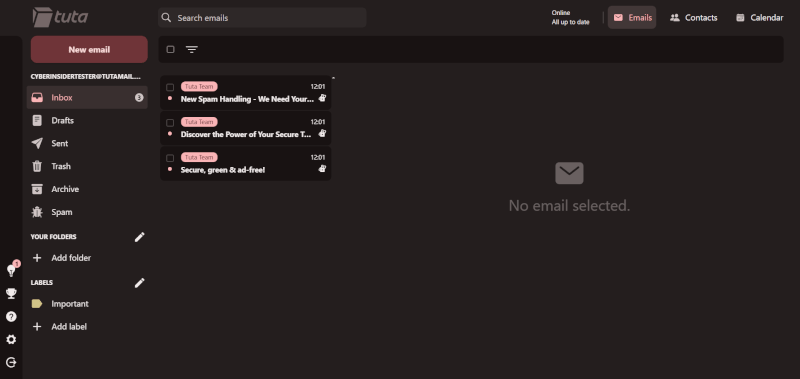
While most services use the “old-school” PGP standard, Tuta built its own hybrid encryption system that fixes PGP’s biggest flaw: It encrypts your subject lines, too.
What’s new for 2026?
- The TutaCrypt revolution: Tuta has officially rolled out TutaCrypt, a quantum-safe encryption algorithm. They’ve essentially “future-proofed” your inbox against the supercomputers of tomorrow. If a quantum computer tries to crack your mail in 2026, it’s going to have a very bad day.
- The Tuta ecosystem: It’s not just mail anymore! You now get a fully encrypted calendar and Tuta Drive (their secure cloud storage), all living under the same zero-knowledge roof.
Tuta Mail’s standout features:
- Encrypted everything: Your inbox, contacts, and even your calendar are encrypted at rest on German servers.
- The “secret link” method: Sending a secure mail to a Gmail user? They get a link and a password key to a private “external mailbox” where you can chat securely without Google ever seeing a word.
- Open source obsession: All their apps (Windows, macOS, Linux, iOS, and Android) are 100% open source. You don’t have to take their word for it, anyone can check the code.
- Offline mode: Need to check an address while you’re in a tunnel? Tuta’s desktop and mobile apps let you access your mail and calendar even without a Wi-Fi signal.
The catch? Well, because Tuta’s encryption is so custom, it won’t work with third-party apps like Outlook or Apple Mail. You’ll need to use their (admittedly sleek) dedicated apps instead. Also, as of 2026, importing a massive Gmail archive is still a more manual DIY project compared to Proton’s one-click magic.
All in all, Tuta is for the zero-compromises crowd. If you want a 100% green-powered, German-engineered vault that is literally quantum-safe, this is your digital soulmate.
Tuta Mail pros and cons
+ Pros
- Encrypts message bodies, contacts, and subject lines
- Fully protected against future quantum computer threats
- Mobile apps run without any Google tracking
- Free native desktop apps for all users
- Highly competitive pricing for custom domains
- Servers run on 100% renewable energy
- Securely search your entire encrypted inbox
- Direct F-Droid distribution for de-Googled devices
- Unlimited folders even on the free plan
- Built-in encrypted contact form for your website
– Cons
- Custom encryption lacks standard PGP compatibility
- Germany is a 14 Eyes intelligence partner
- Lacks advanced features like email snoozing
- Simple folder system lacks automated sorting power
3. StartMail – The master of disposable identities
| Based in | Netherlands |
| Storage | 20 GB – 30 GB |
| Price range | $2.50 – $4.50/month |
| Free tier | ❌ (7-day full feature trial only) |
| Website | StartMail.com |
If you’re tired of giving your real email to every sketchy website just to read one article, StartMail is your new best buddy. Brought to you by the team behind Startpage (the world’s most private search engine), this service is built for one thing: keeping your primary inbox a spam-free sanctuary.
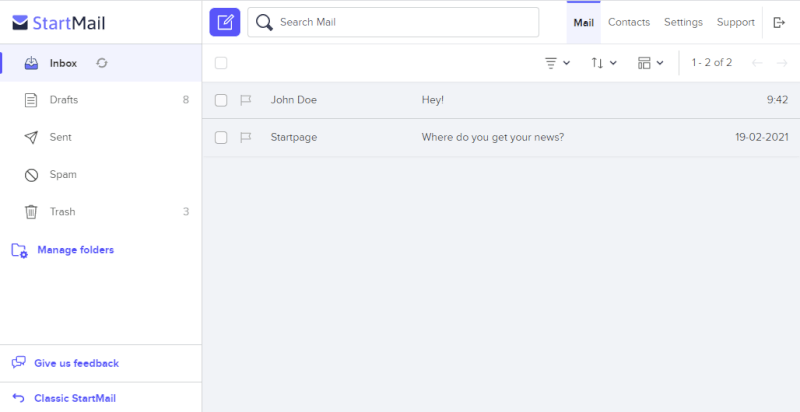
Based in the Netherlands, StartMail operates under some of the world’s strongest privacy laws. They don’t build advertising profiles, they don’t track your clicks, and they certainly don’t read your mail. It’s a straightforward, paid service where you are the customer, not the data point.
What’s new for 2026?
- The one-click alias engine: You can now generate a random disposable email address directly from your browser extension or mobile app. If a site starts spamming you, just hit delete, and that alias and the spam vanish forever.
- Post-quantum ready: Like the other big players, StartMail has updated its encryption standards for 2026 to protect against future quantum threats, ensuring your “burner” identities stay truly anonymous.
StartMail’s standout features:
- Unlimited disposable aliases: Create as many extra email addresses as you want. It’s the ultimate “spam insurance.”
- Strong PGP support: Even though it’s easy to use, StartMail has robust PGP encryption built in for those times you need to go full secret agent.
- Custom domain love: You can use your own domain (like
hello@yourname.com) and still create unlimited aliases under that domain. - Bitcoin friendly: Want to keep your credit card out of it? StartMail accepts Bitcoin for annual plans, letting you pay as anonymously as you email. ₿
Unlike Proton, StartMail doesn’t have a free-forever tier, and it doesn’t come with a massive ecosystem of extra apps like a VPN or Password Manager. It focuses on doing one thing — private email — and doing it exceptionally well.
All in all, StartMail is the perfect choice for privacy-conscious shoppers and anyone who signs up for a lot of online services. It’s the digital equivalent of a “Burner Phone” for your inbox.
StartMail pros and cons
+ Pros
- Create unlimited email aliases
- PGP end-to-end encryption
- Easy contacts and email migration
- Organize your inbox with filters
- Minimalistic design
- No ads. No tracking. No spam.
- Flexible spam filter
- Anonymous cryptocurrency payments
- Use custom domain
- Compliant with GDPR
- 7-day free trial
– Cons
- No free version
- Lacks calendar, notes, and file storage
4. Posteo – The environmentally friendly choice
| Based in | Germany |
| Storage | 4 GB (base) – 50 GB (upgradable) |
| Price range | Flat €1.00/month (~$1.10) |
| Free tier | ❌ (Subscription only) |
| Website | Posteo.de |
If you want an email account that is totally disconnected from your “real world” identity, Posteo is the ultimate digital ghost. Based in Berlin, this provider is a favorite for activists, journalists, and anyone who thinks giving a phone number to sign up for email is a total deal-breaker.
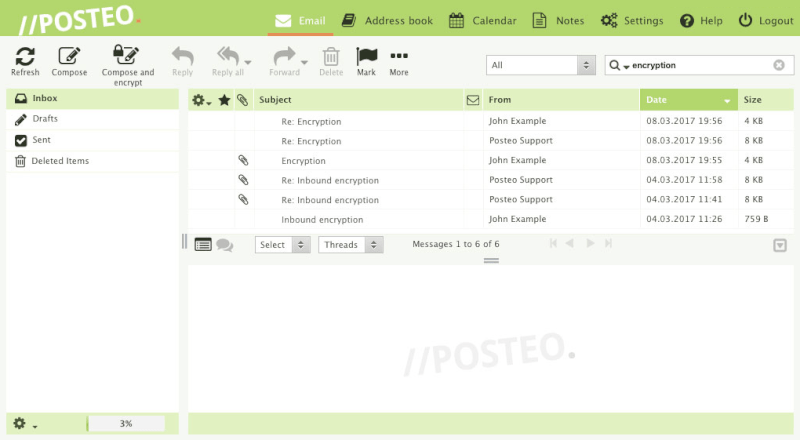
Posteo doesn’t just talk about privacy; they live it. They don’t ask for your name, they don’t log your IP address, and they even let you pay for your account by mailing them actual cash in an envelope. It’s old-school, anonymous, and incredibly effective.
What’s new for 2026?
- The greenest cloud: Posteo has doubled down on its environmental mission. In 2026, they are officially carbon-negative, running entirely on 100% certified Greenpeace Energy and investing only in ethical, sustainable projects.
- Enhanced crypto-payment options: For those who don’t want to use a stamp, Posteo has streamlined its anonymous credit system, making it easier to top up your account without linking a bank card.
Posteo’s standout features:
- Total anonymity: Sign up without a phone number or recovery email. You are just a random string of numbers to them until you choose otherwise.
- Cash by mail: Yes, you can literally put a €10 bill in an envelope and mail it to their office in Berlin to fund your account for months.
- Zero IP logging: By default, Posteo strips your IP address from your emails and doesn’t log it when you sign in.
- Strong encryption: They offer one-click encryption for your entire mailbox, calendar, and contact list, so even if someone got into their servers, they’d find nothing but gibberish.
On the downside, Posteo has a very specific philosophy: No custom domains. They believe owning a domain (like you@yourname.com) creates a paper trail that ruins your anonymity. So, you’re stuck with a @posteo.de or @posteo.net address. Also, the interface is functional minimalist; it’s not flashy, but it works every time.
Posteo pros and cons
+ Pros
- Mail, Calendar, Contacts, and Notes are encrypted at rest with OpenPGP on secure servers in Germany
- Configurable spam filter
- Migration service for moving from another email service to Posteo
- Includes Messages, Calendar, Contacts (Address Book), and Notes
- Completely open source
- Strong commitment to privacy, sustainable energy, and other social initiatives
- Self-financed; good track record (operating since 2009)
- No logs, IP address stripping, secure email storage with daily backups
- Allows anonymous (cash) payments
- Supports SMTP, POP, and IMAP protocols + Two-Factor Authentication
– Cons
- Custom domains not supported
- No trial or free version
- Cryptocurrency payments not supported
5. Mailbox.org – The affordable German suite
| Based in | Germany |
| Storage | 2 GB – 25 GB |
| Price range | €1.00 – €7.50/month |
| Free tier | ❌ (30-day full feature trial only) |
| Website | Mailbox.org |
If you’re looking for a private alternative to Microsoft 365 or Google Workspace without the Big Tech price tag, Mailbox.org is a top-tier contender. Based in Germany, it offers a massive lineup of productivity tools (including Mail, Calendar, Drive, Spreadsheets, and even a Webchat), all wrapped in a clean, professional design that doesn’t feel like it’s stuck in 2005.
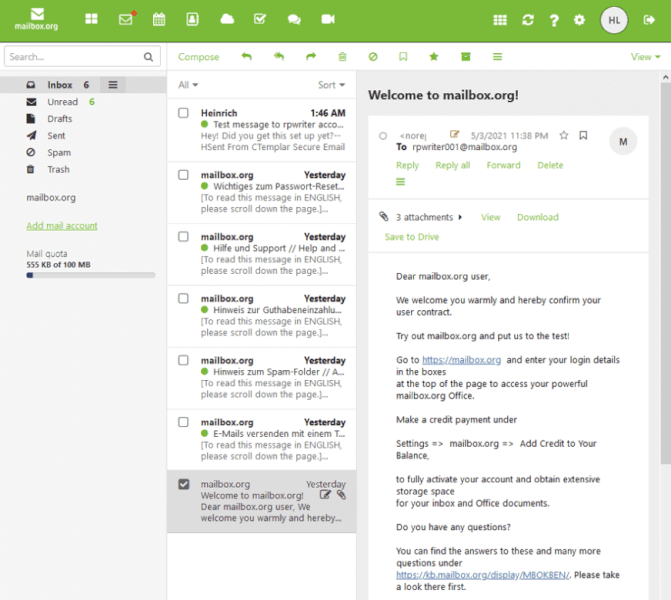
Usually, you have to choose between “super secure” and “feature-rich,” but Mailbox.org gives you the best of both worlds. It uses full PGP support to encrypt your data at rest on their secure German servers. Plus, unlike some “walled garden” providers, it plays perfectly with your favorite mobile apps and third-party email clients.
What’s new for 2026?
- The eco-power play: Mailbox.org has reached 100% carbon neutrality, running entirely on green energy and using energy-efficient hardware. It’s the perfect choice for the climate-conscious professional.
- Quantum-safe upgrades: For 2026, they’ve hardened their transport encryption (TLS) to be quantum-resistant, ensuring your emails are safe from snooping the moment they leave your outbox.
Mailbox.org’s standout features:
- Full productivity suite: You get a secure Word Processor, Spreadsheet tool, and Presentation builder right in your browser.
- Alias management: Even on the basic plan, you can create multiple aliases to keep your primary address private.
- Custom domain support: It’s incredibly easy to link your own domain, making it a favorite for freelancers and small teams.
- Anonymous registration: You can sign up without providing a phone number and even pay via cash or Bitcoin for maximum ghost-mode.
On the negative side, Mailbox.org doesn’t have its own dedicated mobile email app. Instead, they encourage you to use standard apps like Apple Mail or Outlook (which they support perfectly via IMAP/ActiveSync). Also, like most PGP-based services, your subject lines aren’t encrypted, so keep the “top secret” info inside the body of the email.
Mailbox.org pros and cons
+ Pros
- PGP support (server-side or E2E through Mailvelope app)
- Company and servers located in Germany with strong privacy protections
- HSTS and PFS for messages in transit
- Protected against man-in-the-middle attacks
- Message and spam filters
- Virus protection
- Full-text search
- POP, IMAP, SMTP, and ActiveSync support
- vCard, CardDAV, CalDav support
- Messages are encrypted at rest
- Supports custom domains
- Mobile apps for some of the Office features
- Open source
– Cons
- No mobile email clients (but can be used with third-party email clients)
- Some tracking during registration
- PGP encryption leaves message subject and metadata exposed
6. Runbox – The Nordic vault for the long haul
| Based in | Norway |
| Storage | 2 GB – 50 GB+ |
| Price range | €1.40 – €5.28/month |
| Free tier | ❌ (30-day full feature trial only) |
| Website | Runbox.com |
If you want an email provider with staying power, Runbox is the veteran in the room. With over 20 years of experience, they’ve seen tech trends come and go, but their mission has stayed the same: keeping your data safe under Norway’s rock-solid privacy laws. Plus, their servers are powered by 100% renewable hydropower, so your inbox is literally as clean as a Norwegian fjord.
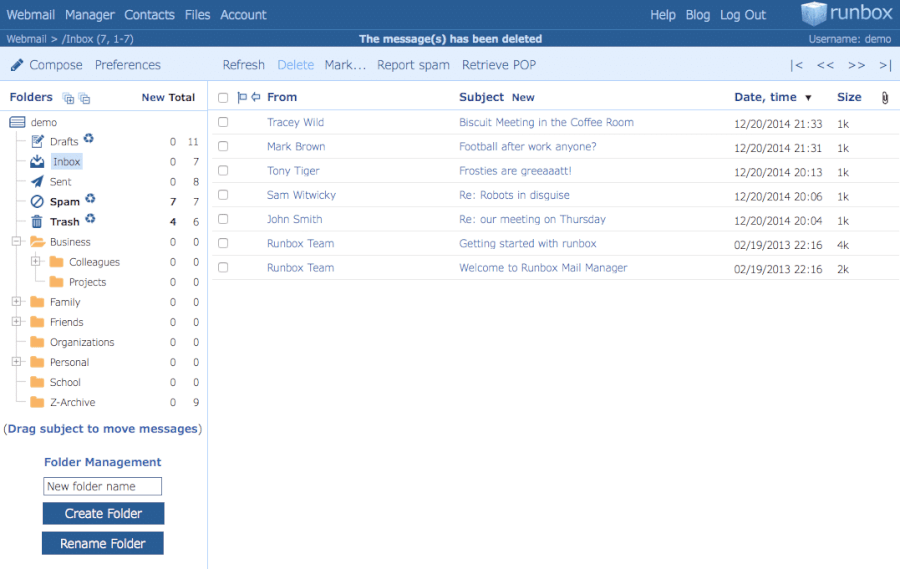
Runbox is the go-to for users who want extreme flexibility. They don’t try to lock you into a proprietary app; instead, they offer full support for SMTP, POP, and IMAP, meaning they play nice with every email client you already love.
What’s new for 2026?
- The “Runbox 7” revolution: After a long stay in beta, Runbox 7 has fully matured into a lightning-fast, web-based powerhouse. It’s built for modern browsers and focuses on “instant” search and filtering.
- The 100-alias power-up: Every account now comes with up to 100 email aliases. It’s a massive win for anyone who wants to organize their life without paying for a dozen separate mailboxes.
Runbox’s standout features:
- Norwegian privacy: Norway isn’t part of the EU but has even stricter data protection rules in many cases. It’s a top-tier jurisdiction for keeping prying eyes away from your metadata.
- Hydropower hosting: Feel good about your digital footprint knowing your data is stored in a maximum-security facility powered by the earth.
- The “anything goes” payments: Runbox is incredibly flexible, accepting Cash by Mail, Bitcoin, and standard cards. They even offer a 60-day money-back guarantee if you aren’t feeling the Nordic vibe.
- IP stripping: Like all the best privacy picks, Runbox automatically scrubs your IP address from your outgoing mail so nobody can trace your physical location from an email header.
However, Runbox is a bit old school in its security model. Unlike Proton or Tuta, they do not offer built-in encryption for your entire mailbox at rest by default. While you can use PGP manually, it’s not a “one-click” experience. Also, they don’t have their own dedicated mobile app — they expect you to use the one already on your phone.
All in all, Runbox is for the independent soul who wants a reliable, eco-friendly provider that won’t disappear overnight. It’s stable, ethical, and very Norwegian.
Runbox pros and cons
+ Pros
- IP addresses stripped from messages
- Includes Webmail, Contacts, and Files
- Servers run on renewable energy
- Supports SMTP, POP, and IMAP protocols
- Synchronizes with other email clients
- GDPR compliant
- Norway has strong data protection laws
- 100 email aliases per mailbox
- Custom domain names on some paid accounts
- Numerous payment methods accepted (including cash and cryptocurrencies)
– Cons
- Browser-based; no desktop or mobile apps
- Not open source
- Data not encrypted within the Runbox system or at rest
- No business-specific features
7. Zoho Mail – The business boss on a budget
| Based in | India (with global data centers) |
| Storage | 5 GB – 100 GB+ |
| Price range | $1 – $6/user/month |
| Free tier | ✅ Forever free plan |
| Website | Zoho.com/mail |
If you’re running a small business or a side hustle and want to look like a pro without the “Google tax,” Zoho Mail is your secret weapon. It’s a powerhouse designed for productivity, blending a clean, ad-free inbox with a full suite of collaboration tools. It’s basically the “private office” of the email world.
While Zoho isn’t a “privacy bunker” in the same way Proton is, they are miles ahead of Gmail. They don’t sell your data, they don’t show you ads, and they provide robust encryption both while your mail is traveling and while it’s sitting on their servers. For 2026, they’ve even leveled up their Zia AI assistant, which helps you draft emails and summarize threads without sending your secrets to a public training model.
What’s new for 2026?
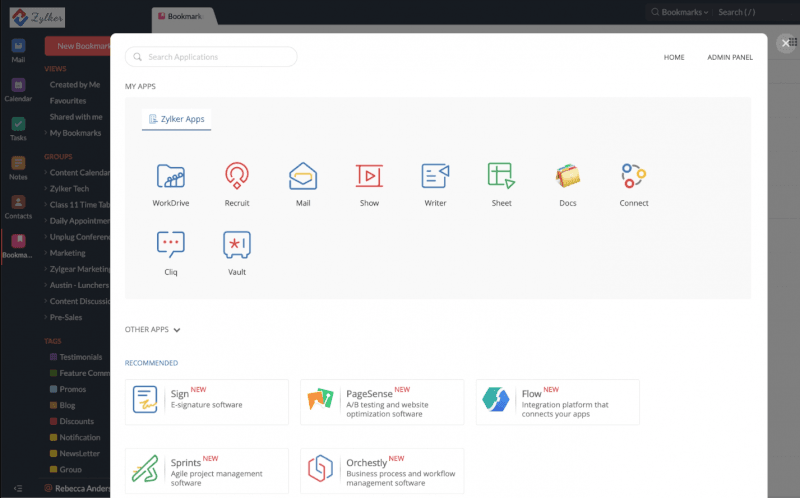
- The “workplace” evolution: Zoho has tightened the integration between Mail, Cliq (chat), and Projects. You can now turn an email into a task or a chat thread with one click, keeping your team in sync without leaving your inbox.
- S/MIME for everyone: Previously a “pro” feature, Zoho has made S/MIME encryption (the corporate standard for digital signatures) easier to set up for smaller teams, ensuring your “official” mail is actually official.
Zoho Mail’s standout features:
- The forever free tier: This is the legendary deal in the tech world. You get custom domain hosting for up to five users for free. It’s perfect for startups that are just finding their feet.
- Zoho streams: Tired of “Reply All” chains? Streams lets you tag teammates and comment on emails in a social-media-style feed. It’s a total game-changer for internal communication.
- Control panel power: The admin console is world-class. You can manage users, set security policies, and handle multiple domains with ease.
- Ecosystem depth: If you grow out of just email, Zoho has 50+ other apps (CRM, Books, Inventory) that all talk to each other.
On the flip side, Zoho is a business-first platform. If you’re just looking for a simple, personal place to send cat memes, the sheer number of features might feel like overkill. Also, while they are privacy-conscious, they aren’t “zero-knowledge”, meaning they technically hold the keys to the kingdom if a legal request comes knocking.
In the end, Zoho Mail is for the entrepreneur and the professional who wants a high-end experience at a bargain-bin price. It’s clean, professional, and built for work.
Zoho Mail pros and cons
+ Pros
- Free plan for up to five users with a custom domain
- A full suite of Notes, Tasks, Calendar, and Bookmarks
- Totally ad-free experience, even on the free tier
- Robust security with S/MIME, 2FA, and encryption at rest
- “Streams” feature drastically reduces internal email clutter
- Excellent mobile apps for iOS and Android
- Scales perfectly from a one-person show to a 1,000-person firm
+ Pros
- Free version has limited storage
- Primarily designed for business use, which may not appeal to all individual users
8. Kolab Now – Clean, sharp, and very Swiss
| Based in | Switzerland |
| Storage | 5 GB+ |
| Pricing range | 5.00 – 9.90 CHF/month |
| Free Tier | ❌ (30-day trial only) |
| Website | KolabNow.com |
If you’re looking for a total Google Workspace replacement that actually respects your boundaries, Kolab Now is the Swiss powerhouse you’ve been waiting for. It’s not just an inbox; it’s a full-on productivity suite including contacts, calendars, scheduling, and cloud storage. Based in Switzerland, it’s governed by some of the world’s strictest privacy laws, making it a dream for legal pros, journalists, and teams who need a “vault” for their work.
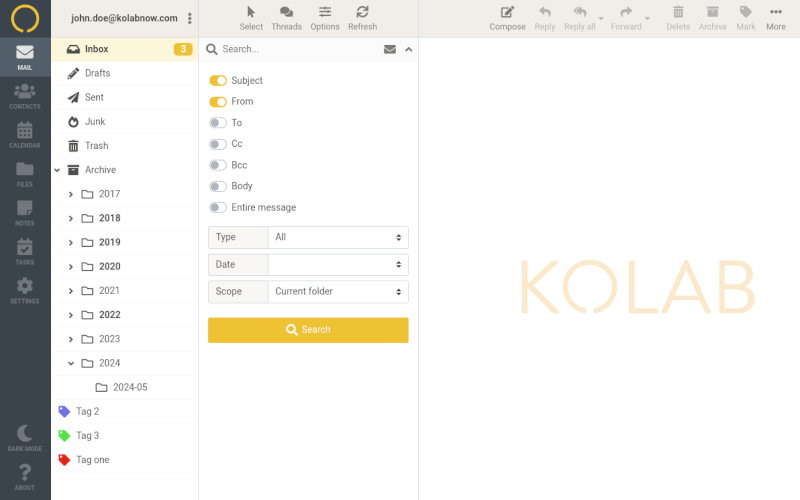
The interface is sleek and “zero-clutter,” meaning you won’t need a map to find your way around. Plus, it plays well with others, so you can sync it up with Outlook, Thunderbird, or Apple Mail across all your devices without a hitch. It’s the “grown-up” choice for people who want the power of Big Tech tools without the Big Tech surveillance.
What’s new for 2026?
- The collaboration upgrade: Kolab has perfected its real-time document editing and shared calendars. It’s now a seamless alternative to Google Docs, allowing teams to collaborate on files without the data ever leaving Swiss soil.
- Integrated video calls: In 2026, Kolab has fully baked in private voice and video conferencing, making it a one-stop shop for remote teams who are tired of Zoom’s privacy quirks.
Kolab Now’s standout features:
- 100% open source: Every single line of code is open to audit. They don’t just ask for your trust; they earn it by being completely transparent.
- GDPR and HIPAA ready: Because of its high security standards, it’s a top pick for healthcare professionals and European businesses that need to be strictly compliant.
- Full suite integration: It’s a legitimate all-in-one home for your mail, files, and schedule.
- Crypto-friendly: You can fund your account with Bitcoin to keep your banking details out of the mix.
Kolab Now is a premium service with a premium price tag. It’s one of the more expensive options on the market, especially if you need a lot of storage. Also, while it’s incredibly secure, end-to-end Encryption (E2EE) isn’t “on by default” for every message. It’s a DIY setup using PGP, so it requires a little more technical elbow grease than Proton.
Everything considered, Kolab Now is for the privacy-conscious professional who wants a high-end, Swiss-hosted home for their data and doesn’t mind paying a bit extra for the best tools in the biz.
Kolab Now pros and cons
+ Pros
- Accepts cryptocurrency payments
- Full support for POP, SMTP, and IMAP
- Switzerland jurisdiction with strong privacy protection
- Full email suite with numerous features to replace Gmail, Office 365, etc.
- Support for custom domains, teams, and business users
- End-to-end (E2E) encryption is available, but not built in
- No ads, no tracking, and no data mining
– Cons
- Email not encrypted at rest (but stored in a high-security Swiss data center)
- Expensive
- E2EE requires manual PGP setup
9. Mailfence – Perfect choice for the professional
| Based in | Belgium |
| Storage | 1 GB – 60 GB+ |
| Price range | €2.50 – 29.00/month |
| Free tier | ✅ Integrated PGP key management and digital signatures |
| Website | Mailfence.com |
If Proton is the flashy all-rounder and Tuta is the privacy purist, Mailfence is the Hercule Poirot of email: It’s methodical, sophisticated, and deeply concerned with the truth. Just as Poirot relies on his little grey cells to keep secrets safe, Mailfence uses iron-clad EU laws to ensure no one is snooping through your digital parlor. Yes, they use OpenPGP, which is basically the universal language of encryption.
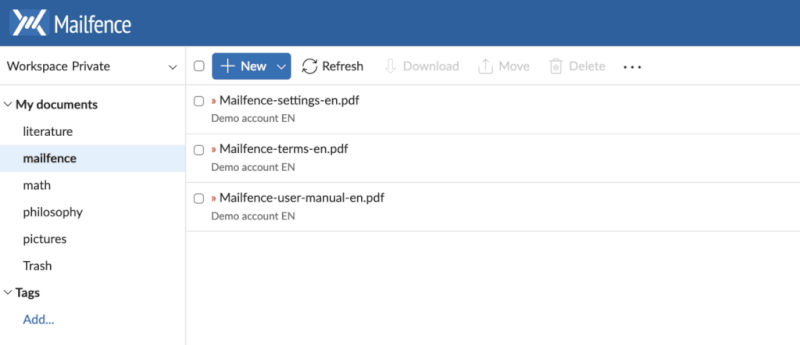
Why does that matter? Because Mailfence is all about interoperability. It’s designed for people who need to send encrypted, digitally signed emails to anyone, whether their recipient is on Proton, a private server, or using a specialized PGP client.
What’s new for 2026?
- The digital notary: Mailfence is famous for digital signatures. It’s like having a wax seal on your digital envelopes, proving that an email actually came from you and hasn’t been tampered with. It’s a huge win for lawyers, journalists, and business pros.
- The Mac “virtual drive”: Mac users can now map their encrypted Mailfence documents directly to a folder in macOS Finder. You can drag-and-drop files into your secure Belgian vault without ever opening a browser tab.
- The Belgian shield: While Belgium isn’t Switzerland, it’s a privacy powerhouse. Their courts are notoriously stubborn about surveillance requests, and they aren’t part of the “Five Eyes” snooping club.
- The @mf.me shortcut: Paid users now get access to the ultra-short @mf.me domain. It’s sleek, professional, and much easier to say over the phone than the full “Mailfence” address.
- The all-in-one suite: You aren’t just getting an inbox; you’re getting a secure Calendar, Document Storage, and Group Collaboration tools. It’s like a private version of Google Workspace that actually respects your boundaries.
Mailfence’s standout features:
- Integrated PGP key manager: You can generate, store, and manage your OpenPGP keys directly within the interface—no extra plugins required.
- IMAP/POP/SMTP support: Unlike some competitors, Mailfence lets you use your favorite third-party apps like Thunderbird or Outlook.
- IP stripping: They automatically remove your IP address from email headers so your location stays a mystery.
- Secure external mail: Send password-protected, encrypted messages to non-users that “self-destruct” after a set time.
The “old-school” approach has a few quirks. Their free tier is pretty tiny (500 MB fills up fast), and while their mobile apps have improved a lot for 2026, they aren’t quite as “iPhone-slick” as Proton. Also, because they prioritize standards, some of their server-side code isn’t fully open-source, which might bug the most extreme privacy nerds.
Overall, Mailfence is for the professional who needs a serious, interoperable tool. If you want to own your encryption keys and send digitally signed “official” mail without a hitch, this is your Belgian home.
Mailfence pros and cons
+ Pros
- Offers end-to-end encryption and digital signatures
- Mobile app for iOS and Android
- A “Virtual Drive” feature for Mac users
- Data is stored on Belgian servers
- Offers OpenPGP encryption
- Messages, Documents, Calendar, Contacts, and Groups
- SMTP, POP, and IMAP support
- Can synchronize with other email clients
- Supports password-protected messages with expiration time
- Removes IP addresses from mail headers
- Password manager and 2FA
- Cryptocurrency payment options
– Cons
- Logging of IP address and some other data
- Code is not open source
- The free tier is tiny (500 MB)
10. Soverin – The “clean slate” choice
| Based in | Netherlands |
| Netherlands | 25 GB |
| Price range | €3.25/month |
| Free tier | ❌ (Subscription only) |
| Website | Soverin.net |
If you’re tired of feature bloat and just want a beautiful, private space to read your mail, Soverin is your breath of fresh air. Based in Amsterdam, this boutique provider doesn’t try to be a VPN, a crypto wallet, or a social network. It’s just high-quality, ad-free email for people who value a clean slate digital life.
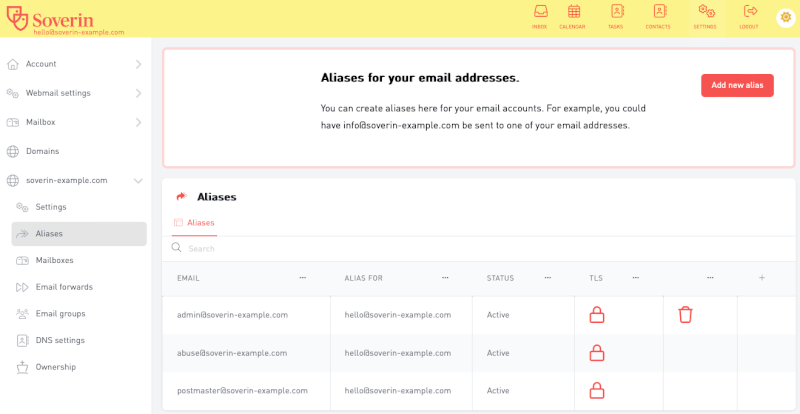
Soverin is the minimalist’s favorite because it stays out of your way. They don’t build advertising profiles, they don’t track your clicks, and they operate under strict Dutch and EU privacy laws. It’s a straightforward, paid service where your subscription fee is the only thing keeping the lights on, not your data.
What’s new for 2026?
- The 25GB standard: While other “starter” plans give you a measly 1-5GB, Soverin has made 25GB the base storage for all users in 2026. You’ll rarely have to worry about hitting a storage ceiling.
- Refined “easy-switch” tools: They’ve polished their migration engine, making it easier than ever to port your Gmail contacts and archives over to their Dutch servers.
Soverin’s standout features:
- Generous base storage: 25GB is plenty for years of high-res attachments and archives without needing an upgrade.
- Custom domain friendly: You can set up your own professional
hello@yourname.comin just a few clicks. - Ad-free sanctuary: Your inbox is yours again. No “Promotions” tabs, no “Sponsored” snippets—just your messages.
- Third-party friendly: Because it uses open standards, Soverin works flawlessly with the email apps you already have on your phone or computer (Apple Mail, Outlook, etc.).
Conversely, Soverin is a privacy-first service, but it isn’t zero-knowledge. They do not store your email encrypted at rest, meaning they rely on their secure servers and Dutch laws to protect you rather than mathematical locks. Also, they don’t have their own dedicated mobile app; they expect you to use the one already on your device.
In summary, Soverin is for the minimalist who wants a reliable, high-storage, private inbox without the technical headache of PGP or “ecosystem” clutter.
Soverin pros and cons
+ Pros
- 25 GB of storage right out of the gate
- Strict protection under Dutch and EU (GDPR) privacy laws
- Very intuitive, clean user interface
- Full support for third-party email clients (IMAP/SMTP)
- No ads, no data mining, and no tracking, ever
- Super simple setup for custom domains
– Cons
- No zero-knowledge encryption
- No dedicated mobile or desktop apps (requires third-party setup)
- The code is not open source
Why jurisdictions matter
The “home address” of your email provider isn’t just a fun fact — it’s the difference between a private chat and a public record. Your threat model starts with the map. If you want the full deep dive into who is watching whom, check out our guide to the Five/9/14 Eyes Surveillance Alliances.
Privacy in the USA
The US leads the Five Eyes alliance, which is a major red flag for privacy. Through programs like PRISM, the government can legally compel tech companies to hand over data. Even worse? “Gag Orders” mean your provider often can’t even tell you that you’re being watched.
We’ve seen the fallout: Lavabit famously shut down rather than betray its users, and Riseup was forced to hand over data. In the US, the law usually favors the investigators, not your inbox.
The European encryption debate
While Europe has the GDPR, the political winds are shifting. In 2024 and 2025, we saw a push for “encryption backdoors” to fight crime. While legends like Tuta Mail and Mailfence are fighting in court to protect your right to a private conversation, the future of EU privacy is a space we’re watching closely.
All email providers must comply with the law
No matter how many “privacy shields” a company has, every provider must follow the law. Even Proton Mail has been legally forced by Swiss courts to log data in specific criminal cases.
How to leave Gmail with ease
Moving off Gmail in 2026 is actually simple, thanks to smarter import tools and better tech. Here’s your 4-step escape plan to make the jump without breaking your digital life.
Step 1: Set up your new “digital home” first
First things first: Pick your new provider and set up that account. If you’re a pro, this is the perfect time to grab a custom domain (like you@yourname.com). It’s the ultimate “portability” move. It means if you ever want to switch providers again, you don’t have to change your email address.
Step 2: Let the migration tools do the work
Don’t leave 15 years of memories behind. Head into your Gmail settings, enable IMAP access, and let your new provider’s “Easy Switch” or “Migration Wizard” do the heavy lifting.
- Proton Mail: Their simple switch tool imports your mail, labels, and contacts while you sleep.
- Mailbox.org: Use their built-in IMAP Import to drag-and-drop your old life into your new one.
Step 3: Bridge the gap with forwarding
You don’t have to go cold turkey. Set up email forwarding in Gmail so everything hitting your old inbox lands in your new one.
Step 4: Update your must-have accounts
Systematically update your login email for the accounts that actually matter. Start with the “stressful” ones:
- Money and health: Banks, tax agencies, and health portals.
- The keys to the kingdom: Your password manager recovery email and 2FA settings.
- Socials: The big platforms where you’d hate to get locked out.
Future-proofing your data
Looking ahead, the biggest shift in digital safety is post-quantum encryption. These are cutting-edge algorithms specifically designed to withstand attacks from future quantum computers, which will eventually be powerful enough to crack today’s standard security like a walnut.
Why care now?
The real threat is “harvest now, decrypt later.” Adversaries are already vacuuming up encrypted data today, betting they can unlock it in 10 or 20 years. For journalists, lawyers, or businesses with long-term secrets, “secure” isn’t enough; it needs to stay private for decades.
Who’s leading the charge?
Tuta is already rolling out quantum-resistant standards for its email and cloud storage. Proton is also heavily invested in these global standards, signaling a major commitment to future-proofing its users. Most other providers are still playing catch-up, making quantum readiness the new gold standard for long-term data protection.
The custom domain strategy
One of the biggest fears of leaving Gmail is getting stuck with another provider. What if Proton raises prices, or Tuta changes its features?
The fix is simple: Own your own domain.
Instead of using yourname@proton.me, use hello@yourname.com. You own that digital real estate. If your email provider ever disappoints you, you just:
- Sign up with a different service.
- Update your domain’s DNS records to point to the new home.
- Your email address stays the same. No need to notify your bank, your boss, or your grandma.
This is how the pros do it. Your email becomes portable infrastructure, not a hostage to one company.
Which providers support custom domains?
If you’re on a paid plan, custom domains are almost always included. Here’s how the top providers compare:
| Provider | Custom domains | Aliases per domain |
| Proton Mail | ✅ 1 to 10+ | 15 to 100+ |
| Tuta | ✅ 1 to 10 | Unlimited |
| StartMail | ✅ 1 per account | Unlimited |
| Mailbox.org | ✅ Up to 25 | 25 to 250 |
| Mailfence | ✅ 1 to 10+ | 10 to 50+ |
To get this set up, you only need three things:
- A domain name: (Costs ~$10–15/year from places like Porkbun or Cloudflare).
- A Paid Email Plan: Most “Entry” levels start around $3/month.
- Basic DNS Setup: Don’t let terms like MX, SPF, or DKIM scare you. Every provider on this list has a “copy-paste” guide to get you running in minutes.
It’s a tiny annual investment for permanent control over your digital identity.
Anonymous sign-ups and payment methods
To stay a total “ghost” in 2026, it’s not just about what you write; it’s about how you pay. If you use a personal credit card to buy a private email, you’ve already left a paper trail.
Here is the simple breakdown of which providers let you sign up without a trace and pay without a bank:
| Provider | Phone required? | Anonymous sign-up? | Bitcoin / crypto? |
| Proton Mail | ⚠️ Sometimes | ✅ Usually | ✅ |
| Tuta | ❌ | ✅ Captcha | ✅ |
| StartMail | ⚠️ For trial | ⚠️ Limited | ✅ |
| Posteo | ❌ | ✅ Standard | ❌ |
| Mailfence | ❌ | ✅ Standard | ✅ |
Even if you pay with Bitcoin and sign up as “John Doe,” your IP address can still give you away. To be truly anonymous, always create and access these accounts through a VPN or the Tor Browser.
Why you should care if the code is open
When you’re picking a secure email provider, you’ll see the term open source thrown around a lot.
If a provider’s code is “closed” (like Gmail or Outlook), you’re basically just taking their word for it that they aren’t snooping. If it’s open source, the curtains are pulled back for the whole world to see.
The no-secrets advantage:
- Total transparency: Open source means the source code is public. Security experts and “white hat” hackers can poke around under the hood to ensure the encryption is actually doing what the marketing brochure says it is.
- Crowdsourced security: Because anyone can review the code, vulnerabilities are usually spotted and patched at lightning speed. It’s like having a global neighborhood watch for your inbox.
- The trust factor: When a company like Tuta or Proton makes its apps open source, they are essentially saying, “We have nothing to hide.” It’s the highest level of accountability a tech company can offer.
- Community-driven polish: Open-source projects often benefit from a global community of developers who suggest improvements, fix bugs, and help the software evolve faster than a closed team ever could.
However, not every provider is 100% open source. Some (like Mailfence or StartMail) have proprietary “secret sauce” on their servers but open-source their encryption protocols.
Which Gmail alternative is right for you?
If you’re staring at this list feeling like you’re at a digital crossroads, don’t overthink it. Choosing a Gmail alternative in 2026 isn’t a life sentence.
For the smooth transition, Proton Mail is your winner. It’s the de-Google prodigy that gives you a Swiss-hosted suite of Mail, Drive, and Calendar without making you relearn how to send a simple message. If you want sophisticated security that feels as natural as any other app on your iPhone, this is the gold standard.
If you’re looking to go “Ghost in the Machine,” Tuta Mail is built for the person who wants the curtains closed and the deadbolts turned. While most services leave your subject lines “naked,” Tuta encrypts every single syllable. With their quantum-safe tech, it’s basically a German-engineered bunker for your thoughts.
And for the spam-slayer whose current inbox looks like a graveyard of newsletters and “90% OFF” coupons, StartMail is your hero. Their alias engine lets you hand out “fake” emails like candy, keeping your real identity a total mystery to trackers and data brokers. It’s the “burner phone” for your digital life.
My best advice? Don’t try to move 15 years of archives in one afternoon. Pick the one that matches your “inbox personality,” set up a forwarding rule from Gmail, and live in it for a week. It’s surprising how quickly a privacy-first setup just clicks.
Best Gmail alternatives FAQs
Sadly, no. It’s like moving houses — you get a new address. But that’s why we recommend the custom domain strategy! If you use you@yourname.com, you can switch providers forever and never have to change your email again.
Yes! It means the provider (like Proton or Tuta) literally does not have the “keys” to read your mail. If a government agent knocks on their door, they can hand over the server, but all they’ll see is a scrambled mess of numbers and letters.
Absolutely. In 2026, every top-tier provider has a sleek, native app. Some (like Fastmail) even work with the mail app already on your phone, while others (like Tuta) require their own app to keep the encryption iron-clad.
Usually, yes, and that’s a good thing. If you aren’t paying for the product, you are the product. Most of these services have a free tier to get you started, but a few bucks a month is a small price for a life without data mining.
Not anymore. Most email providers have an easy switch tool that acts like a digital moving van. You just log in, hit “Go,” and it sucks your Gmail history into your new secure home.

Good article, but I wish that there was a good way to gauge reliability/predictability. After a few years, I am looking to leave Mailfence because I can’t count on it. Some incoming messages just never arrive, even to spam folder–even when I add the incoming domain to whitelist.
Cock.li is another alternative free email service. It has a warrant canary that was last updated on June 2. https://cock.li/canary.asc.txt says:
“The current datetime:
02 June 2026 16:26:28 UTC
The most recent bitcoin block hash:
00000000000000000001795b96102aa41a02837252c7e60139050bdeea026bf0
Until further notice, THIS CANARY SHOULD BE UPDATED EVERY 72 HOURS. Under no
circumstances should we let this canary go 96 hours without an update unless a
PGP-signed message changes the schedule.”
However it also says:
“Failure to update this canary does not mean cock.li has received a gag order,
nor is not updating it or omitting anything an attempt to communicate anything
to anyone.”
CyberInsider, Is that second part standard for a warrant canary (for plausible deniabilty) ?
Tried to use the link for the Proton Email so you would get credit but it wouldn’t open up. All the others pointed to the proper website but it’s Proton I am interested in. Great article by the way – very helpful! I am anxious to move away from Google and get to something more private.