
You hit the login screen for the tenth time today and wish passwords could just handle themselves. RoboForm and Bitwarden make that wish reality by crafting unique strong credentials for every account, securing them with advanced encryption, and delivering instant autofill on all your devices.
That’s exactly why password managers matter more than ever. And when we threw RoboForm and Bitwarden into a series of real-world pressure tests, one of them showed off a hidden strength that genuinely caught us off guard.
Their differences emerge clearly in pricing plans, form completion accuracy, secure sharing options, interface ease, platform availability, and extra tools such as breach alerts or built-in authenticators. This side-by-side guide supplies the essential facts you need to select the password manager that best suits your daily use and security priorities.
Before we spill the details, this guide walks you through how each manager tackles security, usability, pricing, and everyday reliability. Whether you're a privacy-obsessed power user, a family trying not to lose another shared Netflix password, or a business hunting for a dependable tool, you'll finish this knowing exactly which manager fits your workflow.
Both tools use industry-standard 256-bit AES encryption and have rock-solid reputations in the cybersecurity world — but the real question is which philosophy (and which feature set) actually matches the way you want to stay protected.
If you want the full breakdown, jump to our core features comparison section to see how they stack up in real-world use.
| RoboForm | Bitwarden | |
| Website | RoboForm.com | Bitwarden.com |
| Platforms | Windows, macOS, Linux, Android, iOS | Windows, macOS, Linux, Android, iOS |
| Browser extensions | Chrome, Firefox, Opera, Edge, and Safari | Chrome, Firefox, Brave, Safari, and Edge |
| Encryption | AES 256-bit | AES 256-bit |
| Support | Live chat, email, and phone | Forum, email, and help center |
| Starting price | $0.99/month | $0.83/month |
| Best deal | 60% Off Coupon > | 7-day free trial |
Here’s the roadmap for what we’re diving into in this RoboForm vs Bitwarden comparison guide:
- Background check: Where each tool came from, who’s behind it, and whether their history is as clean as their security claims.
- Platform availability: Because a password manager that won’t run on your favorite device is about as useful as a locked vault with no key.
- Core and premium features: The essentials, the perks, and the unexpected goodies that set them apart.
- User interface and ease of use: How naturally they fit into your daily routine without adding friction ( or frustration).
- Security and encryption: The behind-the-scenes tech that keeps your vault sealed tighter than a drum.
- Privacy policy: The fine print you probably won’t read, but should — so we’ll break down what actually matters.
- Plans and pricing: Whether they’re budget-friendly or quietly nibbling away at your monthly expenses.
- Customer support options: Who you turn to when things go sideways, and how quickly they help you recover.
Now, let’s kick things off with a side-by-side background check of RoboForm and Bitwarden.
Background check: Company information and history of security incidents
Bitwarden has built a loyal following thanks to its open-source roots and privacy-first approach. RoboForm, meanwhile, brings decades of experience and one of the smoothest form-fillers you’ll find. They both deliver the core essentials — unlimited passwords, sync across all your devices, and strong encryption — without forcing you into a pricey plan.
RoboForm: A well-versed password manager that still packs a punch
| Starting price | $0.99/month |
| Platforms supported | Windows, macOS, Linux, Android, and iOS |
| Encryption | 256-bit AES |
| Extra privacy and security tools | 2FA, password audit, shared folder, cloud backup |
| Best deal | 60% off coupon |
RoboForm may have started back in the early 2000s as a simple form-filling assistant, but it didn’t stay in that lane for long. Built by Siber Systems, a privately held US company headquartered in Fairfax, Virginia, it quickly evolved into a full password management solution. By the late 2000s, it was already rolling out business editions, and by 2015, it had fully embraced cloud sync — turning a once-humble autofill tool into a genuinely capable cross-platform manager.
Fast-forward to today, and RoboForm is still holding its own against the big players. It runs smoothly on all major operating systems, keeps your vault protected with 256-bit AES encryption, and maintains a zero-knowledge design, meaning your master password never leaves your device. Even better, RoboForm enters this comparison with something many competitors can’t brag about: A spotless security record — no known breaches, no scandals, no “oops” moments buried in blog posts.
Independent security audits back this up, too. Third-party testers from Secfault Security put the platform through comprehensive penetration tests, found several issues, and saw RoboForm fix every medium- and high-severity flaw before passing re-inspection. Not bad for a tool originally built to fill web forms.
One thing worth noting: RoboForm is US-based, placing it inside the Five Eyes intelligence-sharing alliance. This doesn’t mean your data is exposed — the zero-knowledge model prevents the company from accessing your vault — but it’s something privacy-focused users may want to keep in mind.
From everyday users who want painless autofill to power users who appreciate extras like secure sharing, password audits, and breach alerts via Have I Been Pwned, RoboForm has grown into a well-rounded manager that mixes simplicity with real capability.
RoboForm Exclusive Coupon:
Get 60% Off RoboForm 1-year subscription plans using the coupon below.
(Coupon is applied automatically; 30-day money-back guarantee.)
Next up, let’s break down where Bitwarden comes from and what’s behind it.
Bitwarden: Open-source transparency with serious security muscle
| Starting price | $0.83/month |
| Platforms supported | Windows, macOS, Linux, Android, and iOS |
| Encryption | AES-256 |
| Extra privacy and security tools | Secure password sharing, password and username generator, Watchtower password health checker, Travel Mode, and 2FA/TOTP support |
| Best deal | 7-day free trial |
Bitwarden doesn’t come from a tech giant — and honestly, that’s part of why so many people trust it. Launched in 2016 by developer Kyle Spearrin, what started as a small open-source side project has grown into a password manager used by millions of individuals and tens of thousands of businesses worldwide. Its philosophy is simple: Stay transparent, stay secure, and let anyone audit the code.
Every line of Bitwarden’s code is openly available for inspection, giving security researchers and privacy enthusiasts full visibility into how the system works. If there were anything shady happening behind the scenes, the community would know — and that openness is a huge part of Bitwarden’s appeal.
Despite being based in California (a detail that makes some privacy purists a little uneasy due to US data laws), Bitwarden stays firmly committed to a zero-knowledge architecture. Your data is encrypted on your device before it ever reaches their servers, leaving even Bitwarden unable to peek inside your vault.
The company also takes security testing seriously. Regular third-party audits from well-respected firms like Cure53 and Insight Risk Consulting keep the platform sharp, and every minor finding to date has been patched quickly. While Bitwarden hasn’t suffered any data breaches, it has addressed potential vulnerabilities — such as the once-problematic autofill-on-page-load feature — with transparency and speed. It’s a level of responsiveness you don’t always see from competitors.
And for users who like total control? Bitwarden even lets you self-host your own server, something almost no mainstream password manager offers.
Whether you're a privacy-first power user, a small team that wants simple vault sharing, or someone who loves the reassurance of open-source software, Bitwarden delivers a potent mix of flexibility, affordability, and trustworthiness.
Platform support: Which works on more devices, Bitwarden or RoboForm?
A password manager is only as useful as the devices it can follow you to — your laptop at work, your phone in your pocket, or that browser you opened in a rush. Luckily, both Bitwarden and RoboForm cover the essentials, with apps for major desktop and mobile systems and extensions for everyday browsing.
But once you zoom in, the differences become a lot clearer:
| Platform / browser | RoboForm | Bitwarden |
| Windows | ✅ (Vista+) | ✅ (8+) |
| macOS | ✅ (10.13+) | ✅ (10.13+) |
| Linux | ⚠️ Browser extension only | ✅ Native app + CLI |
| Chrome OS | ⚠️ Browser extension only | ⚠️ Web vault |
| Android | ✅ (5.0+) | ✅ (8.0+) |
| iOS / iPadOS | ✅ (13.0+) | ✅ (13.0+) |
| watchOS | ❌ | ✅ |
| Browsers supported | Chrome, Firefox, Safari, Edge, Opera, Brave, Internet Explorer | Chrome, Firefox, Safari, Edge, Opera, Brave, Vivaldi, Tor, DuckDuckGo |
| Command-line interface | ❌ | ✅ (Win / macOS / Linux) |
| Self-hosting option | ❌ | ✅ |
Bitwarden is built for flexibility. It offers a native Linux app, a full command-line interface, watchOS support, and works with a broader list of browsers — including niche picks like Tor and DuckDuckGo. If you jump between devices (or just like having options), Bitwarden feels like the more future-proof choice.
Meanwhile, RoboForm still checks all the important boxes for mainstream users: Strong Windows and macOS apps, solid mobile apps, and compatibility with all major browsers. If you stick to the big platforms, you’re unlikely to feel limited.
Feature face-off: Bitwarden or RoboForm?
Both RoboForm and Bitwarden promise a smoother, safer online life — and they back that up with a long list of features beyond simple password storage. Whether you care most about autofill, sharing, audits, or advanced security, these two have very different strengths.
Let’s see which one comes out ahead where it matters.
Importing/exporting passwords
Switching password managers shouldn’t involve manually retyping your entire digital life — and thankfully, both Bitwarden and RoboForm make migration painless.
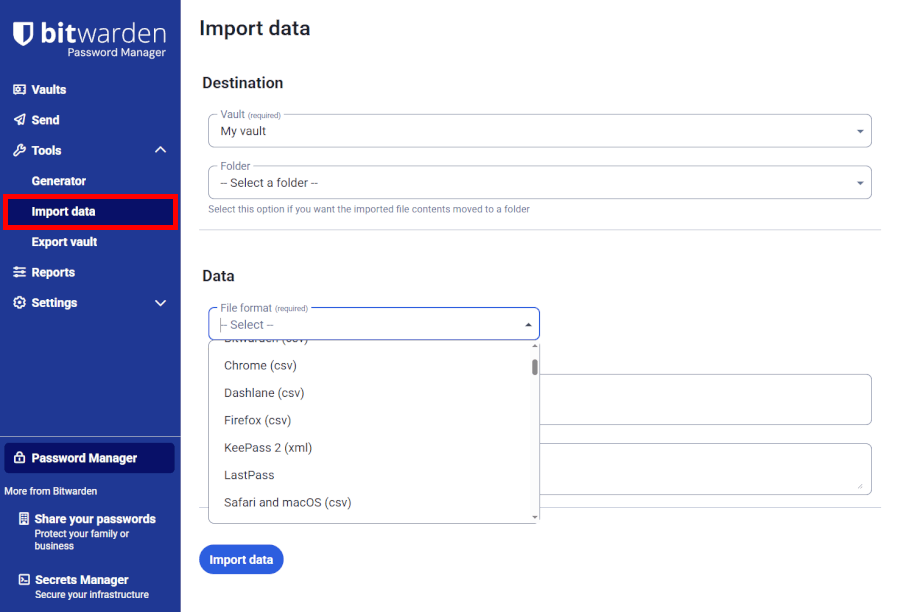
Bitwarden gives you one of the broadest importing toolkits out there. You can bring in data from nearly every major password manager, including RoboForm, and even import from .csv, .json, and KeePass XML files. It also preserves more data types — like identities, folders, and even TOTP seeds — which is a big plus for anyone moving from a more advanced setup.
Exporting is equally easy, whether you want a standard .csv backup or something more structured for a self-hosted environment.
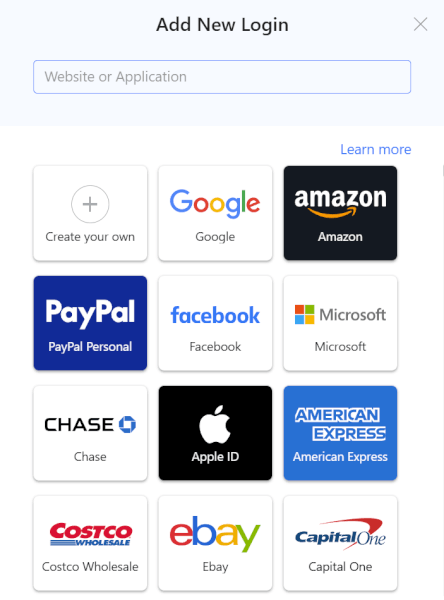
RoboForm supports all the usual suspects, too — LastPass, 1Password, Bitwarden, Keeper, Chrome, Firefox, Edge, and more. The importer walks you through the process step-by-step, and most users can migrate in just a few clicks.
Exporting is similarly straightforward, though the format options aren’t as flexible as Bitwarden’s.
Auto-filling and capturing login information
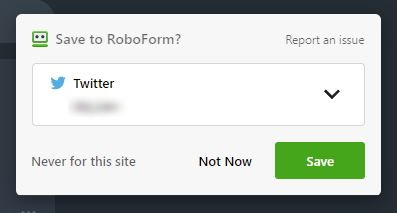
If fast, flawless autofill is your top priority, RoboForm is hard to beat. It detects logins instantly, fills full web forms with one click, and saves new credentials automatically. Checkout forms, addresses, profiles — it handles them all with a level of accuracy that still sets the bar.
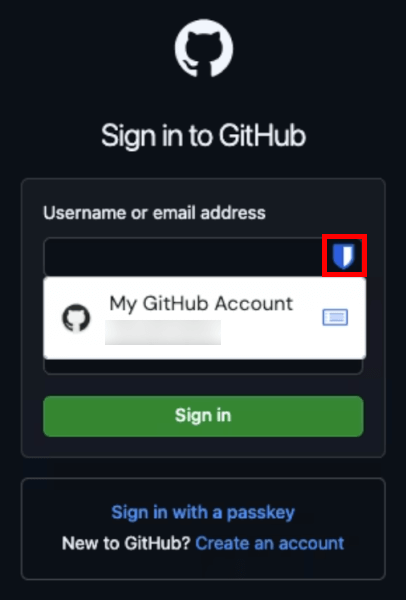
Bitwarden’s autofill feels more manual but also more customizable. You can fill passwords using a keyboard shortcut, a right-click menu, or an optional “autofill on page load.” It works on a surprisingly wide range of sites and multi-step logins, though it requires an extra click here and there.
One nice perk: Bitwarden will autofill payment info and identity data even on the free plan — something RoboForm reserves for paid users.
Random password generator
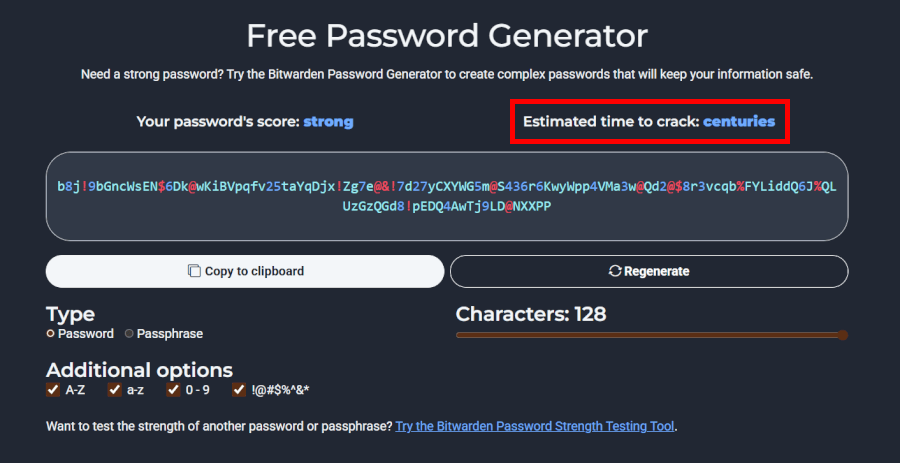
Bitwarden’s generator is a power user’s dream. You can go up to 128 characters, choose exactly which symbols to include, toggle entropy requirements, generate passphrases, and even check how long your new password would take to crack.
It’s one of the most advanced generators available in any password manager — paid or free.
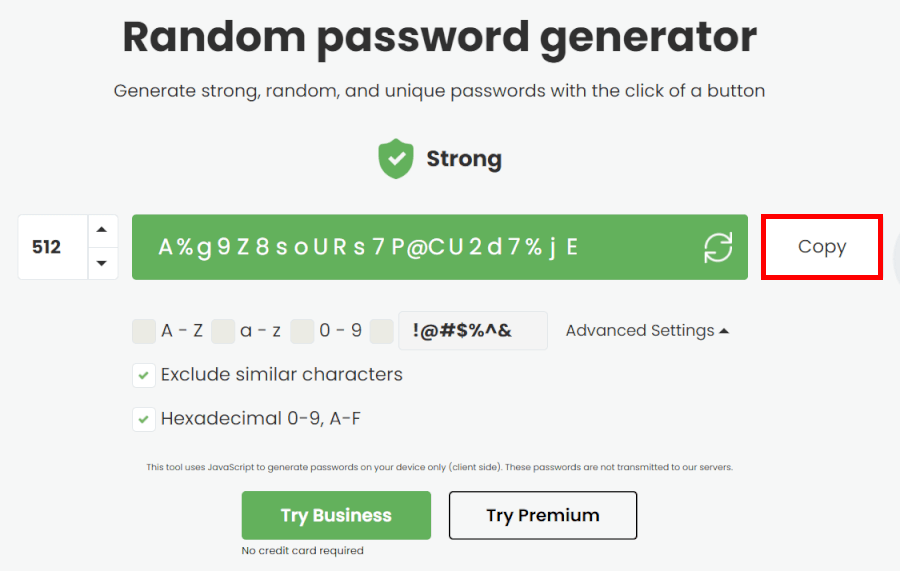
RoboForm’s generator is fast and effective, supporting up to 512-character passwords (yes, really). It includes passphrases, too, and adds extra controls like excluding easily confused characters. It’s plenty strong, but not quite as customizable as Bitwarden.
Password managers in action
Day to day, the difference between these two becomes more obvious:
- RoboForm feels smoother and faster — almost like it’s reading your mind. Its form-filling is one of the best in the business, so checkout pages, sign-ups, and logins take just a tap. If you want a no-friction experience with minimal tweaking and an interface that stays out of your way, RoboForm nails it.
- Bitwarden, on the other hand, feels more like a full-on security toolkit. It’s built for users who love having options — from secure password sharing and built-in TOTP support to breach reports, custom fields, and even the ability to self-host your vault. It’s not complicated, but it definitely leans toward users who enjoy fine-tuning their setup.
Both are great for everyday use, but they’re tailored to different audiences.
Premium perks: Which manager packs the smarter tricks?
Beyond standard features, RoboForm’s premium perks revolve around convenience, while Bitwarden's upgrades focus on transparency, stronger security, and more control.
Here’s what each one brings to the table.
RoboForm Premium: Extra features focused on convenience and confidence
RoboForm’s paid tier is all about making everyday browsing feel faster, smoother, and more secure — especially if you want premium-level support and hands-off form filling.
RoboForm premium extras include:
- Advanced one-click form filling: RoboForm’s biggest flex. It handles long, messy online forms better than almost any competitor, quickly filling identities, addresses, and payment details without the usual trial-and-error. If you shop or sign up for things frequently, this is a massive time-saver.
- Priority customer support (email, live chat, and phone): Premium users get access to real human help when they need it. Live chat and phone support are rare perks in the password manager world—and Bitwarden doesn’t offer them.
- Breach monitoring and phishing warnings: RoboForm keeps an eye on your stored logins and alerts you if any end up in known data leaks. It also flags suspicious pages to help you avoid phishing attempts.
- Emergency access for trusted contacts: You can designate someone to unlock your vault in an emergency, adding peace of mind without giving up control.
- Unlimited shared items: Share logins and notes securely with family members or teammates, no restrictions.
- Cloud backup and syncing: Your vault stays synced across all devices with secure cloud storage.
RoboForm Premium is at its best when you want a polished experience and tools that make daily tasks effortless — plus responsive support when something goes wrong.
Bitwarden Premium: Serious upgrades for security-focused users
Bitwarden’s premium tier feels less like an upgrade and more like unlocking a security toolbox. It adds storage, hardware-key support, and advanced reporting that appeals to privacy-minded users.
Bitwarden premium extras include:
- 1 GB of encrypted file storage: Store sensitive documents — passports, PDFs, private keys — directly in your vault. Everything is encrypted end-to-end and synced across devices.
- Built-in TOTP authenticator: Generate 2FA codes right inside Bitwarden so you don’t need a separate app. It can even autofill these codes during logins, saving time while keeping your accounts safer.
- Support for hardware security keys (YubiKey, Duo, FIDO2): Adds an extra layer of rock-solid protection for your Bitwarden account and compatible logins.
- Advanced vault health reports: Premium users get deeper security insights, including weak-password alerts, reuse warnings, breach checks, and overall “vault hygiene” scores.
- Emergency access controls: Set up trusted contacts who can request access to your vault if something happens — with a customizable waiting period so you stay in control.
- Bitwarden Send encryption tools: Share secure text or files using encrypted links, even with someone who doesn’t use Bitwarden.
- Open-source transparency and optional self-hosting: Bitwarden’s source code is publicly audited, and premium users can host their vault on their own server for maximum privacy — something RoboForm simply doesn’t offer.
Bitwarden Premium shines when you want deeper security, more customization, and the reassurance of an open-source ecosystem.
Ease of use: RoboForm vs Bitwarden, who nails everyday simplicity?
A good password manager lifts the weight off your shoulders. RoboForm carries most of the load, while Bitwarden gives you the levers and knobs to customize the ride.
Sign-up and installation
Getting started with RoboForm and Bitwarden is easy, regardless of which one you pick, but the vibe is totally different.
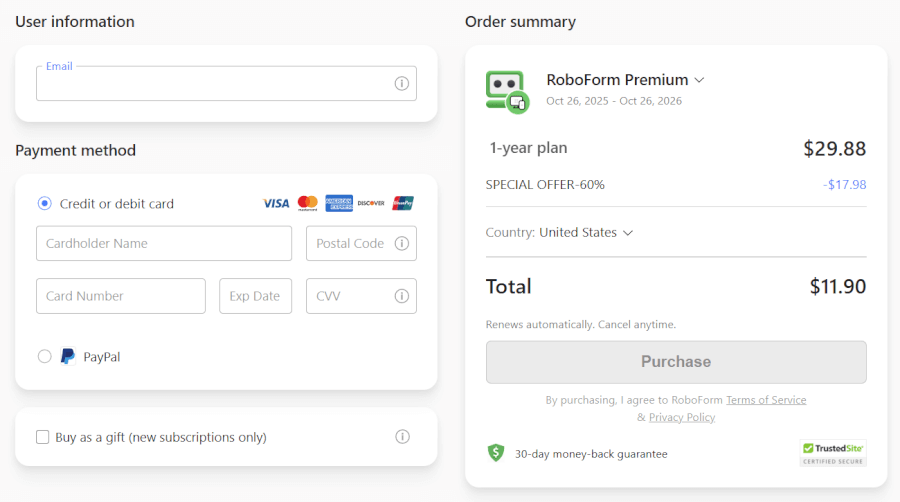
Signing up for RoboForm feels like your hand is being held — in a good way. You hit the “Get RoboForm Free” button (it’s impossible to miss), drop in your name and email, create a master password, and you’re off.
What we loved during testing is how quickly everything falls into place. The installer launches automatically, the browser extension pops up instantly, and within seconds, you’re greeted with a short YouTube tutorial that covers the basics. Even if you’ve never touched a password manager before, RoboForm makes your first steps feel easy and almost… welcoming.
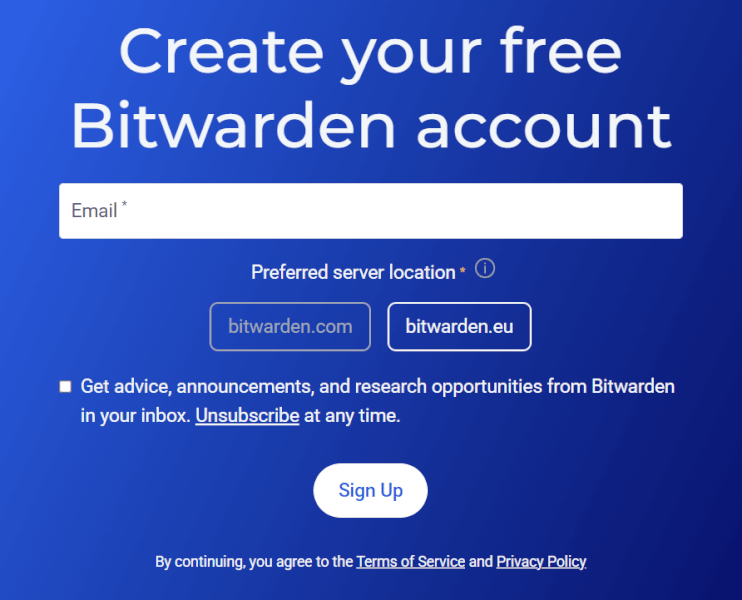
Bitwarden takes a no-nonsense approach. Enter an email, create your master password, and you’re in — no tutorial videos, no guided tour, no fluff. If you like services that just let you get on with it, Bitwarden hits that sweet spot.
Bitwarden also encourages you to add a master password hint during setup (trust us, do it — there’s no recovery if you forget it). The installation is otherwise quick and straightforward, especially the browser extension, which synced instantly during testing.
User interface
Both password managers are easy to navigate once you’re inside, but they definitely look and feel different when you’re working in them all day.
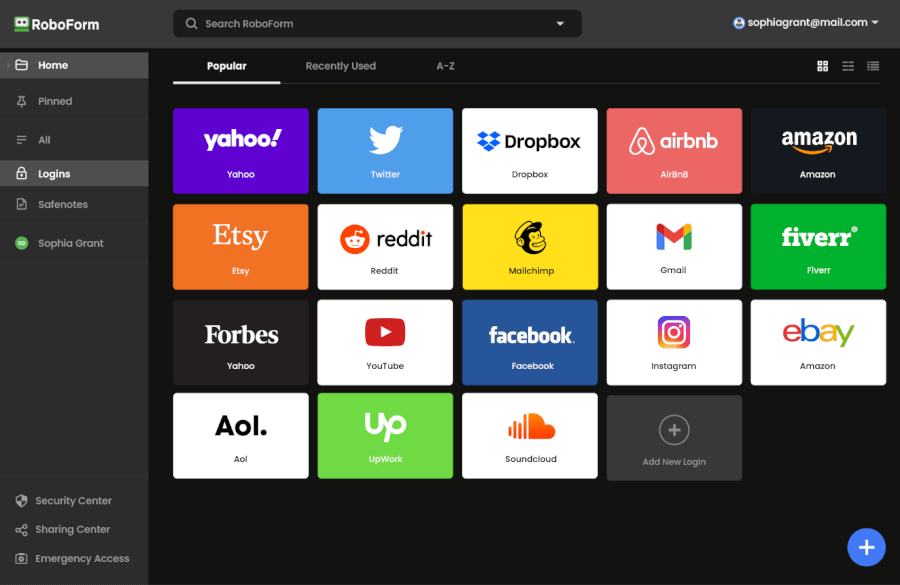
RoboForm’s interface feels instantly inviting. Everything is neatly organized into tabs — Logins, Safenotes, Identities, Bookmarks — and the whole experience feels designed for people who want things to “just work.” The navigation panel is clear, the labels make sense, and nothing feels buried three menus deep.
During our tests, the browser extension really stood out. It’s compact, fast, and lays everything out exactly where you expect it. Even autofill settings are easy to find and tweak, which isn't always the case with password managers.
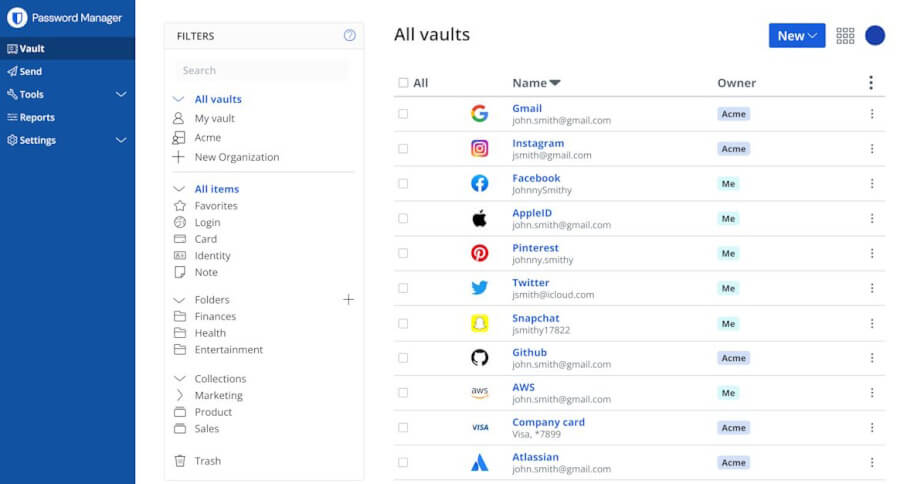
Bitwarden’s interface is clean but more utilitarian. You get folders, collections, tags, custom fields… and a general feeling that this is a tool first and a “friendly app” second. That’s not bad — it just depends on what you like.
We especially appreciated how customizable Bitwarden is. You can tweak themes, adjust extension size, reorganize your vault however you want, and even disable certain features entirely. But while it's powerful, it’s not quite as intuitive as RoboForm. Some settings feel a little scattered, and new users may need a minute to understand where everything lives.
Day-to-day experience
Once everything is set up, daily use with RoboForm is seriously smooth. Autofill is incredibly fast and works on pretty much every site we tested — login forms, contact forms, multi-step forms, you name it. Often it’s literally a single click.
Saving new passwords is also effortless. RoboForm pops up politely, asks if you want to save something, and stores it instantly. We never ran into a confusing prompt or a moment where we had to fix something manually — the whole experience feels like it’s designed for minimal friction.
Bitwarden works well once you're used to it, but it requires just a little more interaction along the way.
Autofill is functional but not as seamless. Sometimes it takes an extra click or two to get the right field to fill, and certain forms needed manual input during our tests. Saving new logins also works fine, but the prompts are more basic and occasionally feel less automatic than RoboForm’s.
On the plus side, Bitwarden’s organizational tools are fantastic — folders, tags, collections, custom fields — all of it makes long-term vault management a breeze, especially if you’re tech-savvy or juggling a lot of credentials.
Security and encryption: Which one is more secure?
Your vault’s lock matters most. RoboForm trusts proven security methods; Bitwarden invites everyone to audit its code. Two very different vibes, same goal: staying safe.
Here’s how they compare at a glance:
| Security feature | RoboForm | Bitwarden |
| Encryption | AES-256 | AES-256 with PBKDF2 SHA-256 |
| Zero-knowledge architecture | ✅ | ✅ |
| Security audits | ✅ Independent private audits; clean track record | ✅ Multiple public audits; SOC 2 compliant |
| Hardware keys | ✅ On paid plans | ✅ YubiKey and FIDO2 on premium plan |
| 2FA support | ✅ Email, TOTP apps, mobile prompts | ✅ TOTP, FIDO2, hardware keys |
| Data storage | Local storage option and secure notes | Cloud or self-host and secure notes |
Both RoboForm and Bitwarden lock down your data with AES-256 encryption — the gold standard banks swear by — so anything in your vault is scrambled long before it ever touches the internet. RoboForm keeps things classic with a clean zero-knowledge model and a long, drama-free security history. Your master password never leaves your device, and even if someone demanded your data, all they’d get is an encrypted soup no one can read.
Bitwarden matches that protection but throws in extra layers for security nerds, like PBKDF2 SHA-256 hashing and fully open-source code that anyone can poke at. It’s incredibly transparent — great if you love knowing how every screw and bolt fits together, but unnecessary for most people.
When it comes to multi-factor authentication, both give you the basics, butBitwarden offers more advanced options like hardware keys and FIDO2. RoboForm keeps it simple with email, TOTP apps, and mobile prompts — everything the average person actually uses.
Storage and privacy feel similar: RoboForm doesn’t offer encrypted file storage, but gives you secure notes, bookmarks, and even the option to store data locally. Bitwarden goes further by letting you self-host your own vault if you want full control.
And on transparency? Bitwarden is an open book with public audits and a bug bounty program. RoboForm takes the quieter approach with private audits and a long track record of staying out of the headlines — sometimes boring is good.
Privacy showdown: Which password manager protects your data better?
Strong encryption is only half the story — true privacy depends on how much your provider learns along the way. RoboForm keeps things steady and proven, while Bitwarden opens the books for anyone to inspect.
Here’s the quick peek:
| Privacy feature | RoboForm | Bitwarden |
| Jurisdiction | Based in the US (FVEY) | Based in the US (FVEY) |
| Open source | ❌ Closed-source | ✅ Publicly auditable |
| Metadata handling | Some metadata may remain visible (standard for proprietary managers) | Partially encrypted; some metadata (like URLs) may be exposed |
| Account recovery | Emergency Access for paid plans | Emergency access on free and paid plans |
| Advanced privacy controls | Local storage option, secure notes, no email aliasing | Self-hosting, detailed transparency reports, optional email alias integrations |
RoboForm keeps things straightforward: Strong encryption, minimal data collection, and a long, clean security history. It’s closed-source, so you’re trusting the company’s implementation rather than inspecting it yourself. For most users, that’s completely fine — the service has been around for decades without incident.
The drawback? As a US-based service, RoboForm could be subject to data requests. Your encrypted vault would still be unreadable, but privacy purists might prefer more transparency.
Bitwarden takes a radically different route: Everything is open-source. Anyone can audit the code, verify the security model, or even host an entirely private Bitwarden instance on their own server.
It also publishes public audit reports and maintains a bug bounty program, giving privacy-focused users a high level of confidence — even though it also operates under US jurisdiction.
Plans and pricing: RoboForm or Bitwarden, who delivers more for your money?
Before we get into the deeper differences, here’s a quick look at how their plans stack up side by side:
| Plan / feature | RoboForm | Bitwarden |
| Free plan | ✅ Limited to one device | ✅ Unlimited devices and unlimited logins |
| Premium plan | $29.88/year ($2.49/month), discounted to $0.99/month | $10/year ($0.83/month) |
| Family plan | $47.75/year ($3.98/month), discounted to $1.59/month | $40/year ($3.33/month) for 6 users |
| Money-back or refund guarantee | 30-day refund window on paid plans | Cancel anytime |
RoboForm’s free tier is okay if you only ever sign in from a single device — but for anyone bouncing between phone, laptop, and tablet, Bitwarden’s free plan already offers far more value. Unlimited devices, unlimited passwords, synced vaults — all without spending a dime.
When you look at the paid plans, the difference gets even starker:
| Bitwarden plans | Free | Premium | Families |
|---|---|---|---|
| 1-year | $0/month | $1.65/month | $3.99/month |
For roughly the price of one fancy latte a year, Bitwarden gives you encrypted file storage, built-in 2FA code generation (so you don’t need a separate authenticator app), and solid support for hardware keys — all valuable additions for long-term password hygiene.
| RoboForm paid plans | Premium | Family | Business |
| Price | $2.49/month ($0.99 with our coupon) | $1.59/month | $3.33/user/month |
| Devices | Unlimited | 5 accounts | Multiple users |
| Support | Priority support with phone/live chat | Priority support | Admin controls and dedicated manager |
RoboForm still delivers value of its own. Its Premium tier gives robust form-filling tools, polished autofill, and direct customer support with live chat and phone whenever you need help. For people who spend a lot of time filling out forms, making purchases, or handling multiple account setups, that convenience is worth more than a few dollars.
RoboForm’s refund guarantee sweetens the deal if you’re trying it out — you get 30 days to test drive everything. Bitwarden, though pricier to commit long-term, keeps costs so low and transparent that the risk of buyer’s remorse is minimal.
For families, Bitwarden’s plan gives you one extra user and a lower overall cost. For businesses or larger teams, RoboForm’s long-term plans might become competitive — but only if you’re confident in your user numbers and ready for a potentially longer commitment.
Customer support: RoboForm or Bitwarden, which makes getting help easier?
Nothing reminds you how important support is like a login that won’t sync. RoboForm answers with live humans; Bitwarden answers with guides, forums, and email tickets.
Here’s the bird’s-eye view:
| Support feature | RoboForm | Bitwarden |
| Live chat | ✅ Weekdays, real agents | ❌ |
| Phone support | ✅ For paid users only | ❌ |
| Email/ticket support | ✅ 24/7 | ✅ 24/7 |
| Help center | ✅ Detailed, beginner-friendly guides | ✅ Extensive, but more technical |
| Community forums | ⚠️ Small, limited | ✅ Very active, with dev participation |
| Priority responses | ✅ For paid users | ✅ For paid users |
| In-app support | ✅ | ✅ |
RoboForm immediately feels more welcoming because it gives you real-time help when you need it. Its live chat runs Monday through Friday, and when we tested it, we reached a human in under a minute who genuinely knew their stuff. The tone was friendly, the answers were clear, and the whole thing felt more like talking to a helpful coworker than wrestling with a support script.
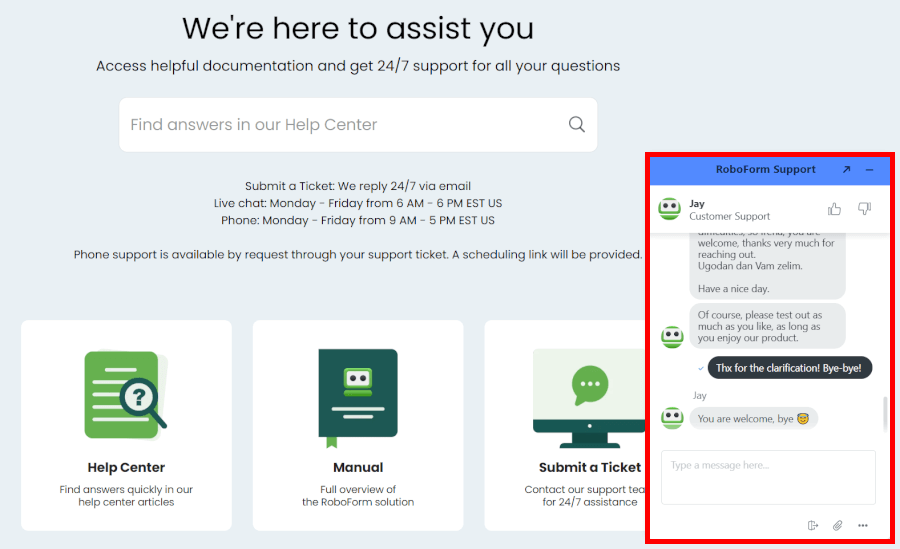
Paid users can even request phone assistance, which is rare in the password manager world and a comfort if you’d rather talk things through instead of typing long explanations. And whenever live help isn’t available, you can fall back on their 24/7 ticket support, which tends to reply quickly — especially if you’re on a paid plan. Pair that with a well-written Help Center and a surprisingly thorough RoboForm Manual, and day-to-day troubleshooting becomes pleasantly painless.
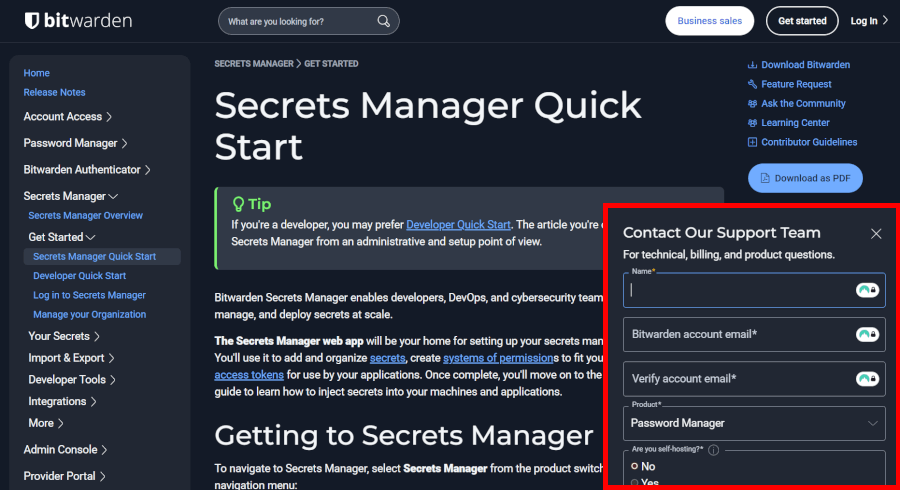
Bitwarden takes a more minimalist, open-source-friendly approach. There’s no live chat or phone line, so every human interaction happens through the ticket system. The good news is that Premium users get priority responses and, in our experience, replies tend to be quite fast — sometimes arriving in under an hour.
What Bitwarden lacks in real-time convenience, it makes up for with a vibrant community forum where users, security enthusiasts, and even Bitwarden developers jump in with advice. For more independent users, that forum and Bitwarden’s massive knowledge base can be just as helpful as talking to support directly.
The guides are clean, thorough, and screenshot-heavy, though they do lean more technical than RoboForm’s friendlier “walk you through it” tone.
Which password manager wins, Bitwarden or RoboForm?
After testing RoboForm and Bitwarden across all key categories, here’s the quick rundown of who comes out on top in each area:
- Background check: RoboForm – Decades of proven reliability and a spotless security record give it the edge over Bitwarden’s transparency approach.
- Platform compatibility and availability: Bitwarden – Both cover all major devices and browsers, though Bitwarden edges out for self-hosting and CLI options.
- Features: Tie – RoboForm shines with advanced form-filling and polished user-friendly tools, while Bitwarden delivers powerful customization, secure sharing, and self-hosting.
- Ease of use: RoboForm – Smooth interface, guided workflows, and straightforward setup make it a breeze for beginners.
- Security and encryption: Bitwarden – Both use AES-256 and zero-knowledge encryption, but Bitwarden’s open-source code and public audits give it an extra transparency edge.
- Privacy policy: Tie – RoboForm collects minimal user data with a strong track record, while Bitwarden secures vault data through end-to-end encryption and open-source oversight.
- Plans and pricing: Tie – Bitwarden offers unbeatable value with a robust free plan and low-cost premium tiers, while RoboForm provides polished convenience and premium support.
- Customer support: RoboForm – Live chat, phone, and detailed guides make it easier for most users to get help quickly.
RoboForm is ideal if you want a polished, beginner-friendly password manager with real-time support and smooth day-to-day use. Bitwarden, on the other hand, is perfect for tech-savvy users who value open-source transparency, self-hosting, and maximum control at a lower price.
With strong security, intuitive design, and reliable support, RoboForm takes the crown for most everyday users. Bitwarden remains a fantastic choice for customization lovers, but if convenience, trust, and simplicity matter most, RoboForm comes out ahead.
RoboForm Exclusive Coupon:
Get 60% Off RoboForm 1-year subscription plans using the coupon below.
(Coupon is applied automatically; 30-day money-back guarantee.)
RoboForm quick start guide
You have just subscribed to RoboForm. Now get it set up and running on your devices in minutes with these steps.
- Install the app on your main computer and mobile device.
- Open the app and log in with the email and master password from your subscription.
- Add the browser extension to Chrome, Firefox, Edge, or Safari.
- Import your passwords from your current browser or another manager.
- Log in on your other devices to enable automatic syncing.
Test autofill right away on your regular websites, then run the Security Center audit to spot and fix any weak or reused passwords. This quick process ensures that you have everything working, and shows exactly how RoboForm will work in your daily routine.
Other password manager guides:
- 1Password vs Bitwarden
- NordPass vs LastPass
- 1Password vs Dashlane
- NordPass vs 1Password
- Bitwarden vs NordPass
- NordPass vs Dashlane
- 1Password vs LastPass
- RoboForm vs NordPass
- Proton Pass vs NordPass
- Proton Pass vs 1Password
- Proton Pass vs Bitwarden
- LastPass vs Proton Pass
- RoboForm vs 1Password
- Best Password Managers
RoboForm vs Bitwarden FAQ
RoboForm or Bitwarden, which password manager is more secure?
Both are rock-solid, but Bitwarden edges out slightly for tech-savvy users thanks to its open-source transparency and public audits — though RoboForm’s tried-and-true AES-256 encryption and long, clean security history make it perfectly safe for everyday use.
Is RoboForm easier to use than Bitwarden?
Yes, RoboForm is built for smooth, everyday convenience, with a clean dashboard, guided workflows, and helpful tools that make managing passwords feel effortless, while Bitwarden leans toward customization and control.
RoboForm or Bitwarden, which password manager is better for families?
RoboForm takes the crown here with its family plan supporting up to five members, priority support, and a simple setup that makes sharing logins stress-free. Bitwarden is still solid, especially for larger families or cost-conscious users, but RoboForm’s polish wins for ease.
Can I self-host Bitwarden like I can with RoboForm?
Actually, it’s the other way around — Bitwarden lets power users self-host on their own servers, giving ultimate control, while RoboForm keeps things cloud-based for simplicity.
Which has the better free plan, RoboForm or Bitwarden?
Bitwarden wins on free access: Unlimited passwords, unlimited devices, and essential features make it a powerhouse for budget-conscious users, whereas RoboForm’s free plan is limited to a single device.

Leave a Reply