
Mullvad VPN has redesigned its Multihop feature with three operating modes intended to make multi-server VPN routing easier to use while avoiding connection failures caused by incompatible server settings.
Announced today, the new system introduces When needed, Always, and Never modes. Mullvad says the new system addresses a limitation in which some VPN servers do not support every feature available in its app, meaning certain combinations of locations and privacy settings could previously prevent a connection from being established.
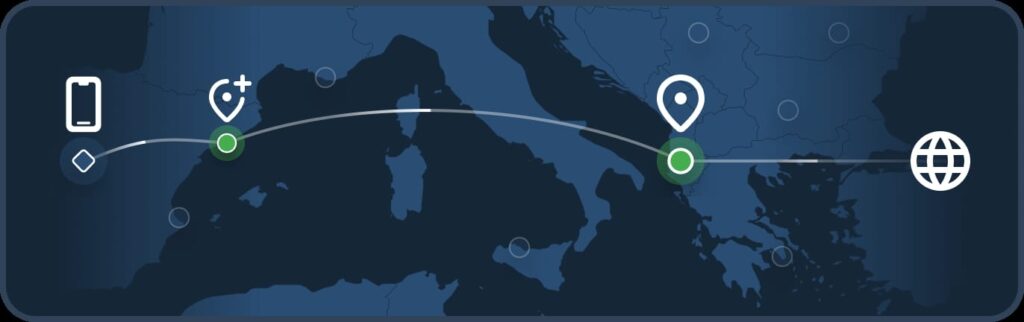
The new default-style When needed mode keeps Multihop disabled during normal operation but activates it automatically when a selected feature is unavailable at the user’s chosen exit location. For example, if a privacy feature such as DAITA is not supported directly by the selected server, Mullvad can route the connection through a nearby compatible server before sending traffic through the requested exit location. The app displays an Automatic Multihop indicator when this occurs.
Mullvad
Mullvad is a Sweden-based VPN provider known for emphasizing privacy-focused account and payment practices. Its apps support technologies including WireGuard, server filtering, Multihop routing, and DAITA, a feature designed to make traffic analysis more difficult by altering traffic patterns.
The Always mode preserves traditional Multihop behavior by routing every connection through two different servers. Users can manually choose the entry server, while a new Automatic location option allows the app to select a nearby entry location that supports the currently enabled features. Mullvad notes that consistently using two servers may improve anonymity but can reduce connection performance.
The Never mode disables Multihop entirely, and routes traffic through a single VPN server. This can provide better performance, but the selected location must support every active setting. As a result, users enabling features available only on certain servers, including DAITA, may see fewer locations available for selection.
Existing users will be migrated automatically to the closest equivalent mode after upgrading. For example, users who previously had Multihop enabled will generally move to Always, while configurations with Multihop disabled and no conflicting feature requirements will move to When needed. Mullvad will notify users of the migration when they first open the updated app.
The update also removes the separate DAITA Direct-only setting. Mullvad says the new Multihop modes replace it with a more scalable system that can handle additional privacy features as server capabilities vary.
Users who prioritize maximum performance can select Never, while those who want consistent two-server routing can use Always. For most configurations, When needed provides a compromise by enabling Multihop only when it is required to satisfy the selected privacy settings.



Leave a Reply