

Cyberstalkers are increasingly exploiting Google Chrome's built-in synchronization feature to secretly monitor victims' web activity without installing spyware or compromising their devices.
Security firm Certo says it has received a growing number of reports involving the tactic, which relies on briefly accessing a victim's device and signing in to Chrome with an attacker-controlled Google account.
The technique reflects a broader shift away from traditional stalkerware, as modern mobile operating systems have made spyware deployment more difficult through stronger security protections, stricter app store policies, and improved malware detection.
Stealthy Chrome syncing
The method itself is straightforward. An attacker only needs a brief opportunity to unlock the victim's phone, tablet, or computer and open Chrome. They then add a Google account they control and ensure Chrome Sync is enabled. From that point onward, Chrome synchronizes browsing history with the attacker's account, allowing them to review the victim's activity remotely from any device logged into that account.
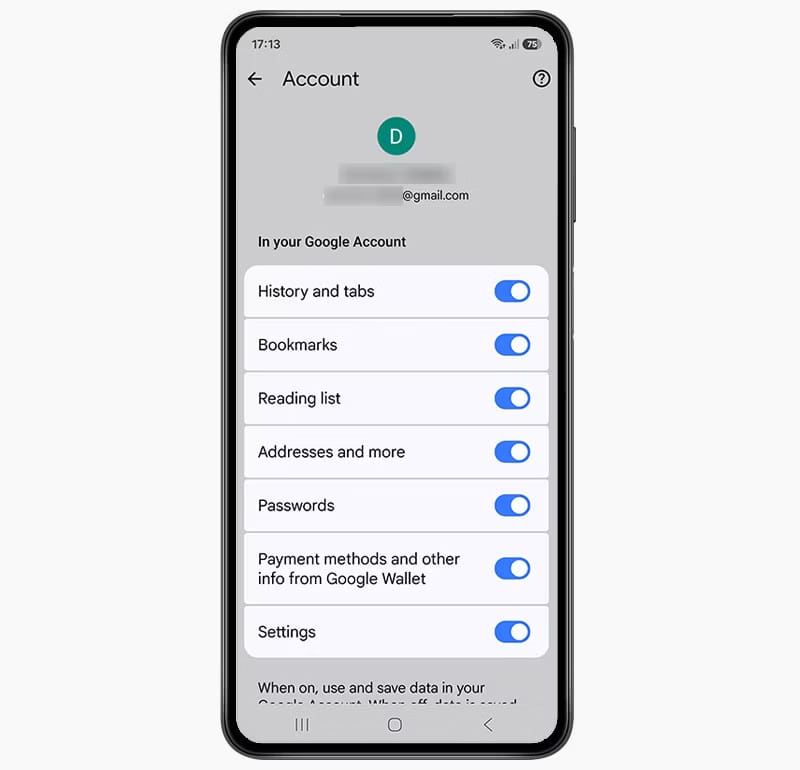
Certo
The attacker does not need the victim's Google credentials because they are signing in to Chrome with their own account instead. Any security notifications generated by the new sign-in are sent to the attacker's email address, leaving the victim unaware that synchronization has been enabled.
According to Certo, the issue is easy to overlook because Chrome does not prominently notify users when a new account is added or when synchronization is activated. Many people also use Chrome without signing in, making it unlikely they would think to check whether an unfamiliar account has been linked to the browser.
The privacy implications extend beyond browsing history. If passwords are later saved in Chrome while the attacker's account remains synced, those credentials can also become available through the synchronized data, potentially allowing access to additional online accounts.
While the company highlights domestic abuse scenarios, the technique could also be used in other situations where someone gains temporary physical access to another person's device. Because Chrome uses the same synchronization model across Android, iOS, Windows, and macOS, the tactic is not limited to smartphones.
Certo recommends that Google improve user visibility by displaying a temporary notification whenever a new account is added or synchronization is enabled, along with a persistent indicator showing which account Chrome is currently syncing with.
Users can verify whether Chrome is signed into an unfamiliar account by opening the browser's settings and checking the account listed under their profile. Any account that was not intentionally added should be removed immediately. If passwords have been saved in Chrome while the unknown account was present, they should also be changed as a precaution.
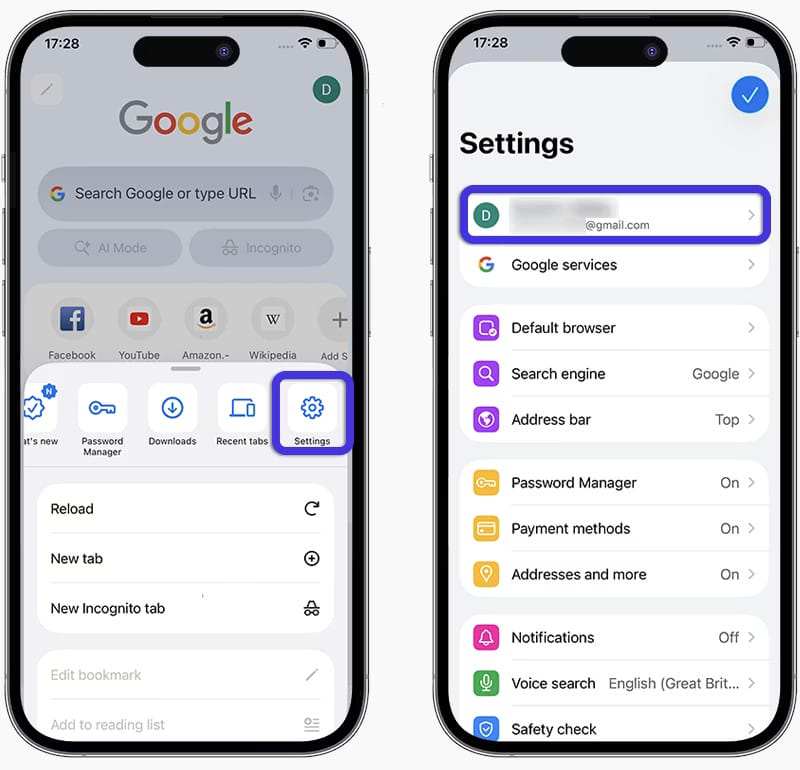
Certo
It is also recommended to secure devices with a strong PIN or biometric authentication, avoid leaving unlocked devices unattended, periodically review enrolled biometric profiles, and use Incognito mode when researching sensitive topics, since those sessions are not added to synchronized browsing history.



Leave a Reply