
Taking back your digital privacy starts with your inbox, and in 2026, two heavyweights are fighting for the crown: Proton Mail and Tuta. Both services provide the core pillars I look for in a privacy-first provider: end-to-end encryption (E2EE), zero-access architecture, and a total absence of data-mining ads. However, after years of testing these platforms, I can tell you that their security philosophies are worlds apart.
Proton is building an expansive private ecosystem (VPN, Passwords, Drive) designed to replace the entire Google suite. Tuta, on the other hand, is a security purist’s dream, doubling down on “encrypting everything” and stripping away every last Google dependency.
In this deep dive, I’m going to simplify the tech talk so you can decide which secure email service truly belongs on your devices.
| Website | Proton.me | Tuta.com |
| Starting price | $3.00/month | €3/month |
| Security edge | Swiss privacy laws | Post-quantum encryption |
| Standout feature | Integrated VPN and Drive | Encrypted subject lines |
| Mobile freedom | Polished iOS/Android apps | 100% Google-free (F-Droid) |
| Best deal | 40% off ProtonMail > | Get started with Tuta > |
Quick comparison
I’ve spent a lot of time digging into both Proton Mail (the Swiss powerhouse) and Tuta (the German privacy rebel). While they both lock your data in a zero-access vault where nobody else can read your messages, they definitely don’t feel the same once you’re inside the app.
The 60-second verdict:
- Choose Proton Mail if you want a sleek, reliable privacy suite that simply gets the job done. It’s my top pick for anyone moving away from Gmail who still wants the premium add-ons. Think email scheduling, a built-in VPN, and a slick password manager. It’s the closest you can get to a “Big Tech” experience without the Big Tech spying.
- Choose Tuta if you prioritize maximum encryption coverage. It is built for the privacy specialist who demands that every scrap of metadata (including subject lines and contact details) be encrypted, all within a strictly open-source, Google-independent environment.
| Proton Mail | Tuta | |
| Home base | Switzerland (outside EU/14 Eyes) | Germany (EU, 14 Eyes member) |
| Design philosophy | All-in-one privacy suite | Hardcore encryption specialist |
| Subject line encryption | Visible (standard PGP) | Fully encrypted (AES-256 + RSA-4096) |
| Quantum-ready? | On the horizon | Yes (already implemented) |
| Desktop access | Paid Bridge required | Free native apps for all |
| Mobile freedom | Needs Google for some alerts | 100% Google-independent |
| Open source | Mostly (apps and web) | 100% (full GPLv3) |
| Ecosystem extras | VPN, Pass, Drive, Wallet | Calendar and Drive |
Proton Mail Coupon:
Get 40% Off Proton Mail one-year plans using the exclusive coupon below:
(Coupon is applied automatically; 30-day money-back guarantee)
Background check
Before we dive into the weeds, I want to give you a quick look at the DNA of these two companies. They might share a goal, but they’ve taken very different paths to get there.
Proton Mail: The privacy powerhouse
| Founded | 2014 (Geneva, Switzerland) |
| Philosophy | Privacy for everyone (ecosystem focus) |
| Encryption | OpenPGP (global standard/interoperable) |
| Key apps | Mail, VPN, Drive, Pass, Wallet, Calendar |
Launched in 2014 by scientists who met at CERN, Proton Mail didn't just build an email app — they built a movement. Based in Geneva, Switzerland, they’ve expanded from a simple encrypted inbox into a full-fledged privacy suite.
When you join Proton, you’re getting an ecosystem. They’ve scaled to over 100 million users by making privacy feel as polished and easy to use as Gmail.
Proton Mail pros and cons
+ Pros
- Seamlessly switch between VPN, Drive, and Mail
- Send encrypted mail to any PGP user
- Most polished interface in the privacy market
- Strong Swiss laws outside EU/US reach
- One-click import from Gmail and Outlook
- Integrated “Hide-my-email” aliases via Proton Pass
- Includes email scheduling and “Undo Send” features
- Biometric locks for secure mobile app access
- Monitors the dark web for leaked data
- Blocks invisible tracking pixels in every email
- Proton Sentinel protects against high-level targeted hacks
– Cons
- Subject lines remain unencrypted by default
- Paid “Bridge” required for Outlook and Apple Mail
- Free storage shared across all Proton apps
- Sieve filters have a steep learning curve
Tuta: The security specialist

| Founded | 2011 (Hanover, Germany) |
| Philosophy | Encrypt everything (security purist) |
| Encryption | Proprietary hybrid (post-quantum ready) |
| Key apps | Mail, Calendar, Contacts, Drive |
Tuta (formerly Tutanota) has been in the game even longer, starting in Hanover, Germany, back in 2011. While Proton was building a suite of apps, Tuta was busy obsessing over how to encrypt everything.
In 2024, they rebranded to Tuta to match their sleek new vision, but their mission remained the same: Maximum security with zero compromises. They don't care about being a privacy control center but strive to be an unbreakable vault.
Tuta pros and cons
+ Pros
- Encrypts message bodies, contacts, and subject lines
- Fully protected against future quantum computer threats
- Mobile apps run without any Google tracking
- Free native desktop apps for all users
- Highly competitive pricing for custom domains
- Servers run on 100% renewable energy
- Securely search your entire encrypted inbox
- Direct F-Droid distribution for de-Googled devices
- Unlimited folders even on the free plan
- Built-in encrypted contact form for your website
– Cons
- Custom encryption lacks standard PGP compatibility
- Germany is a 14 Eyes intelligence partner
- Lacks advanced features like email snoozing
- Simple folder system lacks automated sorting power
Jurisdiction and data
I’m often asked: “Does it really matter if my email provider is in Switzerland or Germany?” The short answer is yes. Your provider's home base determines which government can knock on their door with a subpoena, and how much data they can actually walk away with.
Here is the high-level breakdown of the legal landscape in 2026:
| Privacy factor | Proton Mail (Switzerland) | Tuta (Germany) |
| Legal framework | Swiss Federal Data Protection Act | German GDPR |
| Intelligence alliance | Independent (outside 14 Eyes) | Member (14 Eyes Alliance) |
| IP logging | Off by default (court-orderable) | Minimized (quick deletion) |
| Metadata protection | High (bodies encrypted) | Maximum (subjects encrypted) |
| Google dependence | Uses standard push alerts | Zero (independent system) |
I like to think of Proton’s jurisdiction as a legal firewall. Switzerland isn't part of the EU or the Five Eyes intelligence-sharing club. This means if a foreign government wants your data, they have to jump through massive Swiss legal hoops (MLATs) to get a local judge to agree.
- Swiss secrecy: Strong constitutional protections for your correspondence.
- No EU reach: Sits outside the EEA, limiting automatic data sharing.
- The reality check: Proton does comply with Swiss court orders. The 2021 climate activist case proved they can be forced to log IPs for specific criminal suspects if a Swiss judge signs off.
Meanwhile, Germany has some of the world’s strictest domestic privacy laws, but there's a catch: They are part of the 14 Eyes intelligence alliance. While this sounds scary, Tuta’s security purist philosophy actually makes the jurisdiction less relevant. Why? Because they simply don't have the data to give.
- Zero-knowledge metadata: Tuta encrypts your subject lines and contacts. Even with a warrant, the police get a pile of gibberish.
- The Google-free win: I’m a huge fan of Tuta’s custom push notification system. It bypasses Google Play Services entirely, which is a massive win if you’re running a “de-Googled” phone like GrapheneOS.
- Strict ad-block: They strip remote images and trackers by default with zero external calls.
Encryption and future-proofing
When I look under the hood of these two services, this is where the biggest technical split happens. It’s a classic trade-off: Do you want a system that talks to everyone else, or a custom vault that locks out the world?
Proton Mail relies on OpenPGP, the world’s most trusted encryption standard. I love this because it means you aren't stuck in a “walled garden.” If your colleague uses a different PGP-compatible service, you can still exchange encrypted emails seamlessly.
- Global standard: It’s battle-tested and widely audited by the global security community.
- The trade-off: Because it follows the PGP rulebook, subject lines are not encrypted. If you send an email titled “Confidential Merger Plans,” a prying eye can still see that title, even if they can't read the message.
On another front, Tuta decided to throw away the rulebook and build their own encryption architecture from scratch. Their goal? Encrypt absolutely everything. It’s less “friendly” with other apps, but it's technically more thorough.
- Quantum-safe readiness: I’m incredibly impressed that Tuta has already rolled out ML-KEM (formerly Kyber). This protects your mail today from being cracked by the supercomputers of tomorrow.
- Total metadata lockdown: Unlike Proton, Tuta encrypts your subject lines, your entire address book, and even your search index.
- The walled garden: The catch is that you can’t easily email other PGP users. To send a secure message to a Gmail user, they have to click a link and enter a password to view it in a browser.
Open source and transparency
In the world of privacy, open source isn't a buzzword but the only way to prove there are no backdoors in your inbox. I’ve dug through the GitHub repos for both, and while both are transparent, one is definitely more open than the other.
| Transparency factor | Proton Mail | Tuta |
| Client code | Mostly open source | 100% open source (GPLv3) |
| Android version | Play Store (standard) | F-Droid (Google-free) |
| Desktop apps | Partly closed (the Bridge) | Fully open (native apps) |
| Security audits | Frequent third-party | Regular public reviews |
| Transparency reports | Published yearly | Published regularly |
Proton’s big flex is that they use OpenPGP. Because this is a global standard, security researchers have been poking and prodding at the math for decades. I appreciate that Proton makes their web and mobile apps open source, so we can verify how they handle our keys.
- Established trust: They’ve built a decade-long reputation with frequent independent audits.
- The “Bridge” controversy: One thing that bugs me as a purist? Their Bridge app (the tool that lets you use Outlook) isn't as transparent as the rest of their suite. It’s a small “black box” that some in the community find frustrating.
At the same time, Tuta takes a much more aggressive stance on open source. They don't just “offer” the code; they live by it. Every single one of their clients (Windows, macOS, Linux, and Android) is GPLv3 licensed and sitting right there on GitHub for anyone to audit.
- F-Droid famous: I love that their Android app is available on F-Droid. This means it’s built without a single drop of Google tracking code. It’s the gold standard for “de-Googled” living.
- Verified quantum tech: Because their post-quantum (ML-KEM) code is open source, researchers have already verified that their future-proofing claims aren't just marketing fluff.
- Native and free: Unlike Proton, Tuta’s desktop apps are native and open source for everyone, paid or free.
Usability and features
Privacy usually comes with a “convenience tax,” but in 2026, both services are working to make security feel effortless. Proton Mail clearly wants to be your “privacy-first Gmail”, while Tuta has carved out a niche as a minimalist security specialist.
Proton Mail: The power user experience
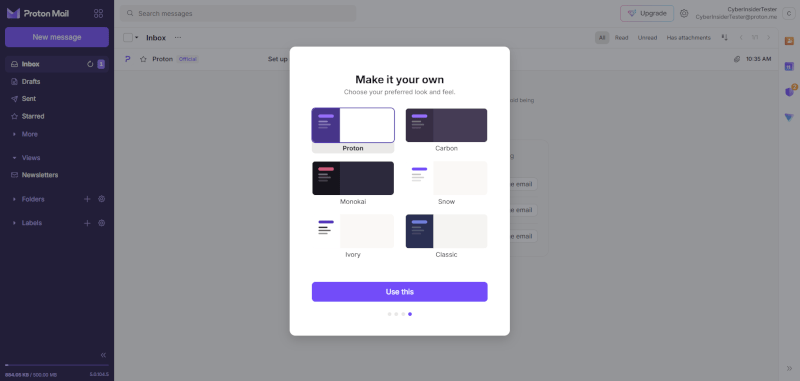
If you’re someone who lives in their inbox, you’re going to find Proton’s feature set much more familiar. I’ve found it’s the only secure provider that doesn’t make me miss Gmail's workflow. It offers high-end tools like email scheduling and “Undo Send,” which are absolute lifesavers during a busy workday.
One of my favorite things about Proton is the use of Labels alongside Folders. Unlike Tuta’s folder-only system, labels allow a single email to live in multiple categories at once. Plus, if you’re a fan of automation, their Sieve filters let you write custom rules to sort your mail exactly how you want it. It’s a polished, “it just works” experience that even includes an Easy Switch tool to pull your old emails and contacts from Google or Outlook automatically.

I’m also keeping a close eye on Lumo, Proton’s new privacy-first AI assistant. Represented by a surprisingly cute cat mascot, Lumo helps you draft replies and summarize long threads right in your inbox. The best part? It runs locally or on Proton’s private infrastructure, so your data stays between you and your feline assistant — no feeding the Big Tech AI machines.
Tuta: The no-nonsense specialist
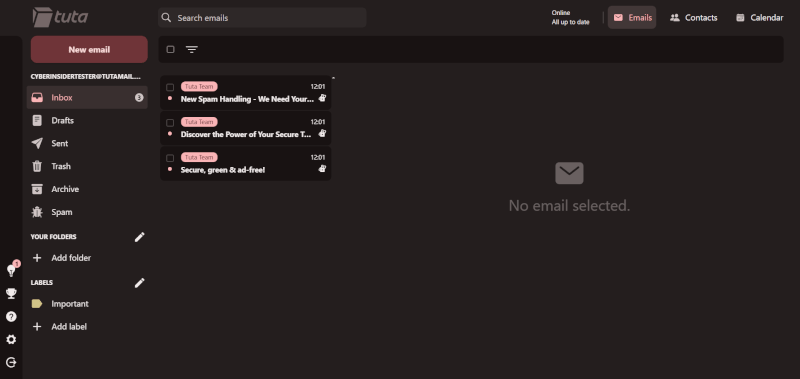
Tuta isn't trying to win a feature war with Google; they’re building a clean, distraction-free environment that prioritizes speed and independence. The standout win here is their native desktop freedom. While Proton forces you to pay for a “Bridge” subscription to use desktop apps, Tuta gives everyone (including free users) native, open-source apps for Windows, Mac, and Linux that work perfectly offline.
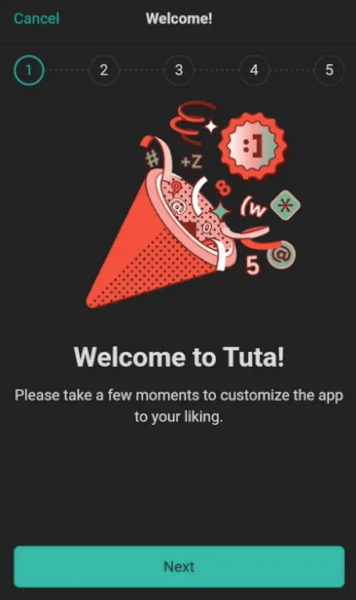
I’m also a huge fan of their Google-free mobile approach. If you use a privacy-hardened phone (like GrapheneOS), you’ll know that most apps break because they rely on Google for notifications. Tuta built their own custom push system from scratch to solve this. While their organization is a bit simpler (using a folder-based system and conversation views), it feels incredibly snappy. Even on the free plan, you get zero-knowledge full-text search, allowing you to find what you need without Tuta ever seeing what’s in your messages.
Ecosystem and value
Nowadays, email is rarely a standalone tool. I’ve watched Proton evolve into a full-blown privacy suite, while Tuta has doubled down on being the world’s most secure communication hub. Here is how they stack up when you look beyond the “Compose” button.
| Extra features | Proton Mail | Tuta |
| Free storage | 1 GB (shared across apps) | 1 GB (email only) |
| Paid starter | 15 GB ($3.00/month) | 20 GB (€3.00/month) |
| VPN included? | ✅ Proton VPN | ❌ |
| Password manager | ✅ Proton Pass | ❌ |
| Cloud storage | ✅ Proton Drive | ⚠️ Limited (Calendar/Files) |
| Energy source | Standard | 100% renewable |
Proton Mail: All-in-one fortress
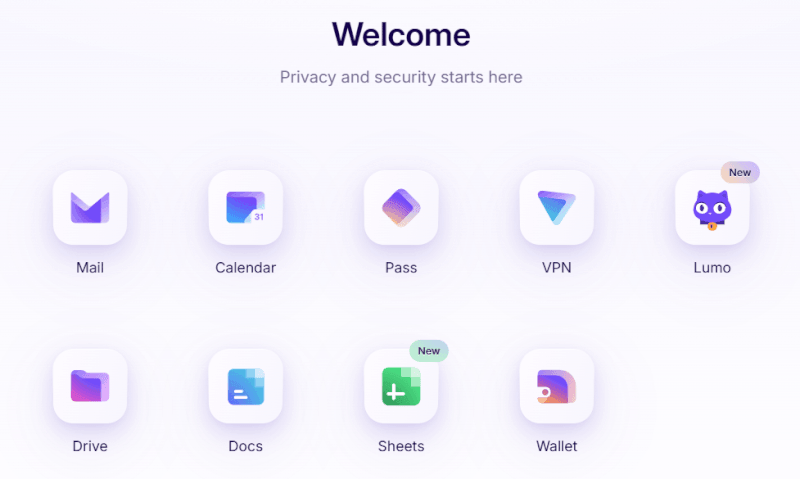
I often recommend Proton to people who are tired of managing five different subscriptions. When you step into the Proton ecosystem, you’re getting a VPN, a password manager (Proton Pass), and encrypted cloud storage (Proton Drive) all under one roof. Their Proton Calendar is excellent, too. It handles invites and sharing just like Google Calendar, but with end-to-end encryption for every event.
If you’re a power user, the Proton Unlimited plan is a massive value play. For about $10 a month, you get 500 GB of storage and the full suite of “Pro” features across all their apps.
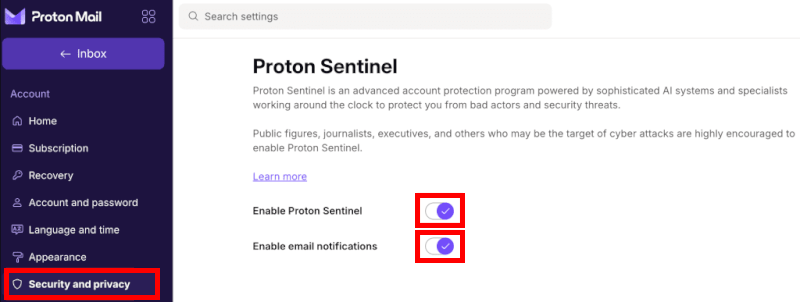
It even includes Proton Sentinel, which provides high-level account protection for users who might be targeted by sophisticated hackers. It’s the closest thing to a “Privacy OS” I’ve ever used.
Tuta: The zero-knowledge purist
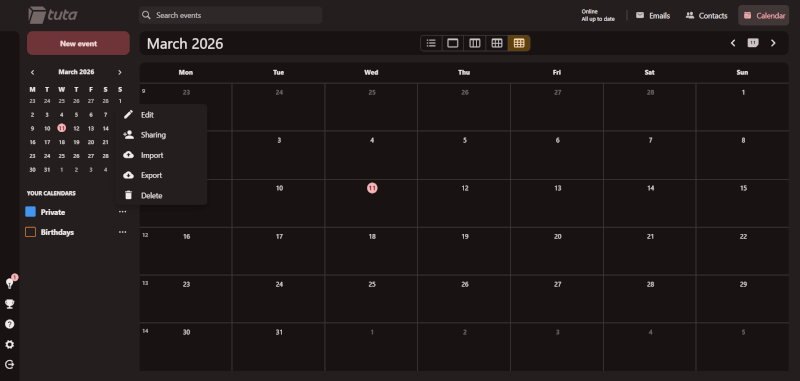
Tuta takes a much more disciplined approach. They aren't trying to build a VPN or a password manager; they want to perfect the encrypted calendar and mailbox. I’ve found that Tuta’s calendar is actually more private by default, as it encrypts every single reminder and piece of metadata. While it doesn't have as many fancy cross-service integrations as Proton, it’s a rock-solid vault for your schedule.
One area where Tuta consistently beats Proton is value for money. Their Revolutionary plan gives you 20 GB of storage for less than what Proton charges for 15 GB. I also have to give them credit for their sustainability focus.
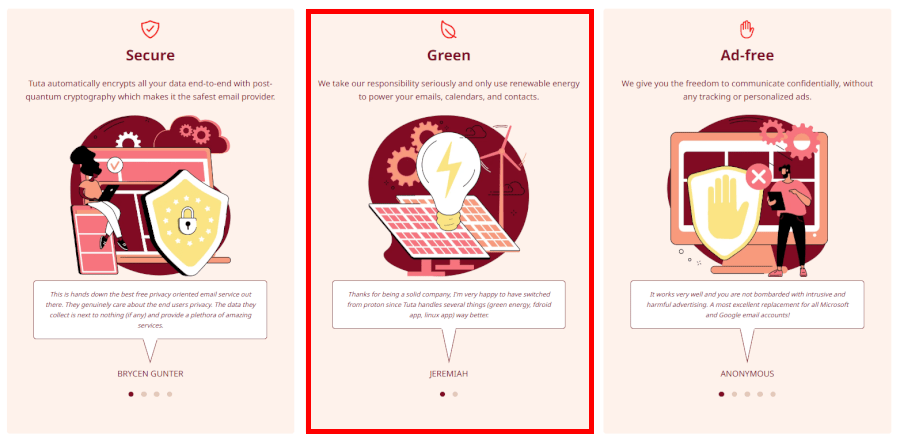
Tuta runs its entire operation on 100% renewable energy, which is a big deal if you’re trying to minimize your digital carbon footprint. They expect you to bring your own VPN and password manager, but they provide the most affordable “entry-level” paid tier in the game.
Pricing and plans
I’ve analyzed the spreadsheets for both, and while both offer freemium models, they treat their free and paid users very differently. Proton is structured like a premium club where you “level up” for more features, while Tuta feels like a high-value utility where you get more raw storage for every dollar spent.
| Plan tier | Proton Mail | Tuta |
| The free experience | 1 GB (shared), 3 labels | 1 GB, unlimited folders |
| Starter paid | $3.00/month (15 GB) | €3.00/month (20 GB) |
| Power user tier | $9.99/month (500 GB + Suite) | €8/month (500 GB) |
| Business / VIP | Multi-TB, SSO, full suite | 1 TB+, white-labeling |
If you’re planning to stay on a free plan forever, you need to know the catches. I’ve found that Tuta’s free tier is actually more functional for organized people because it offers unlimited folders and full-text search right out of the gate.
Proton’s free plan is a bit more restrictive. You’re limited to just three labels and 150 messages per day. However, I’ll give Proton credit for the “ecosystem” access, even as a free user, you get a (limited) version of their VPN and Password Manager. It’s a “taste” of the full privacy suite.
| Tuta plan | Monthly | Yearly (per month) | Best for… |
| Free | €0 | €0 | Privacy purists on a budget |
| Revolutionary | €3.60 | €3.00 | Custom domains and 20GB storage |
| Legend | €9.60 | €8.00 | Heavy users (500GB storage) |
When we move into the paid tiers, the math starts to favor Tuta for pure email users. Their Revolutionary plan is a fantastic deal; for roughly €3.00 a month, you get 20 GB of storage and unlimited aliases. If you just want a private inbox with your own custom domain, Tuta gives you more stuff for less money.
| Proton Mail plans | Mail Plus | Proton Unlimited | Proton Duo | Proton Family |
|---|---|---|---|---|
| 1-month | $4.99/month | $12.99/month | $19.99/month | $29.99/month |
| 1-year | $3.00/month | $9.99/month | $14.99/month | $23.99/month |
Deal: Get the best deal on Proton Mail's 1-year plans >
However, if you look at the Proton Unlimited plan ($9.99/month), the value proposition flips. I recommend this to anyone who is currently paying for a separate VPN (like Mullvad) or a password manager (like 1Password). Once you bundle those costs into your Proton subscription, you’re actually saving money while getting a massive 500 GB of encrypted storage.
Securing teams with Proton and Tuta
When I consult for teams moving away from Big Tech, the conversation shifts from “How do I hide my mail?” to “How do I manage my people?” Business use requires a different level of compliance, admin control, and scalability.
In my experience, Proton is building a privacy-first Google Workspace, while Tuta is the zero-knowledge vault for firms with extreme confidentiality needs:
| Business factor | Proton for business | Tuta for business |
| Admin tools | ✅ Robust console and SSO | ✅ Simple user management |
| Custom domains | ✅ Multiple domains per user | ✅ Unlimited aliases |
| Branding | ✅ Proton interface | ✅ Full white-labeling |
| Collaboration | ✅ Shared mailboxes and Drive | ✅ Encrypted shared calendars |
| Compliance | ✅ Swiss / GDPR / HIPAA | ✅ German / GDPR / HIPAA |
| Security | ✅ Audited OpenPGP | ✅ Post-quantum ready |
Proton: The complete privacy powerhouse
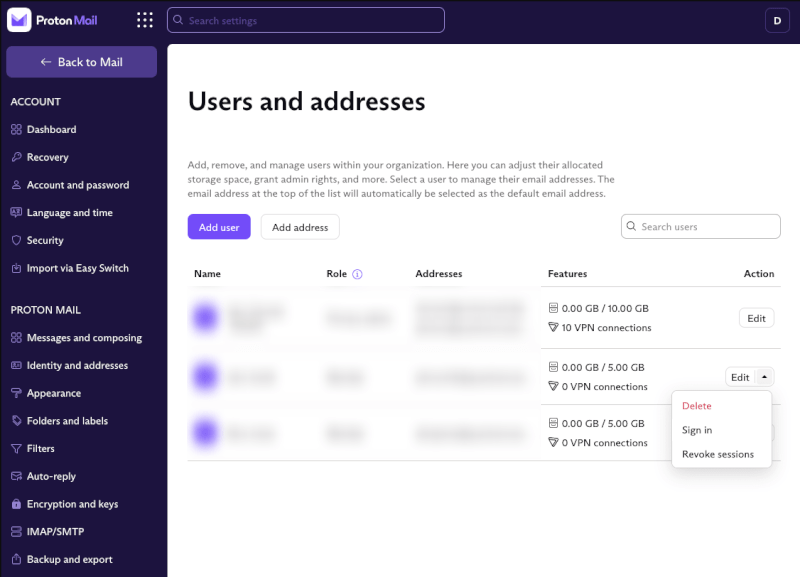
If your team is currently using Google Workspace or Microsoft 365, I recommend Proton because it’s the most frictionless transition. It’s not just email; your subscription bundles in Proton VPN for secure remote work and Proton Drive for encrypted file sharing.
I’m particularly impressed by their single sign-on (SSO) capabilities and the admin console, which makes managing a growing team feel professional rather than hacked together. It’s the better choice for a fast-paced remote company that wants a “plug-and-play” security stack under the gold-standard protection of Swiss law.
Tuta: The post-quantum pioneer
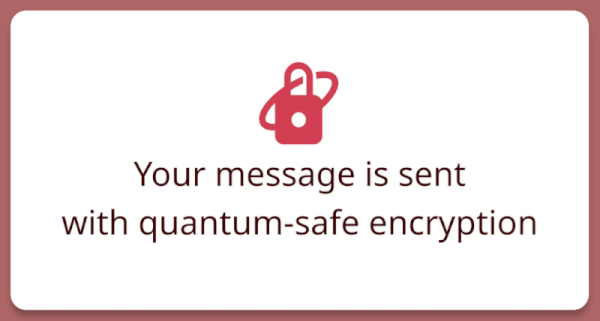
I find that Tuta is the go-to for legal, healthcare, and journalism practices where even a subject line is a liability. Their standout feature is post-quantum encryption. If your business handles data that needs to stay secret for the next 30 years, Tuta’s protection against future supercomputers is a massive technical advantage.
I also have to highlight their white-labeling options. Unlike Proton, Tuta lets you add your own company branding and custom login pages, which looks much more professional when using their encrypted contact forms for clients on your website. Everything in Tuta, from the address book to the calendar reminders, is encrypted by default, ensuring your team leaves zero metadata footprints.
The final verdict for 2026
Whether you pick Proton Mail or Tuta, you’ve already won. You’re successfully ghosting the data-mining giants like Gmail and Outlook, and that is the single best move you can make for your digital life this year.
Both of these services are leagues ahead of Big Tech, but they definitely have different “personalities.” Here is how the dust settled after our deep dive:
- Privacy and jurisdiction: Proton Mail. Swiss neutrality provides a superior “legal moat” against international mass surveillance compared to Germany’s 14-Eyes membership.
- Encryption and future-proofing: Tuta. By locking down subject lines and metadata while offering post-quantum security, Tuta is the ultimate “unbreakable” vault.
- Open source and transparency: Tuta. With 100% open-source apps across every platform and a Google-free Android experience, Tuta is the gold standard for “trust but verify.”
- Usability and productivity: Proton Mail. Between “Undo Send,” labels, and a slick, Gmail-like interface, Proton makes the transition feel like an upgrade rather than a chore.
- Ecosystem and extra services: Proton Mail. With a built-in VPN, Drive, and password manager, Proton is the undisputed heavyweight for anyone wanting an all-in-one privacy suite.
- Pricing and value: Tie. Tuta is the clear champion for affordable, high-storage email, while Proton provides unbeatable value as a bundled suite for your entire digital life.
- Business and team use: Proton Mail. Proton’s integrated VPN, shared mailboxes, and SSO tools provide the most complete “workspace” replacement for modern, remote-first teams.
My personal recommendation
Proton Mail is perfect if you’re looking for a top-notch privacy suite that just works, no fuss. It’s my top pick for anyone who wants a beautiful interface, a world-class VPN, and Swiss-grade protection without a steep learning curve.
Go with Tuta if you are a security purist who refuses to compromise on even the smallest scrap of data. I recommend Tuta for those who want maximum encryption, post-quantum readiness, and a totally Google-independent life on their phone.
My best advice? Test-drive them both. Grab a free account on Proton and Tuta and use them in parallel for a week. Send some test emails, check out the mobile apps, and see which one feels like home.
Proton Mail vs. Tuta comparison FAQs
The answer depends on what you’re trying to protect. When you look at how Proton Mail offers a legal moat outside the EU and the 14-Eyes alliance, it’s clear why they are a top choice for those avoiding international mass surveillance. While both are elite secure email services, Tuta’s German home is strictly under GDPR but sits within the 14-Eyes network.
Proton gives you the superior legal “buffer” of Switzerland, while Tuta relies on a feature-rich encryption model that locks down so much metadata that the jurisdiction almost becomes irrelevant, because there’s simply no readable data for them to hand over, even with a warrant.
Tuta is the clear choice for GrapheneOS or LineageOS users. Its Android app is available on F-Droid and uses a custom notification system that completely bypasses Google. While Proton is one of the most popular secure email providers, it often requires a workaround for push notifications on these devices. Tuta’s proprietary encryption also allows for a totally independent experience that doesn't rely on a single line of Big Tech code to keep you alerted.
Because these services use end-to-end encryption, if you lose both your password and your recovery phrase, your data is gone forever. Neither company can reset your password because they don't have your keys — that's the price of true privacy. Proton does offer more advanced features for account recovery (like using a recovery email or phone number), but even then, you'll need your recovery phrase to actually decrypt your old messages once you're back in.
No. Because Proton uses the OpenPGP standard, email headers (including subject lines) remain unencrypted for compatibility with other services. If you need the entire email thread — including the subject line and all metadata, to be completely hidden from prying eyes, Tuta is the winner here. It encrypts the entire mailbox, including subjects and contacts, so nothing is visible to the server.

Leave a Reply