

Keeping tabs on what your kids say online can feel like chasing shadows — there’s always another app, chat, or group hiding somewhere. That’s where Bark steps in. Unlike your average screen-time tool, Bark focuses on listening for risks, not just counting minutes, giving parents a clearer picture of cyberbullying, self-harm, and online predators without turning into full-time digital spies.
We put Bark to the test across Android, iOS, and web platforms, checking everything from AI alerts and social media monitoring to setup speed and ease of use. Our goal: See if it really gives parents peace of mind without creating extra stress or endless notifications. See how Bark fared in our tests!
What we found is that Bark doesn’t just sit in the background — it actively scans over 30 apps and platforms for warning signs, then distills the noise into actionable alerts. In other words, it helps you stay one step ahead without having to read every single message yourself.
Let’s dig deeper.
| Website | Bark.us |
| Pricing | Bark Jr: $5/month: Bark Premium: ~$14/month |
| Supported platforms | iOS, Android, Amazon Fire, Chromebook, Windows, and macOS |
| Coverage | Unlimited devices and unlimited children across all plans |
| Core parental controls | Screen time management (schedules/limits), website filtering, app blocking, and location tracking |
| Standout feature | AI-powered content monitoring that scans texts, emails, and 30+ social media apps for risks and alerts parents to issues only |
| Best deal | 7-day free trial > |
We put Bark through its paces like any curious parent would — across Android, iOS, and web, with kids of different ages, and in real-life online scenarios. Here’s what we looked at:
- Core parental controls: Screen-time management, content filtering, and monitoring tools — what works smoothly and what can feel limited.
- Social monitoring and AI alerts: How Bark scans messages, emails, and 30+ apps for risks like cyberbullying or predatory behavior, and how useful the alerts really are.
- Setup and onboarding: How easy it is to install Bark on multiple devices and get everything configured without tech headaches.
- Ease of use: Whether the parent dashboard is intuitive and manageable, even for non-tech-savvy parents.
- Privacy and data handling: What Bark collects, how it’s used, and how transparent the policies are.
- Pricing and value: Whether Bark’s plans make sense for families in 2026 and who gets the most bang for their buck.
- Support and resources: How simple it is to get help when something doesn’t work as expected.
- Bark alternatives: How it stacks up against other parental control apps you might be considering.
By the end, you’ll see Bark in action — not just promises on a website, but how it actually plays out in your family’s daily digital life.
Bark for parents: What it does and how it works
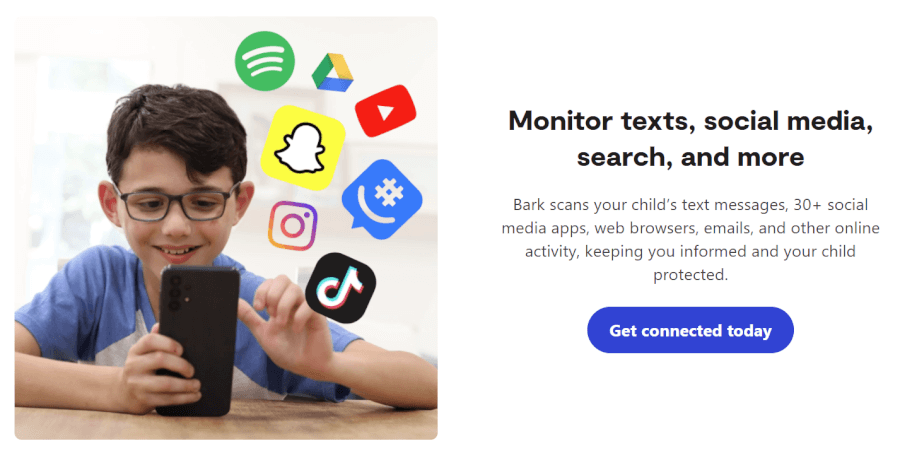
Bark isn’t here to spy — it’s here to spot trouble before it turns into a bigger conversation. Instead of showing you everything your child does online, it acts like a “digital smoke detector” — quiet in the background, but quick to alert you when something actually matters.
Using AI, Bark scans activity across 30+ platforms, including texts, emails, and social media, looking for real risks like cyberbullying, self-harm, predators, or sexting. It understands context, so harmless slang doesn’t trigger alerts. When something concerning pops up, you get a notification with a short snippet and guidance on how to handle the conversation — not a full message history.
Alongside its smart monitoring, Bark covers the basics parents expect: Screen time schedules, web and app filtering, instant internet pause, and location tracking with geofencing. It also offers optional hardware like the Bark Phone, Bark Watch, and Bark Home for families who want extra layers of protection across devices.
Overall, Bark works best for tweens and teens who already live online. It’s transparent by design, encourages open conversations, and focuses on support over surveillance — making it a strong choice for parents who want insight without constant spying.
Bark parental controls pros and cons
+ Pros
- Seriously deep social monitoring
- 30+ social platforms watched
- Smart, context-aware AI alerts
- Privacy-first “alert-only” approach
- Unlimited kids, unlimited devices
- Slang, emojis, and trends caught
- Guidance with every alert
- Tamper-proof Bark Phone option
- Whole-home filtering via Bark Home
- Teen driving safety insights
– Cons
- Alerts not always real-time
- No full activity history
- Limited visibility without alerts
- Possible Android workarounds
- No phone support
Next, let’s break down what Bark really does — the tools you get, how they behave behind the scenes, and what parents notice day to day.
Core features of Bark parental controls
Rather than tracking every move, Bark focuses on spotting real warning signs, which explains both what it does well — and what it deliberately leaves out.
So, what does that actually look like in practice? Let’s break down Bark’s core features.
AI-powered content monitoring
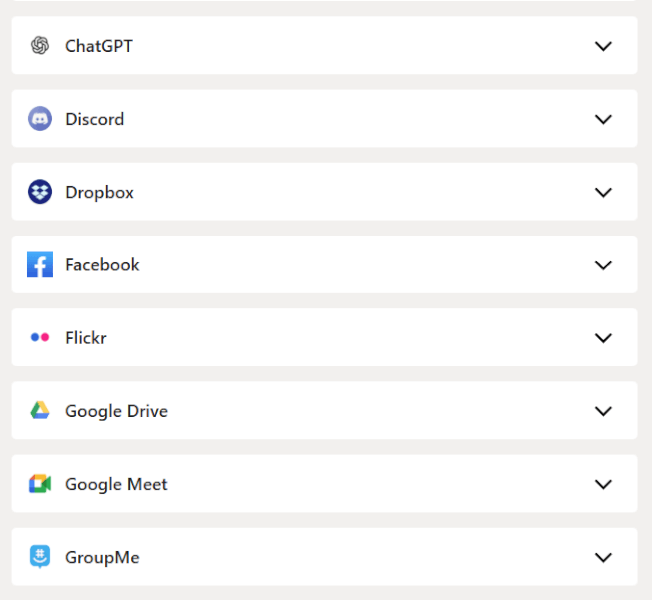
Instead of logging every message or website, Bark uses AI to scan texts, emails, images, videos, and direct messages across 30+ platforms — including big ones like Instagram, TikTok, Snapchat, Discord, and WhatsApp.
What impressed us most was the context awareness. Bark doesn’t just flag scary keywords; it understands slang, emojis, and tone. A joking “I’m dead 💀” doesn’t trigger panic, but repeated messages hinting at self-harm, bullying, or predatory behavior absolutely do. When something crosses the line, parents get an alert with a short snippet and clear context — not a full message dump.
It also keeps an eye out for workaround behavior, like new account sign-ups or attempts to hide activity, which adds an extra layer of quiet supervision without turning into spyware.
Screen time controls and web filtering
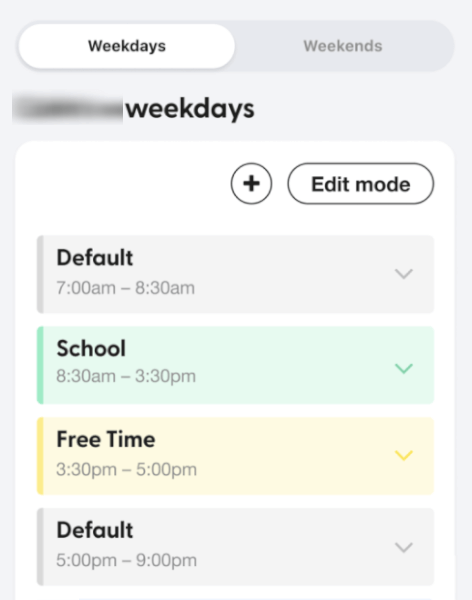
Bark’s screen time tools are more about structure than strict timers. You can create routines for School Time, Bedtime, and Free Time, deciding which apps or categories are allowed during each window. There’s also a one-tap internet pause when things need to stop now.
Web filtering works by category (adult content, gambling, violence, social media, etc.), with options to fine-tune via allowlists and blocklists. That said, Bark doesn’t track minute-by-minute app usage or show full browsing histories — if nothing risky happens, you won’t see a detailed log. That’s a design choice, not a bug.
Android users get the most control here, while iOS limitations mean slightly lighter enforcement on Apple devices.
Location tracking and safety tools
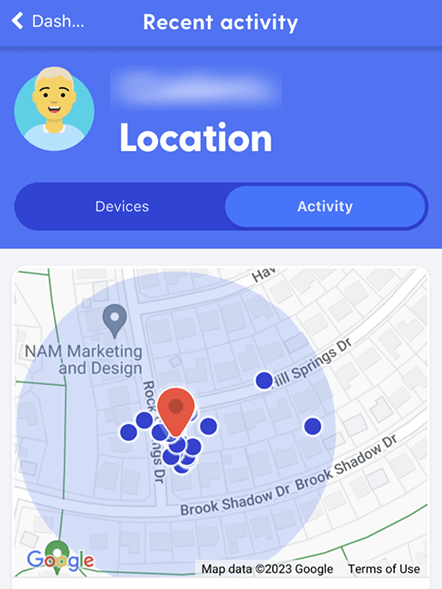
Bark’s location features strike a nice balance between safety and breathing room. Parents can see real-time location on a family map, set geofences for places like school or home, and get alerts when kids arrive or leave.
There’s also a check-in feature, which lets kids share their location with one tap — useful without feeling invasive. For families with new teen drivers, Bark adds driving summaries that show trip distance and top speed, which feels practical rather than overbearing.
Location history isn’t endless, but it’s enough to spot patterns without turning into constant tracking.
Reports, alerts, and parent guidance
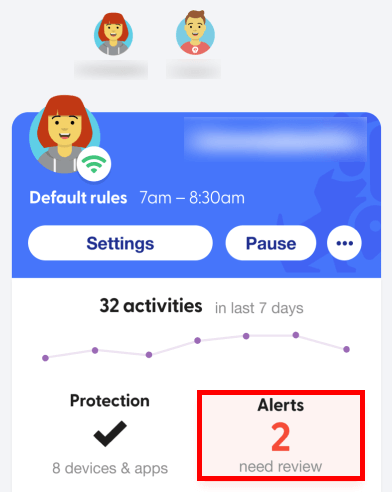
Instead of overwhelming dashboards, Bark leans into meaningful summaries. You’ll get weekly insights covering things like screen habits, new apps, and conversational mood trends, alongside real-time alerts when something urgent pops up.
Each alert includes guidance written with help from child psychologists — not just “this happened,” but how to talk about it. That alone makes Bark feel more like a parenting tool than a policing one.
Additional security and privacy features
Bark’s biggest flex isn’t more rules — it’s how those rules are protected. Instead of turning your phone into a surveillance hub, Bark focuses on keeping kids safe without turning parents into digital spies.
Bark’s hardware ecosystem (optional, but powerful)
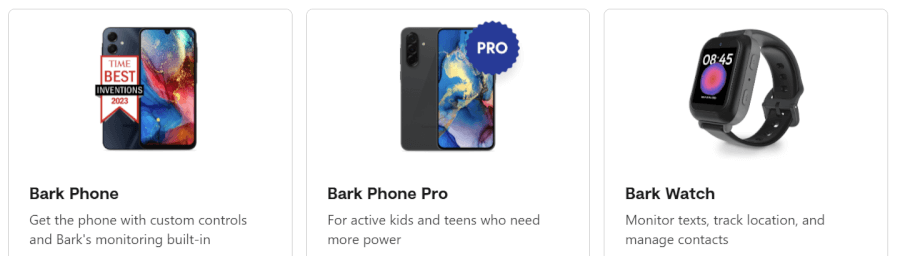
Beyond the app, Bark offers a full hardware lineup for families who want tighter control:
- Bark Phone: A tamper-proof Samsung phone with controls built into the OS — kids can’t delete or bypass them.
- Bark Watch: A smartwatch for younger kids that handles calls, texts, and GPS, without browsers or social apps.
- Bark Home: A router-level device that extends filtering and schedules to smart TVs, consoles, and other “unfilterable” devices.
These aren’t required, but they neatly close some of the loopholes common with app-only solutions.
Core features are only half the story. Where Bark really starts to feel different is in the extra layers it adds around security, privacy, and rule-breaking prevention.
Privacy-first alerts (by design)
Bark only speaks up when something matters. You don’t get a live feed of messages or searches — just carefully chosen snippets when AI detects real risks like bullying, self-harm, or predatory behavior. For teens, this feels less invasive. For parents, it keeps alerts meaningful instead of overwhelming.
Anti-bypass safeguards
Bark doesn’t just set rules — it guards them. If a child disconnects an account, disables filtering, or removes a profile, parents get an alert immediately. Mobile filtering runs through a persistent local VPN that quietly reconnects if someone tries to switch it off.
Driving safety extras (for teens)
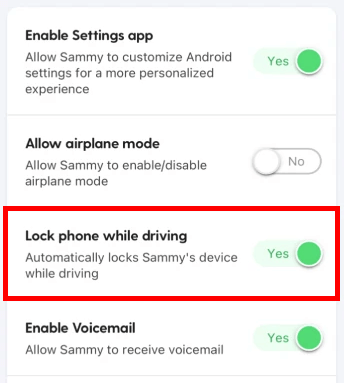
For older kids, Bark adds driving insights like top speed and trip summaries. It’s not a “black box” flight recorder — just enough visibility to encourage safer habits without hovering in the passenger seat.
Pricing, plans, and overall value
With Bark, everything revolves around two software plans, both with a big perk baked in: Unlimited kids and unlimited devices, no matter which tier you choose.
Bark Jr vs Bark Premium
| Bark plan | Monthly price | Annual price | Best for |
| Bark Jr | $5.00/month | $4.08/month | Younger kids; basic screen time and web safety |
| Bark Premium | $14.00/month | $8.25/month | Tweens and teens; social media and message monitoring |
Bark Jr is the lightweight option. It covers the basics like screen time schedules, web and app filtering, and location check-ins, making it a solid fit for younger kids who don’t live on social media yet.
Bark Premium is where Bark really earns its reputation. It adds AI-powered monitoring for texts, emails, and 30+ social platforms, plus expert-backed guidance when alerts fire. For families with tweens or teens, Premium is the plan that actually does the heavy lifting.
Hardware options (optional, but powerful)
Bark also goes beyond apps with hardware add-ons. The Bark Phone is a tamper-proof Samsung device with controls built into the system itself — great if you’re tired of kids deleting apps or finding loopholes. The Bark Watch works well for younger kids who need calling and GPS but not social apps. And Bark Home plugs into your router to extend filtering and schedules to smart TVs, gaming consoles, and other “un-monitorable” devices.
These aren’t cheap extras, but they’re optional — and they solve problems most software-only apps simply can’t.
Is Bark worth the money?
For large families, Bark’s value is hard to beat. One subscription covers everyone, and the cost doesn’t creep up as your household grows. Add in the privacy-first alert system (which flags real risks instead of dumping endless logs on parents), and the pricing feels fair, not inflated.
With a 7-day free trial and a 30-day money-back guarantee, Bark also gives you room to test-drive everything before committing. Bottom line: if you want smart monitoring that scales with your family (without turning parenting into a second job), Bark’s pricing makes a lot of sense.
Bark setup and installation: Getting started
Setting up Bark is a bit like IKEA furniture: Sometimes it clicks instantly, sometimes you pause and reread the instructions. Once it’s running, though, Bark stays quietly in the background. How smooth the setup feels mostly depends on the device.
Android: fast, guided, mostly painless
On Android, Bark is at its best. The setup is wizard-style, clearly explained, and usually done in about 10–20 minutes per device. You’ll grant a handful of permissions (accessibility, notifications, location), connect any social accounts, and you’re off.
One small hiccup in 2026: Some parents need to download the Kids app directly from Bark’s site instead of Google Play. It’s not hard, but it does mean briefly toggling security settings — a step that can feel intimidating if you’re not expecting it.
iOS: Powerful, but more hands-on
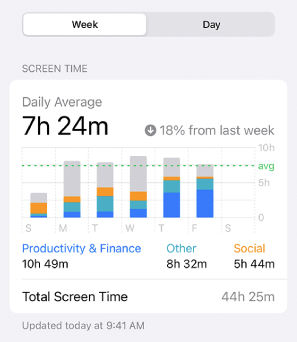
iPhones and iPads take more patience. Because Apple limits background monitoring, Bark relies on extra steps like a desktop helper app, iCloud syncing, or a configuration profile. The initial scan can take 30–45 minutes before alerts start appearing, and occasional re-checks are part of life on iOS. It works — but it’s not exactly “set it and forget it,” which explains why iOS setup is the most common pain point in parent reviews.
Desktop: Necessary, but limited
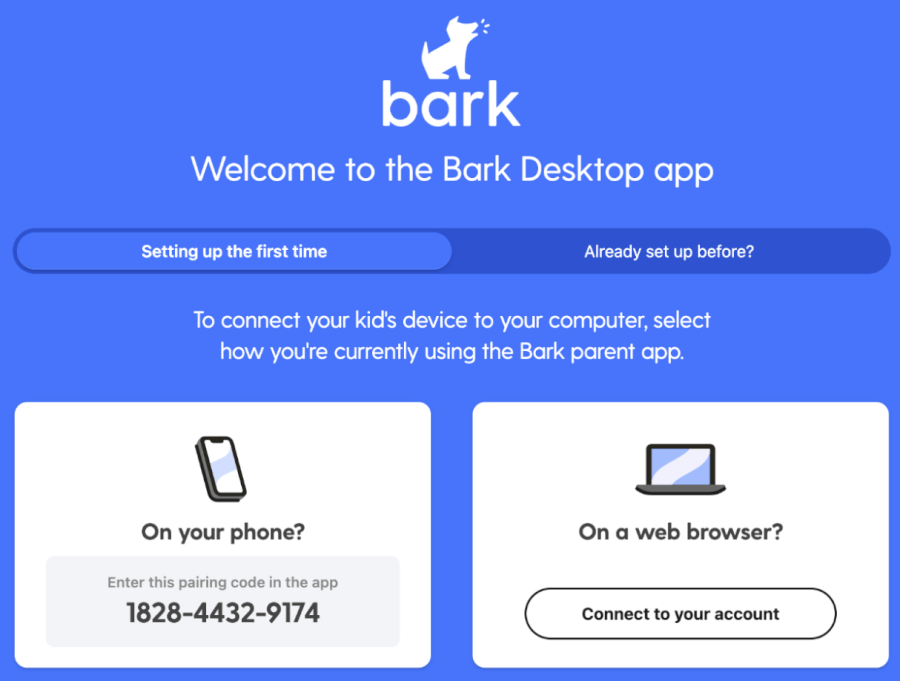
Bark’s desktop app is mostly a backstage pass for iOS monitoring. You connect your child’s iPhone or iPad once via USB, and after that, it quietly scans texts, photos, and app activity over Wi-Fi. You won’t manage screen time or alerts here — that still happens in the parent app.
It works well, but the computer needs to stay on and connected, which can be a little finicky. For non-iOS devices, Bark relies on browser extensions and rules, plus Safe Gaming on Windows. In short, the desktop app is a behind-the-scenes helper — essential for iOS, but not where the fun happens.
Other devices (Chromebooks, browsers, and Bark hardware)
Chromebooks and laptops are refreshingly simple, usually requiring just a browser extension — though monitoring is more limited than on phones. Bark’s own hardware flips the script entirely: Bark Phone, Bark Watch, and Bark Home are designed to be almost plug-and-play, with rules baked in from the start. Scan a QR code, assign a child, and most of the heavy lifting is done for you.
Android parents will likely be up and running before their coffee gets cold. iOS parents should budget more time — and maybe a deep breath. Either way, a quick conversation with your kids upfront (“Yes, this is staying installed”) goes a long way toward avoiding surprise uninstall attempts later.
Bark privacy and data protection: Watching for risks, not reading everything
| Privacy feature | How Bark handles it |
| Message monitoring | AI scans for risks; parents see alerts, not full conversations |
| Teen privacy | No access to non-flagged texts, searches, or DMs |
| Data retention | Identifiable data cleared after analysis; removed after account closure |
| Data sharing | No selling or renting of personal data |
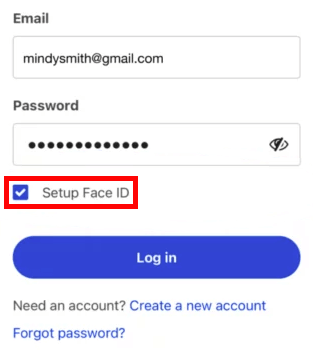
| Account security | Encryption, 2FA, biometric locks |
| Compliance | COPPA, GDPR, FERPA, and CIPA |
Bark’s privacy approach is simple: Flag problems, skip the play-by-play. Instead of showing parents everything a child types or searches, Bark’s AI looks for specific risk signals — self-harm, bullying, explicit content, or predators — and only surfaces alerts when something genuinely concerning appears.
That selective system helps protect kids’ sense of privacy, especially for teens. Bark isn’t a hidden app, but it also isn’t a constant surveillance feed. By avoiding full message access, it reduces the temptation for kids to hide conversations elsewhere — something we’ve seen happen often with more invasive tools.
Behind the scenes, Bark keeps data handling fairly tight. It collects only what’s needed to monitor accounts and devices, secures it with industry-standard encryption, and supports extra protections like two-factor authentication for parent accounts. Bark also states clearly that family data isn’t sold to third parties, and it follows current child-privacy regulations, which explains the adult verification step during signup.
Bark customer support: Help when things get tricky
After testing Bark across multiple devices and setups, one thing became clear pretty quickly: Bark’s support is solid when you have time — and frustrating when you don’t.
| Support option | Available? | What it’s like in practice |
| Phone support | ❌ No on-demand calls | Only scheduled calls; no “call now” option for urgent issues |
| 1-on-1 setup calls | ✅ Scheduled | Very useful for iOS, Bark Phone, and non-tech-savvy parents |
| Live chat (human) | ⚠️ Limited | Available for paid users, less reliable during free trial |
| AI assistant | ✅ 24/7 | Mostly redirects to articles; limited real problem-solving |
| Email / ticket support | ✅ | Helpful responses, usually within 24–48 hours |
| Help center and guides | ✅ | Detailed, up-to-date, especially strong for iOS and setup issues |
| Community | ✅ | Active parent community |
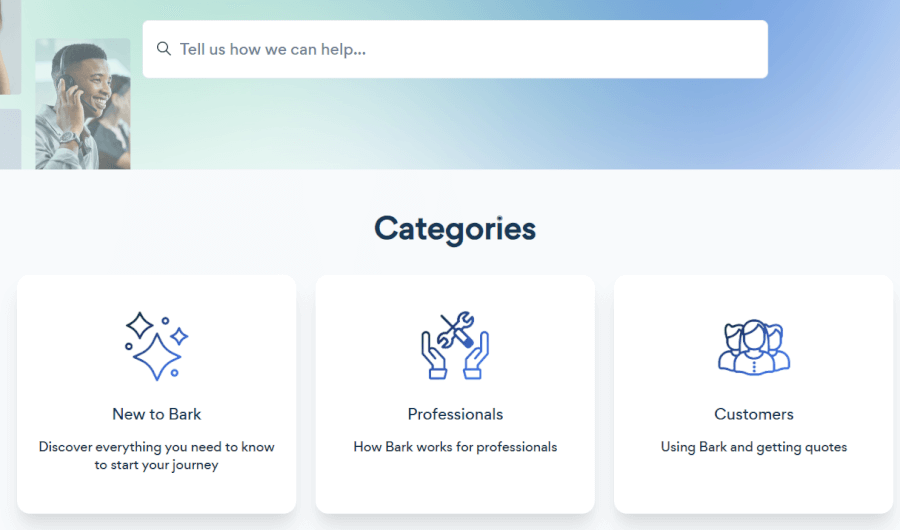
Most problems steer you toward Bark’s help center first. Thankfully, it’s one of the better ones we’ve tested. The guides are clear, regularly updated, and especially useful for tricky stuff like iOS setup, account syncing, or figuring out why a device suddenly went quiet. If you’re willing to follow a few steps, you’ll usually get unstuck.
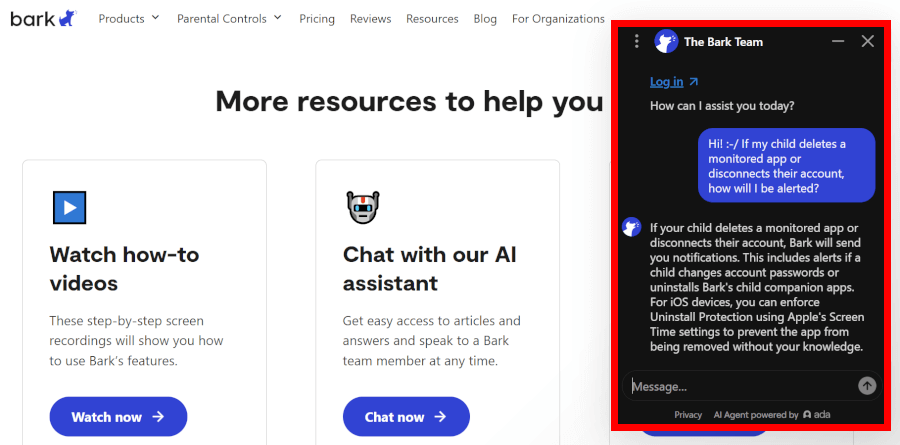
Next up is the AI assistant. Think of it as a polite traffic cop, not a mechanic. It’s available 24/7, but mostly points you toward articles rather than fixing things itself. Fine for quick questions, less helpful when you’re already knee-deep in settings and mildly annoyed.
Once you reach a real human via email or in-app tickets, things get better. Responses were faster than expected in our testing, and replies felt thoughtful rather than scripted. Bark also does something genuinely helpful here: for serious alerts around bullying or mental health, support often includes expert-backed advice on how to talk to your child — not just what button to click.
Setup support deserves a nod, too. Bark can be genuinely fiddly, especially on iOS or with the Bark Phone, so the option to book a one-on-one setup call is a big plus. That said, the need for scheduled help also hints at the downside: Bark asks for more patience than many parents expect.
Which leads to the biggest drawback. There’s no on-demand phone support. If something breaks, alerts stop, or a situation feels urgent, you can’t just call and get instant reassurance. For a child-safety product, that gap is noticeable — and for some parents, it’ll be a dealbreaker.
Helpful, yes. Immediate, no. Bark’s support rewards patient parents, but those who want real-time phone help may feel left waiting.
Bark Parental Control app alternatives: Quick comparison
Bark, Aura, and Qustodio all aim to keep kids safer online — they just go about it in very different ways.
| Feature | Bark | Aura | Qustodio |
| Location tracking | ✅ GPS & geofencing | ❌ | ✅ GPS & geofencing |
| Social media monitoring | ✅ AI risk alerts (30+ apps) | ❌ | ⚠️ Basic alerts |
| Screen time controls | ✅ | ✅ | ✅ |
| Windows gaming alerts | ❌ | ✅ Safe Gaming | ❌ |
| Identity theft protection | ❌ | ✅ On Family plan | ❌ |
| Starting price | $4.08/month | $10/month | $4.58/month |
| Best for | Online risk detection | All-in-one family safety | All-in-one family safety |
Bark is the clear choice if your biggest concern is what’s being said, not just how long screens are on. Its AI scans texts, emails, and dozens of social platforms for signs of cyberbullying, self-harm, or predatory behavior, then alerts you only when something looks off. You won’t get a full activity feed, but you will get context and guidance when it matters most.
Aura takes a wider-angle approach. It’s less about social monitoring and more about total family protection. Alongside basic parental controls, Aura bundles identity theft protection, antivirus, VPN access, and Safe Gaming chat alerts on Windows PCs. It’s a strong pick if you want one subscription covering kids, parents, and devices — but the lack of GPS tracking is a real trade-off.
Qustodio sticks to the fundamentals and does them well. You get detailed screen time rules, app and website blocking, and reliable real-time location tracking with geofencing. It doesn’t go as deep into social media risks as Bark, and it doesn’t bundle extra security like Aura, but for hands-on, traditional parental controls, it remains one of the most dependable options.
Bark parental controls: Is it right for your family?
Bark isn’t trying to watch everything your kids do online — and that’s exactly the point. It’s built for parents who care more about real risks than rigid rules, using smart AI alerts to flag bullying, self-harm, or dangerous conversations without turning everyday chats into a surveillance feed.
That approach shines for tweens and teens who already live on social media and value privacy. Bark works best when you want insight, context, and guidance — not minute-by-minute screen tracking. Just be ready for a setup that takes some patience, and remember that instant phone support isn’t part of the package.
If Bark’s trust-first style feels like the right fit, it’s one of the most thoughtful parental control tools you can use in 2026. And if you’re looking for broader, all-in-one family protection instead, Aura stands out as the best alternative — especially for parents who want parental controls bundled with identity protection, antivirus, and extra digital safety tools.
Bark parental controls app FAQ
How does Bark parental controls app work?
Bark acts like a smart alarm for your kids’ online life — it doesn’t monitor everything, just what matters. Its AI scans texts, emails, and 30+ social apps for risks like cyberbullying, self-harm, and predators. Parents only see flagged alerts, preserving privacy while staying informed. You can also set screen time limits, filter apps and websites, and track your child’s location when needed.
Is Bark safe and private to use?
Yes, Bark is designed with privacy in mind. It only shows snippets of flagged content, never your child’s full messages, so teens can keep some digital independence. All data is encrypted in transit and at rest, and Bark follows strict privacy rules like COPPA and GDPR. They also don’t sell your family’s data — the goal is keeping kids safe, not monetizing their chats.
Does Bark track location or GPS?
Absolutely, but it’s smart about it. Bark provides real-time location tracking, geofencing alerts for favorite spots like school or home, and optional check-ins that kids can trigger themselves. It also includes driving summaries for teens, logging miles traveled and top speeds, which is a nice extra for safety-conscious parents.
What happens when Bark detects a serious issue?
When Bark’s AI spots a serious risk, you get an immediate alert via the app, email, or text. Each alert comes with actionable advice, often backed by child psychologists, on how to approach the situation. Think of it as an expert nudge — not a full-blown panic button, but enough guidance to handle sensitive conversations calmly.
Is Bark better than Qustodio or Aura?
It depends on what you want. Bark shines for monitoring what kids are saying and doing online, with AI alerts and social media coverage, while Qustodio is excellent for classic screen time and location controls. Aura, meanwhile, offers a full family safety suite, including identity theft protection, VPN, and PC gaming alerts. If you want hands-on social monitoring, Bark is the winner; if you prefer all-in-one digital security, Aura is worth checking out.

Leave a Reply